My Time Off Tracker 2
Personalized PTO Tracking
Designed for iPhone, iPad
Free · In-app purchases
- Age rating4+
- CategoryBusiness
- DeveloperBryant Foster
- LanguagesEnglish
- Size35.6 MB
Links to the official App Store page
Download.org hosts no file of My Time Off Tracker 2. The button opens its official App Store page, published by Bryant Foster. Listing last checked on Nov 17, 2026.
Screenshots
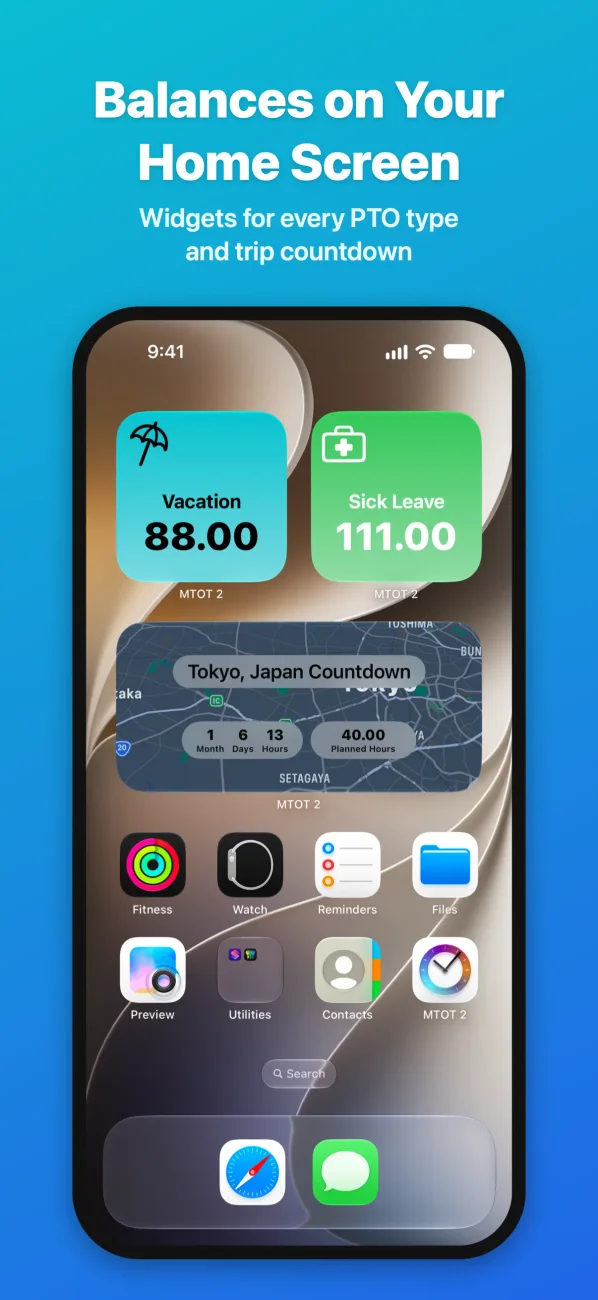
About
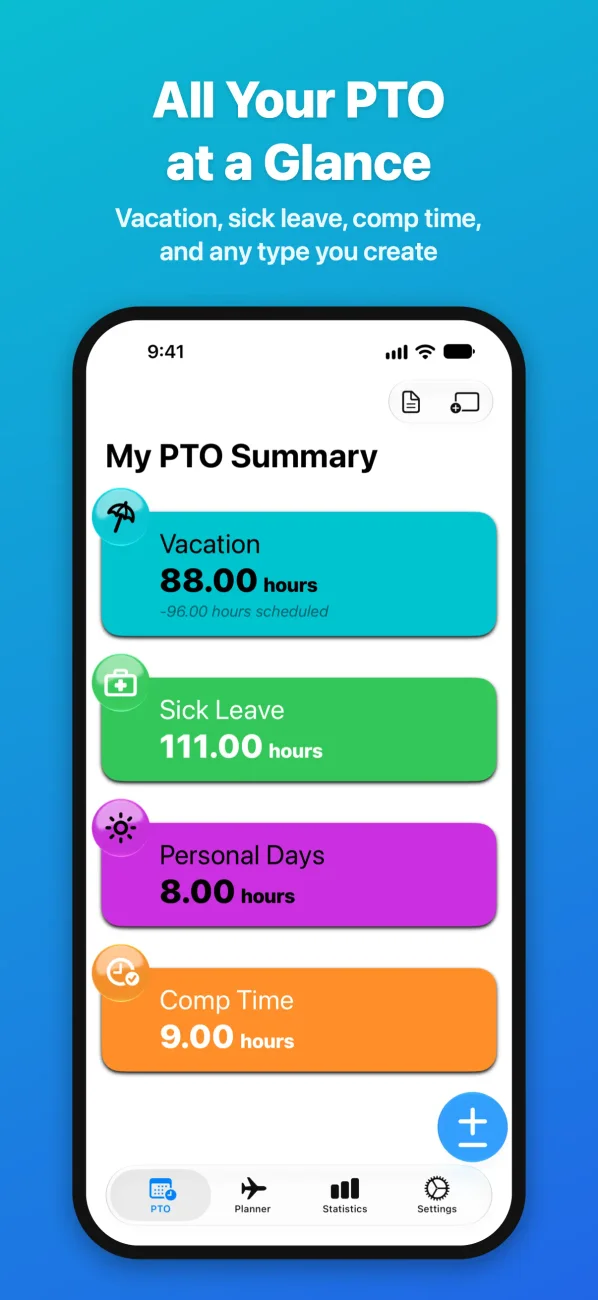
My Time Off Tracker 2 is a completely new and reimagined version of our popular personal time off tracker designed to help you quickly see how much time off you have, without needing to sign into any of your business accounts or work portals. Customize your leave with your own title, icon, and color. Plan trips and know exactly how much leave you will have at the start and end of your trips. Features you can find in My Time Off Tracker 2:
Customize your Time Off
- Choose your own title, icon, and color to represent each of the different types of leave you have
- Your custom look will be used from a graph of your time off, to widgets on your home and Lock Screen.
- Unlimited types of leave. Track Annual, Sick, Travel, Credit, Baby Leave or whatever other leave your work allows and track all of them independently.
Trip Planner
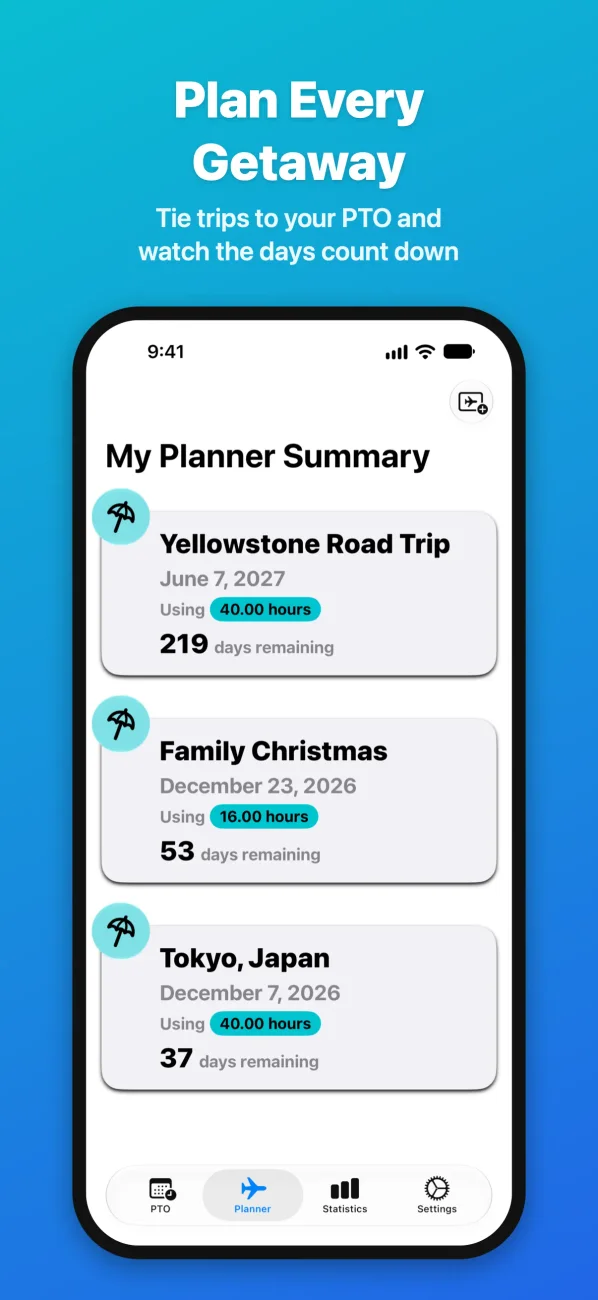
- Create a trip by choosing a leave type and a start date
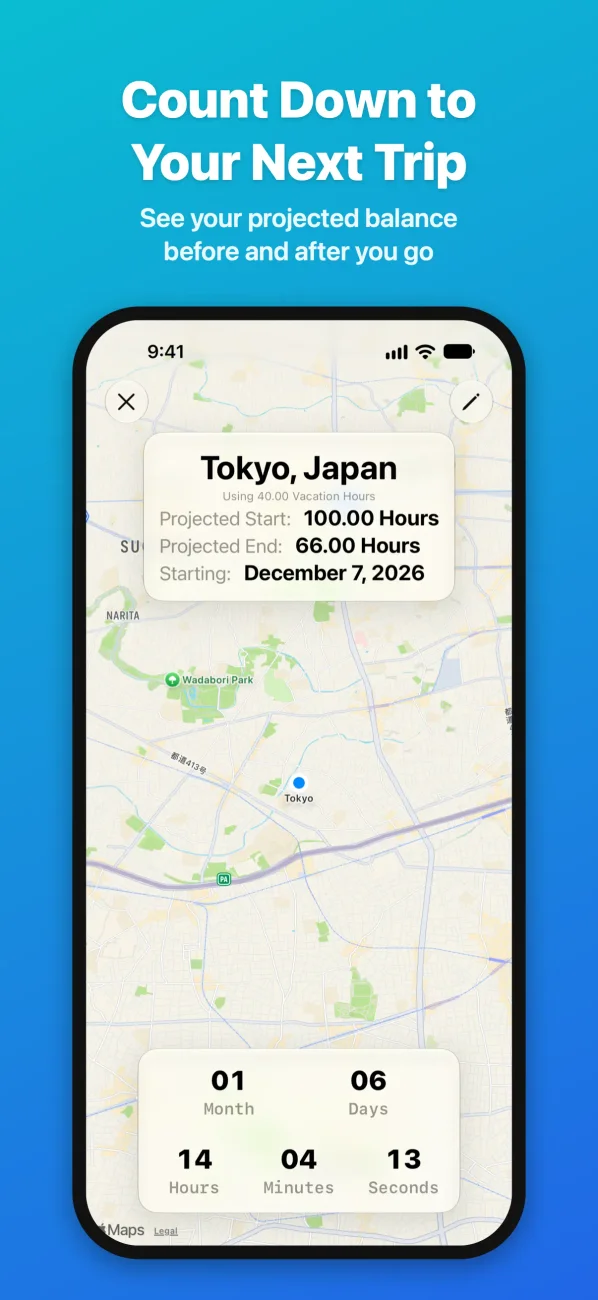
- Choose a destination for your trip and have an interactive map as your background
- Choose a photo from your photo library as a background
- See a live countdown in the app or in a widget
Tagging System
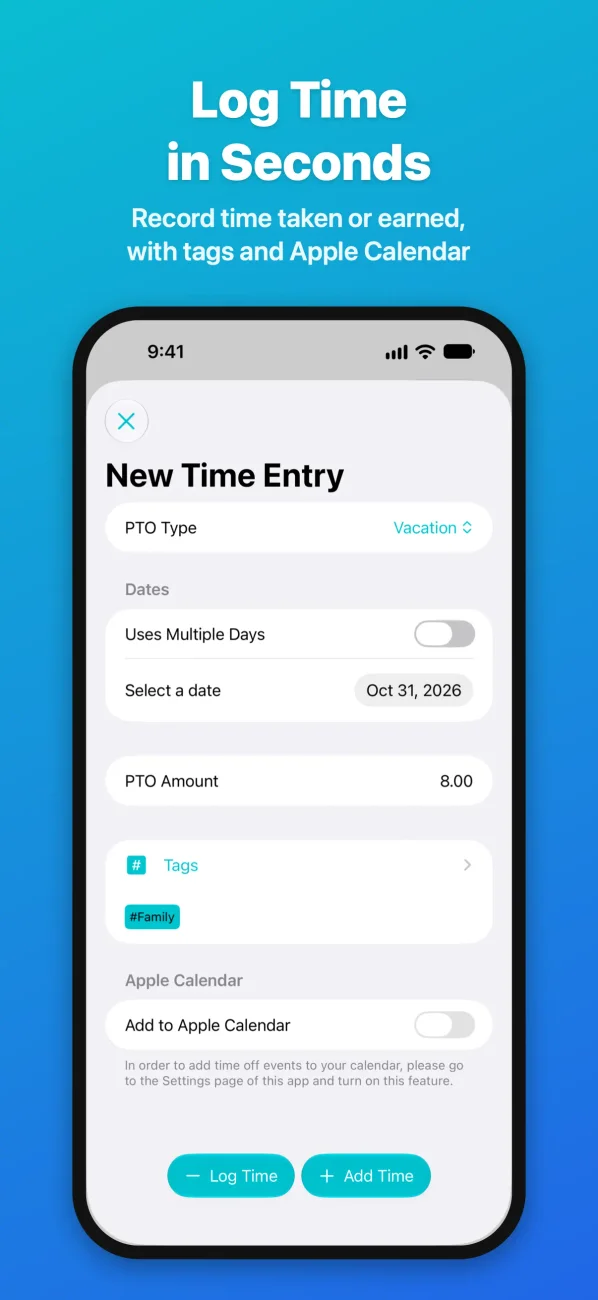
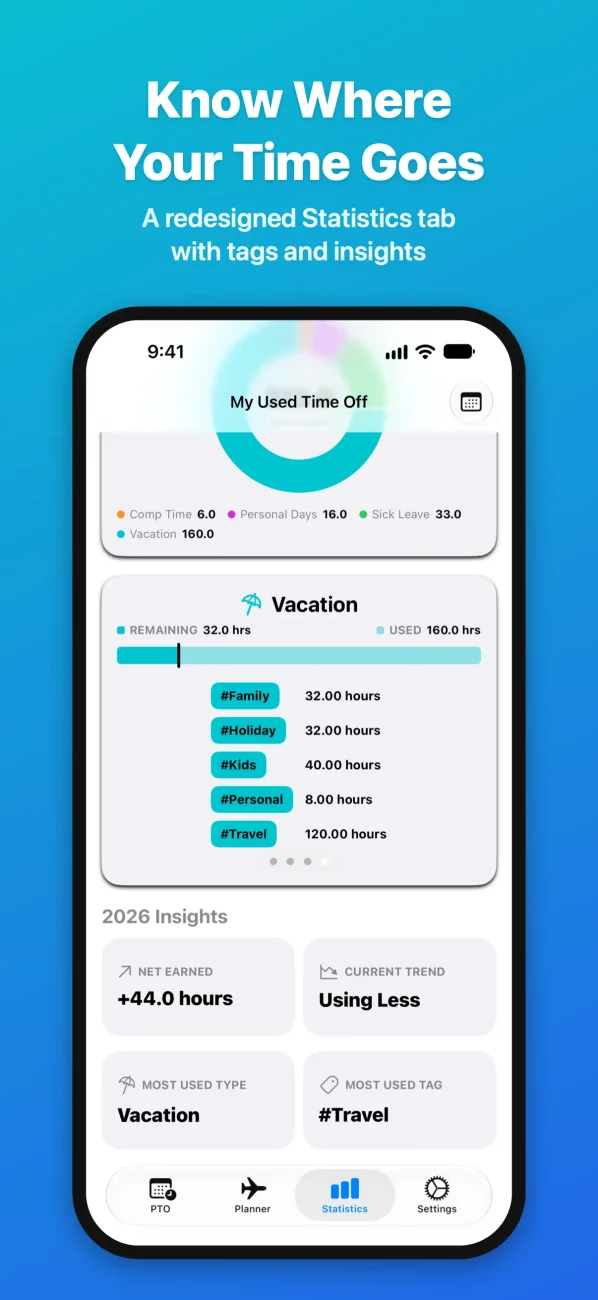
- Add a tag to your entries to see why you took leave off when you did
- Tags show up in the history and statistics
- Easily add as many tags or remove them when you don’t need them anymore.
Automatic Accrual:
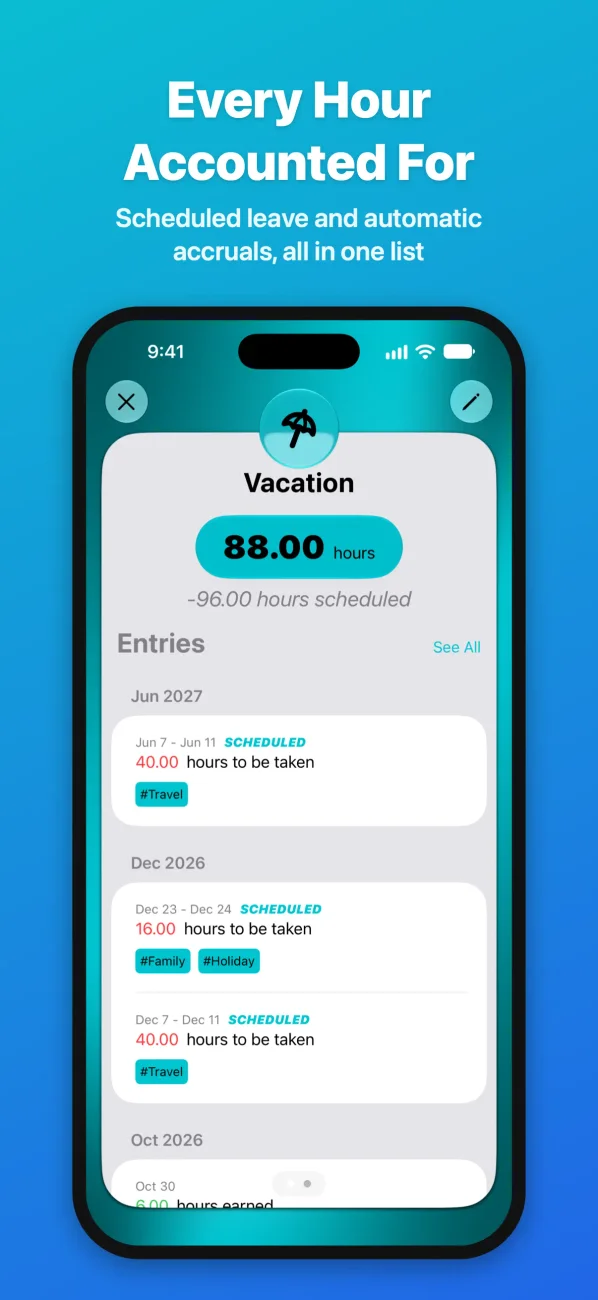
- Automatically increase your time off weekly, bi-weekly, monthly, or yearly.
- Set when your next accrual date is, and the app will add your accrued time and update the next date automatically.
- Set a cap to prevent the time from automatically accruing past a certain amount
- Keep track of Use or Lose hours by setting a date you need to use your time off by.
Widgets:
- Custom widgets for both the lock screen and the Home Screen.
- See how much time you have off is remaining without even opening the app.
- Widgets match the color theme chosen in the app.
- See a live countdown of upcoming trips
Statistics:
- When you take time off, enter the amount in the app to always know how much time off is left.
- Add a tag to see how many times you’ve used that tag before
- See how much time off you take every month.
- Easily check when the last time you took a day off was.
- Tap on the entries to delete or edit the entry.
- View a detailed graph of your time off.
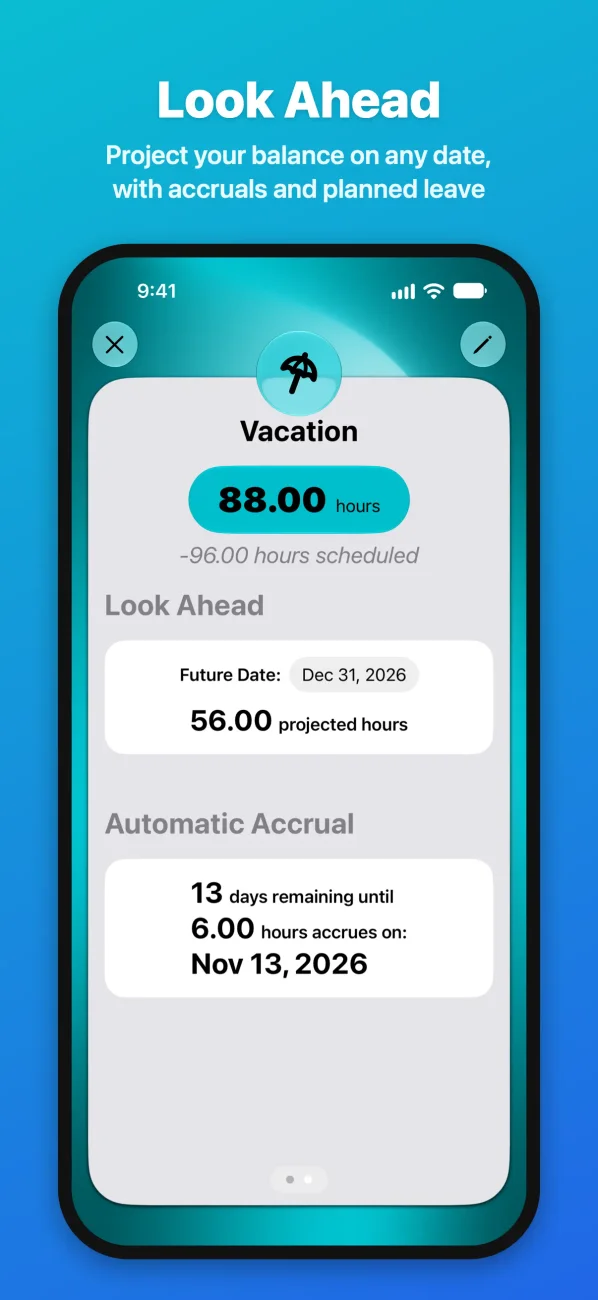
Look Ahead:
- Choose a date in the future to plan ahead.
- See how much time off you will have on that date.
Other Features:
- Full iCloud support, time off syncs across iPhone and iPad and M-Series Macs
- Apple Calendar integration, add your time off or trip to the default calendar app.
- Transfer your data from My Timer Off Tracker 1 and pick up where you left off!
Developed by Bryant Foster and Jason Hansen.
What’s new
Version 3.0 · Nov 1, 2026
Version 3.0 is our biggest update yet!
NEW DATABASE
• Your data now lives in a completely rebuilt database for faster performance as your history grows, and it lays the groundwork for sharing with another person in a future update. Your existing data is moved over automatically.
REDESIGNED STATISTICS
• The Statistics tab has been rebuilt from the ground up. See time used by type, tag breakdowns, and insights like Net Earned, Current Trend, Most Used Type, and Most Used Tag.
• Switch between Month and Year views, and jump to any month with the new calendar picker.
SMARTER ACCRUALS & LOOK AHEAD
• New "End of the Month" accrual frequency.
• Look Ahead now includes your scheduled leave and automatic accruals, so projected balances are more accurate.
• Caps and use-or-lose are now applied on the correct dates, and accruals now run when you come back to the app, not just at launch.
• Your summary now shows how much time you have scheduled ("hours upcoming").
FEATURE REQUESTS
• Suggest features, vote on what matters most to you, and see what we're planning and building, all from Settings.
TRIPS & WIDGETS
• Trip plans and their PTO entries stay in sync when you edit, duplicate, or delete them.
• Widgets now match the balances in the app, and the medium trip widget shows your planned hours.
• Refreshed trip cards, Liquid Glass polish, and support for larger and foldable screens.
Plus many smaller fixes and improvements. Have an idea or found a bug? Tap Feature Requests or email us from Settings!
App privacy
What Bryant Foster declares on the App Store about how this app handles data.
-
Data not linked to you
May be collected but is not linked to your identity.
- Usage data
Privacy practices may vary, for example with the features you use or your age.
Information
- Seller
- Bryant Foster
- Category
- Business
- Version
- 3.0
- Updated
- Nov 1, 2026
- Released
- Jan 3, 2024
- Size
- 35.6 MB
- Requires
- iOS 26.0 or later
- Age rating
- 4+
- Price
- Free
- In-app purchases
- Yes
- Languages
- English
- Copyright
- © hfCode 2026
You might also like
-
 TOT: Time Off TrackerPTO, Annual Leave, Vacation
-
 PlayTime: PTO TrackerTrack your PTO effortlessly
-
 Paid Time OffProductivity
-
 Time Tracker: Work & LeaveTrack Hours, Overtime & Days
-
 TimeOffHubPTO Tracker & Forecast
-
 MyPTO: Track & Plan Time OffMake sure you use your PTO
-
 Use Your DaysPTO Tracking Made Simple
-
 Day Off - Leave Tracker & PTOAbsence & Annual Leave Tracker
-
 Leave Balance TrackerProductivity
-
 VacationTracker.comPTO/Absence Tracking made easy