
- Age rating9+
- CategoryReference
- DeveloperKenan Gonino
- LanguagesEnglish
- Size5.9 MB
Links to the official App Store page
Download.org hosts no file of MyBibleBin. The button opens its official App Store page, published by Kenan Gonino. Listing last checked on Nov 23, 2026.
Screenshots



About
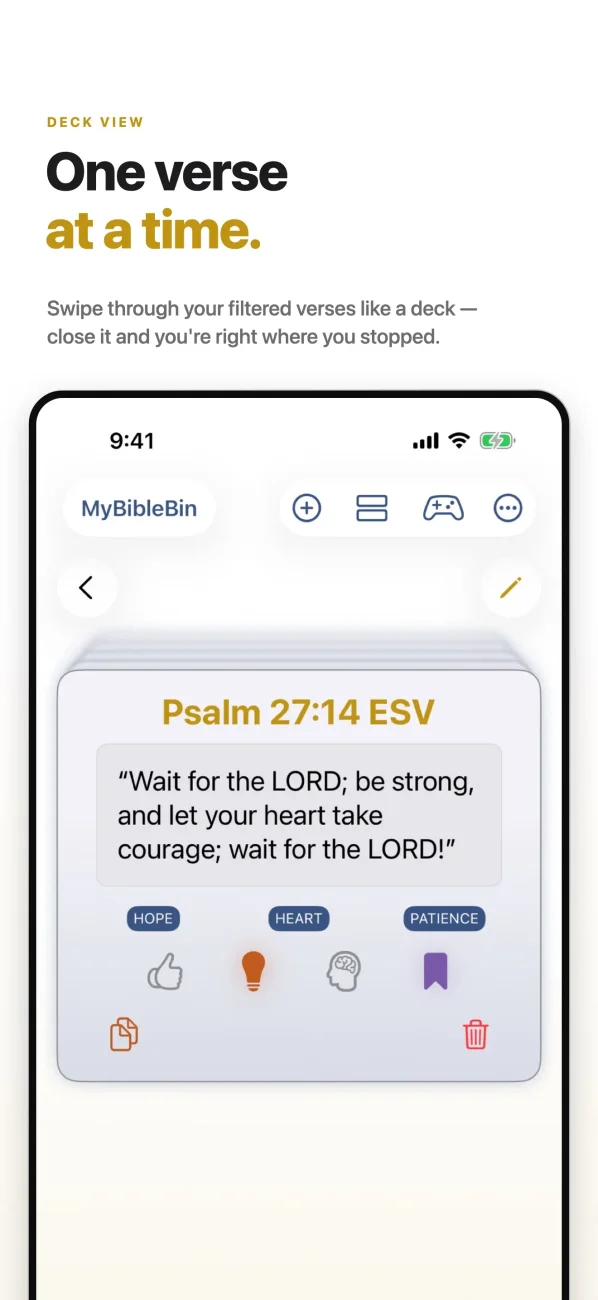
MyBibleBin is a tool for Scripture recall, study, and spiritual growth. Whether you’re preparing for discipleship, teaching, personal devotions, or memorization, MyBibleBin gives you a fast and flexible way to access God’s Word.
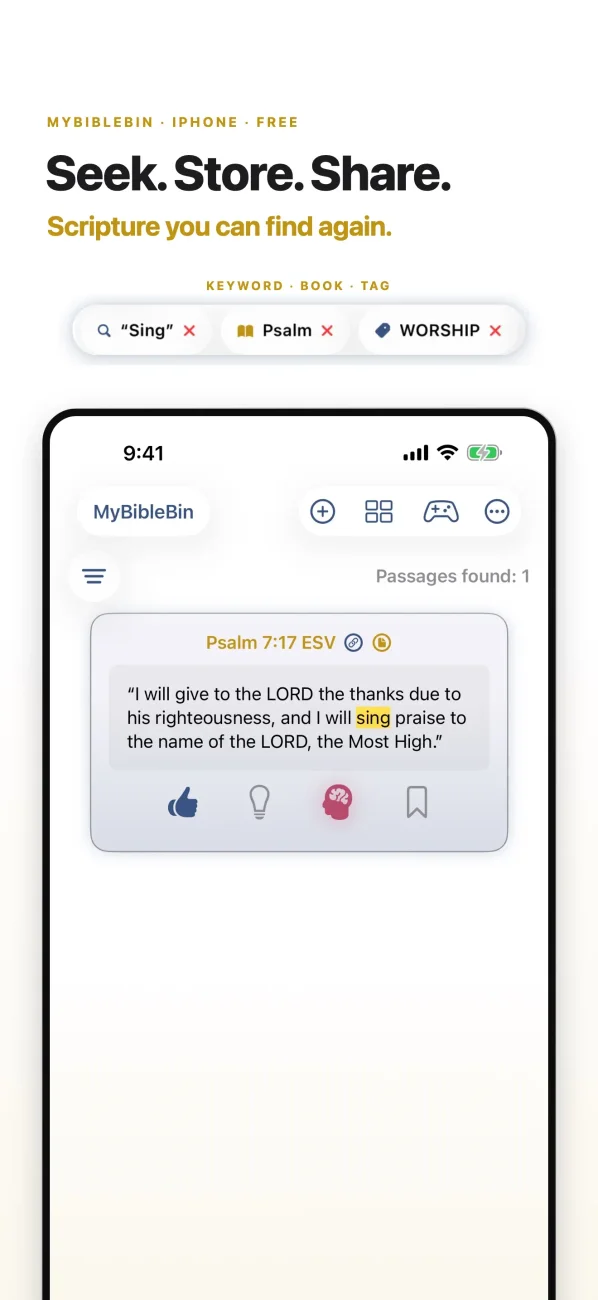
Filter, organize, and reflect on verses by theme, keyword, or book. Use powerful tools to tag key passages, mark favorites, add verse links or notes, and narrow your study with advanced filters.
Key Features:
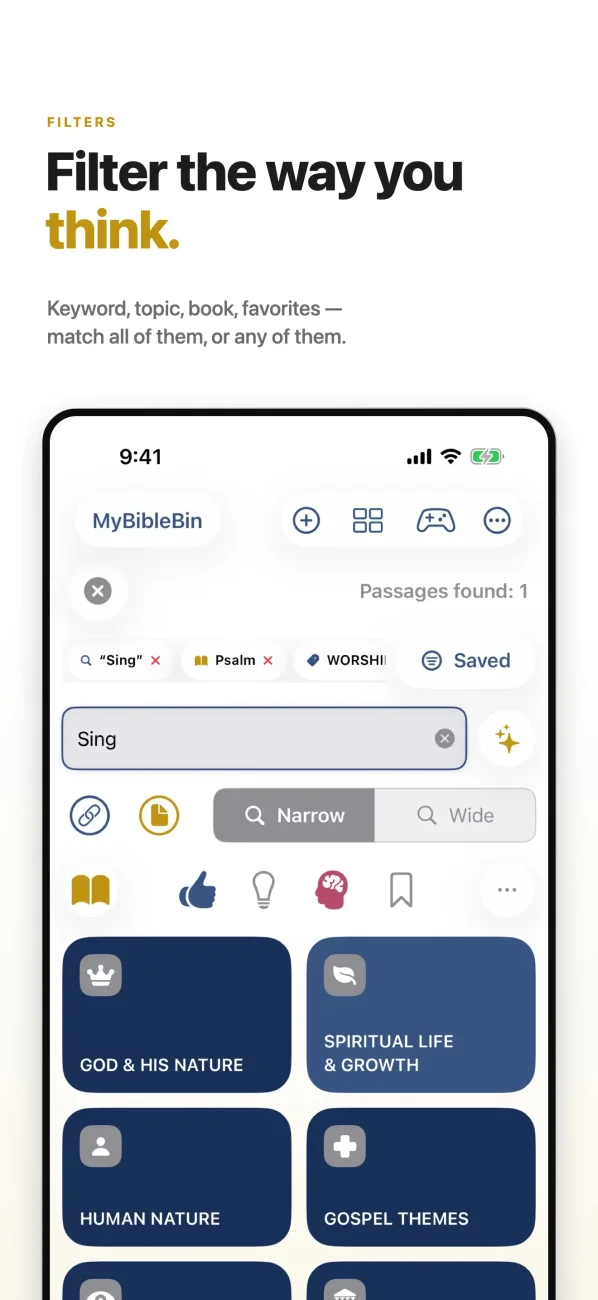
1: Filter verses by topic tags, keyword, and Bible book
2: Use AND/OR logic to narrow or broaden search results
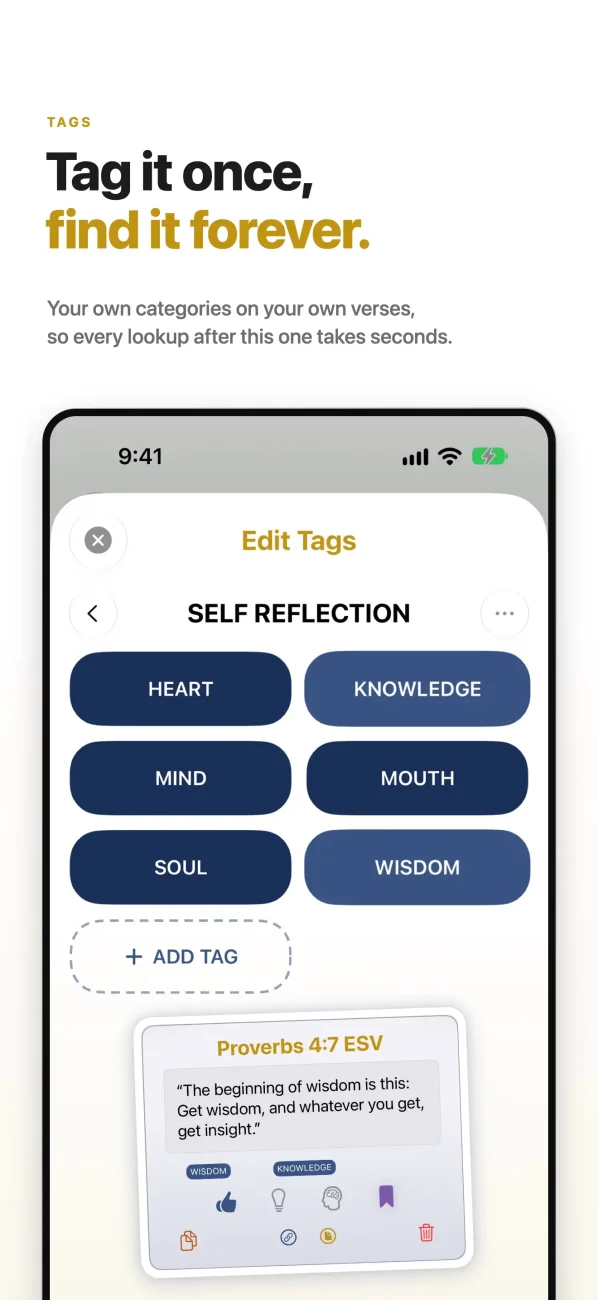
3: Tag verses with custom labels for future lookups
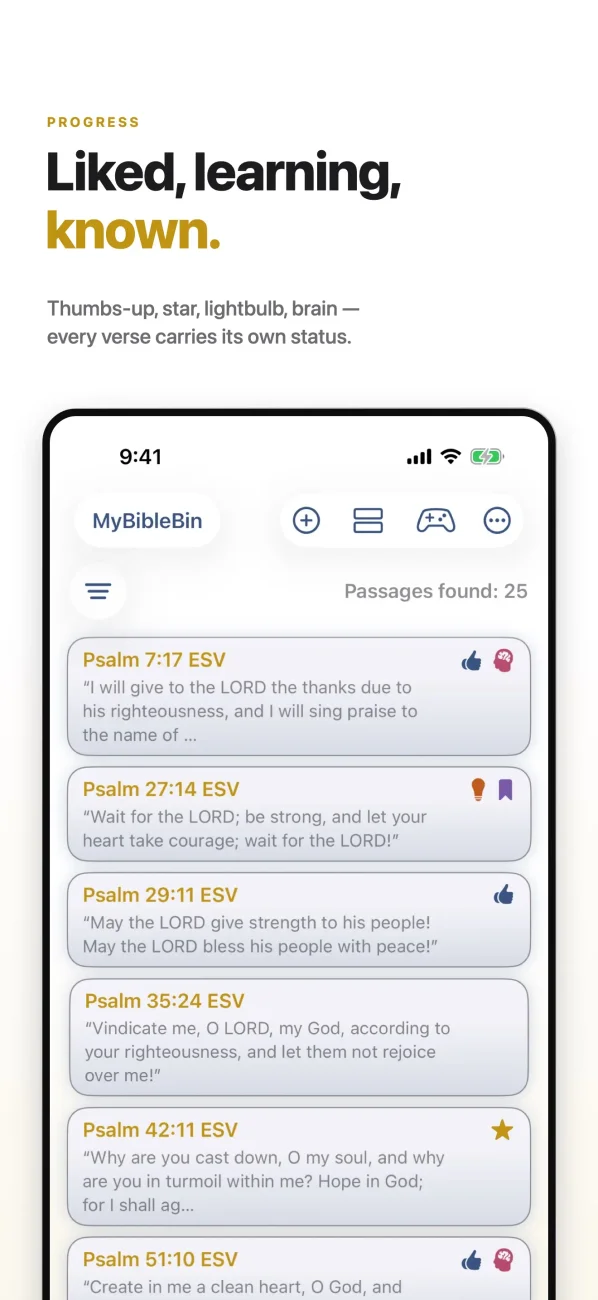
4: Mark favorites and track “memorizing” or “memorized” status
5: Add your own verses, edit, or replace
6: View as scrollable cards or a compact list
7: Save filtering presets, verse notes and links
8: Back up your data securely with manual Export/Import
Quick Guide
• Browse – Your verses are shown as cards (with tags underneath) or in a simple list. Tap any verse card to open it full screen and focus on just that passage.
• Mark – Use thumbs up icon to mark a liked verse and tap again to favorite with a star, lightbulb icon for verses you are currently memorizing, and brain icon for verses you’ve already memorized or the bookmark for a temporary lookup filter. These markers help you track your progress at a glance.
• Filter – Tap the Filters button to narrow down your verses. You can type a keyword, select topic tags, choose Bible books, or show only favorites/memorizing/memorized/bookmark. Use AND/OR to decide if verses must match all your choices or just any of them.
• Tags – Tags are blue bubbles that group verses by theme. Add or edit them.. The app organizes tags into categories, so you can always find verses by topic.
• Add – Tap the + button to add a new verse. Paste or type the verse, add its Bible reference, and choose tags. It will appear instantly in your library.
• Link – You can connect related verses together. Once linked, they show up underneath each other so you can move back and forth easily.
• Notes – You can add notes to your verses. Recall, review, or edit whenever you like.
• Backup – MyBibleBin uses manual, user-initiated encrypted backups using "Export/Backup" with user password. To restore, use "Import/Restore" and pick a previously saved backup. If iCloud Backup is turned on in iOS Settings your data is included in normal device backups and restores.
Use Cases:
1: To build up the body of Christ
2: To recall what a passage says and where it is, based on selected tags, keywords, or phrases
3: To look up similar passages for cross-reference and comparison
4: An easy and accessible tool for memorizing Scripture
5: For storing memorized or favorite verses and refreshing them regularly
6: To support leadership and discipleship roles in ministry
7: To help young believers work through the Bible and identify key passages
8: To facilitate discussion grounded in biblical truth
What’s new
Version 2.7.4 · Nov 21, 2026
- Daily Review Improvements
App privacy
What Kenan Gonino declares on the App Store about how this app handles data.
-
Data not collected
The developer does not collect any data from this app.
Privacy practices may vary, for example with the features you use or your age.
Information
- Seller
- Kenan Gonino
- Category
- Reference
- Version
- 2.7.4
- Updated
- Nov 21, 2026
- Released
- Oct 6, 2025
- Size
- 5.9 MB
- Requires
- iOS 16.6 or later
- Age rating
- 9+
- Price
- Free
- Languages
- English
- Copyright
- © Kenan Gonino
You might also like
-
 Wildfire Spiritual ExercisesReignite Your Spiritual Life
-
 Anchored Bible MemoryMemorize Scripture for life
-
 Bible Verse WidgetPrayer Lock & Quotes
-
 Agape EnergyDaily study, prayer, community
-
 Bible Trivia: KJV Bible QuizDaily Bible Trivia Questions
-
 STR Quick-Reference AppEducation
-
 University of Washington ToursEducation
-
 Psalmo: Daily Bible Verse LockScreen Time Widget & Prayer
-
 Global Leadership Summit 2026GLS26
-
 Spitfire EliteAviation knowledge & protocols