- 対象年齢9+
- カテゴリ辞書/辞典/その他
- 開発元Kenan Gonino
- 言語英語
- サイズ5.9 MB
MyBibleBinは現在App Storeで入手できない可能性があります
前回の確認時、ストアのページにアクセスできませんでした。リンク先は引き続きApp Storeの公式ページです。
スクリーンショット



概要
開発元はこのテキストをお使いの言語で提供していません。
MyBibleBin is a tool for Scripture recall, study, and spiritual growth. Whether you’re preparing for discipleship, teaching, personal devotions, or memorization, MyBibleBin gives you a fast and flexible way to access God’s Word.
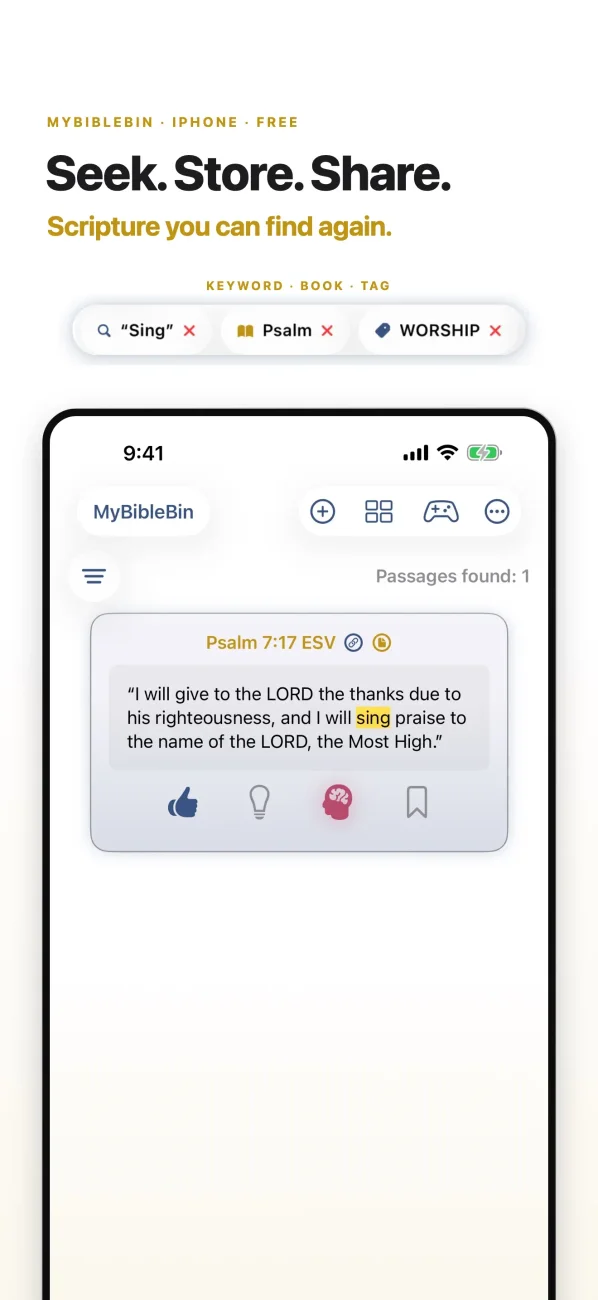
Filter, organize, and reflect on verses by theme, keyword, or book. Use powerful tools to tag key passages, mark favorites, add verse links or notes, and narrow your study with advanced filters.
Key Features:
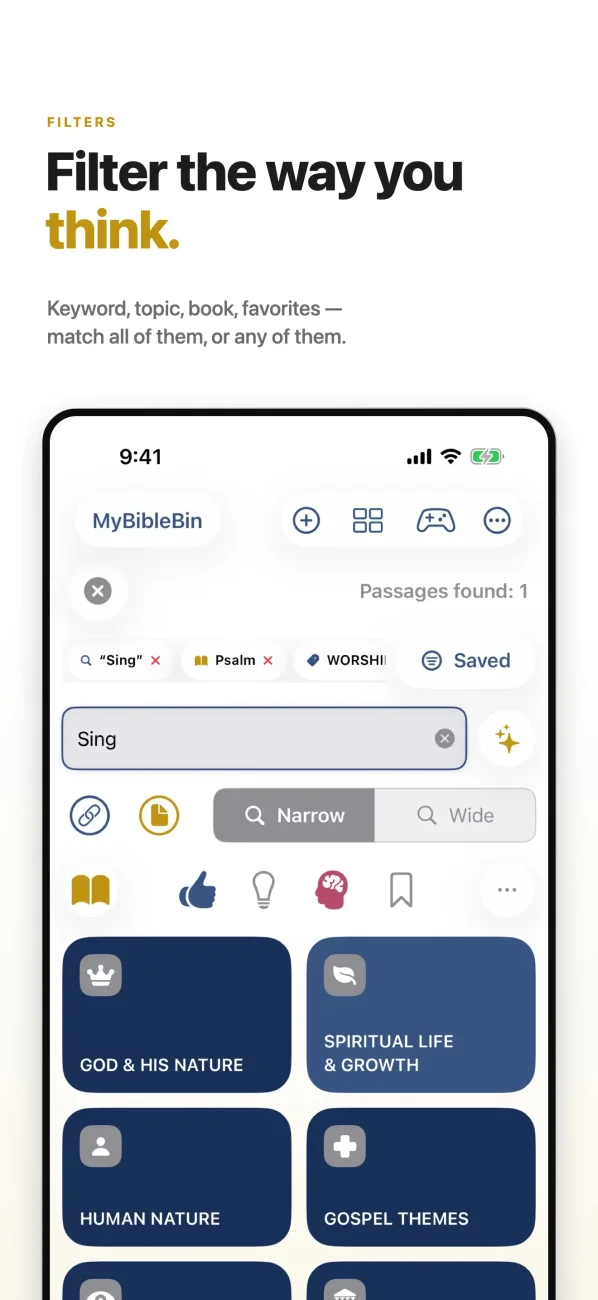
1: Filter verses by topic tags, keyword, and Bible book
2: Use AND/OR logic to narrow or broaden search results
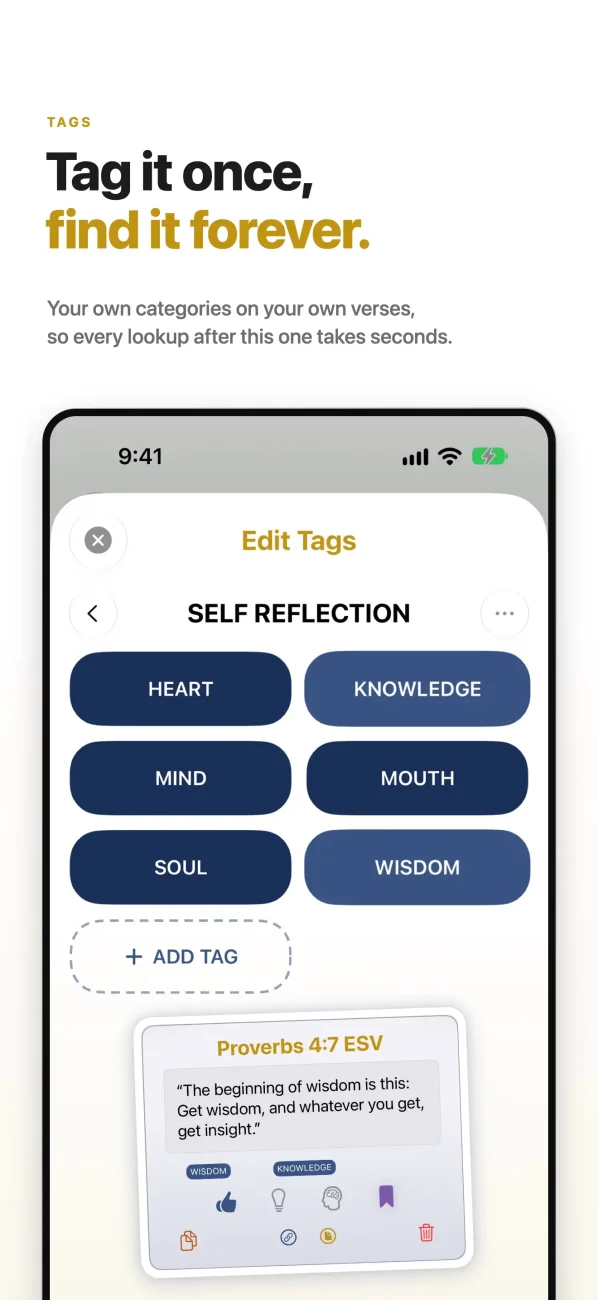
3: Tag verses with custom labels for future lookups
4: Mark favorites and track “memorizing” or “memorized” status
5: Add your own verses, edit, or replace
6: View as scrollable cards or a compact list
7: Save filtering presets, verse notes and links
8: Back up your data securely with manual Export/Import
Quick Guide
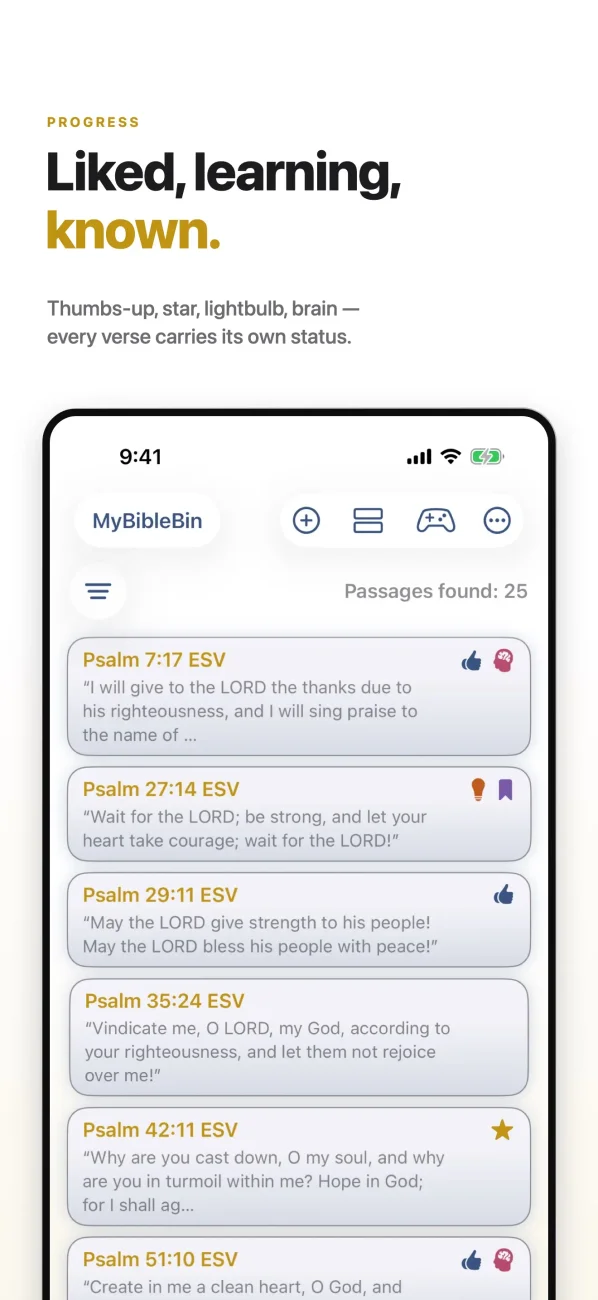
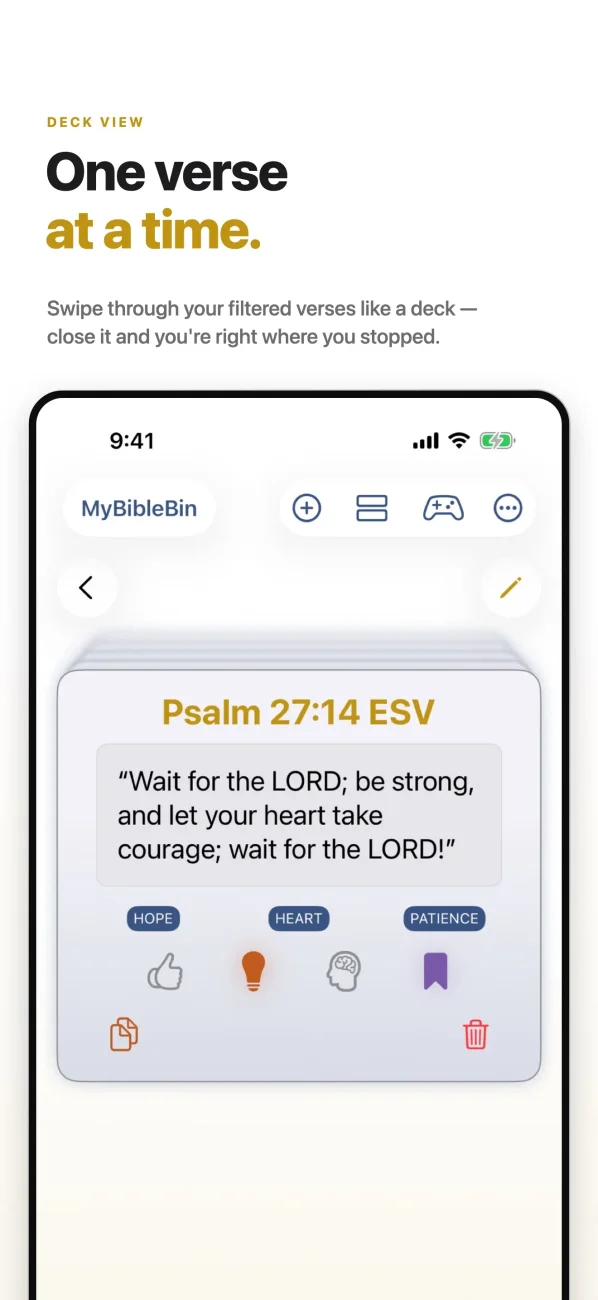
• Browse – Your verses are shown as cards (with tags underneath) or in a simple list. Tap any verse card to open it full screen and focus on just that passage.
• Mark – Use thumbs up icon to mark a liked verse and tap again to favorite with a star, lightbulb icon for verses you are currently memorizing, and brain icon for verses you’ve already memorized or the bookmark for a temporary lookup filter. These markers help you track your progress at a glance.
• Filter – Tap the Filters button to narrow down your verses. You can type a keyword, select topic tags, choose Bible books, or show only favorites/memorizing/memorized/bookmark. Use AND/OR to decide if verses must match all your choices or just any of them.
• Tags – Tags are blue bubbles that group verses by theme. Add or edit them.. The app organizes tags into categories, so you can always find verses by topic.
• Add – Tap the + button to add a new verse. Paste or type the verse, add its Bible reference, and choose tags. It will appear instantly in your library.
• Link – You can connect related verses together. Once linked, they show up underneath each other so you can move back and forth easily.
• Notes – You can add notes to your verses. Recall, review, or edit whenever you like.
• Backup – MyBibleBin uses manual, user-initiated encrypted backups using "Export/Backup" with user password. To restore, use "Import/Restore" and pick a previously saved backup. If iCloud Backup is turned on in iOS Settings your data is included in normal device backups and restores.
Use Cases:
1: To build up the body of Christ
2: To recall what a passage says and where it is, based on selected tags, keywords, or phrases
3: To look up similar passages for cross-reference and comparison
4: An easy and accessible tool for memorizing Scripture
5: For storing memorized or favorite verses and refreshing them regularly
6: To support leadership and discipleship roles in ministry
7: To help young believers work through the Bible and identify key passages
8: To facilitate discussion grounded in biblical truth
新機能
バージョン 2.7.4 · 2026/11/21
- Daily Review Improvements
アプリのプライバシー
このアプリのデータの取り扱いについて、Kenan GoninoがApp Storeで申告している内容です。
-
データの収集なし
開発元はこのアプリからデータを収集しません。
プライバシーの取り扱いは、ご利用の機能やお客様の年齢などに応じて異なる場合があります。
情報
- 販売元
- Kenan Gonino
- カテゴリ
- 辞書/辞典/その他
- バージョン
- 2.7.4
- 更新日
- 2026/11/21
- リリース
- 2025/10/6
- サイズ
- 5.9 MB
- 必要条件
- iOS 16.6以降
- 対象年齢
- 9+
- 言語
- 英語
- 著作権
- © Kenan Gonino