
MyGames Database
Track your game collection
Designed for iPhone, iPad
Free · In-app purchases
- Age rating12+
- CategoryEntertainment
- DeveloperDaniel Colman
- LanguagesEnglish+ 3 more
- Size56.0 MB
Links to the official App Store page
Download.org hosts no file of MyGames Database. The button opens its official App Store page, published by Daniel Colman. Listing last checked on Nov 23, 2026.
Screenshots



About
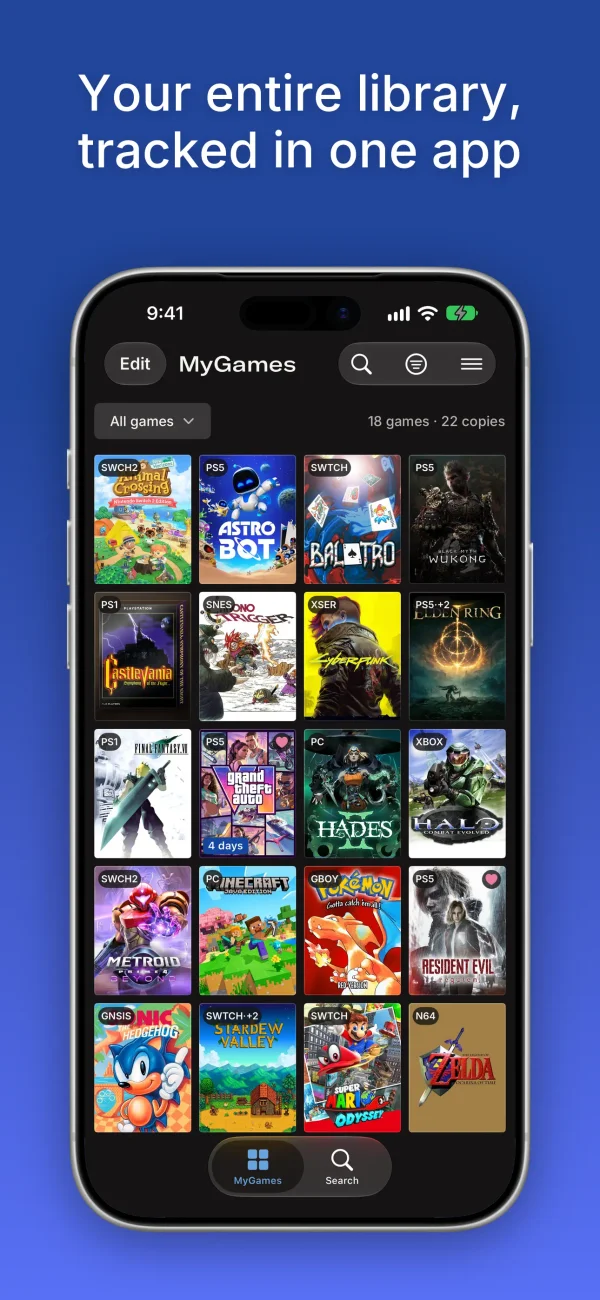
Every game you own and every game you've played, in one private library. Built for collectors and dedicated players: no sign-up, no ads, and it opens instantly, even offline.
Made by one independent developer, who reads every email.
--- WHAT IT DOES ---
Physical retro shelf or digital backlog, it's all in one place.
• Instant, Even Offline: Browse, edit, rate, and search with no spinners. (New titles and media need a connection.)
• 200,000+ Games: Look up and add almost anything, powered by IGDB.com.
• Private iCloud Sync: Your library lives in your own iCloud, synced across your iPhone and iPad.
• No Sign-Up, No Ads, Ever.
Note: MyGames Database tracks your games; it doesn't play them.
--- FREE (Up to 500 Owned Games, Unlimited Wishlist) ---
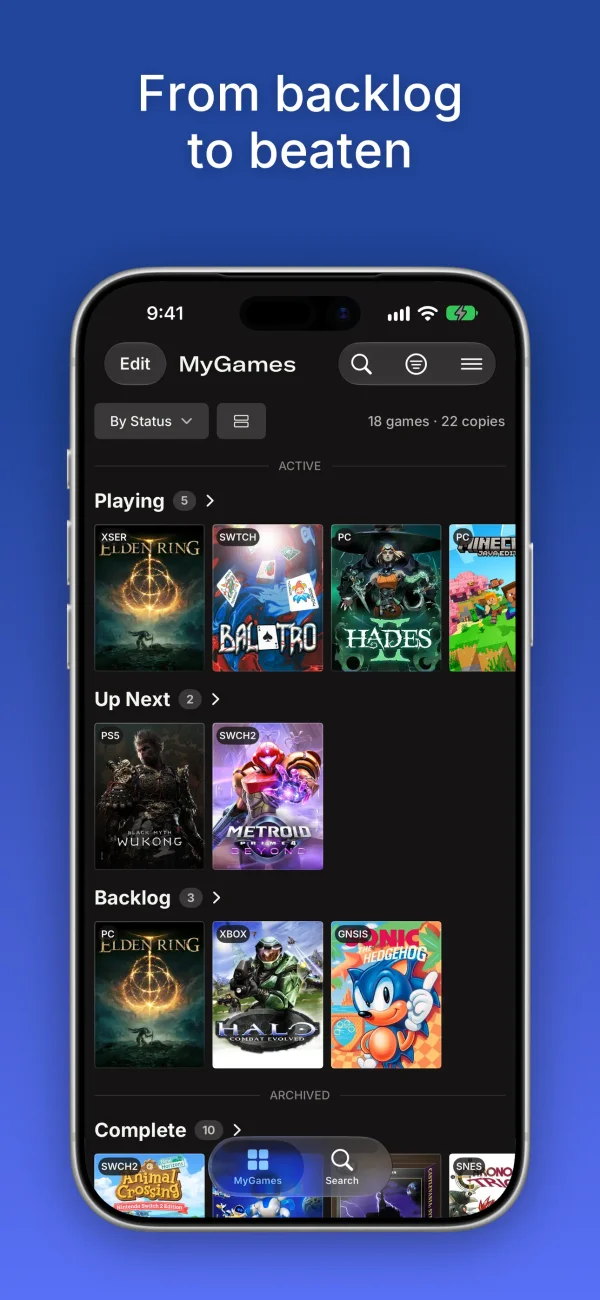
• Play Status: Backlog, Up Next, Now Playing, In Rotation, Completed, Retired, or Abandoned.
• Ratings & Reviews: Rate every game and write what you thought.
• Barcode Scanner: Scan physical media onto your shelf in seconds.
• Every Format: Mark each copy as disc, cartridge, cassette, and more, and keep wishlist and demo copies beside the ones you own.
• Release & Play Reminders: An alert the day a wishlist game launches, and a nudge when one you're playing goes quiet.
• Group & Sort: Group one way, sort another, in rows or grids.
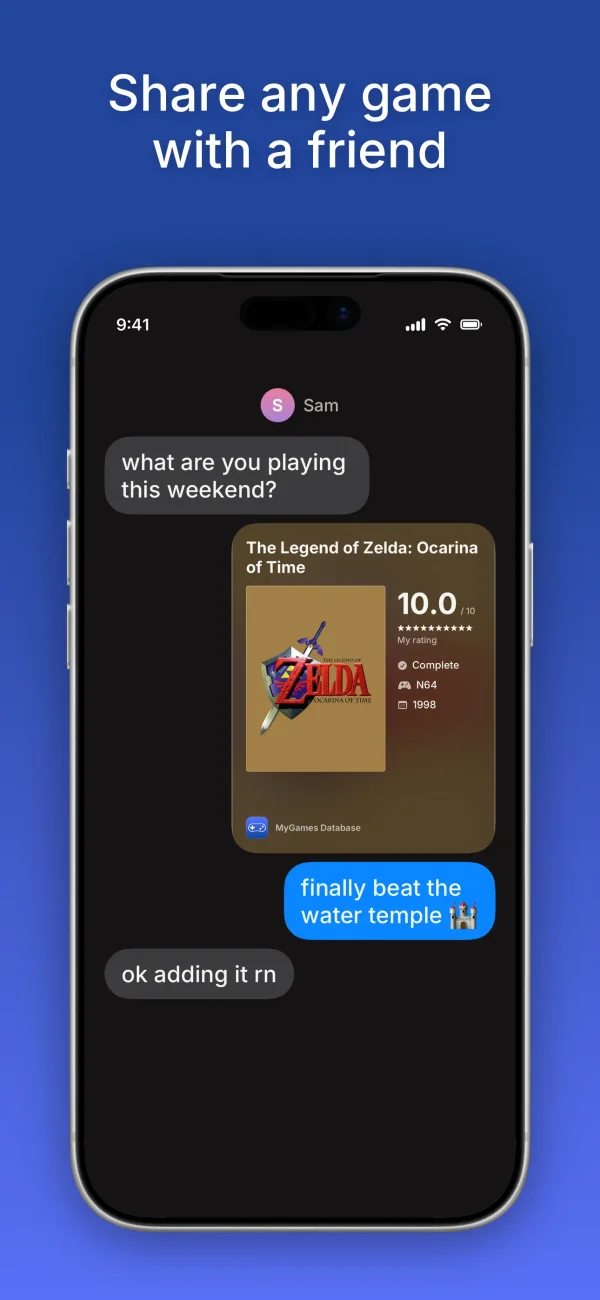
• Share a Game: Send any game to a friend as a card and a link.
• CSV & Steam Import: Bring your library in from a spreadsheet or Steam, or restore a MyGames backup.
• Home Screen Widget: See what you're playing, and log a session, from your Home Screen.
• Browse & Discover: Popular games, genres, screenshots, trailers, and Time to Beat.
--- MYGAMES PRO ---
One purchase or subscription unlocks everything.
For your shelf
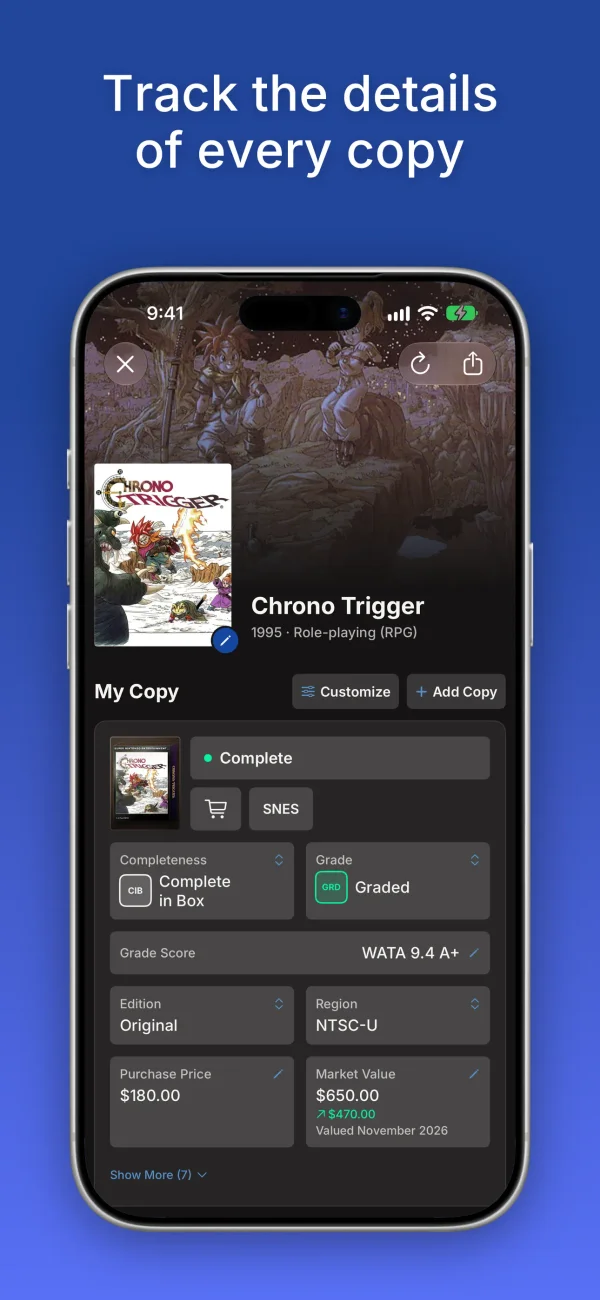
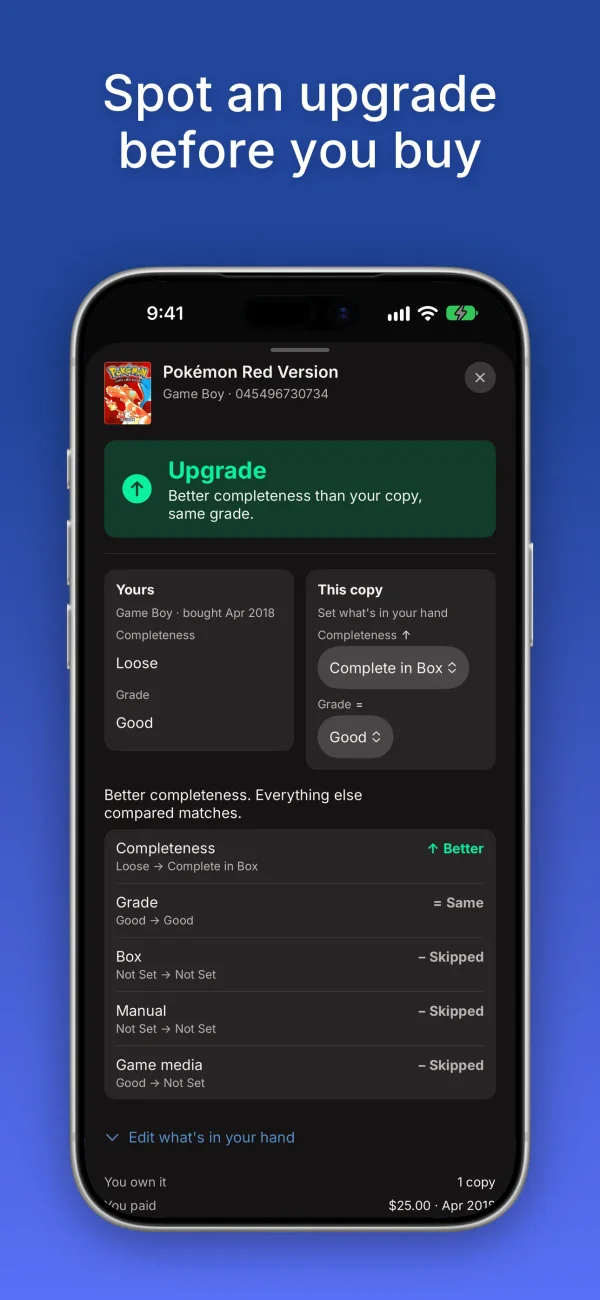
• Is It an Upgrade?: Record each copy as sealed, complete in box, or loose, with its grade, and a scan tells you if the copy in your hand beats yours.
• Collection Value: See what your whole collection is worth, copy by copy.
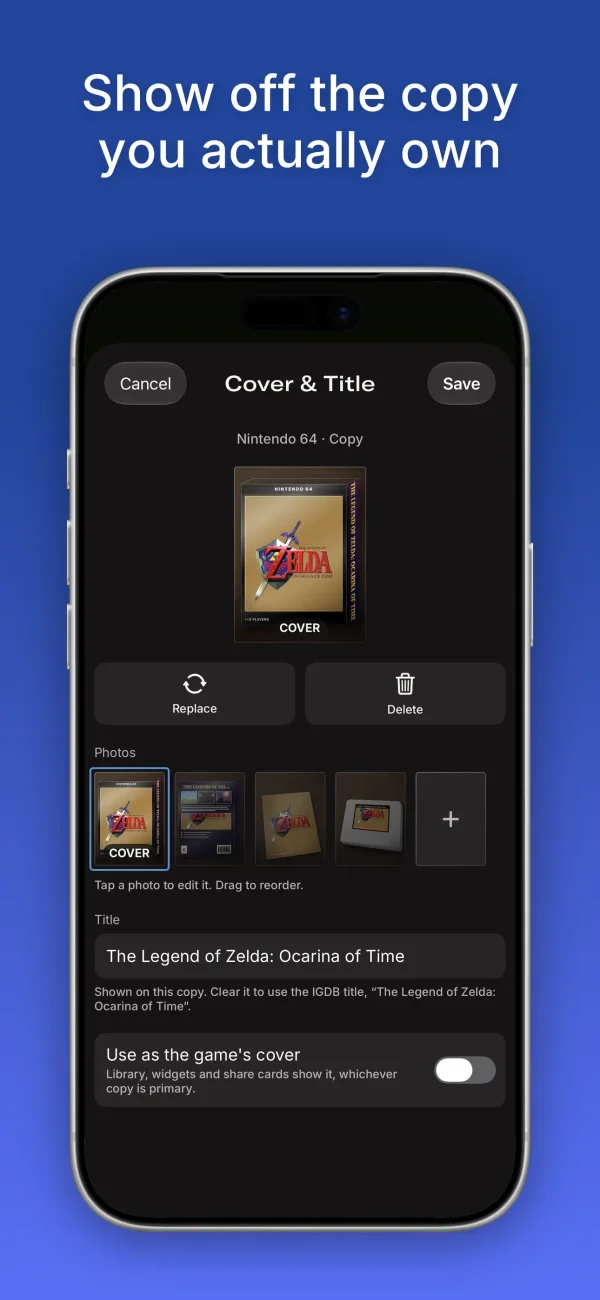
• Your Own Covers & Photos: Use your own photo as any game's cover, and photograph each copy's box and manual.
• Multi-Platform Copies: Own it on Switch and PS5? Separate copies under one title, each with its own store, status, and playtime.
• Configurable Game Cards: Start from a Collector, Player, or Critic preset, or arrange the fields you care about, like price paid and storage location.
• Cover Badges: Platform, format, status, and more on your covers.
For your play history
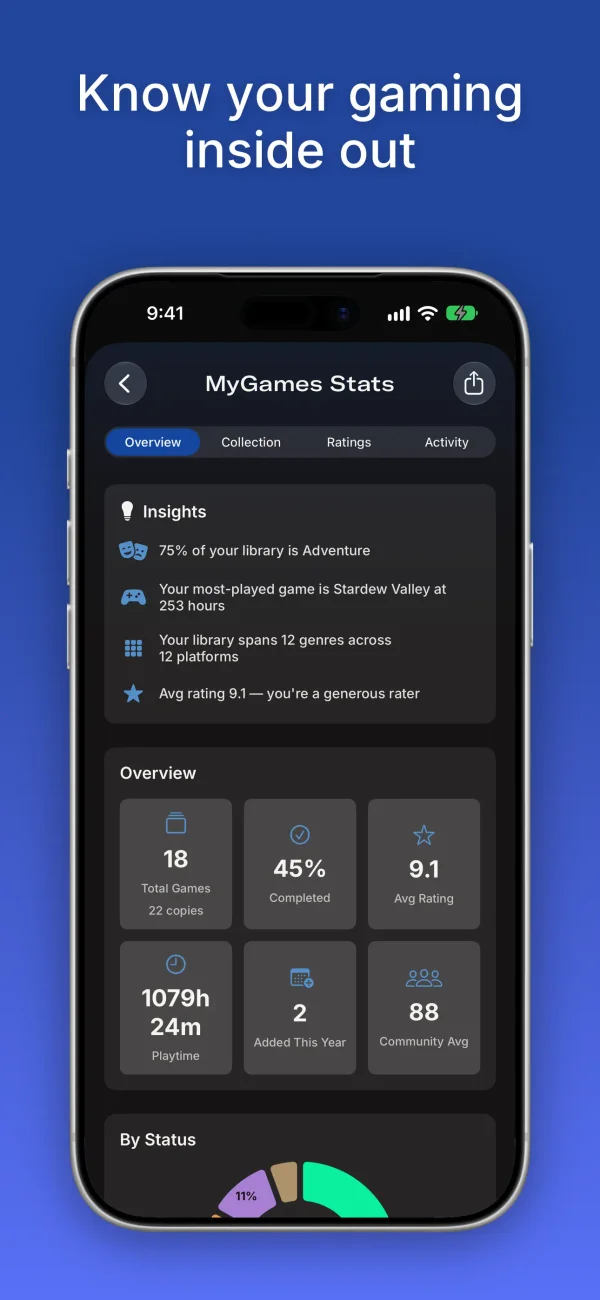
• Deep Statistics: Charts of your genres, platforms, ratings, and habits, plus a shareable stats card.
• Playtime Tracking: Log sessions and watch your hours add up.
• Priority: Rank games from Must Play down, then sort and filter by it.
• Power-User Widgets: Smart Play Next, Backlog Progress, Upcoming Releases, and Game Stats.
And everything else
• Unlimited Library: No cap, however big your shelf.
• 188+ More Platforms: Retro micro-consoles, arcade, VR/AR, streaming, and next-gen.
• Advanced Filters: Developer, publisher, franchise, release year, score, and theme.
• Extended Game Details: Critic scores, franchises, related games, and artwork galleries.
• Custom Collections: Themed groups with your own colors and platform icons.
• Exports: Print-ready PDFs with covers, or CSV and JSON.
• Pro App Icons: Gold, Crimson, Emerald, or Violet.
• Direct Line: Email Dan with feature requests, bugs, or ideas.
--- PLATFORMS ---
• Nintendo (NES to Switch 2), PlayStation (PS1 to PS5), Xbox (Original to Series X|S), PC, and mobile
• Retro: Sega, Atari, Commodore 64, Neo Geo, Intellivision, and more
Terms of Use: https://www.apple.com/legal/internet-services/itunes/dev/stdeula/
What’s new
Version 5.0.1 · Nov 22, 2026
The Collectors Update. Give any game your own cover image, record each copy's format, completeness and grade, scan a barcode to see if it beats the copy you own, and see what your collection is worth.
WHAT'S NEW
- Is It an Upgrade? (Pro): record each copy's completeness and grade, down to its box, manual and media. Scan a barcode and the app tells you whether the copy in your hand beats the one you own.
- Collection Value (Pro): its own screen totals what your collection is worth, and Value Your Collection walks you through pricing every copy, shelf by shelf.
- Your Own Covers and Photos (Pro): use your own photo as any game's cover, and keep photos of each copy's box, manual and media.
- Format for Every Copy: mark a copy as disc, cartridge, cassette, floppy disk, game-key card and more, then group your library by format.
- Wishlist and Demo Copies: keep a wishlist or demo copy beside the copies you own, and turn it into an owned copy in one tap.
- Card Presets (Pro): start your game cards from Collector, Player, Critic or Minimal, with new fields for acquisition date, component condition and storage location.
- One Currency: your whole collection uses one currency, whichever you use.
- Share a Game: send any game to a friend as a card and a link they can open.
- Group and sort by Critic Score.
- Platform icons for collections.
- Redeem a Pro code from More or the paywall.
- eBay is now a store, and Other stores remember their names.
UNDER THE HOOD
- If your library can't load or iCloud needs attention, MyGames now explains why and how to fix it, with a Try Again button, and backups always include every game.
- Backups now include your covers and photos, and a restore can fill in only what's missing.
- Barcode scans of European games match far more often.
- An edit on one device no longer overwrites changes made on another.
- Large photos load faster and use less memory.
SQUASHED BUGS
- Excel CSV imports keep their dates, prices and notes intact.
- Steam import now recognizes your account however you enter it: profile link, SteamID or your own Friend Code.
- CSV files from Excel set to European formats, with semicolons and decimal commas, now import.
- Statistics chart labels no longer cover their bars at larger text sizes.
Update MyGames on every device you use so your library stays in sync.
Many of these features began as suggestions from MyGames users. Thank you, Alastair S., Cameron G., Dwight S., Filipe P., Janine K., Josh H., Mark L., Rainier Y., Victoria M. and Wutahoss.
Enjoying MyGames Database? A quick App Store rating helps a lot.
App privacy
What Daniel Colman declares on the App Store about how this app handles data.
-
Data not linked to you
May be collected but is not linked to your identity.
- Usage data
- Diagnostics
Privacy practices may vary, for example with the features you use or your age.
Information
- Seller
- Daniel Colman
- Category
- Entertainment
- Version
- 5.0.1
- Updated
- Nov 22, 2026
- Released
- Apr 13, 2021
- Size
- 56.0 MB
- Requires
- iOS 26.0 or later
- Age rating
- 12+
- Price
- Free
- In-app purchases
- Yes
- Languages
- English, French, Portuguese, Spanish
- Copyright
- © 2026 Daniel Colman
You might also like
-
 Collector-Your game collectionCatalog your game collection
-
 GameTrackGame Backlog & Trophy Tracker
-
 PXPlay: Remote PlayStream your console Games
-
 Game Emulator - RetroHubRetro Games Console Emulator
-
 Video Game - Play & ExploreClassic Game Simulator
-
 Provenance AppRetro console game emulator.
-
 HappyMoods : Game Mods TrackerHappy Library Games Finder
-
 RTM-EMU : PS2 PS3 PS4 X360 PS1PS2 PS3 PS4 XB360 PS1 Emulator
-
 Skich – Find new gamesJoin gamers community!
-
 Gamuroid: All Game EmulatorEMU Retro Console Emulator