
MyOffload: Brain Dump Planner
Your Second Brain for Life
Designed for iPhone, iPod touch
In-app purchases
- Age rating4+
- CategoryProductivity
- DeveloperSneha S Naik
- LanguagesEnglish
- Size81.9 MB
Links to the official App Store page
Download.org hosts no file of MyOffload: Brain Dump Planner. The button opens its official App Store page, published by Sneha S Naik. Listing last checked on Nov 12, 2026.
Screenshots

About
Head full. Give it a second brain.
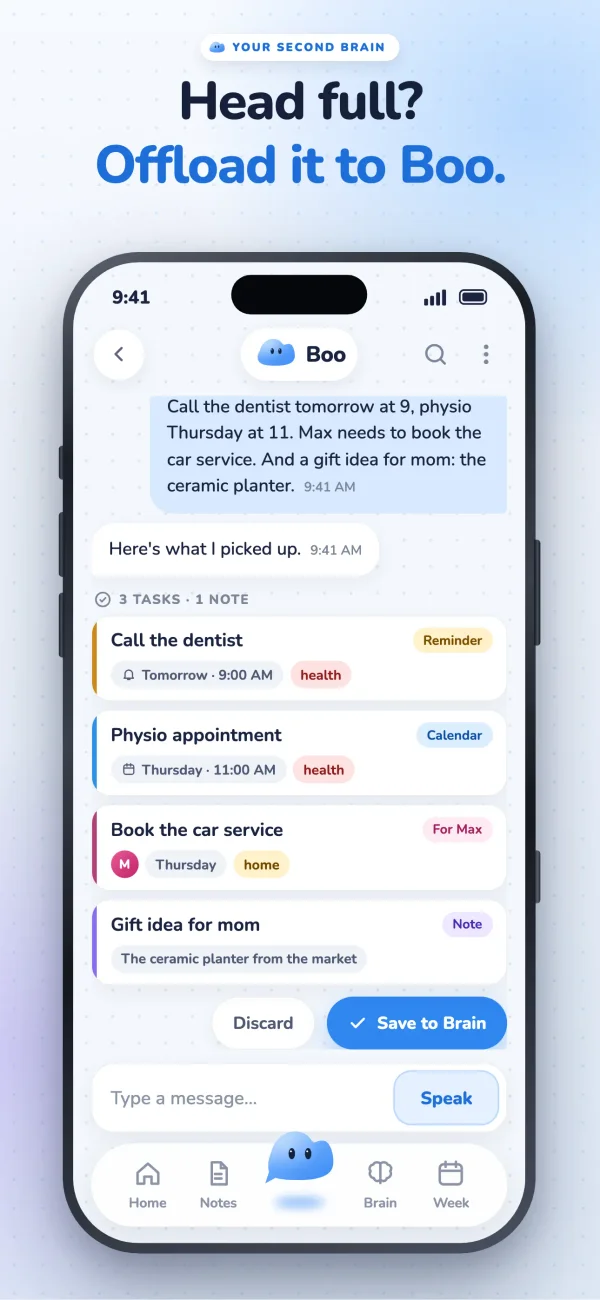
MyOffload brings your tasks, reminders, notes, and plans into one place. Speak or type to Boo and turn a messy brain dump into things you can review, save, and come back to.
Less to hold in your head. More room for daily life.
OFFLOAD IT TO BOO
The appointment to book. The idea you don't want to lose. The shopping list, work deadline, and birthday gift. Say them together, in your own words. Boo helps sort them into tasks, notes, reminders, and calendar events. Review the cards and edit anything before saving.
BUILD YOUR SECOND BRAIN
Your saved thoughts have a home. Explore them in a connected map, search for what you need, and open the details. Your second brain grows as you offload, so your ideas and everyday plans don't have to live in separate places.
CHAT ABOUT WHAT COMES NEXT
Ask Boo to help find something you saved, change a task's priority, or move a calendar event. Review proposed calendar changes before confirming them. Have a little time between plans? Ask what you can do with the time you have.
MAKE TODAY FEEL MANAGEABLE
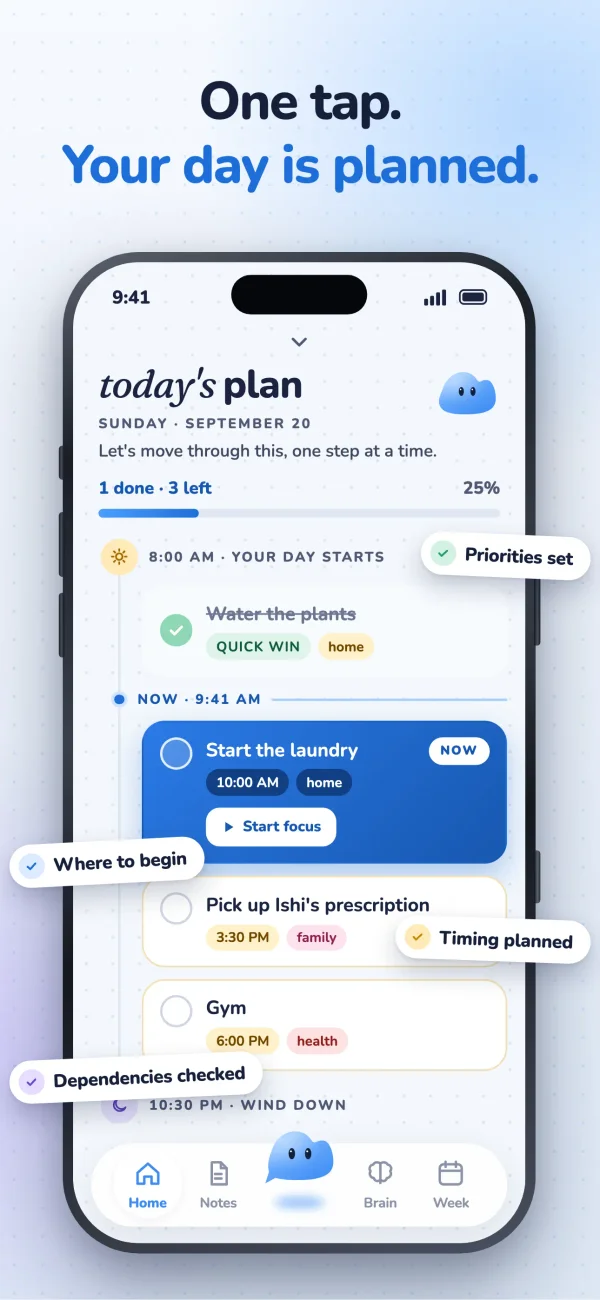
Plan My Day helps turn your task list into a practical order. Keep track of priorities, break a big task into smaller steps, and start with one thing. If plans change, move things to another day or keep them in your backlog.
FOCUS ON THE NEXT THING
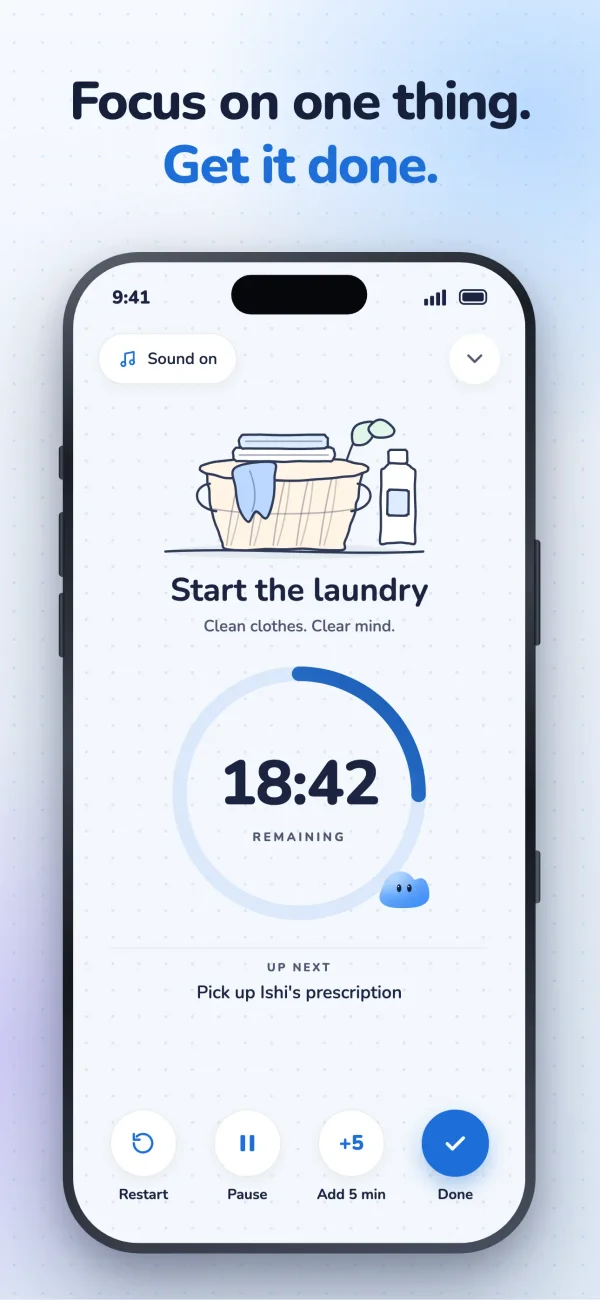
Start a Focus Timer from a task or Today's Plan, or use the standalone timer. Give one thing your attention, then enjoy a little celebration when you're done.
KEEP THE WEEK TOGETHER
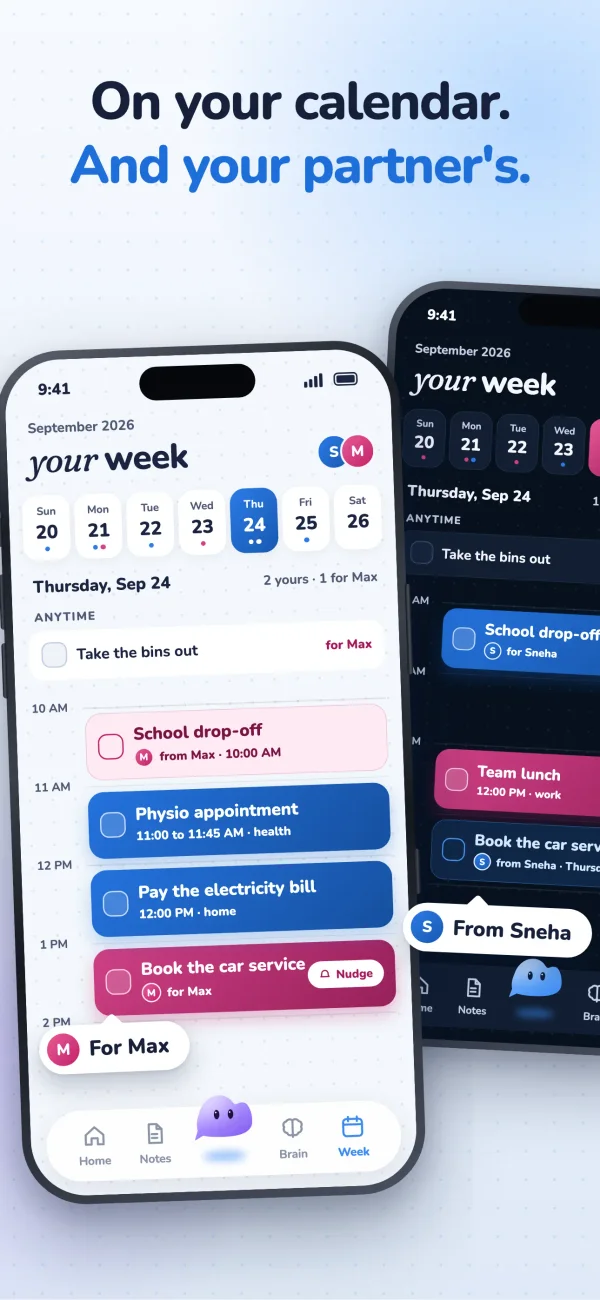
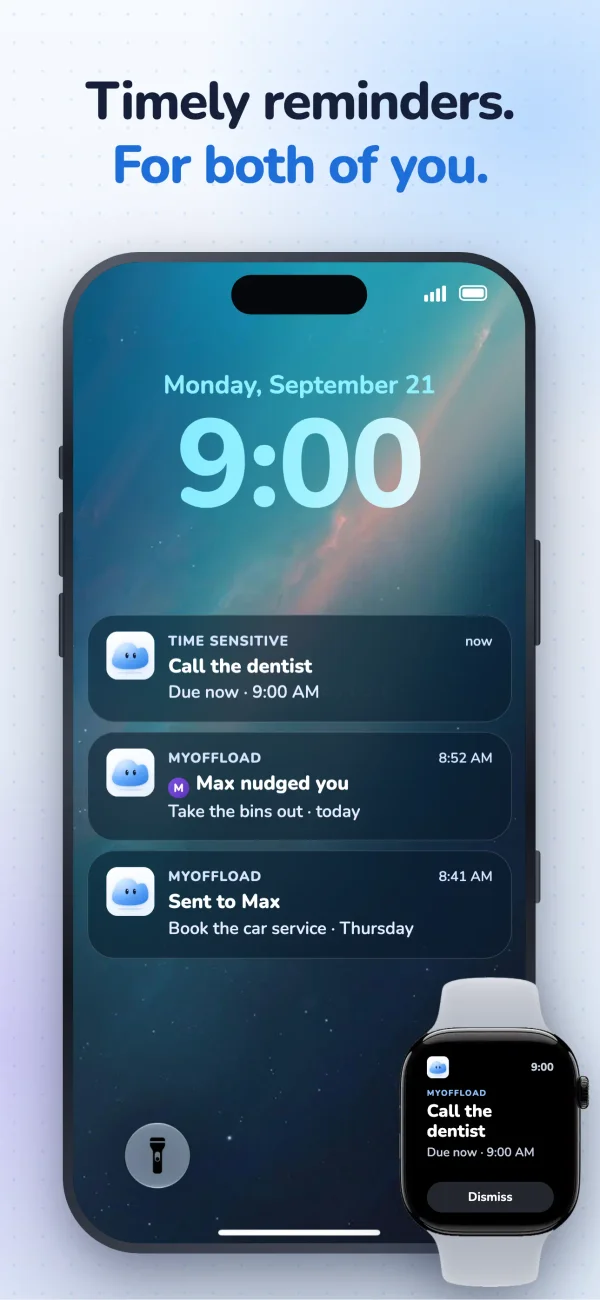
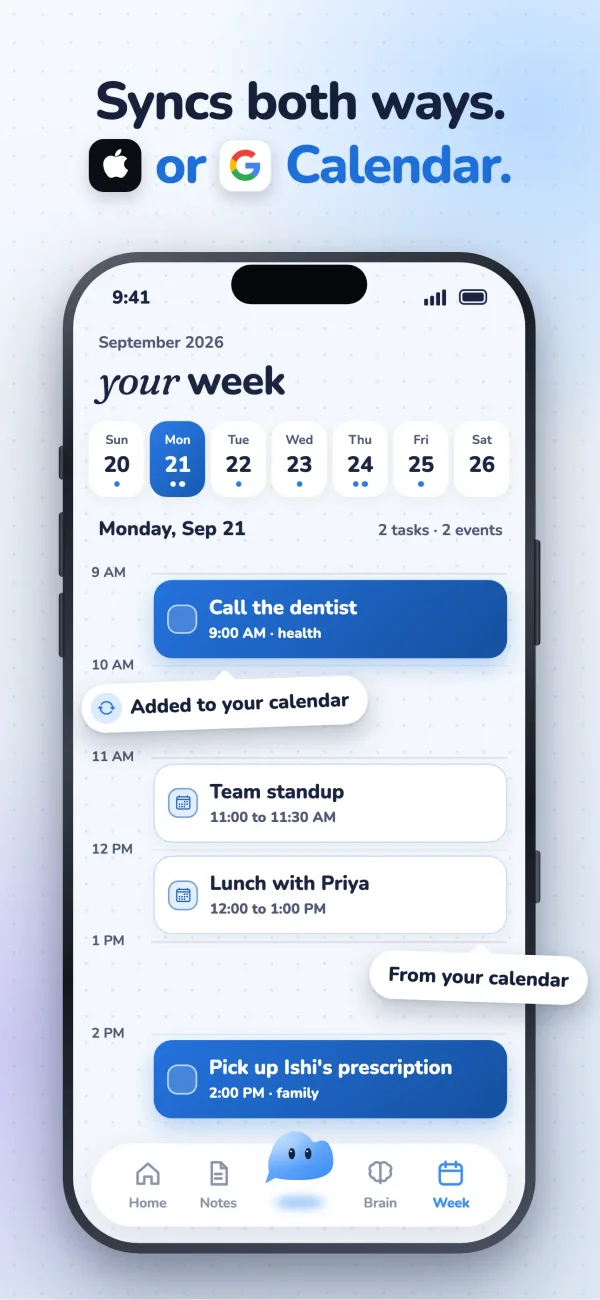
See your tasks and events in Week. Connect one Apple Calendar or Google Calendar for two-way sync. Set one-time or recurring reminders, and choose a reminder time when you want a notification.
SHARE THE REMEMBERING
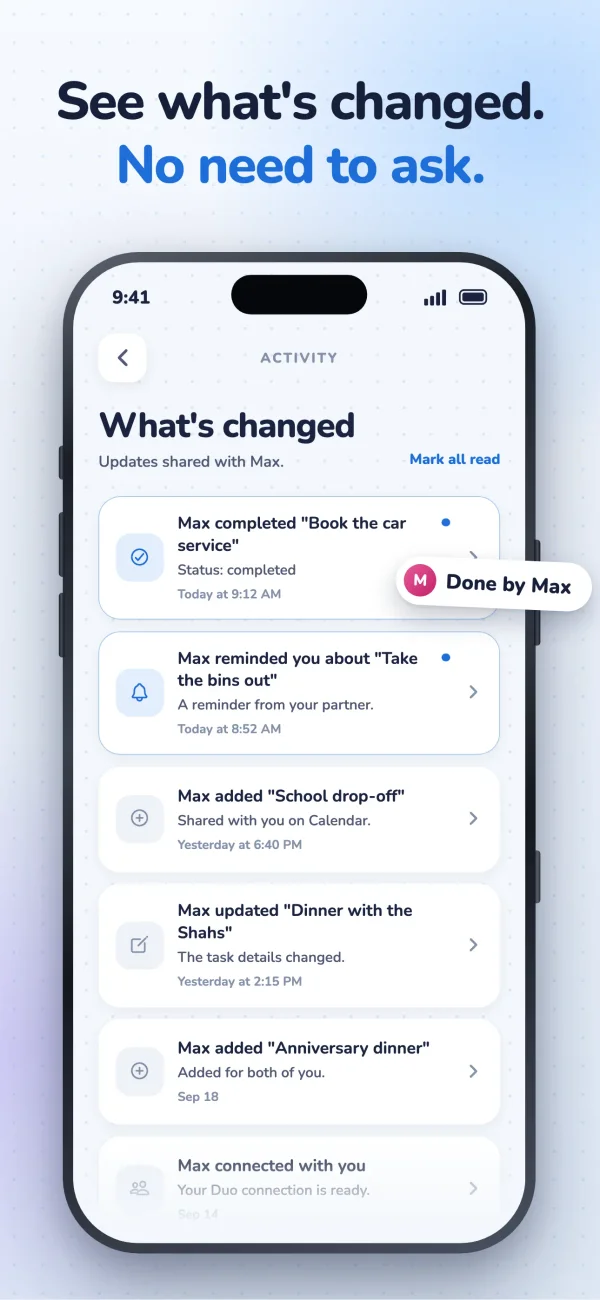
With Duo, share tasks, reminders, and a MyOffload calendar with your partner. Assign something to yourself, your partner, or both. Private notes and imported personal-calendar events stay private.
KEEP SHOWING UP
Build a daily streak by opening MyOffload. Follow your progress and collect accessories for Boo, with room for a missed day.
MAKE IT YOURS
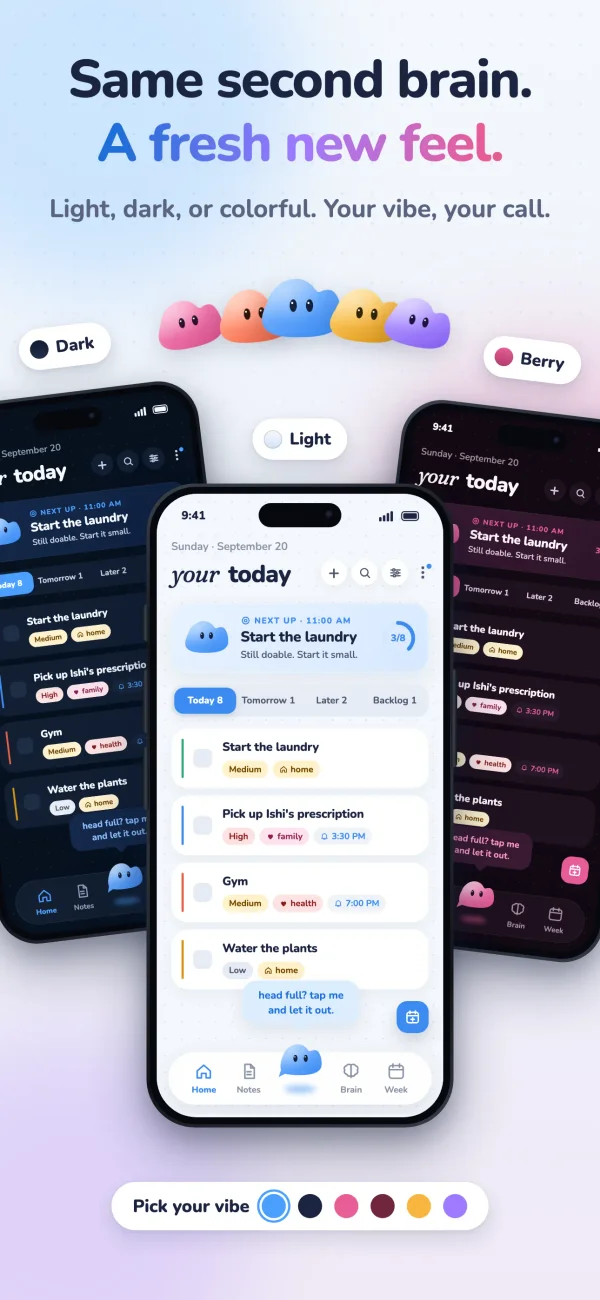
Choose light, dark, or colorful themes, with Boo to match. Keep your thoughts organized with tags, priorities, subtasks, and linked notes.
FOR THE LIFE YOU'RE ALREADY JUGGLING
Work, home, family, study, or all of them at once. MyOffload is built for busy minds, including people with ADHD who want a simpler way to capture thoughts and get started. It is a productivity tool, not medical advice or treatment.
You don't have to keep carrying it all in your head.
START FREE, ADD PLUS WHEN YOU NEED IT
Use manual tasks, notes, focus and reminders for free. Plus unlocks Boo chat and voice capture, AI planning and interactive thought-map exploration. Duo adds partner sharing.
MyOffload offers in-app purchases and auto-renewing subscriptions. Available plans, localized prices, trial eligibility, and usage allowances are shown in the app before purchase. Subscriptions renew automatically unless cancelled in your App Store account settings.
Terms of Use (EULA): https://www.apple.com/legal/internet-services/itunes/dev/stdeula/
What’s new
Version 2.0 · Nov 5, 2026
A fresh look. A new Boo. More room in your head.
• Tap Boo to chat, or hold to speak. Review your tasks and notes before saving.
• Explore your second brain and find the thoughts you've saved.
• Keep plans moving: update priorities and review calendar changes in chat.
• Build a daily streak and collect accessories for Boo.
• Start free with manual tasks, notes and focus. Upgrade to Plus to chat with Boo and planning.
• A new guided introduction, refreshed themes and smoother everyday navigation.
App privacy
What Sneha S Naik declares on the App Store about how this app handles data.
-
Data linked to you
May be collected and linked to your identity.
- Purchases
- Contact info
- User content
- Identifiers
- Usage data
- Diagnostics
Privacy practices may vary, for example with the features you use or your age.
Information
- Seller
- Sneha S Naik
- Category
- Productivity
- Version
- 2.0
- Updated
- Nov 5, 2026
- Released
- Jul 27, 2026
- Size
- 81.9 MB
- Requires
- iOS 15.1 or later
- Age rating
- 4+
- In-app purchases
- Yes
- Languages
- English
- Copyright
- © 2026 Sneha S Naik
You might also like
-
 Miinder: Notes & Second BrainNever lose a good idea again.
-
 Yucki: Mental Dumpsay it, he sorts it out
-
 WeekSquire: AI Weekly PlannerAuto-schedule that adapts
-
 Cerebro: Your Second BrainCapture, remember, resurface
-
 Smart Reminder AISimple Reminder App
-
 Adi: ADHD Planner & FocusAI daily planner & to-do list
-
 Familyga: Family To-Do ListShared Chores & Calendar
-
 PlaineoAI Tasks & Calendar Planner
-
 Stash: Remember EverythingAI Notes & Memory for Everyone
-
 Artilect AITrack Habits, Finance & Health