
WeekSquire: AI Weekly Planner
Auto-schedule that adapts
Designed for iPhone, iPod touch
Free · In-app purchases
- Age rating4+
- CategoryProductivity
- DeveloperSquire Builds
- LanguagesEnglish
- Size39.3 MB
Links to the official App Store page
Download.org hosts no file of WeekSquire: AI Weekly Planner. The button opens its official App Store page, published by Squire Builds. Listing last checked on Nov 17, 2026.
Screenshots
About
Most planning apps want you to follow a schedule. WeekSquire follows you.
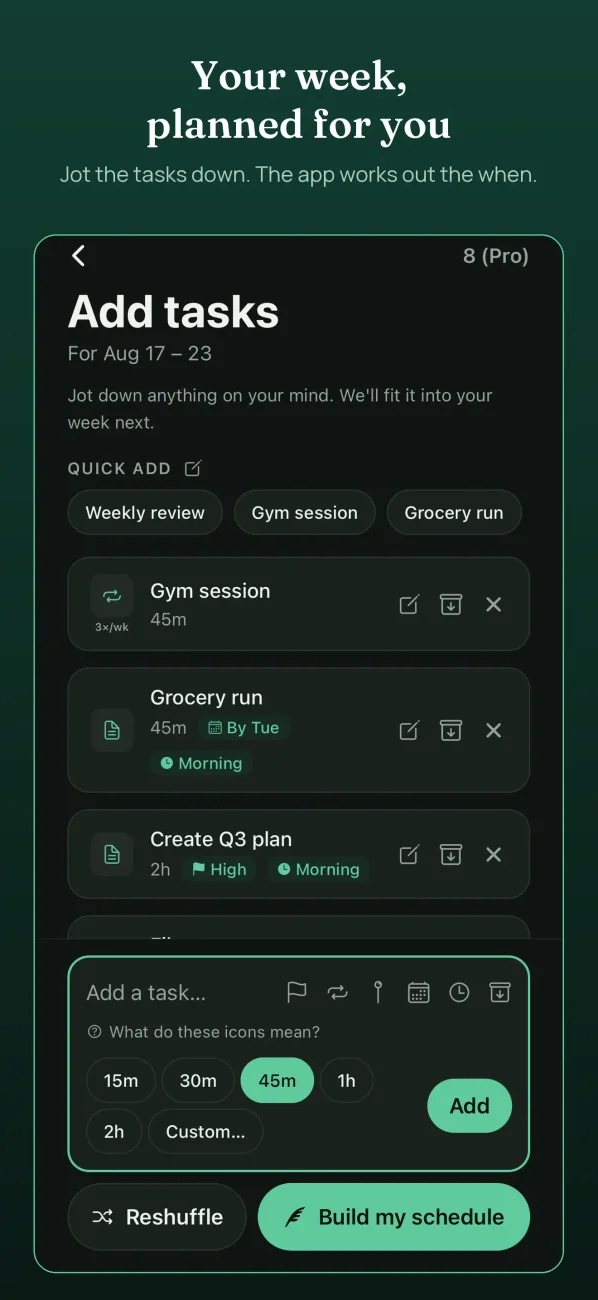
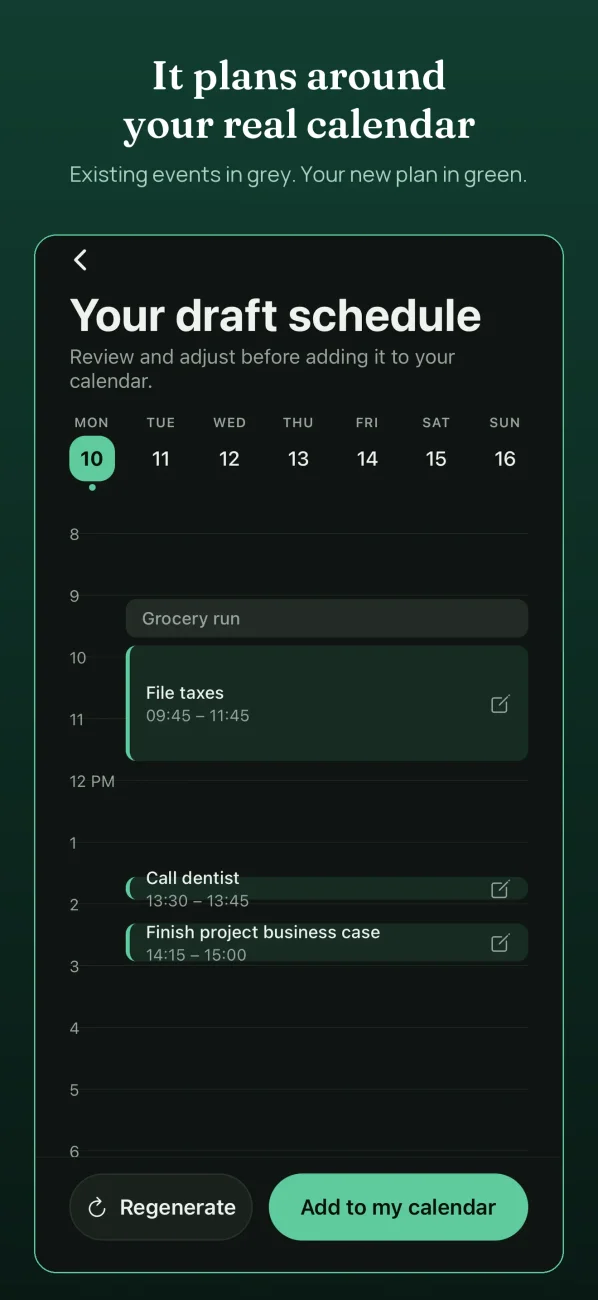
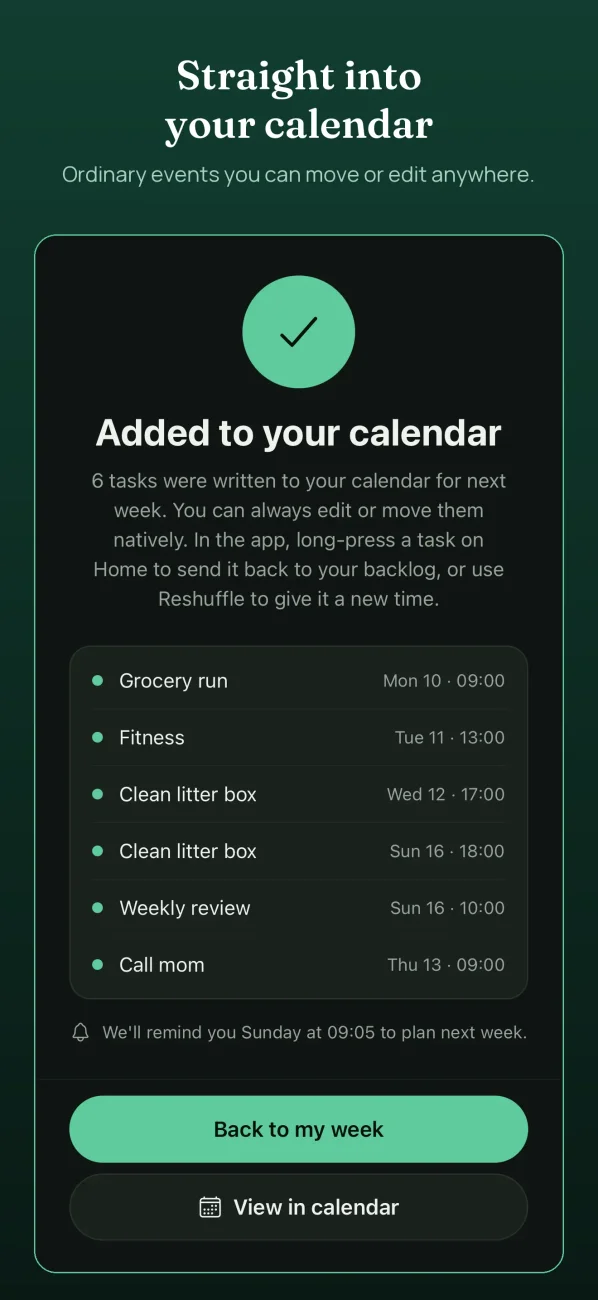
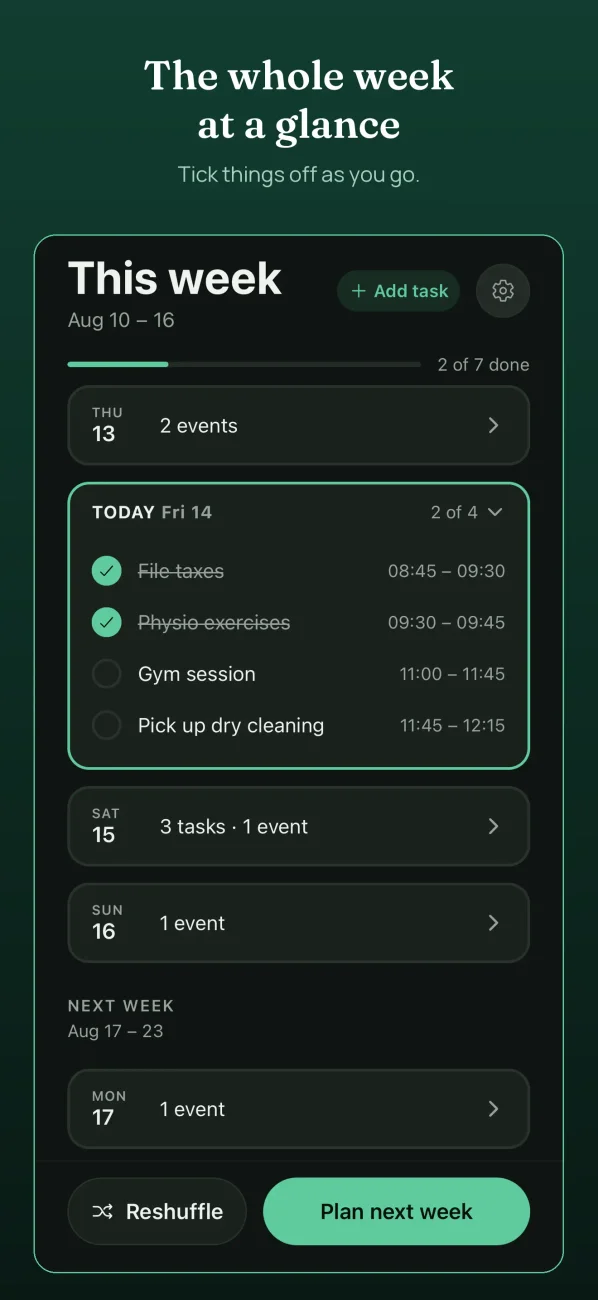
A list in your head has no times on it, so the week fills up with everything else. Once a week, brain-dump what needs doing and WeekSquire proposes times for each task around the calendar you already keep. You review, adjust, and confirm. Each task becomes a real event in your existing calendar, not a fourth app to check.
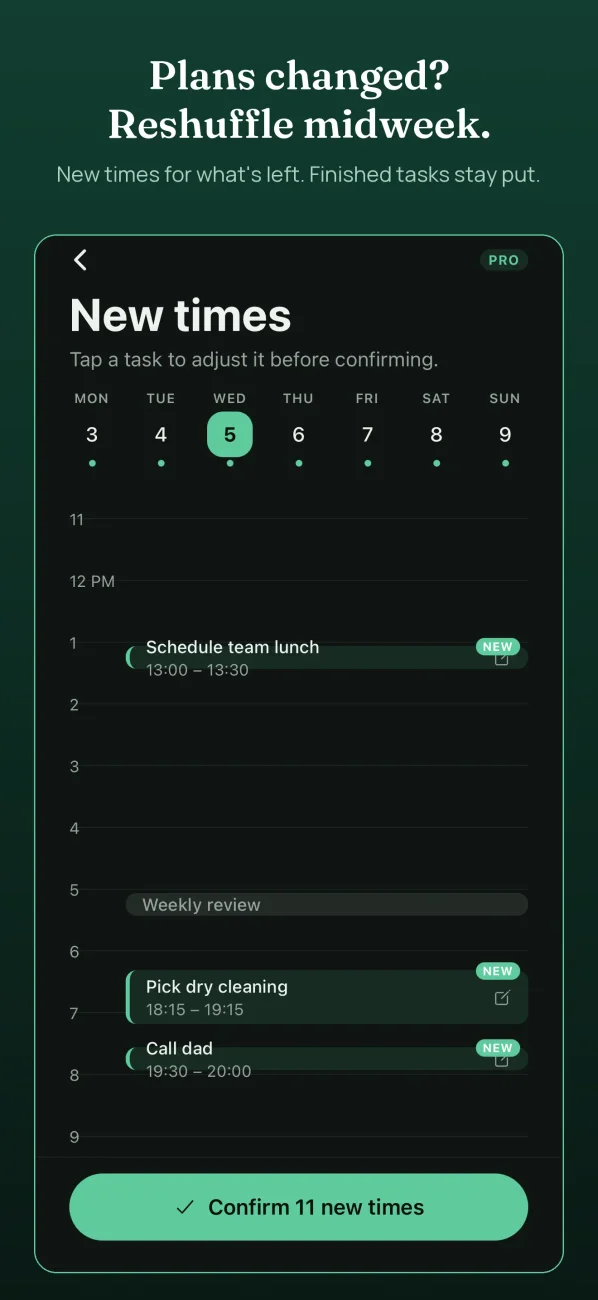
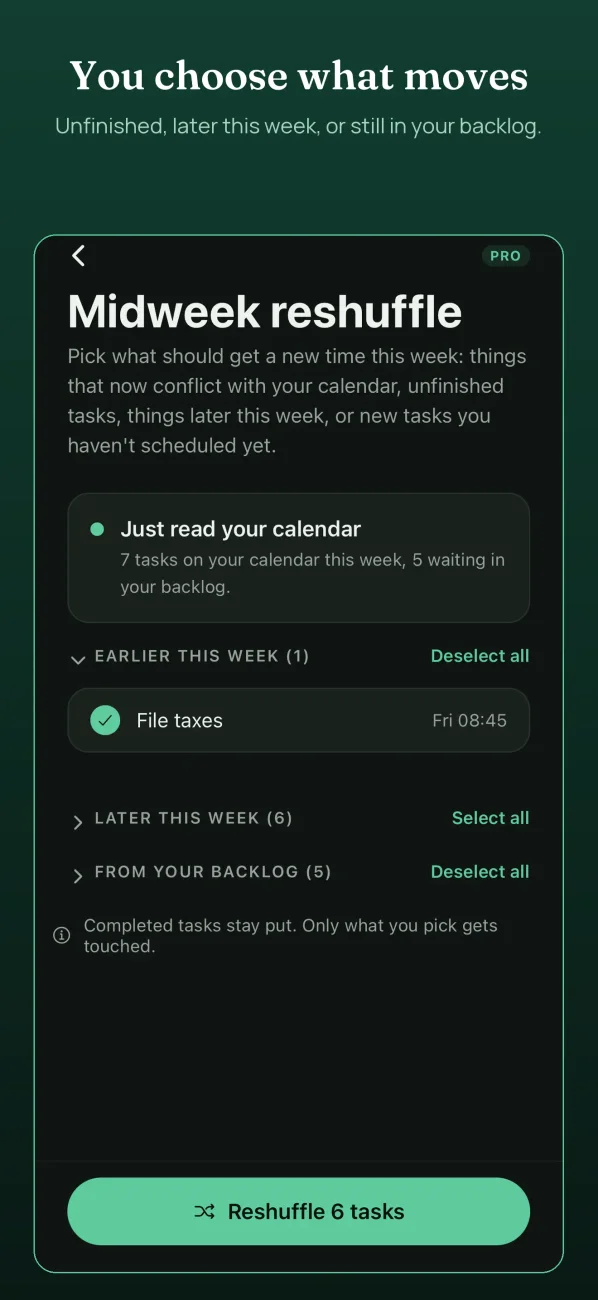
Then life happens, and that's fine. Nothing here tracks a streak or scolds you for a missed task. Didn't get to something? It just moves to your backlog for next time, or you mark it Someday. Plans change mid-week all the time, and WeekSquire can rebuild the rest of the week around what actually happened, not what you originally guessed.
HOW IT WORKS
1. Brain-dump your tasks. Type in whatever needs doing this week, no formatting, no folders, just the list.
2. AI proposes a schedule. WeekSquire reads your existing calendar and proposes times for each task around what's already there, fit to your week, not a template.
3. Review, adjust, confirm. Nudge anything that doesn't fit, then confirm. Each task becomes a real calendar event.
WHAT MAKES IT DIFFERENT
- Built around your rhythm, not a rigid plan. Move things, skip things, catch up later. There's no penalty for a week going sideways.
- No account, no sign-in. Your device is all it needs.
- Works with the calendar you already use. No new app to check every day, WeekSquire writes straight to your existing calendar.
- One-way sync. WeekSquire reads your calendar for context and writes the schedule you confirm. It never edits or deletes anything it didn't create.
- Deadlines and pinned days. Tell WeekSquire a task must land on a specific day, or just needs to be done by a certain date, and it plans around that.
- Recurring tasks. Set something to repeat once or several times a week and it re-enters your plan automatically, no rebuilding from scratch.
FREE
- Up to 7 scheduled tasks per weekly plan
- Full backlog storage, no cap
- One regenerate per plan if the first proposal doesn't work
- Deadlines, one pinned day per task and hour-range constraints
- 2 repeat tasks
- 1 free midweek reshuffle to try it out
WEEKSQUIRE PRO (monthly or yearly subscription, 14-day free trial on the yearly plan, price shown at checkout)
- Unlimited tasks each week
- Unlimited repeat tasks
- Unlimited midweek reshuffle, anytime your week changes
- Unlimited quick-add shortcuts
- Pin a task to more than one day a week
- Smarter scheduling for harder weeks
PRIVACY
No account or sign-in is required. Your tasks and calendar are sent securely to build your plan. They are never sold, and never used for anything but your plan. Full privacy policy: weeksquire.com/privacy.html
TERMS
WeekSquire Pro is an auto-renewing subscription. Full terms of use, including subscription and cancellation details: weeksquire.com/terms.html
What’s new
Version 1.1.0 · Nov 5, 2026
New in this version:
- Try Reshuffle for free: one free go at rebuilding your week when plans change.
- Repeat tasks are now free for up to 2 tasks.
- A clear overview of what's free and what comes with Pro.
- Your phone now starts on the latest version from the very first launch.
- Fixes and small improvements.
App privacy
What Squire Builds declares on the App Store about how this app handles data.
-
Data linked to you
May be collected and linked to your identity.
- Purchases
- Identifiers
- Usage data
- Diagnostics
-
Data not linked to you
May be collected but is not linked to your identity.
- Other data
Privacy practices may vary, for example with the features you use or your age.
Information
- Seller
- Demeulenaere Vincent
- Category
- Productivity
- Version
- 1.1.0
- Updated
- Nov 5, 2026
- Released
- Aug 21, 2026
- Size
- 39.3 MB
- Requires
- iOS 15.1 or later
- Age rating
- 4+
- Price
- Free
- In-app purchases
- Yes
- Languages
- English
- Copyright
- © 2026 Vincent Demeulenaere
You might also like
-
 Opus: Pomodoro Focus TimerStudy, Deep Work & Art Rewards
-
 Orbi: AI Daily PlannerSchedule, priorities & focus
-
 Weeksify - AI PlannerReminders & Voice Input
-
 WhisperAct: Voice Task PlannerAI Notes, Reminders, Calendar
-
 ZenStow: Home InventoryOrganize and find everything
-
 OneFocus: Deep WorkFocus timer and app blocking
-
 Shared To Do List — VeritaskTask Manager. Checklist. ToDo
-
 StrideFlow AI: Goal PlannerPlan weeks around real life
-
 Plandy: Calendar & TasksReminders by title, not dots
-
 TypeKey: AI Keyboard & WriterHumanize AI, Reword & Rewrite