MyPDF: PDF Editor & Scanner
Merge, split, sign & edit PDFs
Designed for iPhone, iPad, Mac
Free
- Age rating4+
- CategoryUtilities
- DeveloperAli Ahmed
- LanguagesEnglish+ 5 more
- Size14.1 MB
Links to the official App Store page
Download.org hosts no file of MyPDF: PDF Editor & Scanner. The button opens its official App Store page, published by Ali Ahmed. Listing last checked on Nov 23, 2026.
Screenshots

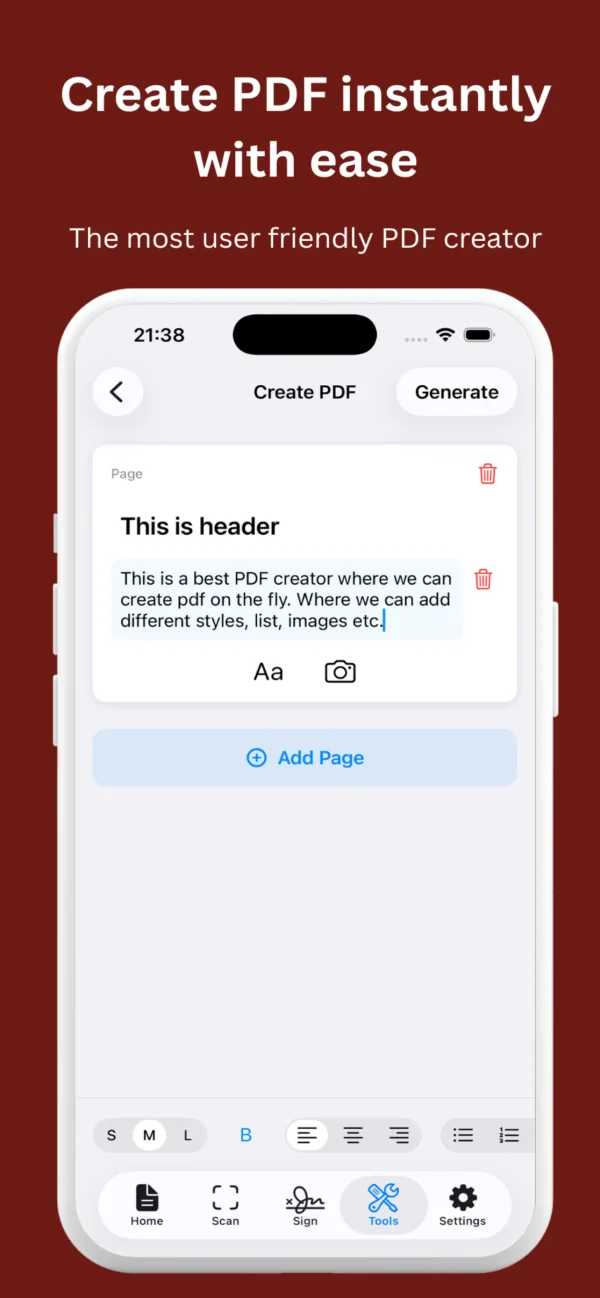
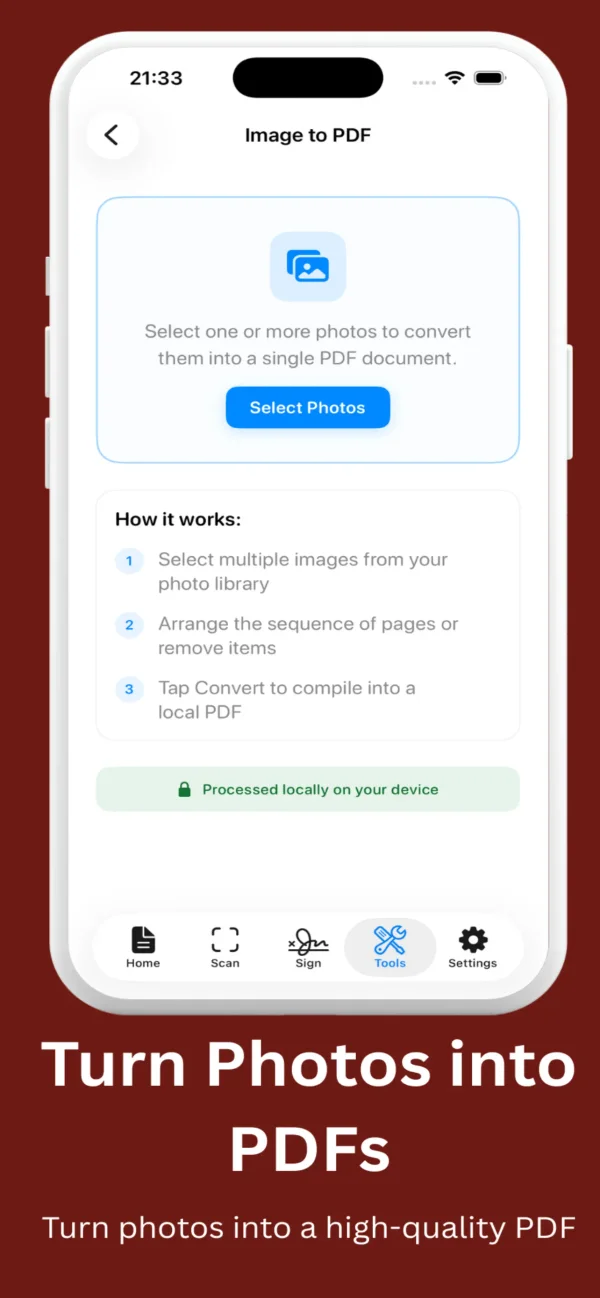
About
Stop scrambling for expired travel documents, blurry ID scans, or lost webpages. MyPDF is the all-in-one PDF scanner, webpage-to-PDF converter, passport & ID digitizer, document editor, and smart reminder suite built for travelers, professionals, and students who demand speed and on-device privacy—now in 6 languages.
Every passport scan, ID capture, e-signature, and PDF edit happens locally on your iPhone or iPad—keeping your identity records and contracts on your device.
KEY FEATURES:
1. NEW: 6-Language Experience
• Full Localization: Use MyPDF in English, Simplified Chinese, Spanish, Portuguese, Arabic, and Malay.
• Instant Switching: Change your app language anytime in Settings.
2. Web to PDF Converter
• Webpage to Multi-Page PDF: Enter or paste any URL (HTTP/HTTPS) to convert articles, receipts, tickets, and forms into crisp multi-page PDFs.
• Built-In Browser Preview: Load and navigate the page inside MyPDF to confirm images and text render before converting.
• Save Offline & Share: Preview your generated PDF immediately, save it locally for offline reading, or share in one tap.
3. Official Passport Scanner & MRZ Clarity
• Precision Travel Capture: Built for international passports (ICAO 125 × 88 mm) with auto-edge detection and perspective correction.
• Crisp MRZ & Biometric Legibility: Preserves fine text and Machine Readable Zones (MRZ) with Auto Enhance, Color Boost, Grayscale, and Original filters.
• Multi-Page Visa & Family Scanning: Capture a single identity page, multi-page visas, or multiple family passports in one session.
• Submission-Ready A4 PDFs: Auto-centers passport pages onto ISO A4 sheets with clean margins for embassy, visa, and KYC submissions.
4. Smart Notifications & Document Reminders
• Expiry & Renewal Alerts: Stay ahead of passport renewals, visa deadlines, licenses, and contracts with timely local alerts.
• Large PDF Compression Alerts: Detects bulky PDFs and prompts one-tap compression to reclaim storage.
• Scheduled Tidy-Up Reminders: Keep files organized with daily or weekly review notifications.
5. Dedicated 2-Sided ID Card Scanner
• Front & Back Capture: Scan both sides of national IDs, driver licenses, and badges with guided alignment.
• Single or Multi-Page Export: Place both sides centered on one A4 page or separate PDF pages, with one-tap independent retakes.
6. High-Resolution Document Scanner & On-Device OCR
• Camera to PDF: Digitize contracts, receipts, invoices, and notes with automatic border cropping.
• Extract Text (OCR): Turn scanned pages into editable, searchable text layers locally on your device.
7. Fill & Sign PDF Forms
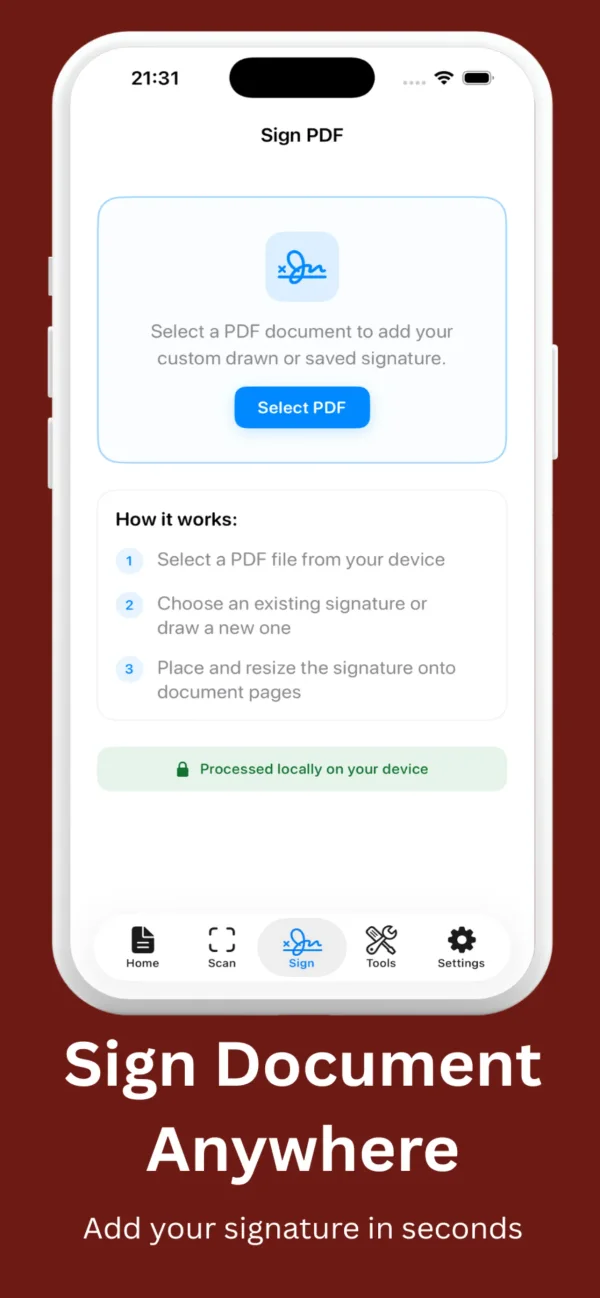
• Handwritten E-Signatures: Draw and save your signature locally for one-tap reuse, then drag, resize, and rotate it on any form.
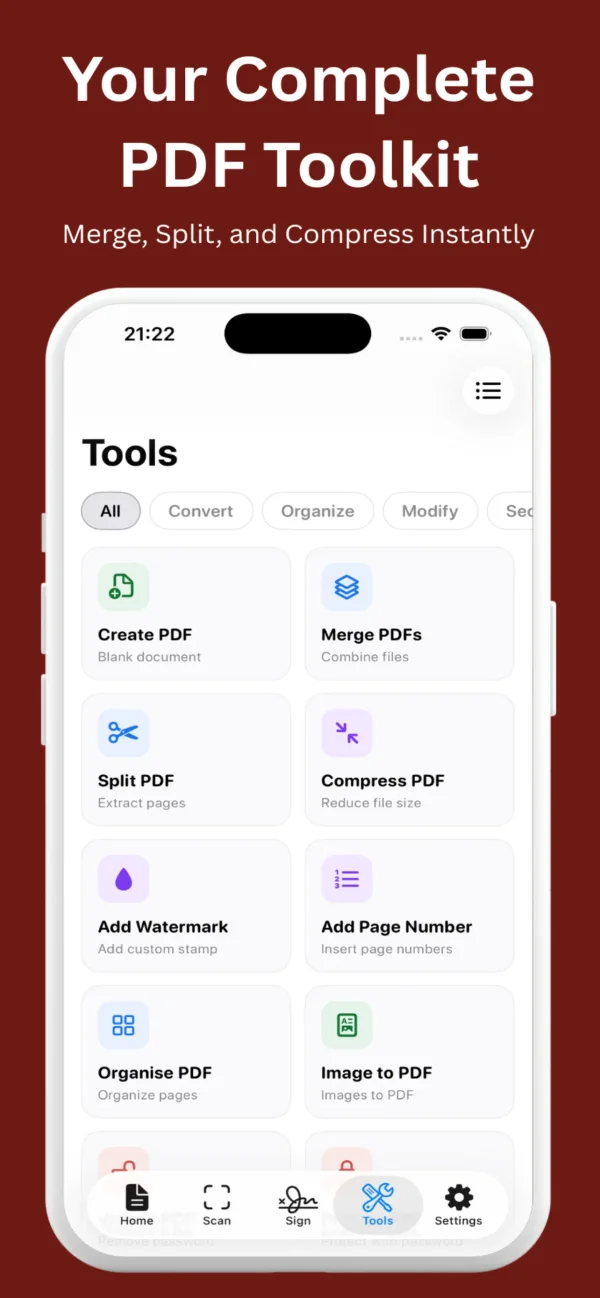
8. Complete PDF Editing & Organization Toolkit
• Merge & Split PDF: Combine multiple files into one document or extract specific page ranges.
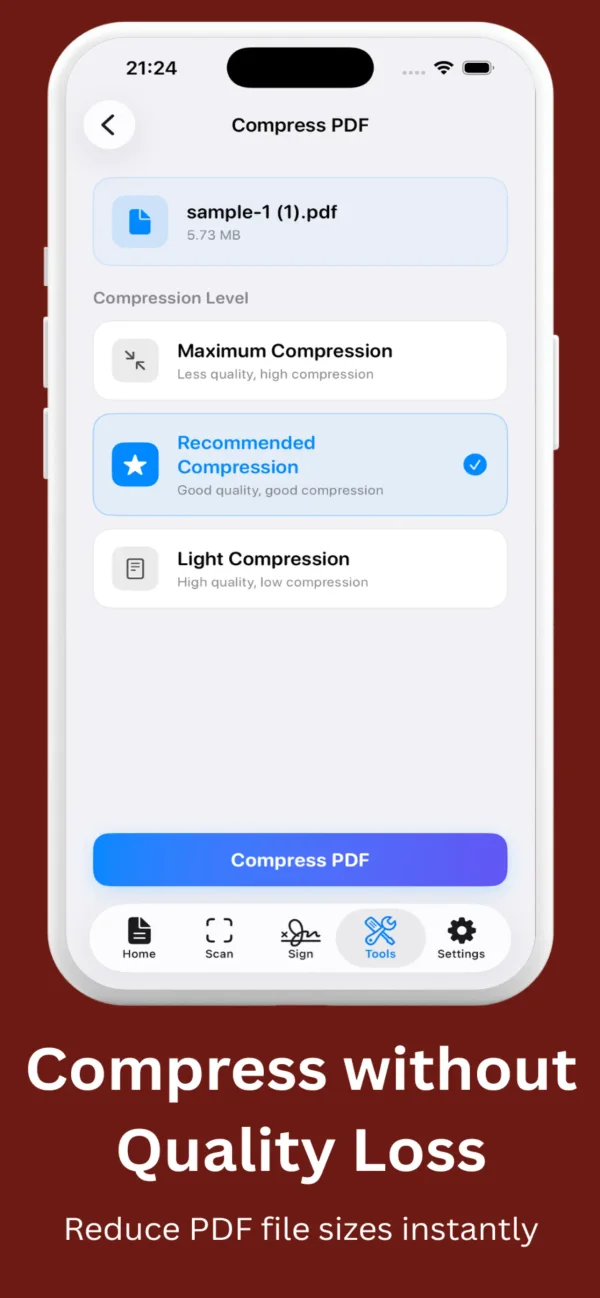
• Compress PDF: Shrink heavy files using Maximum, Recommended, or Light presets for easy email sharing.
• Add Page Numbers & Watermarks: Insert custom pagination or protective text and logo watermarks.
• Rearrange & Lock Pages: Reorder or rotate pages visually, and secure confidential files with password encryption.
9. Universal Document Hub & Converter
• Multi-Format Viewer: Open and preview PDFs, Word, Excel, PowerPoint, RTF, and text files in one hub.
• Bi-Directional Conversion: Convert Webpages or Photos to PDF, or export PDF pages to crisp PNG and JPEG images (up to 3x Ultra HD).
ON-DEVICE PRIVACY GUARANTEE:
Your personal documents belong only to you. MyPDF processes all scans, OCR, encryption, and reminders locally on your device.
Download MyPDF today to save webpages as PDFs, scan passports, manage documents, and stay ahead of every deadline!
What’s new
Version 26.11.2 · Nov 20, 2026
What's New in Version 26.11.2:
• NOW AVAILABLE IN 6 LANGUAGES: Use MyPDF in English, Simplified Chinese, Spanish, Portuguese, Arabic, and Malay. Switch your preferred language anytime in Settings.
• WEB TO PDF CONVERTER: Turn any webpage into a crisp, multi-page PDF document. Paste or enter a URL, preview the live page in the built-in browser to make sure everything is loaded, and convert it to a local PDF for offline reading or instant sharing.
• WHAT'S NEW SPOTLIGHT: Explore newly added tools right after updating with an interactive feature guide and one-tap shortcuts to try them immediately.
• PRIVACY-FIRST & ON-DEVICE: All document scans, signatures, OCR, and converted PDFs stay safely stored locally on your iPhone and iPad.
App privacy
What Ali Ahmed declares on the App Store about how this app handles data.
-
Data not linked to you
May be collected but is not linked to your identity.
- Identifiers
- Usage data
- Diagnostics
Privacy practices may vary, for example with the features you use or your age.
Information
- Seller
- Ali Ahmed
- Category
- Utilities
- Version
- 26.11.2
- Updated
- Nov 20, 2026
- Released
- Jul 8, 2026
- Size
- 14.1 MB
- Requires
- iOS 17.0 or later
- Age rating
- 4+
- Price
- Free
- Languages
- English, Arabic, Malay, Portuguese, Simplified Chinese, Spanish
- Copyright
- © 2026 Ali Ahmed
You might also like
-
 PDF Merger - Combine, Join PDFMerge & Combine PDF Files
-
 Pulsefy: Heart Rate MonitorBlood Pressure & Pulse Checker
-
 QR Live Scanner: Barcode & NFCScan Products, Generate Codes
-
 My Lucky NumbersUtilities
-
 Reset CardholderUtilities
-
 Car Check MOT History SearchFind the faults before you buy
-
 App Volume: a volume per appModes + one-tap widgets
-
 Lens: PDF Scanner & EditorScan Documents, MS Office Lens
-
 My CourtmyCourt
-
 MOT History UKMOT TAX Mileage Reports