Nagi Planner
Centered: plans, to-dos, diary
Designed for iPhone, iPad, iPod touch
Free · In-app purchases
- Age rating4+
- CategoryProductivity
- DeveloperMIKI SHOJI
- LanguagesEnglish+ 4 more
- Size66.3 MB
Links to the official App Store page
Download.org hosts no file of Nagi Planner. The button opens its official App Store page, published by MIKI SHOJI. Listing last checked on Nov 23, 2026.
Screenshots



About
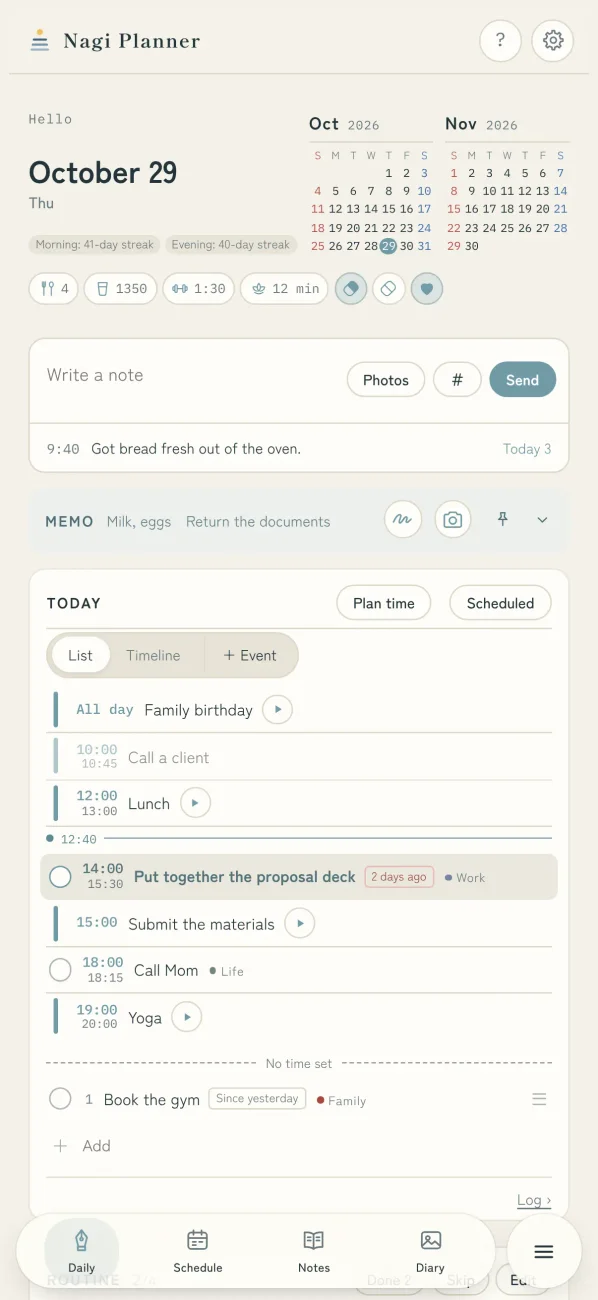
In Japan, a techo (planner) isn't just a calendar—it's a companion for setting goals, reflecting daily, and growing step by step. Nagi brings this unique Japanese culture into an app. From schedules, to-dos and routines to journaling and work results, everything you need to organize your days is in one place.
■ Free plan | Organize your days
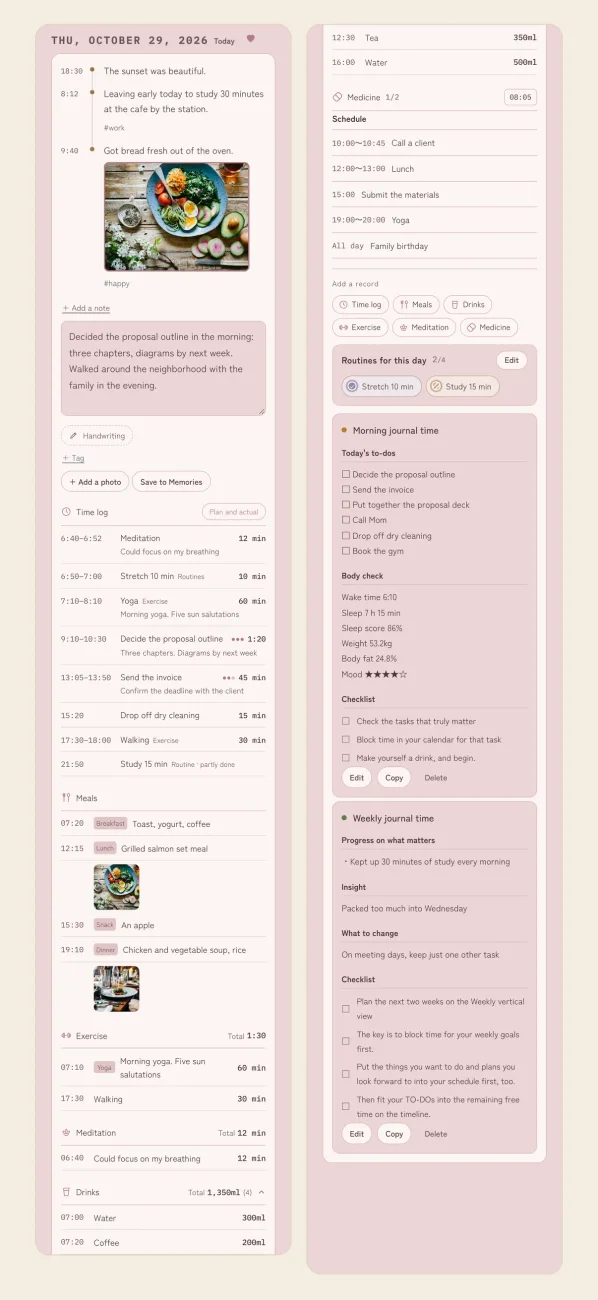
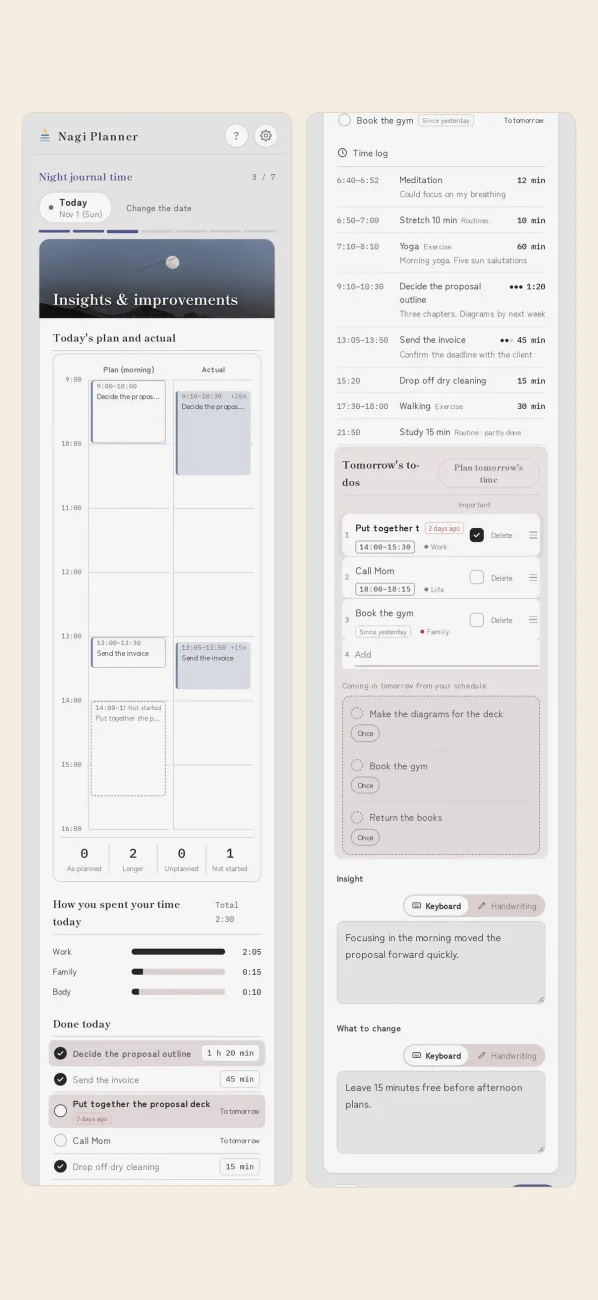
▸ Journal time: Reflect and plan in morning, evening, weekend, month-end, quarterly and year-end sessions.
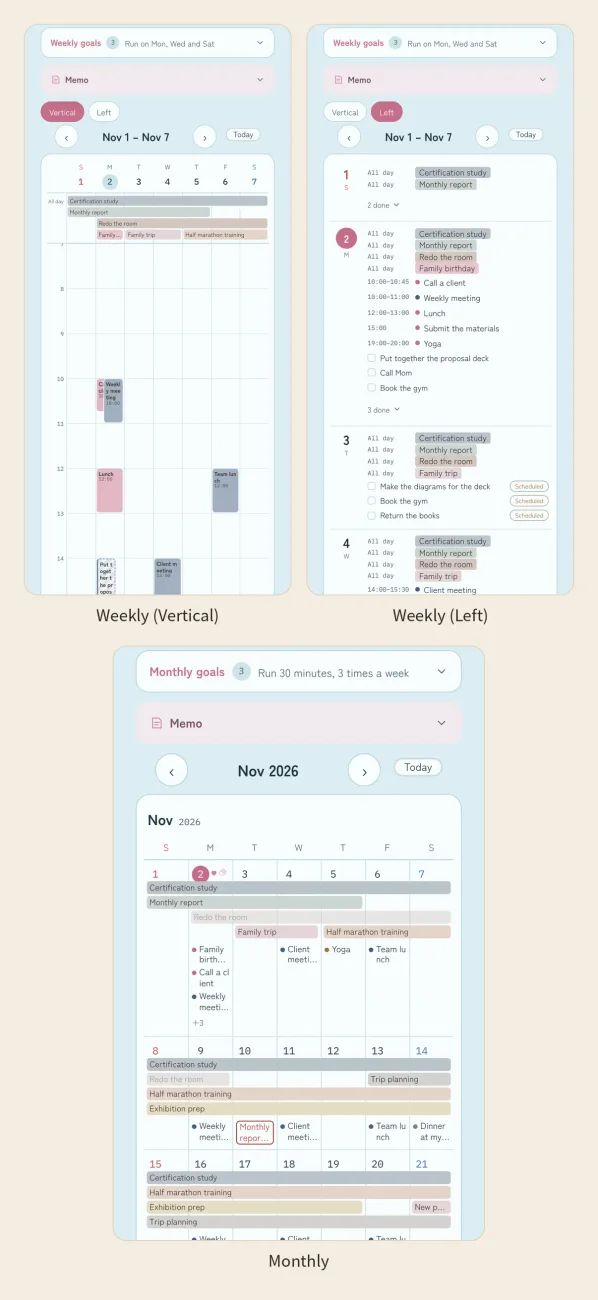
▸ Schedule: Daily, Weekly (Left/Vertical), Monthly, Yearly (List/Calendar). In Vertical, drag events and to-dos to another time or day, or trace a slot to add one.
▸ Calendar sync: Events from your device's calendar appear in Nagi (Google Calendar too, once added in device settings). Add and edit events in Nagi, and choose which calendars each screen shows—say, only work or only family.
▸ Handwriting: Write by hand in your schedule, notes and journal time, like paper. The memo on Top is like a whiteboard that extends in every direction.
▸ TO-DOs: Deadlines, times and repeats, shown with events. Focus with a Pomodoro timer; work time is logged.
▸ Routines: Daily habits and tasks, with a timer to log time spent.
▸ Routine Time: Run a flow, like your morning routine, step by step with timers and start alerts (one free; unlimited with Premium).
▸ Notes: Notebooks (folders) with names and colors; templates, checklists, tables, photos and audio.
▸ Spending: Today's spending on the MONEY card; review it in evening journal time.
▸ Insights: Records over 1 day, 3 days and 1 week.
■ Premium plan | Know yourself and become who you want to be
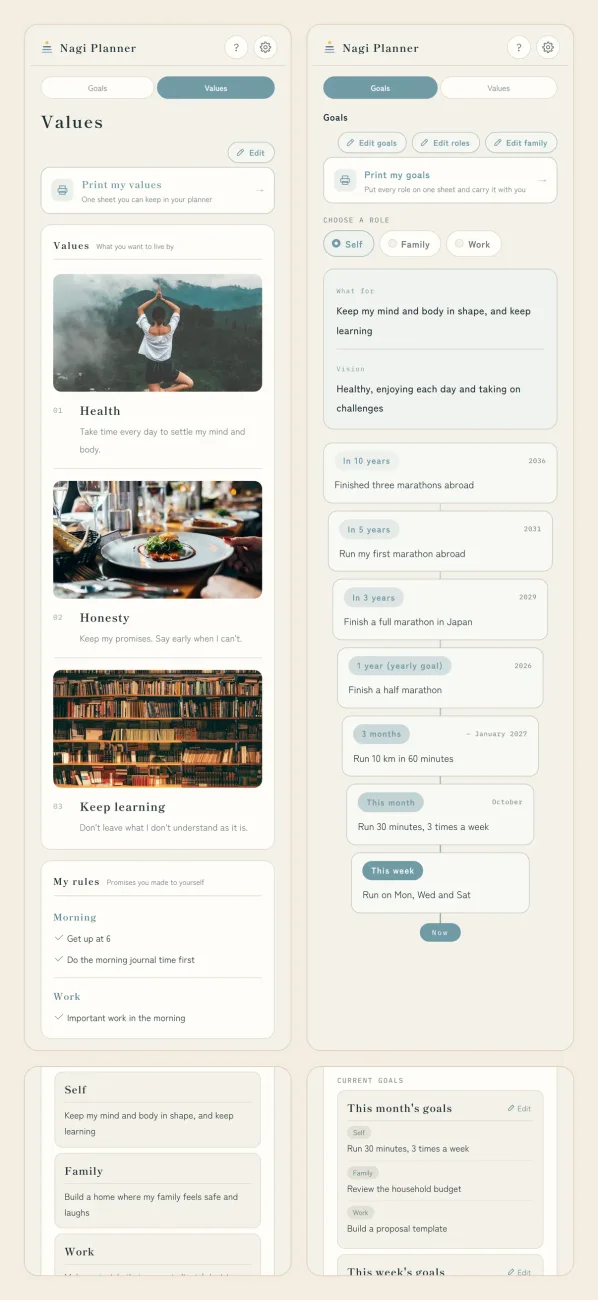
▸ Goals: From 10 years ahead down to 1 year, 1 month and 1 week. Plan actions and review progress.
▸ Diary and memories: Photo diary, "Today" over 10 years, a memories slideshow and short notes. To-do, meal and exercise logs go into your diary automatically.
▸ Daily records: Meals, drinks, exercise, medicine, meditation, sleep, weight, temperature and mood from icons on Top.
▸ Projects: Periods on your schedule, with milestones and repeats.
▸ Savings goals: Set "how much, by when" to see the monthly amount needed and when you'll reach it. Track it on Daily and in journal time.
▸ MONEY: A month of spending by total, category, weekday, week and day, vs. last month, with large expenses. Custom period; A4 print.
▸ Insights: Beyond 1 week, see 2 weeks to 1 year or any period, including time use, habits and spending.
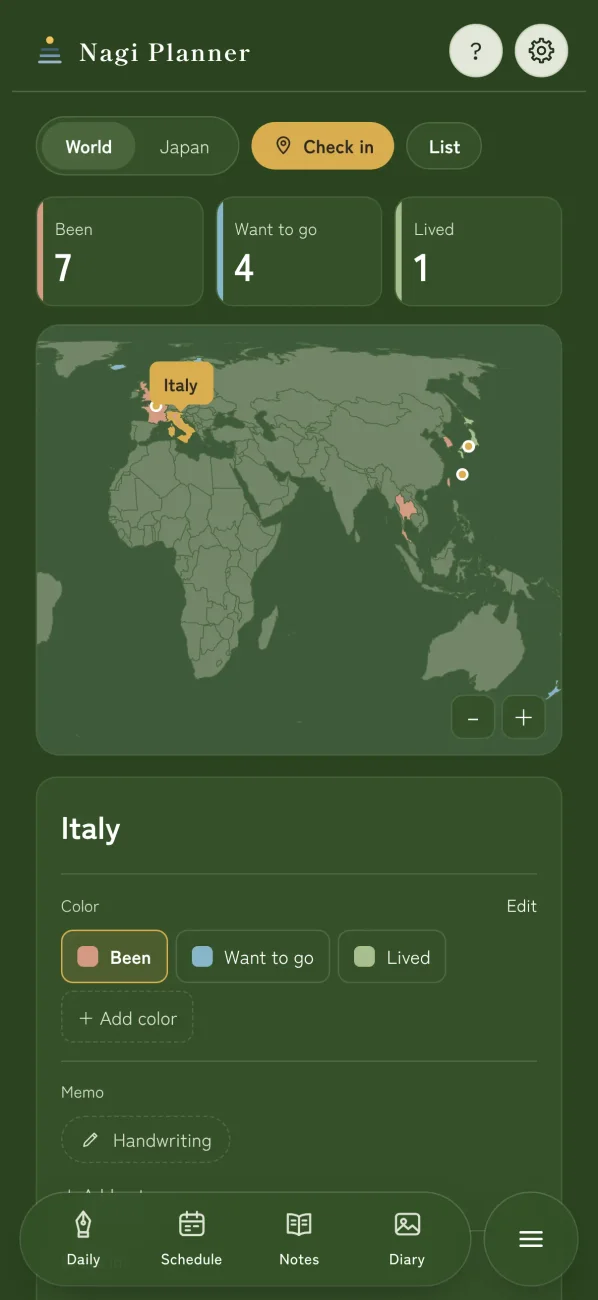
▸ Picture your future: Wish list slideshow, a map of places visited and to visit, and check-ins.
▸ Notes (mind maps and PDFs): Map out ideas, or write by hand on imported PDFs.
■ for Business plan | Track numbers for work and study
Everything in Premium, plus targets and results for sales, visits, work hours and more—for sole proprietors, small businesses and exam study.
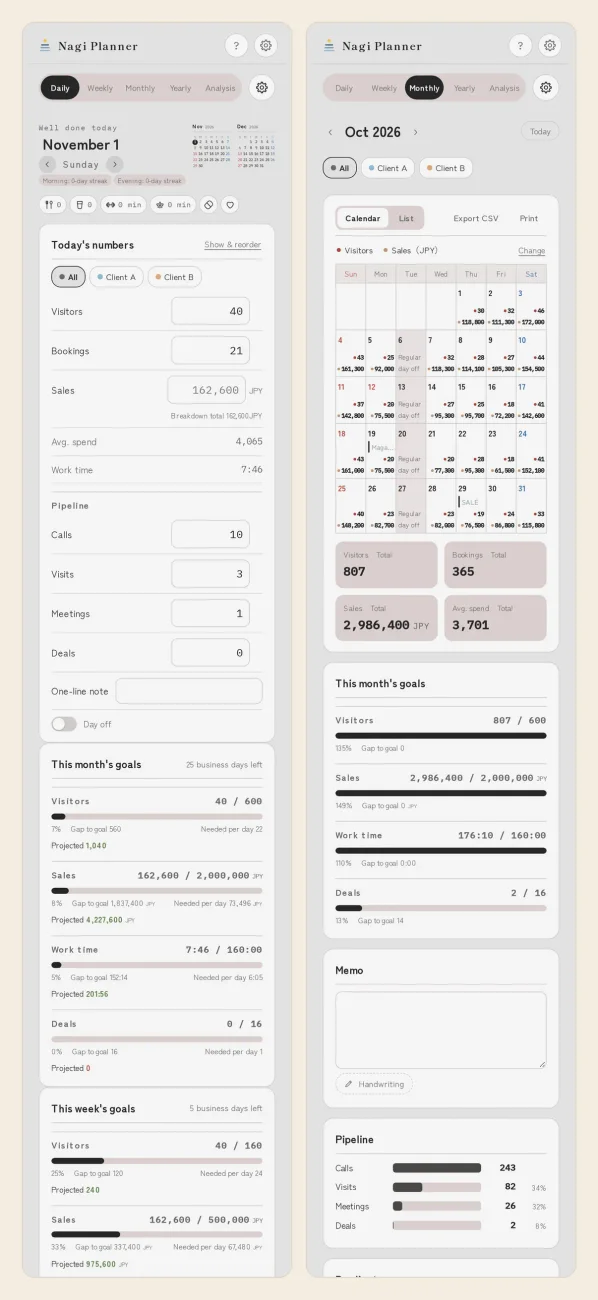
▸ Results calendar: Track any figures daily and view them from Daily to Yearly.
▸ Targets and progress: Totals, gap to target and projections, automatically.
▸ Calculated figures: Formulas with + − × ÷; sales-based fees calculated automatically.
▸ Results analysis: Totals, trends and achievement rates by figure.
▸ Groups: Separate figures and records by purpose—work, projects, exam study.
▸ Jobs and clients: To-dos, events, notes and sales by project and client, in time order.
■ More
▸ Widgets: Events, to-dos and more on your Home Screen.
▸ Apple Watch: Events and more on your wrist.
▸ MyPurse (Premium): Link with the budget app MyPurse to see what's left to spend this month.
■ Plans
The free plan covers the basics; Premium and for Business add more. See prices in the app.
■ Data and privacy
Nagi doesn't collect usage data. Records stay only on your device, your iCloud and, when syncing with Windows or Android, the cloud you choose.
■ Before you use
Buy or cancel plans in your App Store account settings.
Terms of Use (EULA):
https://mikiko-app.github.io/nagi/terms.html
Privacy Policy:
https://mikiko-app.github.io/nagi/privacy.html
What’s new
Version 3.0.3 · Nov 22, 2026
● for Business
・Build calculated figures as formulas with figures, numbers, + − × ÷ and parentheses. For each figure, choose whether to use the value from a number of days before or after.
・Calculated figures shown as a percentage are now calculated only on days when every figure in the formula has been entered.
・Expense figures (such as sales fees) can now be calculated automatically from sales. On days you enter sales, sales × the rate is entered. You can also set a rate for each client.
・Set a start date for each group. Averages, month-over-month changes and projections are calculated from that date.
・In Edit group, “Figures in the Monthly summary” lets you choose up to 4 figures to show at the top of Monthly.
・Weekly, Monthly and Yearly on iPhone: result boxes now show the gap to goal, the number needed per day and the projection, with buttons to jump to each card and the current filter (group and client) at the top.
・On iPhone, Yearly is now “This fiscal year's results”, with the monthly trend shown one month per row. The Monthly list now shows more days on one screen.
・In CSV, when another group has a figure with the same name, the heading is “Group name: figure name”.
● Top screen
・The MONEY card now combines spending and savings (SAVINGS). Choose where it appears and whether to show it when you edit the top screen.
・Card headings now have icons.
● Journal time
・Write today's diary in evening journal time (Premium).
● Schedule
・15-minute events in Weekly are easier to tap on iPhone and iPad.
● Notes
・You can now create as many notebooks inside a notebook (folder) as you like.
Other small improvements and bug fixes.
App privacy
What MIKI SHOJI declares on the App Store about how this app handles data.
-
Data not collected
The developer does not collect any data from this app.
Privacy practices may vary, for example with the features you use or your age.
Information
- Seller
- MIKI SHOJI
- Category
- Productivity
- Version
- 3.0.3
- Updated
- Nov 22, 2026
- Released
- Oct 12, 2026
- Size
- 66.3 MB
- Requires
- iOS 15.0 or later
- Age rating
- 4+
- Price
- Free
- In-app purchases
- Yes
- Languages
- English, Japanese, Korean, Simplified Chinese, Traditional Chinese
- Copyright
- © 2026 MIKI SHOJI
You might also like
-
 DayLine - Daily PlannerDaily Planner & Timeline
-
 Spread PlannerWeekly & monthly paper planner
-
 Acto|Handwritten PlannerPlan by Hand, Think Clearly
-
 Mena: Mind Map & Concept MapVisual Notes, Thinking & AI
-
 TODO-GIGA: Habit & To-Do ListA sumi sticker for each task
-
 Logline: Timeline Notes & LogNotes and tasks, in time order
-
 My365 - AI手帳・予定管理Productivity
-
 カレンダーwithToDo&ジャーナルProductivity
-
 フムProductivity
-
 Dayzy: Photo to CalendarScan schedules. Share plans.