- Age rating4+
- CategoryProductivity
- DeveloperGrow Creative Group, LLC.
- LanguagesEnglish
- Size5.2 MB
Links to the official App Store page
Download.org hosts no file of Names to Remember. The button opens its official App Store page, published by Grow Creative Group, LLC. Listing last checked on Nov 14, 2026.
Screenshots

About
You met someone great. Two weeks later you can still picture the face, the bar, the fact that they'd just come back from Lisbon — everything except their name.
Names to Remember fixes that. Save a face, a place, and a couple of details in seconds. Find them again however you happen to remember them.
ADD SOMEONE BEFORE THE MOMENT PASSES
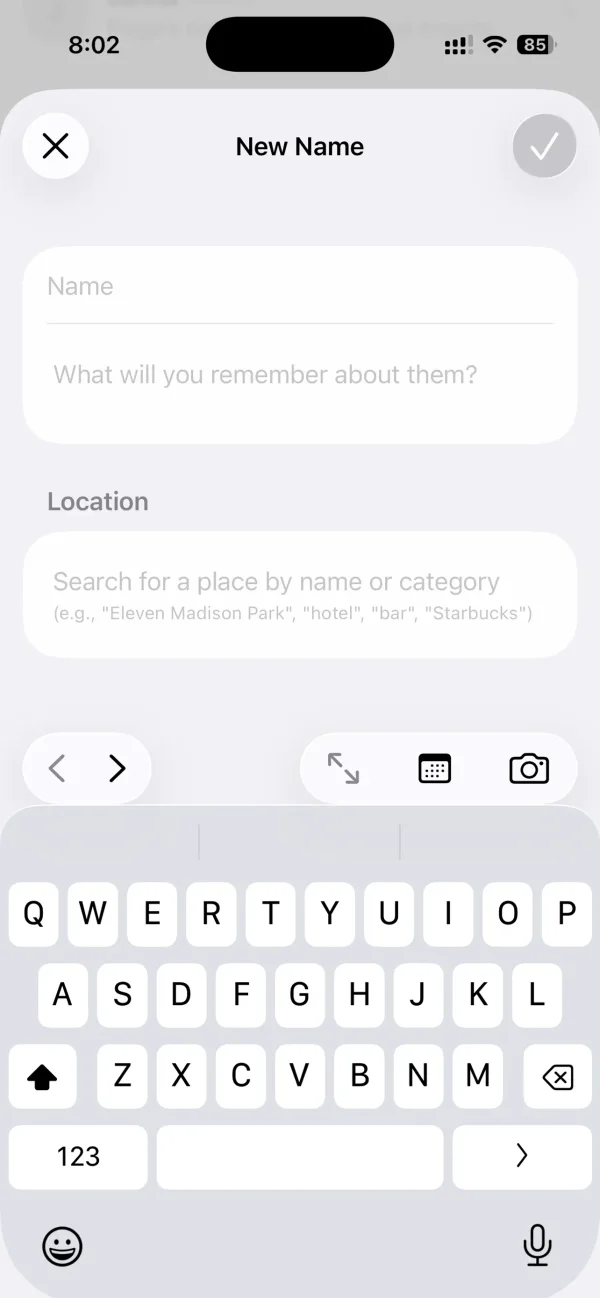
• Quick Capture: a name, a photo, and where you are — filled in for you
• Snap a photo, pull one from your library or Files, or search the web for one
• Share a contact card into Names from anywhere in iOS
• Import straight from your Contacts
FIND THEM HOWEVER YOU REMEMBER THEM
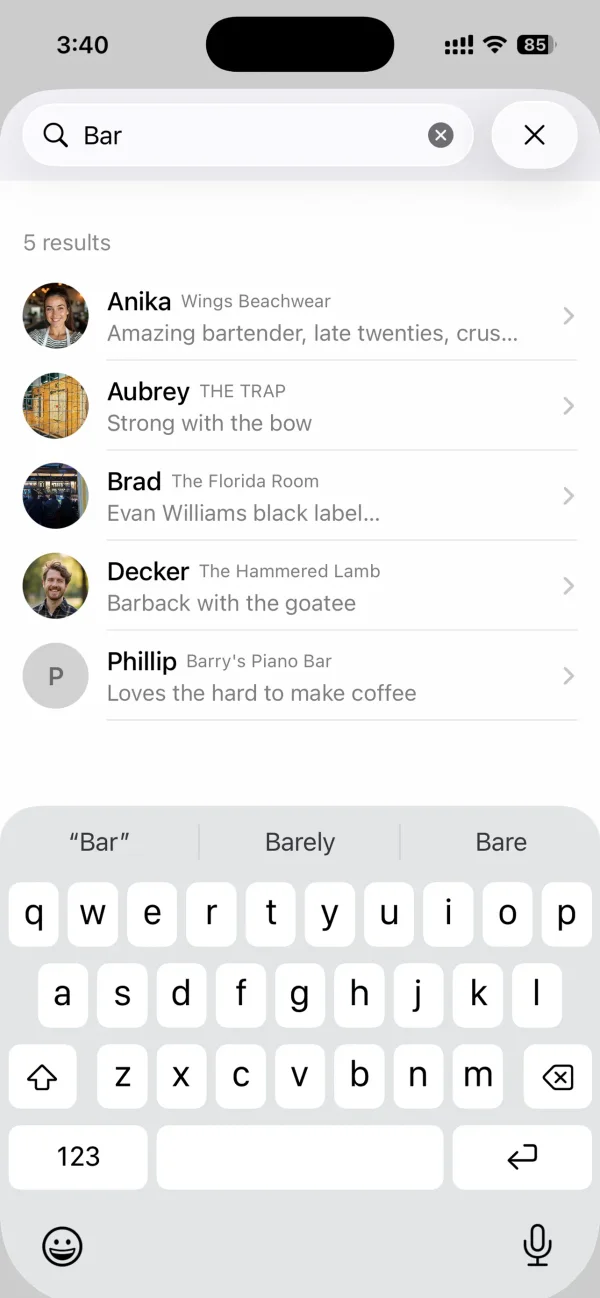
• Search forgives spelling — look for "Kristin," still find Kirsten
• Search everything at once: names, notes, places, cities, tags, companies
• Suggestions when you need a nudge: people nearby, birthdays coming up, recently added, your most-used tags and cities
• Find anyone from the iOS home screen, or just ask Siri
THREE WAYS TO LOOK AT YOUR PEOPLE
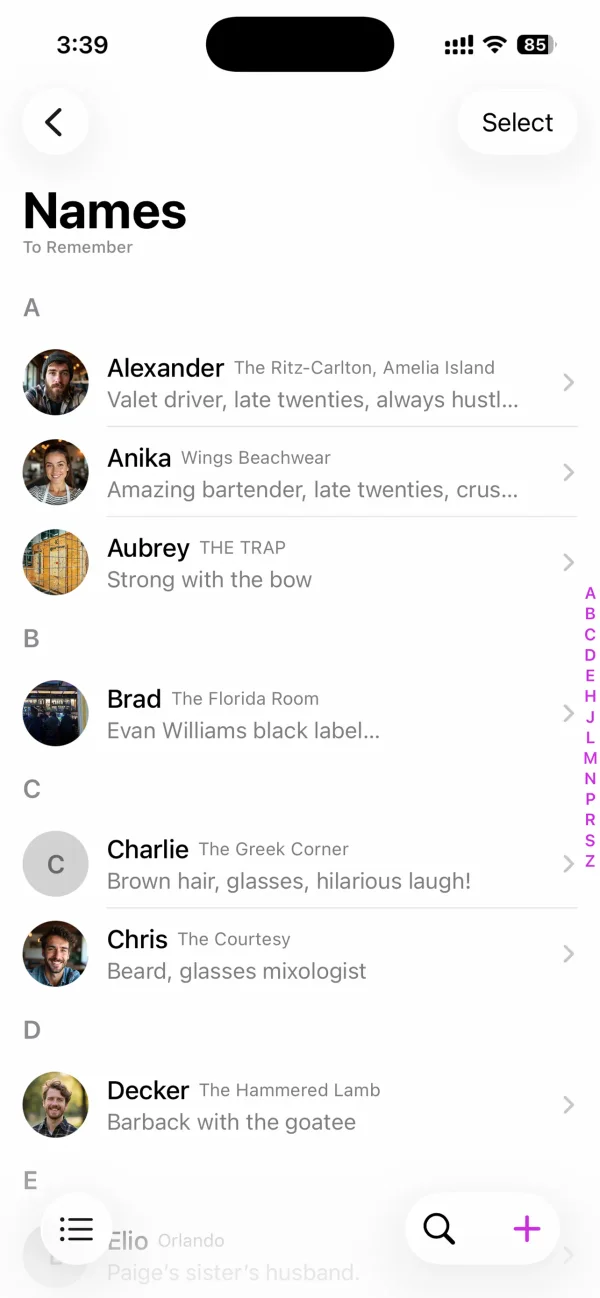
• List — tune the rows to show photos, places, notes, and tags
• Faces — a photo-first grid, because that's how you actually remember people
• Map — everywhere you've met someone, sorted by how close you are right now
LISTS THAT KEEP THEMSELVES CURRENT
Build a list out of filters — a tag, a city, everyone within a mile of you, birthdays in the next 30 days, anyone you owe a follow-up — and it updates itself. Or make a list by hand and add people yourself.
NEVER DROP THE THREAD
• Set a reminder to reach back out, and mark it done right from the notification
• Birthday reminders arrive the morning of
HOW PEOPLE CONNECT
Link people to each other and label the relationship — sister, colleague, neighbor. Labels that read the same both ways fill themselves in on the other person's card.
KEEP IT TIDY
• Merge Duplicates finds anyone you've saved twice and folds them into one, keeping the notes from both
• Select several contacts to tag, list, export, or merge them at once
• Export to vCard, CSV, or JSON — or send them to your Contacts app
YOURS, ON EVERY DEVICE
• iCloud sync keeps everything in step across your iPhone and iPad
• Lock the app behind Face ID or Touch ID
• Everything is included — no subscriptions, no locked features, no ads
Made for conferences and networking events, for sales calls and new jobs and new neighborhoods — and for anyone who has ever nodded through a conversation hoping the name would come back to them.
Your data is yours. Everything lives on your device, synced through your own iCloud account and nowhere else.
What’s new
Version 1.1 · Aug 2, 2026
Everything is now included. No Pro tier, no in-app purchases — Face ID lock, Contacts and CSV export, and batch tagging are just part of the app now.
That's the smaller half of this update.
SEE YOUR PEOPLE, NOT A LIST
A new Faces layout puts photos first — a grid you can size to taste, sitting alongside List and Map. The map has been rebuilt around a panel you can pull up: contacts grouped by place, filtered by company with a tap, sorted by how close they are to you right now.
FIND ANYONE, EVEN WHEN YOU MISREMEMBER
Search forgives spelling. Look for "Kristin" and you'll still find Kirsten. Tap the search field for suggestions — people nearby, birthdays coming up, recently added — plus your most-used tags and cities. Your contacts are indexed in iOS search too, so you can find someone from the home screen, and Siri can open a contact or remind you where you met.
ADD SOMEONE BEFORE THE MOMENT PASSES
Turn on Quick Capture and the add button opens a short form — name, photo, and where you are, filled in for you. Expand to the full form whenever you want the details. You can also share a contact card straight into Names from anywhere in iOS, or import from Contacts.
REMEMBER TO FOLLOW UP
Set a reminder to reach back out to someone, and mark it done from the notification. Birthday reminders arrive the morning of.
HOW PEOPLE CONNECT
Link contacts to each other and label the relationship — sister, colleague, neighbor. Labels that read the same both ways fill themselves in on the other person's card, and they travel with your exported contacts.
TIDY UP
Merge Duplicates finds people you've saved twice — same name, same number, same email — and folds them into one, keeping notes from both. You can also select any contacts and merge them yourself.
SMART LISTS THAT KEEP THEMSELVES CURRENT
Build a list from filters — a tag, a city, people within a mile of you, birthdays in the next 30 days, anyone you owe a follow-up — and it stays up to date on its own.
App privacy
What Grow Creative Group, LLC. declares on the App Store about how this app handles data.
-
Data not linked to you
May be collected but is not linked to your identity.
- Location
- Contact info
- User content
Privacy practices may vary, for example with the features you use or your age.
Information
- Seller
- Grow Creative Group, LLC
- Category
- Productivity
- Version
- 1.1
- Updated
- Aug 2, 2026
- Released
- Apr 21, 2026
- Size
- 5.2 MB
- Requires
- iOS 26.0 or later
- Age rating
- 4+
- Price
- Free
- Languages
- English
- Copyright
- © 2026 Grow Creative Group LLC.
You might also like
-
 StartWise AtlasSecond brain for your network
-
 Reweavly: Speak to Mind MapAI voice notes & brainstorming
-
 Tend: Relationship ManagerProductivity
-
 Habby: Habit Rewards TrackerTurn habits into real rewards
-
 Remember Names: Name ReminderRemember Names, People & Faces
-
 NameDrop: Remember PeopleRemember people better
-
 NameVault: Face & Name memoryimage Quiz & People Notes
-
 Name Reminder: Remember NamesFriend Groups, Notes & Photos
-
 notetime: Timestamp NotesTimeline & Journal with time
-
 Dale: Countdown & Year TrackerDays Left, Events & Widgets