
Native Tasks for Obsidian
Capture, plan, schedule, focus
Designed for iPhone, iPad, Mac
Free · In-app purchases
- Age rating4+
- CategoryProductivity
- DeveloperIlarion Ioannidis
- LanguagesEnglish
- Size2.4 MB
Links to the official App Store page
Download.org hosts no file of Native Tasks for Obsidian. The button opens its official App Store page, published by Ilarion Ioannidis. Listing last checked on Nov 12, 2026.
Screenshots
About
Native Tasks for Obsidian turns the checkboxes in your Obsidian vault into a fast, native to-do app for iPhone and iPad.
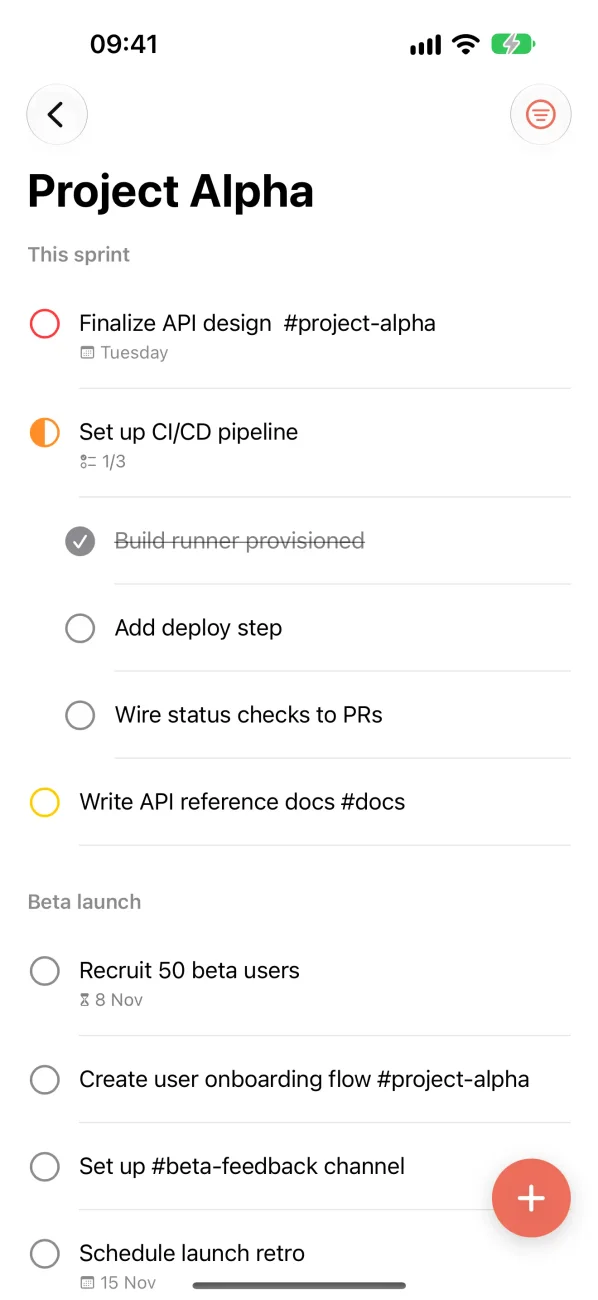
Every Markdown note with tasks becomes a list. Due, scheduled and start dates, recurrence, priorities and custom statuses from the Obsidian Tasks plugin are read and edited in place. Every change is written straight back to your .md files, so Obsidian always shows the same tasks.
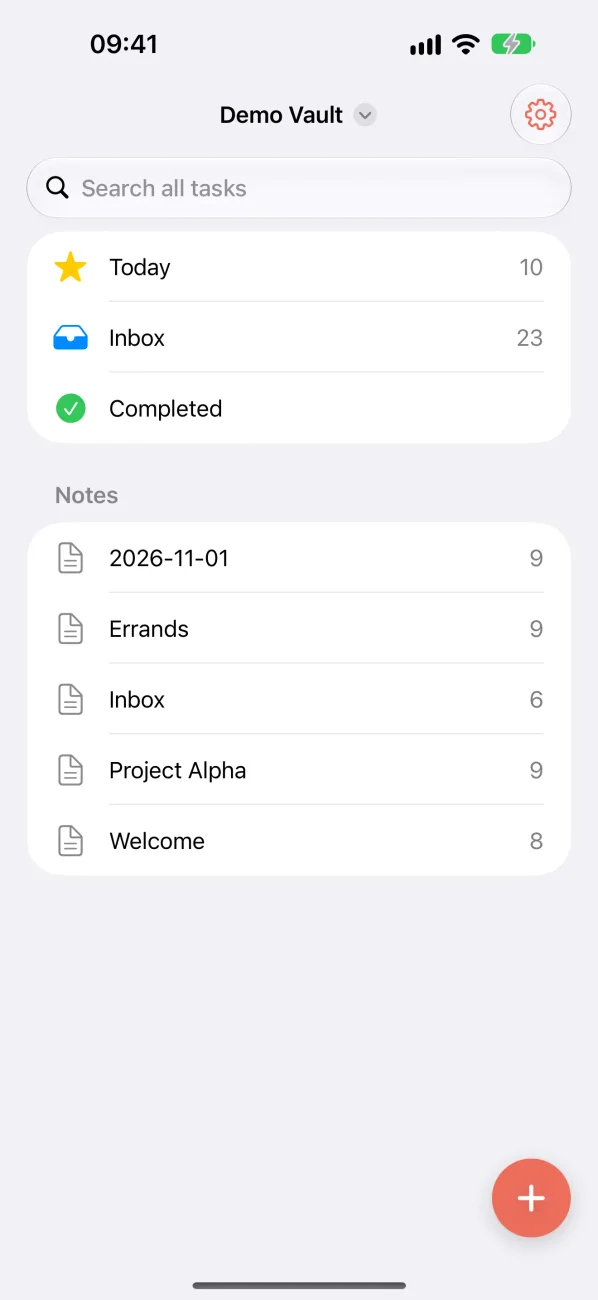
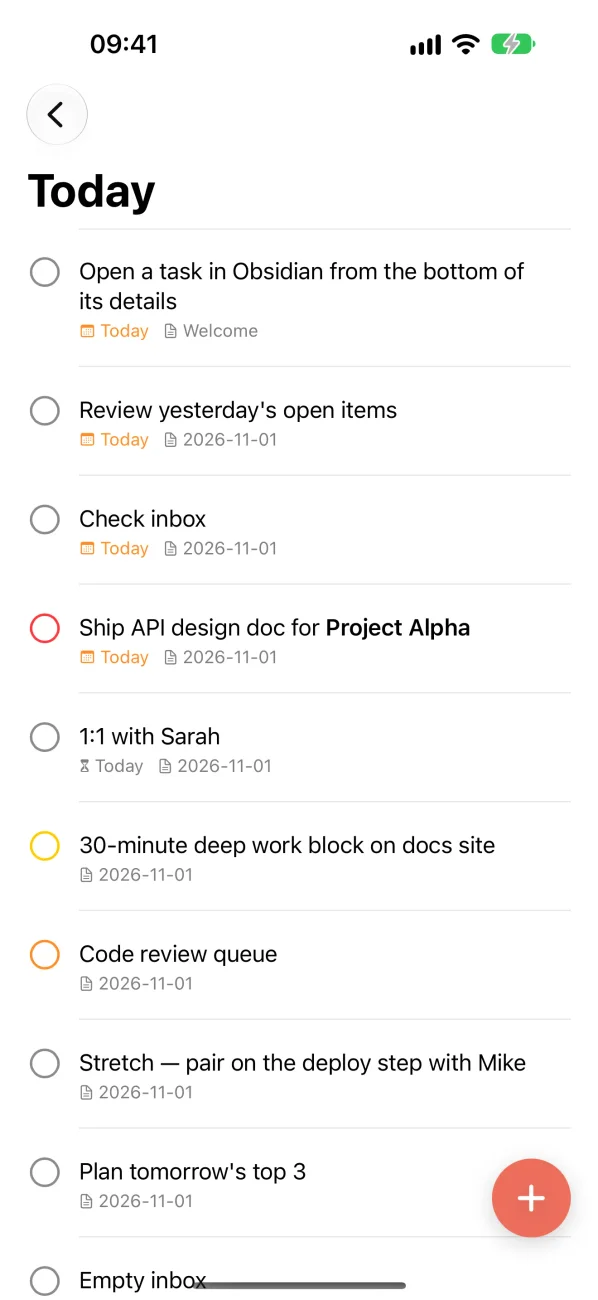
• Today, Inbox and Completed smart lists, plus one list per note, grouped by your folders
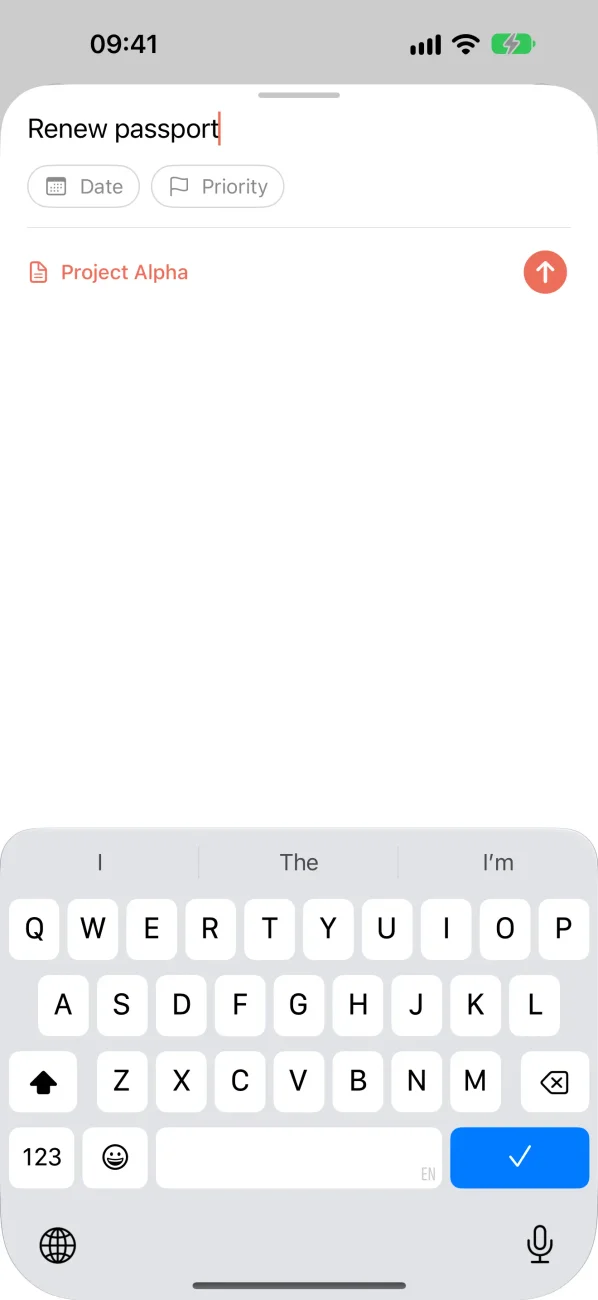
• Set priority and due dates as you type, using Tasks plugin shorthand like !high
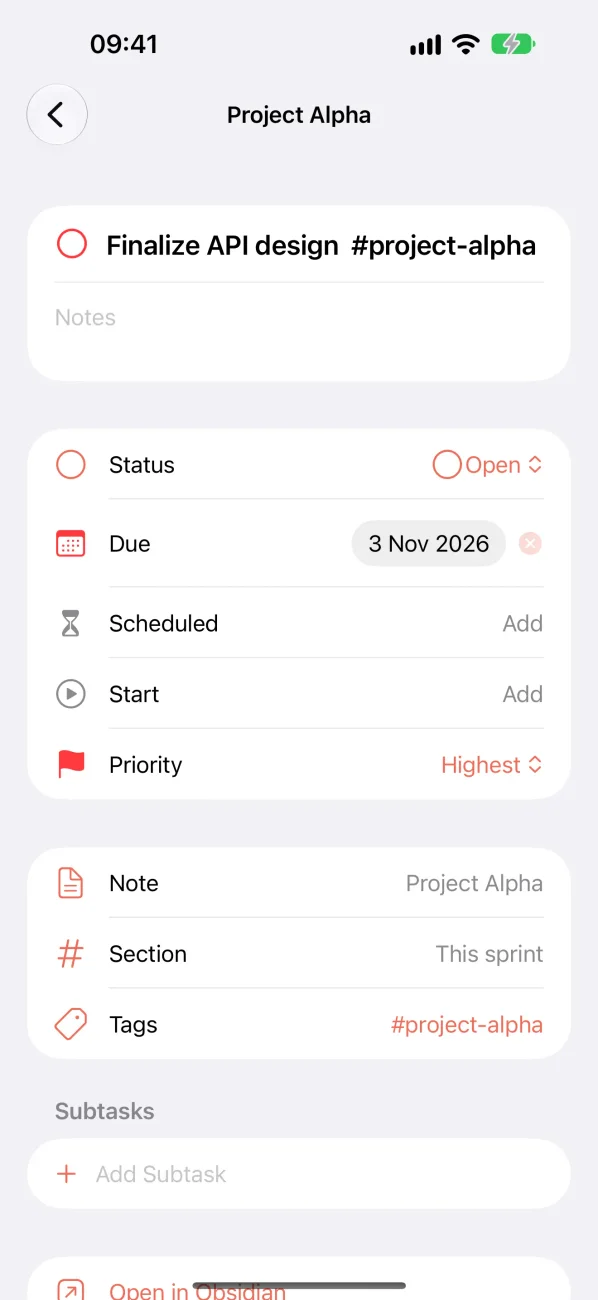
• Status, dates, priority, tags, notes and subtasks in one detail view
• Drag a task onto another list to move it to that note
• Siri and Shortcuts: add tasks, complete them, and ask what's due today
• Open any task in Obsidian with one tap
• Works with the vault folder Obsidian uses on your iPhone or iPad, or in iCloud Drive
• On iPad, sidebar, list and details sit side by side, with keyboard shortcuts
Your files stay yours. There's no account, no sync service and no telemetry. The app only reads and writes the vault folder you choose.
PRO
Pro adds due-date reminders with an app icon badge, unlimited vaults and Spotlight search. Choose a monthly or yearly subscription, or a one-time purchase. Pro bought on the App Store also unlocks the Mac App Store version.
Subscriptions renew automatically unless cancelled at least 24 hours before the end of the current period. Manage or cancel them in Settings → Apple Account → Subscriptions.
Terms of Use: https://www.apple.com/legal/internet-services/itunes/dev/stdeula/
Privacy Policy: https://lostendfound.com/tasks-for-obsidian/privacy
What’s new
Version 1.2 · Nov 6, 2026
## What's new in 1.2
- **Upcoming.** A new smart list shows everything due or scheduled in the next 7 days, grouped by day. Tasks you add there are due tomorrow unless you give them a date.
- **Choose your reminder time (Pro).** Due-date reminders no longer have to arrive at 9 AM: pick any time in Settings → Notifications.
- **Links to your notes.** [[Wikilinks]] in a task are now tappable. A note that has tasks opens as its list; any other note opens in Obsidian.
- **Insert under a heading.** Choose a heading in Settings → Vault and new tasks are added under it instead of at the end of the note.
- Subtasks with their own date now show up in Today and Upcoming, under their own day.
- Task titles on the Mac now show bold, italics and code formatting.
App privacy
What Ilarion Ioannidis declares on the App Store about how this app handles data.
-
Data not collected
The developer does not collect any data from this app.
Privacy practices may vary, for example with the features you use or your age.
Information
- Seller
- LOST END FOUND LTD
- Category
- Productivity
- Version
- 1.2
- Updated
- Nov 6, 2026
- Released
- May 18, 2026
- Size
- 2.4 MB
- Requires
- iOS 18.0 or later
- Age rating
- 4+
- Price
- Free
- In-app purchases
- Yes
- Languages
- English
- Copyright
- © 2026 lost end found Ltd
You might also like
-
 Remos BotYour Obsidian, Anywhere
-
 NoterivMarkdown notes in plain files
-
 Ki-noteYour Personal Knowledge Vault
-
 Aino: Markdown WorkspaceYour Personal LifeOS
-
 Lucid: Notes & OutlinesEffortless second brain
-
 Contextly NotesNotes that work the way you do
-
 Airlist - Notes & TasksProductivity
-
 Notelane - Markdown EditorYour notes, your own storage
-
 LLM Shortcut ToolkitAI shortcuts for productivity
-
 Interview Prep Question ToolMock Job Hunt Resume Review