
- Age rating4+
- CategoryProductivity
- DeveloperNAVER Corp.
- LanguagesEnglish+ 4 more
- Size271.6 MB
Links to the official App Store page
Download.org hosts no file of Naver Calendar. The button opens its official App Store page, published by NAVER Corp. Listing last checked on Nov 26, 2026.
Screenshots




About
* Have fun planning your day with the NAVER Calendar App
- Various calendar views and illustration themes
- 700 free stickers to customize
- Weather information and Smart Briefing of the day
- Sync your mobile app calendars with PC
- iPad, Apple Watch support
[Key Features]
1. Schedule, Anniversary, Task, Habit and Diary - All my daily life in the calendar.
Easily manage daily to-dos and lunar calendar anniversaries that change every year.
Build routines through habits and record your days in your diary.
2. Alerts that ring at the right time & moment
Register anniversaries to your calendar and never miss lunar calendar dates.
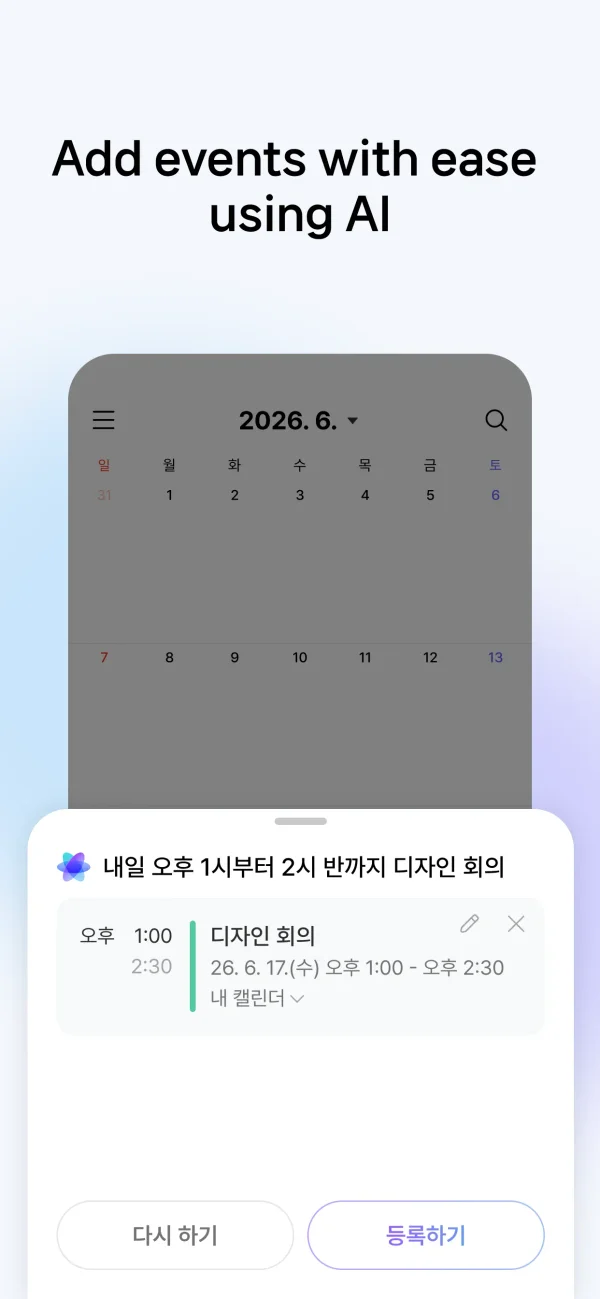
3. Single touch to compose schedule!
Long-press in Monthly View and Dual View to add events, tasks, habits, and diary entries.
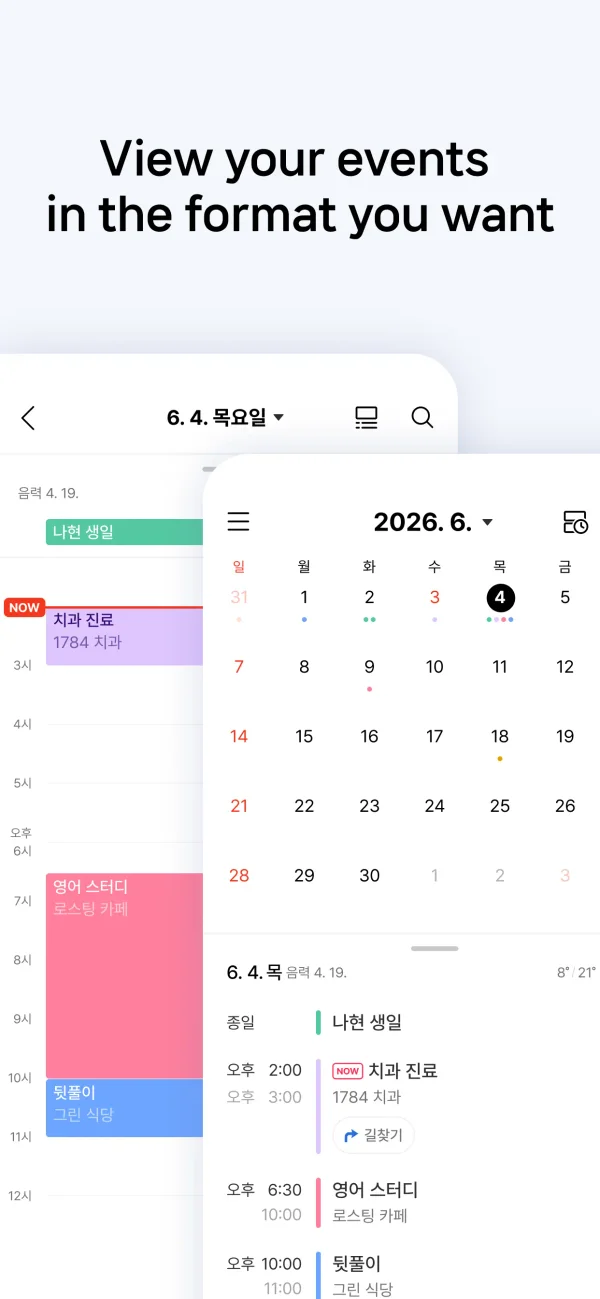
4. View schedules in a view-type of your choice
Check your events for the month at a glance in Monthly View.
To view daily events, pin the List View, sorted in list format, or the Time View, sorted by time.
5. Shifting calendar
In Monthly View, swipe left and right to view the previous or the next month. Swipe up to view the calendar along with detailed events together.
If you turn off horizontal calendar swiping, swipe up and down to view adjacent months.
6. Stickers and category setting
Categorize schedules and anniversaries with different colors and personalize with various stickers.
7. Easily check events with widgets
Use the Today/Calendar/List/Timetable/D-day widgets and Lock screen widgets to conveniently check your events.
8. Weather information
Check the weather information in List View and Time View. Tap on the weather icon to view more detailed weather information.
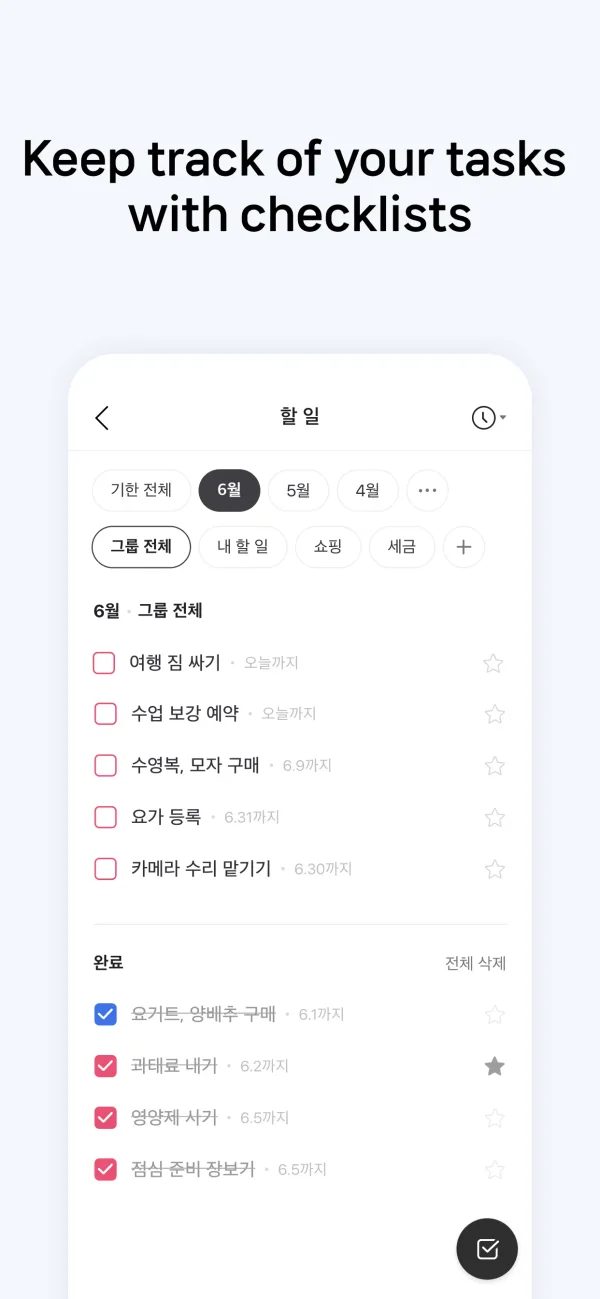
9. Task management
Quickly add daily tasks and manage them by deadlines and groups.
10. Anniversary
Don't miss approaching anniversaries with D-day. Your everyday will become more special.
11. Shared calendar
Co-manage your calendar with friends, family, and colleagues by sharing.
12. Timetable
A must-have for students and parents.
13. Easy sync with other calendars
Import schedules from your phone's default calendar with a single click.
14. Time zone support
Adjust the time zone when scheduling abroad or with overseas friends.
15. Apple Watch support
Quickly check your schedule on Apple Watch with alarms and complications.
16. Dark Mode
Try Dark Mode so you don't have to worry about bright glare. Adjust according to your device's settings, or set Light Mode or Dark Mode yourself.
—
■ Details of mandatory access rights
- Calendar: You can import events saved in the device and save them to NAVER Calendar.
- Location: Access location-based weather information in Monthly View.
- Address Book: Addresses registered on the device can be used when adding attendees to the schedule.
- Photos: Save files added to events, screenshot and save timetables, and get recommendations from photos taken during an event.
- Camera: Camera access is required to take photos/videos, save images, and attach files.
- Microphone: Add an event through speech recognition.
- Voice Recognition : Adding events with your voice requires the OS's "Voice Recognition" permission. Voice data processed with "Voice Recognition" permission may be sent to Apple in accordance with Apple's policies. No other information will be sent.
- Face ID: Required for identity verification upon password unlock.
■ Details of optional access permissions
- Siri : Due to Apple's policy, permission is required in order to view events using shortcuts with Siri. However, the actual app will not ask the user for the permission.
- App activity tracking: Used to analyze service usage and provide personalized information. You can still access the service if you opt out.
Should you face any problem or inquiries while using the app, please contact NAVER Calendar Customer Service Center (https://m.help.naver.com/support/service/main.nhn?serviceNo=5620).
What’s new
Version 4.7.12 · Nov 26, 2026
[v4.7.12]
- Improved the event screens for Naver Reservations and Sports Subscriptions. Get a clear view of reservation details and key match info within the card.
- Bug fixes and stability improvements.
App privacy
What NAVER Corp. declares on the App Store about how this app handles data.
-
Data used to track you
May be used to track you across apps and websites owned by other companies.
- Usage data
-
Data linked to you
May be collected and linked to your identity.
- Contact info
- Contacts
- User content
- Identifiers
- Usage data
-
Data not linked to you
May be collected but is not linked to your identity.
- Location
- Identifiers
- Usage data
- Diagnostics
Privacy practices may vary, for example with the features you use or your age.
Information
- Seller
- NAVER Corp.
- Category
- Productivity
- Version
- 4.7.12
- Updated
- Nov 26, 2026
- Released
- Feb 7, 2013
- Size
- 271.6 MB
- Requires
- iOS 17.0 or later
- Age rating
- 4+
- Price
- Free
- Languages
- English, Japanese, Korean, Simplified Chinese, Traditional Chinese
- Copyright
- © Copyright ⓒ NAVER Corp. All Rights Reserved.
You might also like
-
 Red Calendar 2026The Easiest Calendar App
-
 Planit: Calendar & To-Do ListPlan together. Make it yours.
-
 Across: Calendar, Your WaySimple start, endless depth
-
 TimeBlocks - Mobile PlannerSchedule Smarter,Fewer Touches
-
 한컴오피스 ViewerProductivity
-
 Daum Mail - 다음 메일Productivity
-
 Hancom DocsDocument Viewer and Editor
-
 daglo: All-in-one AI NotetakerPremium LLM & Super STT
-
 타임스프레드: 구독캘린더, 최애 일정, 시간표, 캘린더Productivity
-
 Bakey: Install & Use FontsFonts for Notes, Docs & Design