TimeBlocks - Mobile Planner
Schedule Smarter,Fewer Touches
Designed for iPhone, iPad
Free · In-app purchases
- Age rating17+
- CategoryProductivity
- DeveloperTimeBlocks, inc.
- LanguagesEnglish+ 3 more
- Size141.9 MB
Links to the official App Store page
Download.org hosts no file of TimeBlocks - Mobile Planner. The button opens its official App Store page, published by TimeBlocks, inc. Listing last checked on Nov 14, 2026.
Screenshots




About
Organize your time, Simply in one place
TimeBlocks is a mobile planner that enables smart time management through simple and easy interface.
[Detailed functions]
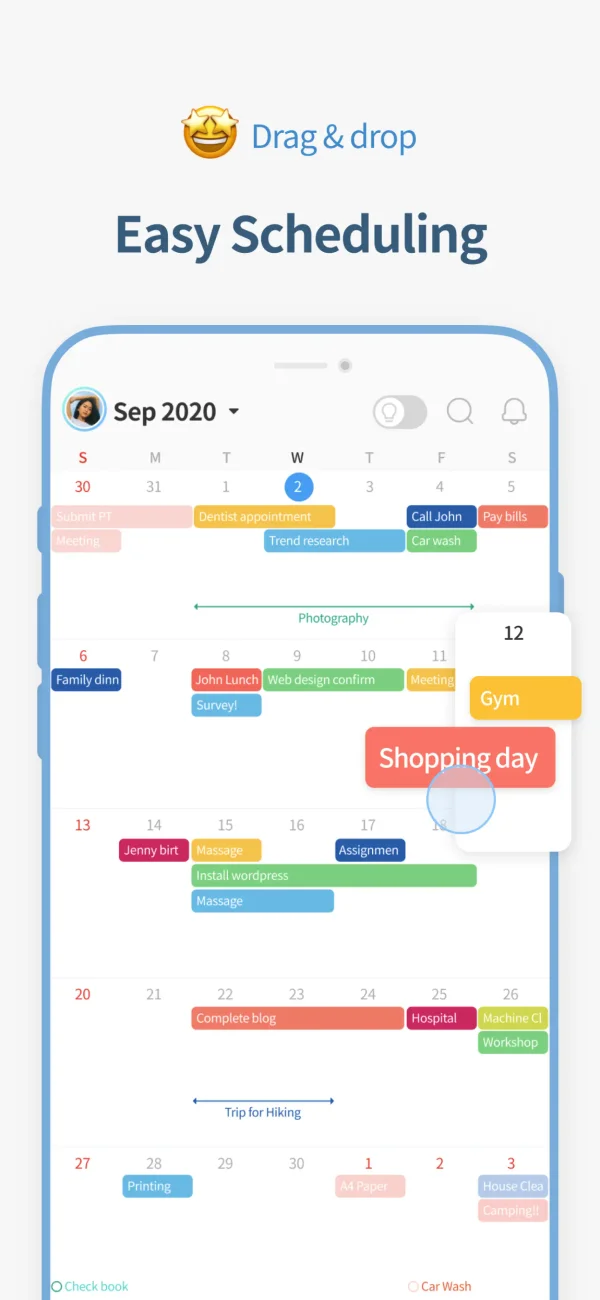
● Intuitive schedule management, Calendar
• Use it easily just like a paper diary through intuitive drag & drop action.
• Screen enlarges according to number of schedules, so you can view the schedules at a glance like a calendar.
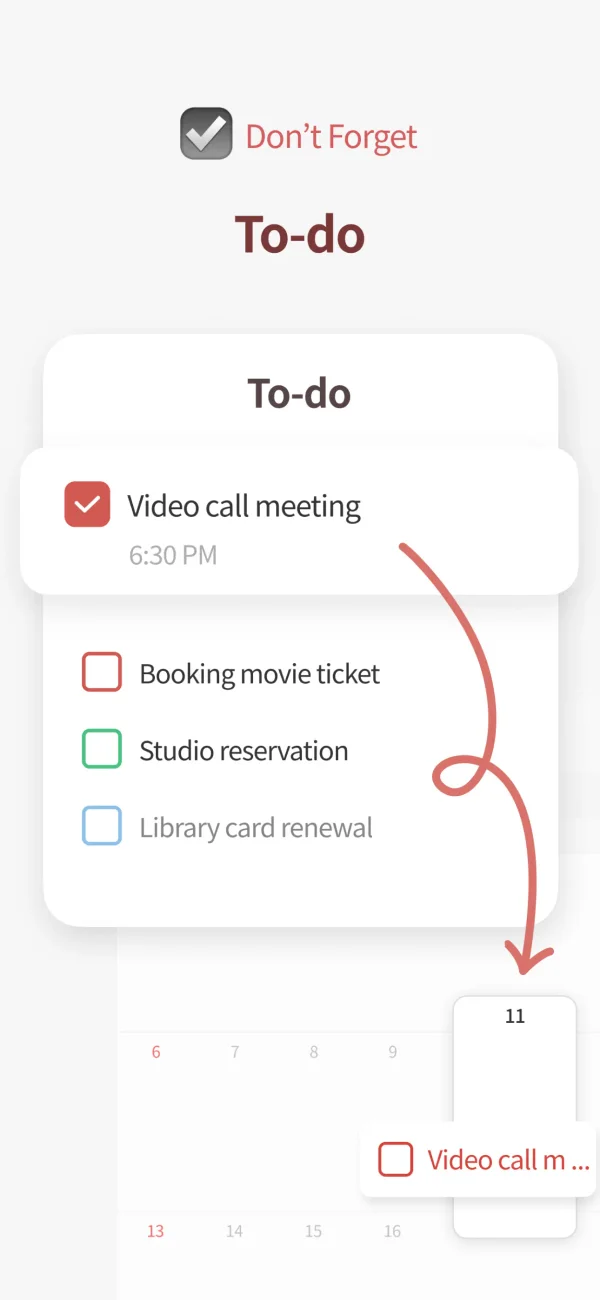
● Don’t forget, To-do
• Manage your trivial tasks on To-do list.
• Incomplete tasks are moved to the next day to help you remember.
● New challenges, Habit
• Manage new habits in Habit list.
• You can find your habit records in Habit Mini Calendar.
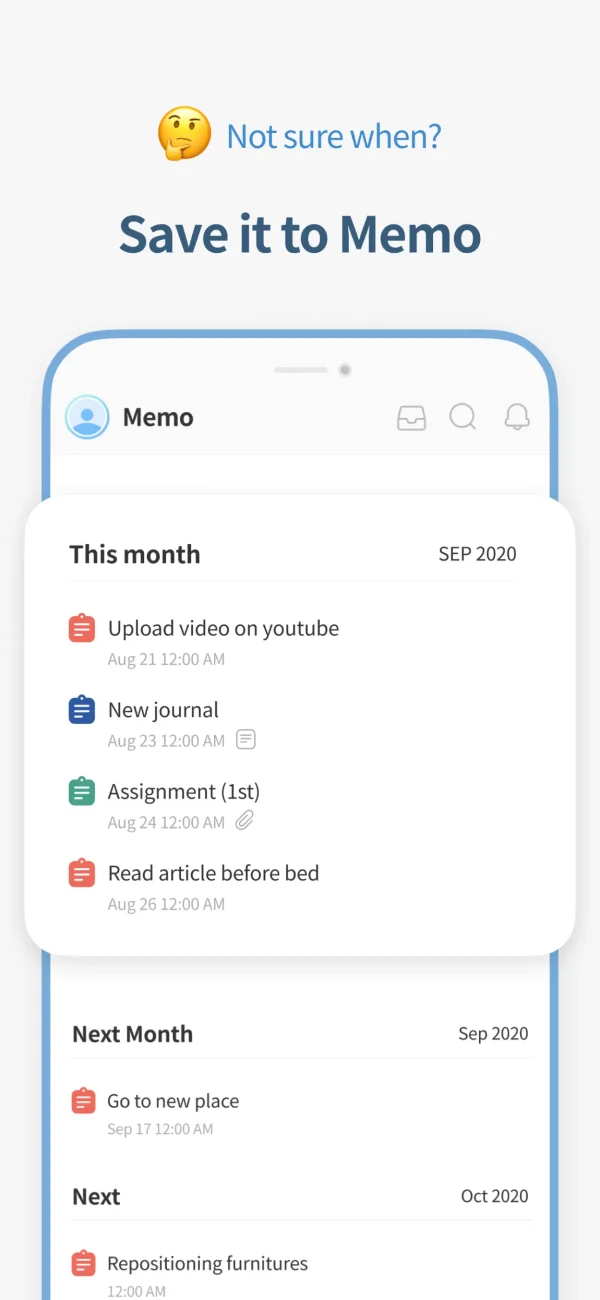
● Whenever it may be, Memo
• If there are plans that you can’t fix the time right now, keep it in Memo and plan it later.
• You can organize memos by month to set up general plans.
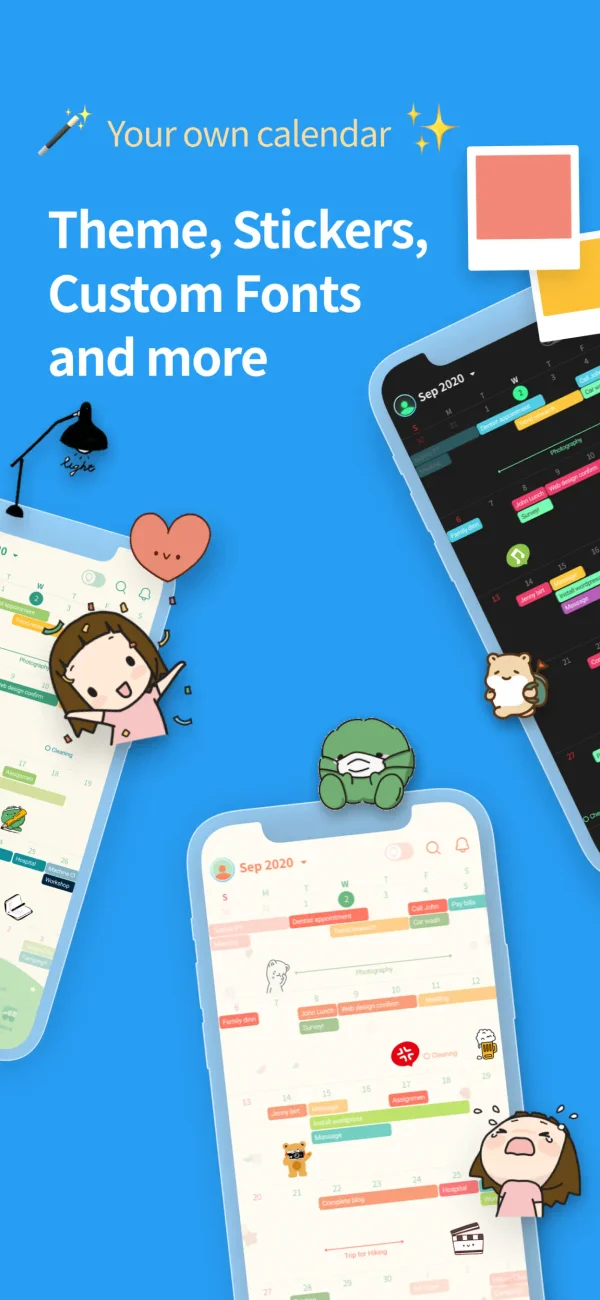
● Themes, stickers, and wallpapers for decoration
• You can decorate the diary on the app. TimeBlocks in-app store provides colors, stickers, masking tapes (date background), themes, and fonts for you to decorate your own calendar.
• You can find decoration items by unique artists and design companies that are working with TimeBlocks.
● Anniversary
• You manage birthdays, holidays, and anniversaries, etc.
• It supports both solar and lunar calendars.
● Together with other services, Connection
• Did you use another calendar before? You can easily connect it through Connection service.
• It can link to Google, Apple, Naver calendars, Google Keep, and Apple Reminders.
● For faster use, various widgets
• You can access various functions in TimeBlocks through widgets.
• It provides various widgets including monthly calendar, weekly calendar, today’s list, habit list, to-do list, etc.
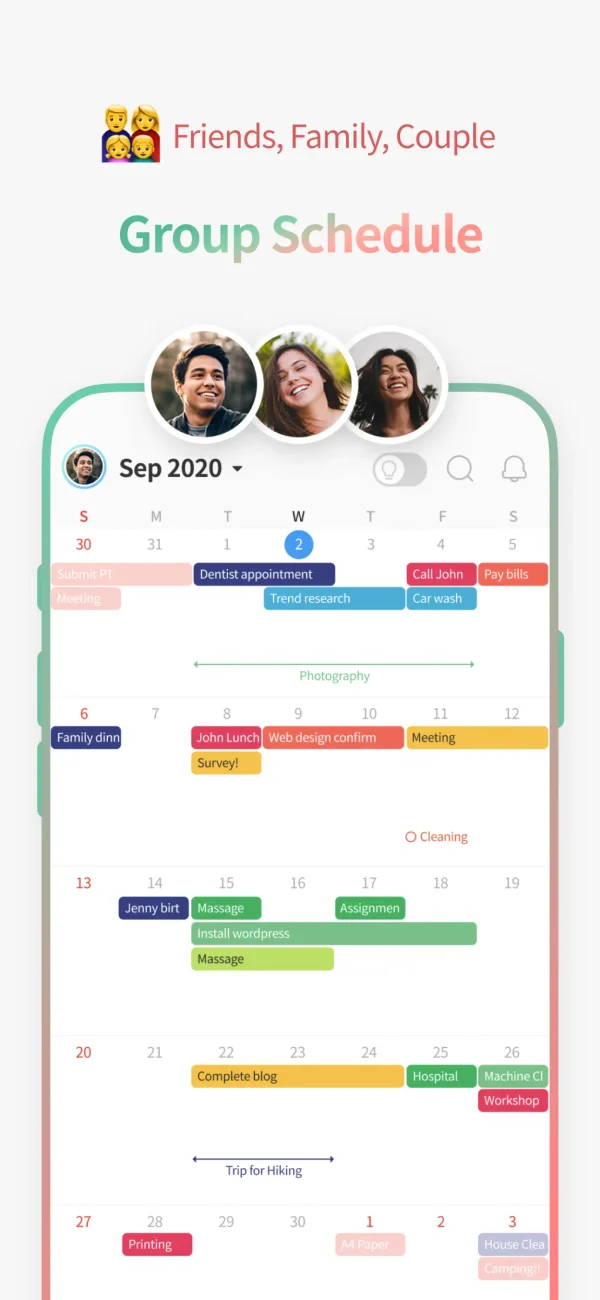
● Group schedule for friends, family, loved ones
• You can share your group schedule with friends, family, and loved ones.
• You can designate different access level by participants, and receive real-time alarms in case of changes.
● What to do today? Event recommendations
• Weekends, after work, after school… what do you do after your busy schedule?
• TimeBlocks recommends various events based on user’s interest to spend time well.
• You can add recommended events to the Calendar or save in Memo.
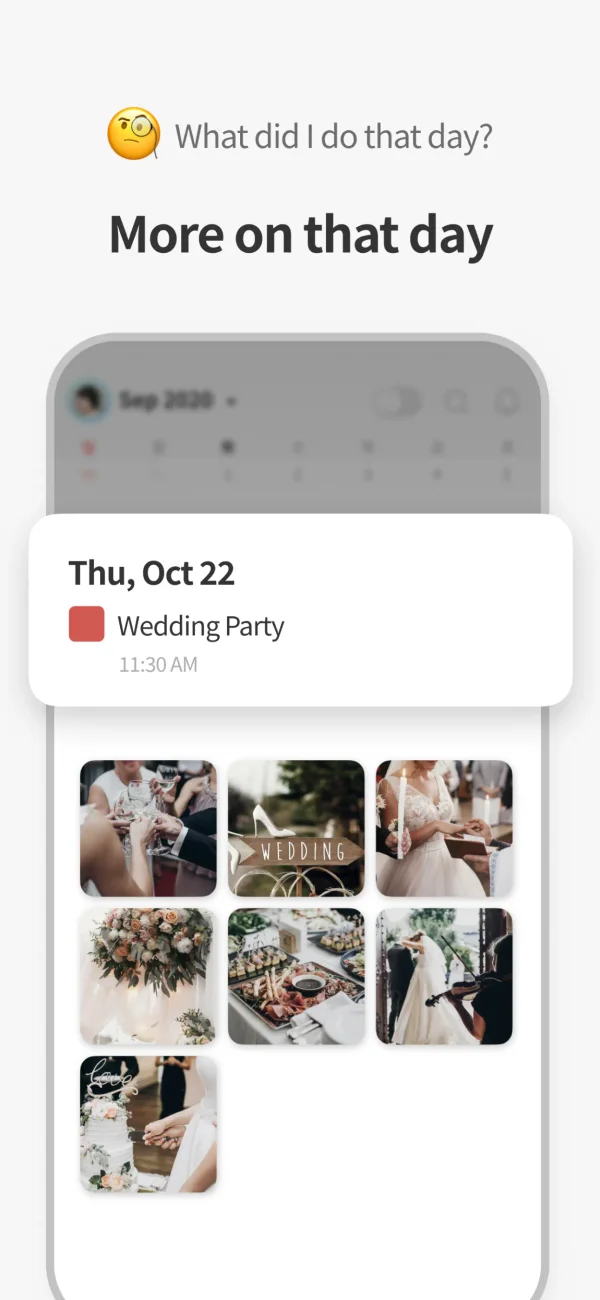
● What did I do today? Other information of the day
• You can check various activity logs in the past along with the schedule.
• You can link to the current photo app to find photos taken on that day along with the schedule.
● World’s first contact-free 1:1 Time management coaching (to be released)
• Time management coach understands user’s time management tyle and helps 1:1 to find an appropriate time management method.
• It is recorded in calendar-based time log screen, and provides feedbacks, 1:1 coaching, community, and report.
● Better time management with TimeBlocks Premium
TimeBlocks Premium provides powerful functions for better time management.
Improve your productivity through 1-month free trial.
• Interval Marker
• To-do in Calendar
• Habit in Calendar
• Date Countdown
• Remove Ads
• Auto Sync
• Alert Setting
• Search All Period
• To-do’s % Complete
• File Attachment
• Color Label
• Memo Scheduling
• Memo Alert
• Support for All Connections
• Bonus Coins
• Coaching Price Discount
● Authorization for app use and purpose
• Alarm: Schedule alarm and push alarm
• Calendar: Used to import schedules from iOS calendar.
• Contact: Used for attendees in the schedule.
• Location: Location information in schedule, or weather information of current location in calendar.
• Reminder: Synchronize with iOS Reminder.
• Photo: Photos in Other information of the day.
• Biometrics: Used for biometrics login.
• Camera: Profile photo for the account.
● Terms of use
• https://timeblocks.com/legal/terms
● Privacy policy
• https://timeblocks.com/legal/privacy
● Customer support
• Developer: TimeBlocks, Inc.
• E-mail: support@timeblocks.com
What’s new
Version 6.4.7 · Nov 10, 2026
• Minor performance improvements
App privacy
What TimeBlocks, inc. declares on the App Store about how this app handles data.
-
Data used to track you
May be used to track you across apps and websites owned by other companies.
- Contact info
- User content
- Identifiers
- Usage data
-
Data not linked to you
May be collected but is not linked to your identity.
- Purchases
- Location
- Contact info
- Contacts
- User content
- Identifiers
- Usage data
- Diagnostics
- Other data
Privacy practices may vary, for example with the features you use or your age.
Information
- Seller
- TimeBlocks, inc.
- Category
- Productivity
- Version
- 6.4.7
- Updated
- Nov 10, 2026
- Released
- Nov 13, 2014
- Size
- 141.9 MB
- Requires
- iOS 16.0 or later
- Age rating
- 17+
- Price
- Free
- In-app purchases
- Yes
- Languages
- English, Japanese, Korean, Simplified Chinese
- Copyright
- © TimeBlocks, inc.
You might also like
-
 Naver CalendarProductivity
-
 Planit: Calendar & To-Do ListPlan together. Make it yours.
-
 Across: Calendar, Your WaySimple start, endless depth
-
 todo mate: To-Do List, RoutineDaily Planner & Habit Tracker
-
 BlockyTime Lite - Time TrackerManage Time by Tapping Blocks
-
 TimeBloc - Daily PlannerTime Block, To-Do & Routines
-
 타임스프레드: 구독캘린더, 최애 일정, 시간표, 캘린더Productivity
-
 Eisenhower Matrix: Todo & Tasktodo, task, Eisenhower Matrix
-
 Sorted³ - Calendar Notes TasksPlanner, Reminders & To Do
-
 Time Blocking Planner — ArcushDaily Schedule, Routine, ADHD