
- Age rating17+
- CategoryUtilities
- DeveloperWakeSys sarl
- LanguagesEnglish+ 4 more
- Size1.3 MB
Links to the official App Store page
Download.org hosts no file of NeatKiosk. The button opens its official App Store page, published by WakeSys sarl. Listing last checked on Nov 16, 2026.
Screenshots



About
Turn any iPad or iPhone into a locked-down kiosk in under a minute. NeatKiosk shows one website full-screen, keeps visitors on it, and resets to a clean state after inactivity, so a shared device stays on task all day.
And it is genuinely free: every feature is included, with no in-app purchases, no subscriptions, no watermark and no upsells.
WHY NEATKIOSK
• 100% free: all features, no paywalls
• Private by design: no accounts, no servers, no analytics, no tracking. App Store privacy: Data Not Collected.
• Works offline: what worked yesterday works today, connection or not
• A clean, modern interface built natively for iPad and iPhone
FEATURES
• Lock to one website, full-screen: no address bar, no toolbars, gestures off
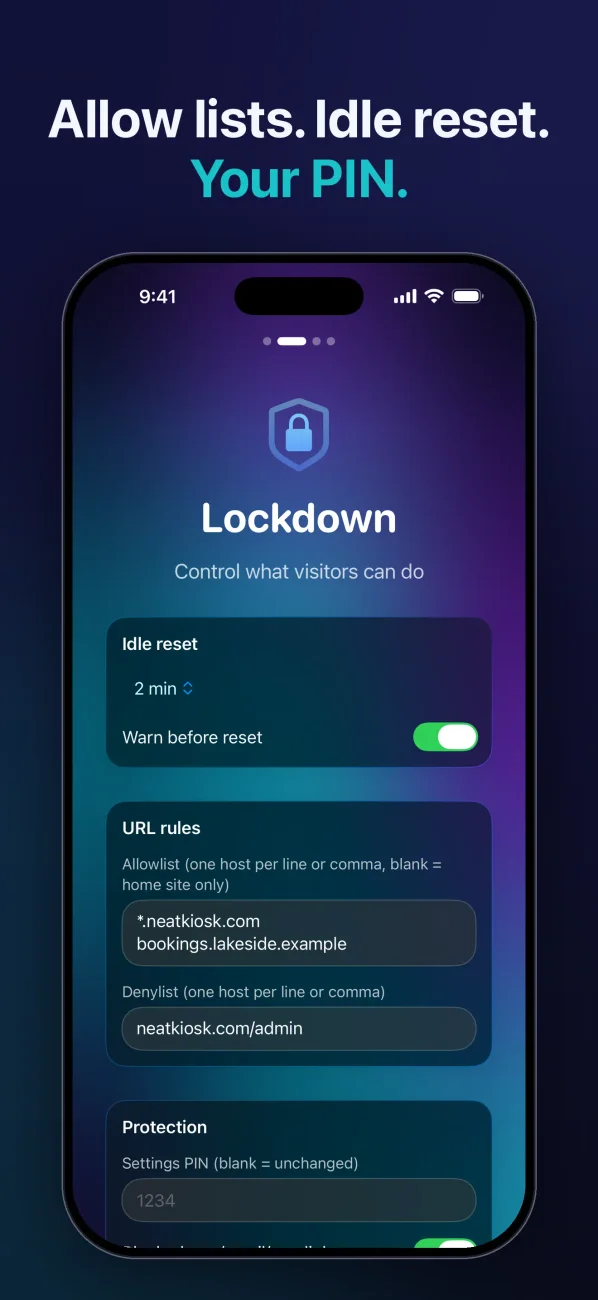
• URL allow and deny lists: keep visitors on your pages and block everything else
• Idle auto-reset: return to the home page and clear cookies, cache, history and local storage between visitors
• Attract screen: when nobody has touched the kiosk for a while, show a page of your choice (a slideshow, a video, an announcement) and return the moment someone taps
• Scheduled page refresh: keep a menu board or dashboard current without touching the device, with logins and cookies kept
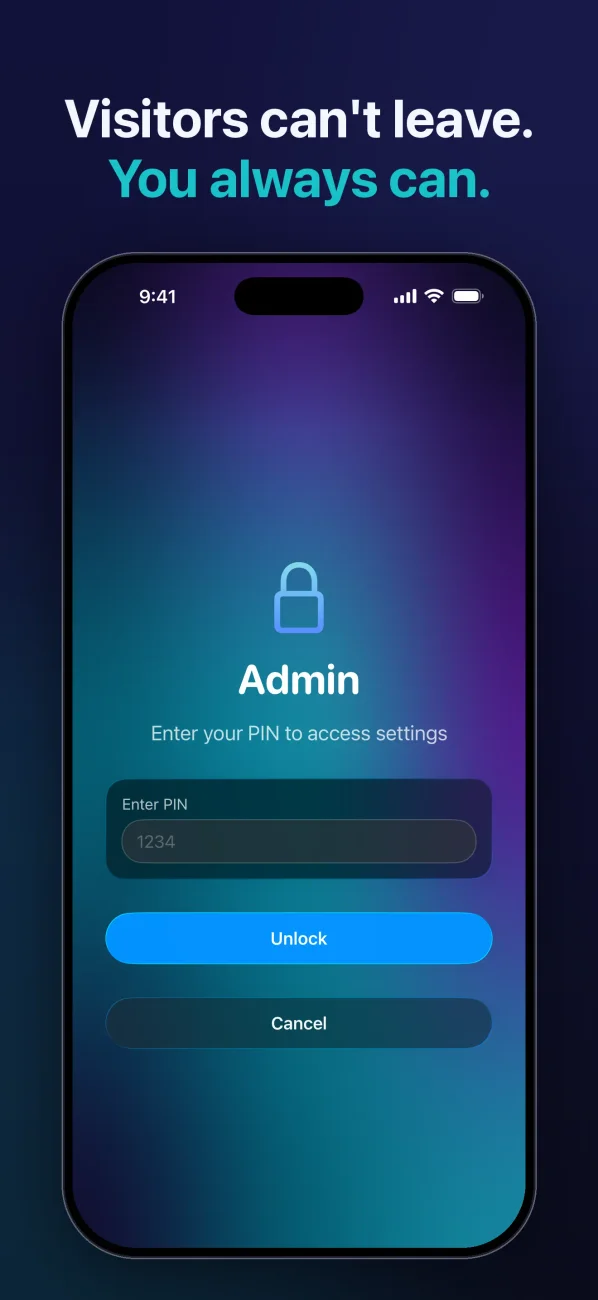
• PIN-protected settings and a hidden admin exit: visitors cannot leave; you always can
• Force full brightness and keep the screen awake
• Night blackout schedule: dim the display during off-hours (for example 22:00 to 08:00) and restore it automatically
• A dropped connection keeps your page on screen with a small "Offline, retrying" badge instead of an error
• Light and dark interface, in English, German, Spanish, Italian and French
FOR FLEETS
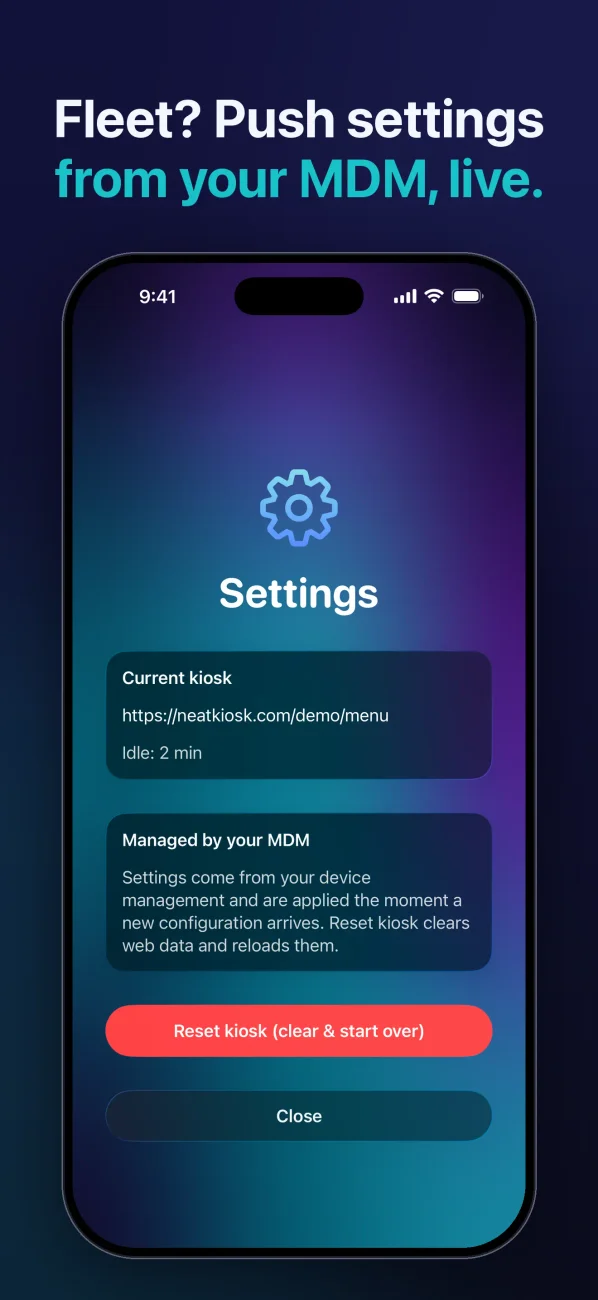
• Works with Guided Access, MDM Single App Mode and Managed App Configuration
• 19 configuration keys, and a re-pushed configuration applies live to a running kiosk: no reinstall, no reset
PERFECT FOR
• Restaurant and café menus or ordering pages
• Museum and exhibit displays
• Trade shows and event booths
• Front-desk sign-in, registration and waiver pages
• Retail catalogues and product finders
• Wall-mounted home dashboards
HOW IT WORKS
1. Enter the website you want to display
2. Set your idle reset, URL rules and an admin PIN
3. Turn on Guided Access (or MDM Single App Mode) and walk away
To get back in while the kiosk is running, press and hold the top-left corner for about 3 seconds and enter your PIN.
No account. No cost. No tracking. Just a neat kiosk.
What’s new
Version 1.2.8 · Nov 7, 2026
Fixed: on iPads and iPhones without a home button, a page scrolled all the way down stopped a little above the bottom edge of the screen, and the strip below showed the page's background colour, grey on most dashboards. iOS reserves that strip under the home indicator as scrolling room; the kiosk page now runs to the very bottom edge at every scroll position.
App privacy
What WakeSys sarl declares on the App Store about how this app handles data.
-
Data not collected
The developer does not collect any data from this app.
Privacy practices may vary, for example with the features you use or your age.
Information
- Seller
- WakeSys sarl
- Category
- Utilities
- Version
- 1.2.8
- Updated
- Nov 7, 2026
- Released
- Jul 7, 2026
- Size
- 1.3 MB
- Requires
- iOS 17.0 or later
- Age rating
- 17+
- Price
- Free
- Languages
- English, French, German, Italian, Spanish
- Copyright
- © wakesys s.à r.l.
You might also like
-
 KioskFrame — Kiosk BrowserKiosk Browser & Display
-
 dotKiosk Full Screen BrowserMake any (old) device a kiosk
-
 Kiosk Web LauncherFullscreen web shortcuts
-
 Kiosk LauncherFull-screen web view app.
-
 FullFrame BrowserBrowse without distractions
-
 Wisp: Full Screen BrowserFrameless for Gaming, Kiosks
-
 Quiet BrowserBrowse and save on device
-
 KioskModeFullscreen Web Kiosk
-
 DefaultAI: Default browserDefault browser
-
 Kiosk — Editable BrowserFullscreen desktop signage