
Wisp: Full Screen Browser
Frameless for Gaming, Kiosks
Designed for iPhone, iPad
Free · In-app purchases
- Age rating17+
- CategoryUtilities
- DeveloperTony Sundharam
- LanguagesEnglish
- Size2.1 MB
Links to the official App Store page
Download.org hosts no file of Wisp: Full Screen Browser. The button opens its official App Store page, published by Tony Sundharam. Listing last checked on Nov 12, 2026.
Screenshots


About
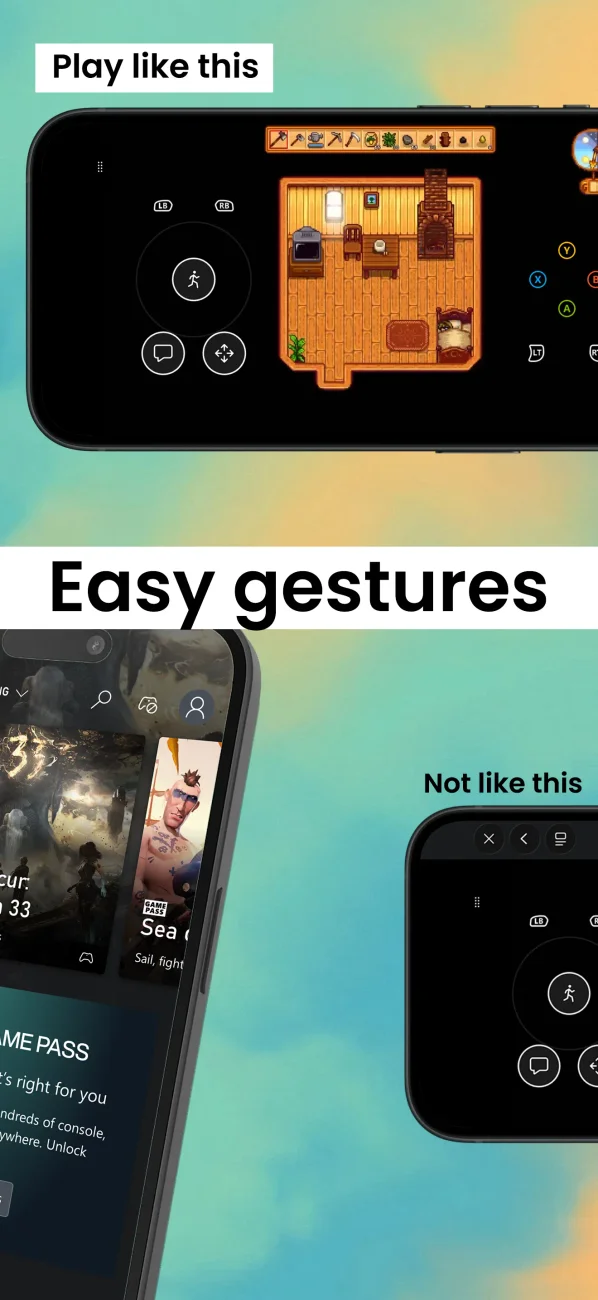
Wisp removes the browser "chrome" elements like address bars, toolbars, and status indicators to give you a truly frameless, immersive web experience. Turn your iPhone or iPad into a dedicated handheld console or a kiosk.
While standard browsers force UI elements onto the screen, Wisp gets out of your way. It is the essential utility for cloud gamers, digital signage, and minimalists.
BUILT FOR CLOUD GAMING
Finally, play services like Xbox Cloud Gaming, GeForce Now, and Luna without the clutter.
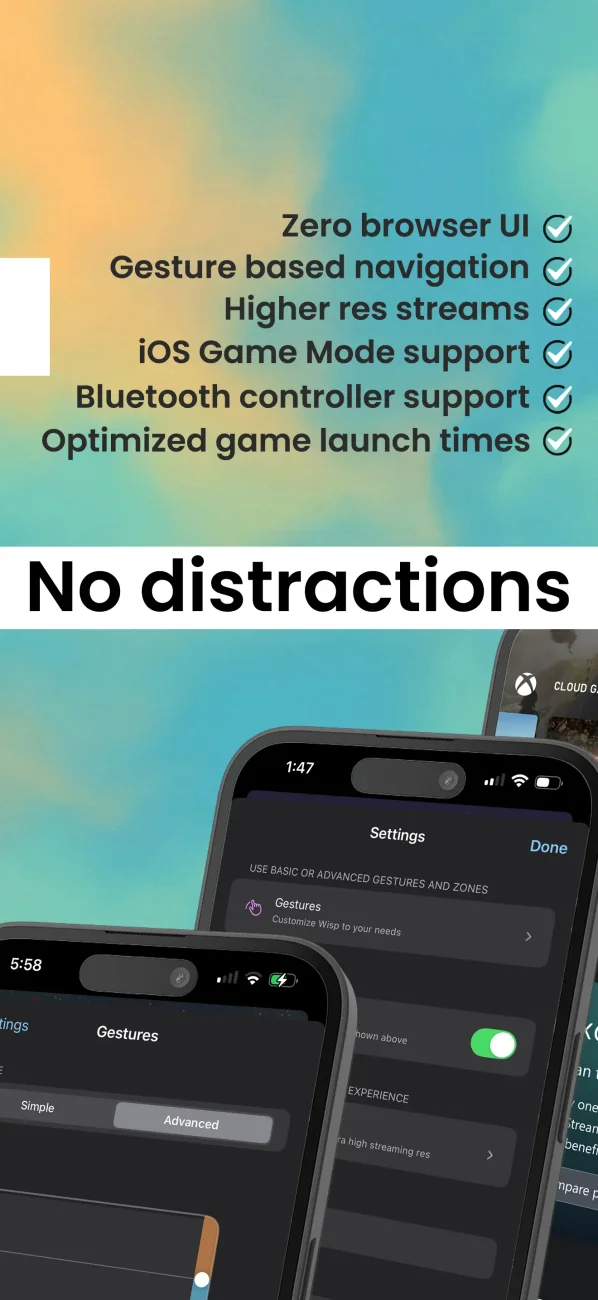
--- Zero UI, 100% Immersion: Reclaim your screen real estate. No white bars or buttons blocking your view—just the game.
--- iOS Game Mode Support: Wisp integrates with iOS Game Mode to prioritize performance and reduce background activity for the lowest possible latency.
--- Desktop-Class Quality: Automatically requests high-resolution desktop streams (1080p+) instead of limited mobile versions.
--- Controller Ready: Full support for Bluetooth controllers (Xbox, PS5, Backbone, etc.) with no input interference.
CUSTOMIZABLE CONTROLS
Because there are no visible buttons, Wisp uses intuitive gestures that you can customize in Settings:
--- Smart Gestures: Swipe to go back, long-press to access the menu, or create custom zones.
--- No Accidental Exits: "Locked" browsing ensures you never accidentally swipe out of a game during an intense moment.
PERFECT FOR KIOSKS & DASHBOARDS
Need to display a Home Assistant dashboard, a live metric counter, or a digital menu?
--- Always-On Mode: Prevents screen dimming while active.
--- Clean Presentation: Display content edge-to-edge for a professional look.
KEY FEATURES
• Frameless Engine: Removes top and bottom system bars.
• Game Mode Integration: Prioritizes frame rates and responsiveness.
• Gesture Navigation: fully configurable swipes and zones.
• Privacy Focused: A lightweight browser that doesn't track your data.
Stop playing in a tab. Start playing in Wisp.
What’s new
Version 1.5.0 · Oct 15, 2026
- Added page zoom support.
- Improved pointer lock support.
App privacy
What Tony Sundharam declares on the App Store about how this app handles data.
-
Data not collected
The developer does not collect any data from this app.
Privacy practices may vary, for example with the features you use or your age.
Information
- Seller
- Tony Sundharam
- Category
- Utilities
- Version
- 1.5.0
- Updated
- Oct 15, 2026
- Released
- Feb 5, 2026
- Size
- 2.1 MB
- Requires
- iOS 18.0 or later
- Age rating
- 17+
- Price
- Free
- In-app purchases
- Yes
- Languages
- English
- Copyright
- © Tony Sundharam
You might also like
-
 FullFrame BrowserBrowse without distractions
-
 dotKiosk Full Screen BrowserMake any (old) device a kiosk
-
 Full Screen for SafariVideo and Image in Full Screen
-
 Kiosk LauncherFull-screen web view app.
-
 Novastart - Fastest AI BrowserInfinite Canvas Whiteboard OS
-
 CC Browser: Private & SecureVideo Download & Ad Blocker
-
 NeatKioskFull-screen kiosk browser
-
 Modex - Build Your Own BrowserCustomize Any Website with AI
-
 Wonder Incog - Privacy BrowserSafe Web Browser
-
 Scout - Smallnet BrowserText only internet browser