NeatNotes : Notes and lists
notepad, stickies, reminders
Designed for iPhone, iPad
Free · In-app purchases
- Age rating4+
- CategoryProductivity
- DeveloperFusion Engineering
- LanguagesEnglish+ 24 more
- Size37.5 MB
Links to the official App Store page
Download.org hosts no file of NeatNotes : Notes and lists. The button opens its official App Store page, published by Fusion Engineering. Listing last checked on Nov 23, 2026.
Screenshots


About
Less is more, when it’s done right.
NeatNotes gives you only what you need to organize and take notes quickly.
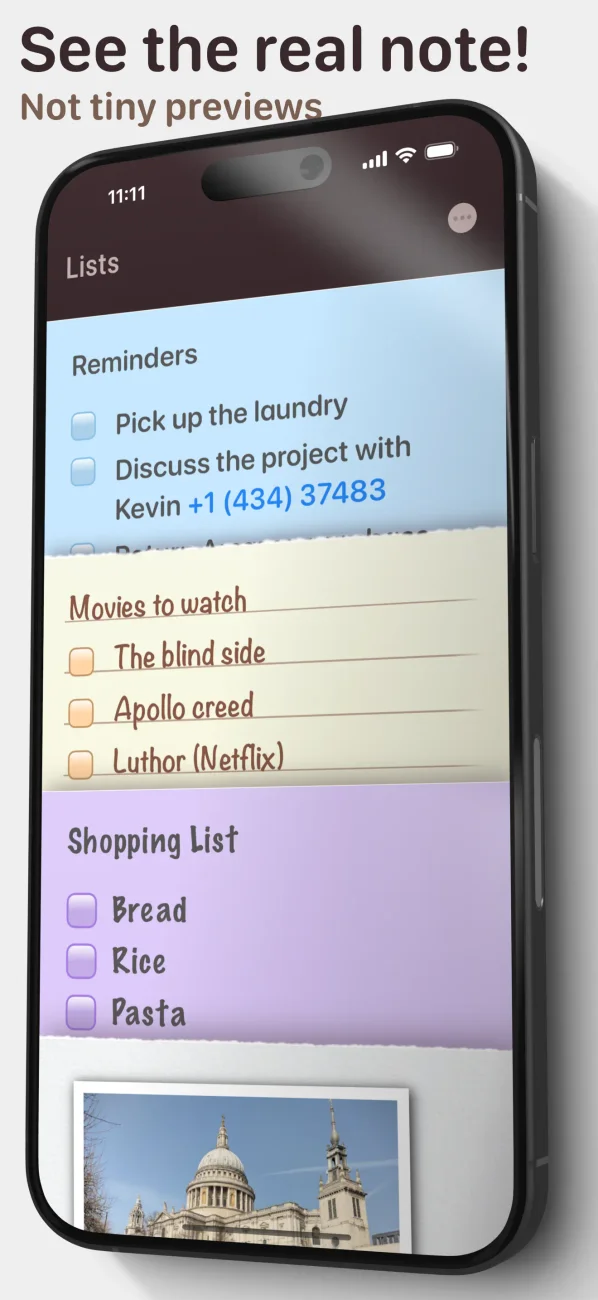
While other apps show you a really tiny preview, with NeatNotes you can see the real note before you open it. This makes the app more fun and easier to find your notes.
Make your notes personal with three different note styles.
* A plain note, with extensive formatting options.
* A sticky note, with large fonts, colors and checklists.
* A lined note for that nostalgic yellow pad.
Mini Spreadsheets. No Tables.
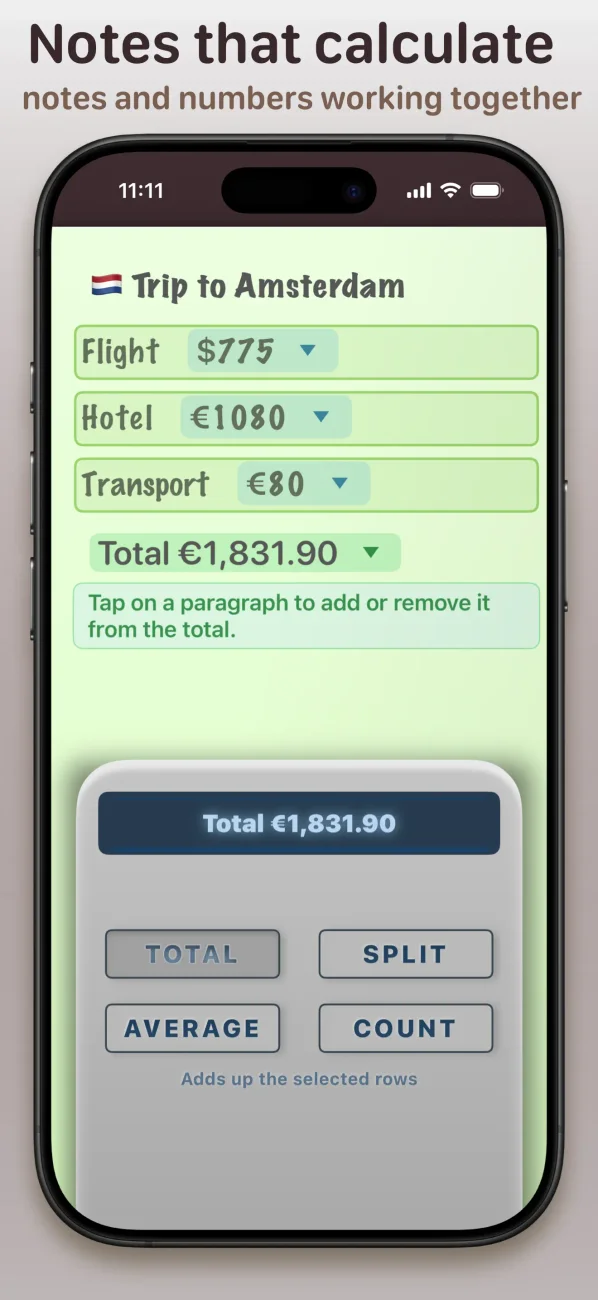
NeatNotes lets you perform spreadsheet-like calculations directly in your notes. Type a simple math expression and the answer is suggested underneath it.
Reuse a number by dragging and dropping it elsewhere in your note. This creates a reference, so when you change the original number, every reference and related calculation updates automatically.
Make a list of numbers and the total is suggested above the keyboard. You can then calculate splits and averages or count the lines in a list.
You can also use units of measurement for length, volume, weight and temperature in your calculations. Convert between more than 150 fiat currencies, popular cryptocurrencies, gold and silver using the latest available exchange rates.
Widgets that make sense.
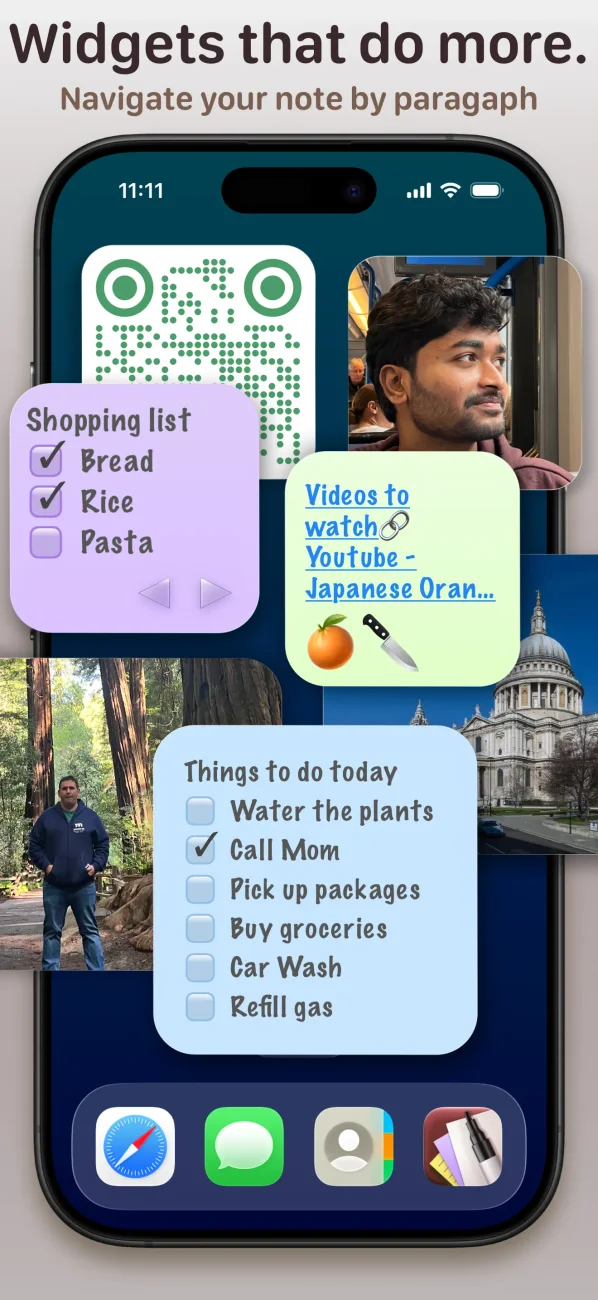
You can see your notes on your Home Screen with widgets. You can navigate your note by paragraph, check off checklist items, open links and even see photos in your notes.
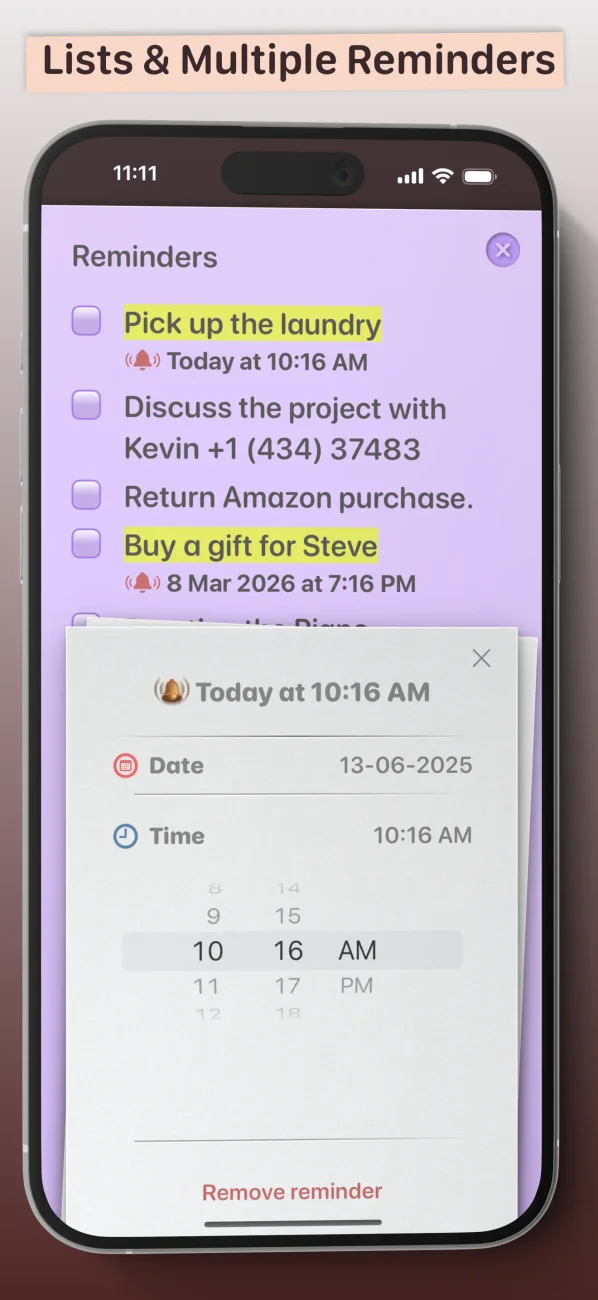
Create Multiple Reminders.
Make any paragraph a reminder.
Just tap the bell icon on the keyboard and you can set the date and time of the reminder. It will ring and notify you on the lock screen. When you tap the reminder, it will open the note and take you to the paragraph where you set it.
Smart Stacks.
All notes apps let you search your notes, but Smart Stacks takes it to the next level.
Smart Stacks automatically groups notes that share a trait, into one stack — like notes with contact info, or notes with checklists. You can also enter any word, and it’ll create a stack, with all the notes that contains the word.
Works with Spotlight, Shortcuts, Writing Tools and Siri AI.
Find your notes with Spotlight, automate tasks with Shortcuts, and refine your text with Writing Tools. On supported devices, ask Siri to gather flight and hotel details into a trip note, add a restaurant recommendation from Messages with its link, or bring key points from an email or chat directly into a note.
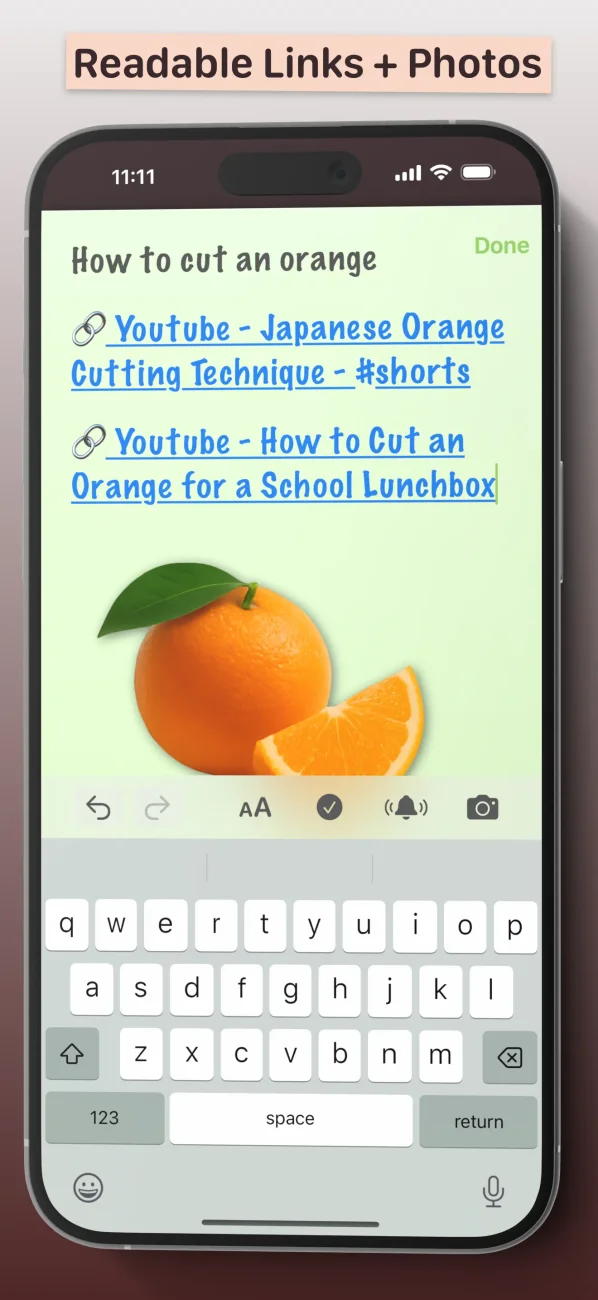
Photos and Readable links.
You can add photos to your notes from your phone camera or photo library. You can even copy and paste them from another app like Safari.
When you copy and paste a link, it automatically gets a readable title. So instead of seeing a complicated URL you see the title. This makes it easier for you to understand what the link is about rather than having to visit the link every time.
No account needed. Use iCloud to Store and Sync.
You don’t need to create another account. Just download the app and start using it.
All your notes are automatically stored in iCloud and synced to other devices in your account.
Privacy
Your notes are extremely personal and we can't see them. In fact we don't even store them. Apple does in iCloud.
We recommend that you turn on "Advanced Data Protection" in your iCloud settings, if you wish to prevent even Apple from having access to your notes.
What’s new
Version 2.3.25 · Nov 20, 2026
Small improvements.
App privacy
What Fusion Engineering declares on the App Store about how this app handles data.
-
Data not linked to you
May be collected but is not linked to your identity.
- Usage data
Privacy practices may vary, for example with the features you use or your age.
Information
- Seller
- Fusion Engineering
- Category
- Productivity
- Version
- 2.3.25
- Updated
- Nov 20, 2026
- Released
- Jun 25, 2025
- Size
- 37.5 MB
- Requires
- iOS 18.2 or later
- Age rating
- 4+
- Price
- Free
- In-app purchases
- Yes
- Languages
- English, Catalan, Czech, Danish, Dutch, French, German, Greek, Hungarian, Indonesian, Italian, Japanese + 13 more
- Copyright
- ©️Fusion Engineering
You might also like
-
 Digital Habits: FocusHide distractions on any site
-
 WakeMinder - Popup RemindersTasks appear when you wake up
-
 Esse: AI Video SummarizerSmart YouTube Transcript Tool
-
 WeeNote Notes and WidgetA Playful Way to Jot It Down
-
 AI Notes: BYOK TranscriptionBYOK AI Transcribe & Summary
-
 Kutu: Bookmark ManagerSave Links & Read Later
-
 Summary AI - QuickSummarySummarize Article,Youtube,PDF
-
 PicPDF: Convert picture to pdfPhoto, jpg, jpeg, png and more
-
 DoThread - Mind journalingJournal, moods, habits. Yours.
-
 Awesome Copy Mobile ClipboardClipboard history sync manager