NeoShoDo
Practice writing any script
Designed for iPhone, iPad
Free · In-app purchases
- Age rating4+
- CategoryEducation
- DeveloperSpaikz LLC
- LanguagesEnglish
- Size32.4 MB
Links to the official App Store page
Download.org hosts no file of NeoShoDo. The button opens its official App Store page, published by Spaikz LLC. Listing last checked on Nov 22, 2026.
Screenshots

About
NeoShoDo helps you practice handwriting one stroke at a time.
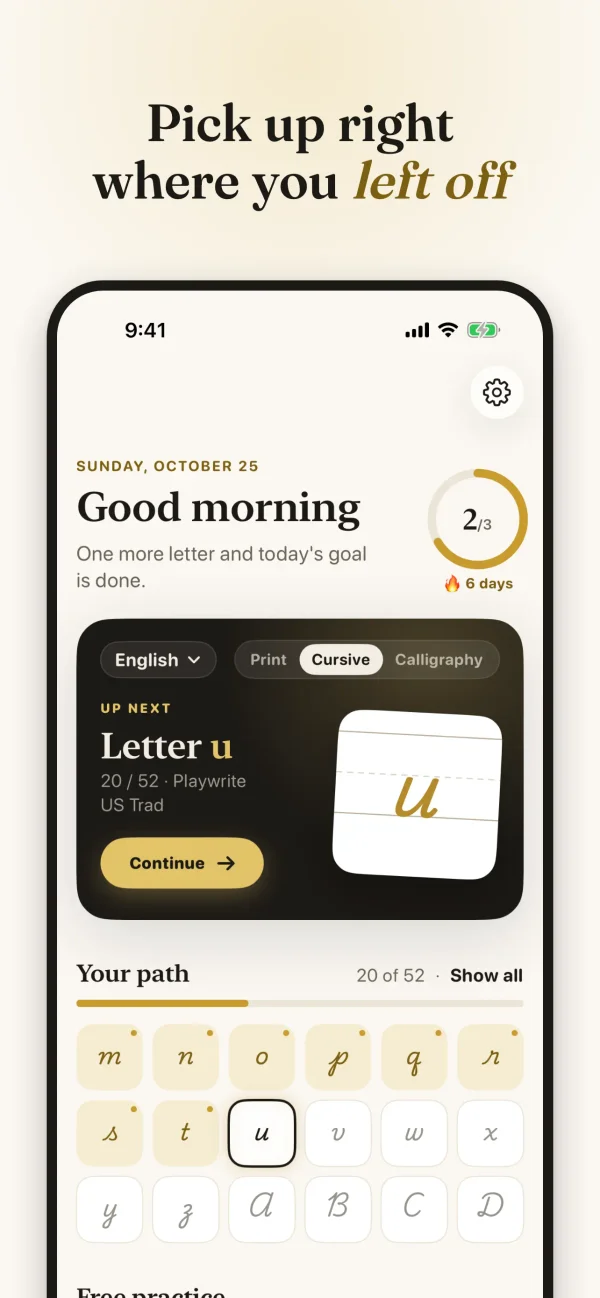
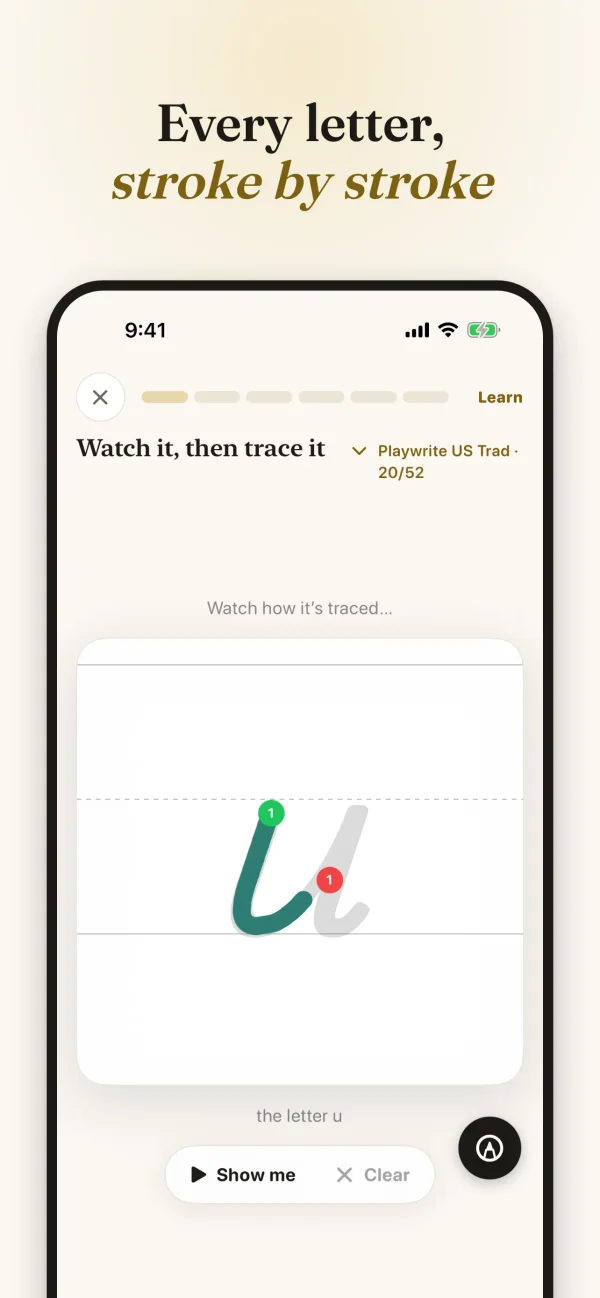
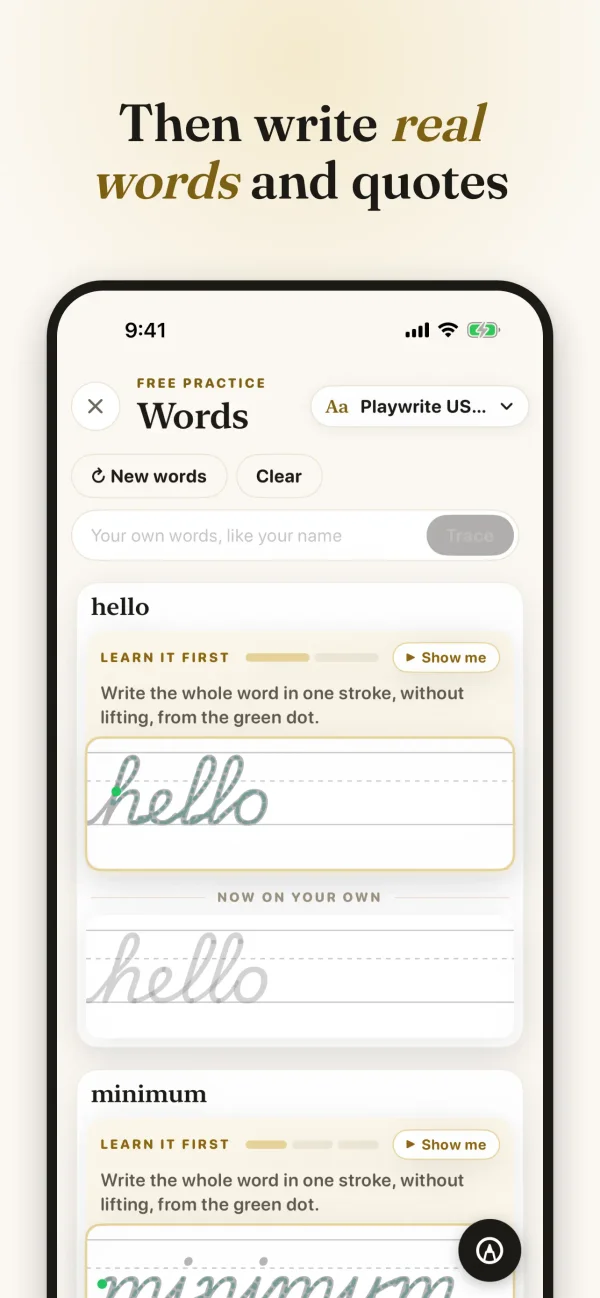
Pick a style and a handwriting font, and NeoShoDo teaches that font's own letters. Watch a quick demo of how each letter is written, then trace it yourself. NeoShoDo checks every stroke for shape and direction, so you learn correct letter formation, not just the shape.
EIGHTEEN FONTS, THREE STYLES
• Print: school handwriting print and literacy faces with single-story a and g
• Cursive: joined cursive, from traditional looped school cursive to flowing scripts
• Calligraphy: pointed-pen copperplate and broad-nib hands, from uncial to fraktur
Two fonts in every style are free: Edu NSW ACT Foundation and Andika, Sacramento and Playwrite US Trad, Pinyon Script and Uncial Antiqua. More print and cursive fonts come in optional one-time packs.
Best with a stylus. A finger can trace a shape, but grip and pen control only come from holding something — and those are what carry over to writing on paper. An Apple Pencil on iPad comes closest to pen on paper. A finger works fine, and nothing here is locked behind hardware.
• Watch-then-trace: a guided demo shows each font's stroke order, with numbered start and end points and an animated hint line
• Capitals follow traditional cursive stroke order
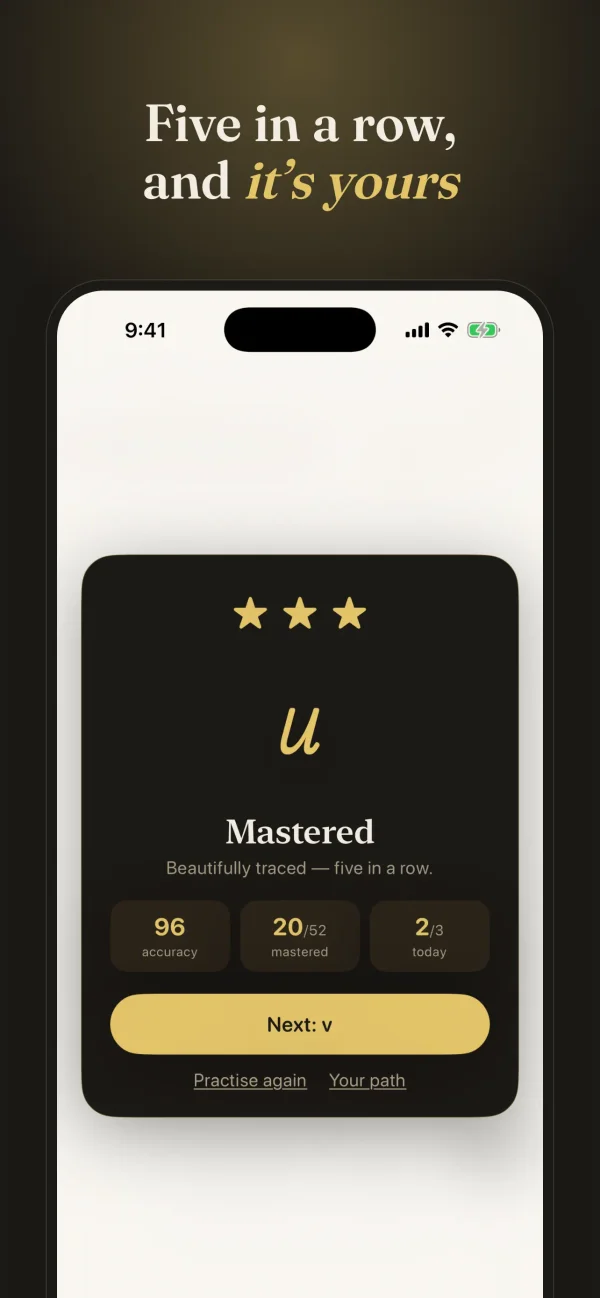
• Master each letter with a five-in-a-row drill before moving on
• Words and famous sentences on ruled paper; each word starts with a guided copy, and in a joined font you write it in one stroke
• Choose your paper: three-line, two-line, four-line, slant or single
• Optional script packs: Japanese, Chinese, Korean, Cyrillic and Arabic, each with its own words and sentences
• Full Apple Pencil support with Apple's native tools — pen, pencil, marker, crayon, colors, and an eraser
• Light, dark, sepia, and automatic themes
• Your progress syncs across your devices when you sign in
Try it free with no account, then sign in with Apple or Google to save your progress. Practice penmanship, one stroke at a time.
What’s new
Version 1.7.3 · Nov 20, 2026
Better stroke order, and anonymous usage counts you can turn off.
- Corrected the guide pen's stroke order in Comic Neue, Patrick Hand, Quicksand and Atkinson Hyperlegible, so lessons, Words and Quotes follow the way each letter is really written
- Anonymous usage counts help us see what to improve. Nothing that identifies you is sent, and you can switch it off in Profile
App privacy
What Spaikz LLC declares on the App Store about how this app handles data.
-
Data linked to you
May be collected and linked to your identity.
- Purchases
- Contact info
- Identifiers
- Usage data
-
Data not linked to you
May be collected but is not linked to your identity.
- Identifiers
- Diagnostics
Privacy practices may vary, for example with the features you use or your age.
Information
- Seller
- Spaikz LLC
- Category
- Education
- Version
- 1.7.3
- Updated
- Nov 20, 2026
- Released
- Aug 11, 2026
- Size
- 32.4 MB
- Requires
- iOS 17.0 or later
- Age rating
- 4+
- Price
- Free
- In-app purchases
- Yes
- Languages
- English
- Copyright
- © 2026 Spaikz LLC
You might also like
-
 Mask Note: Image OcclusionPhoto flashcards for studying
-
 Pass California: Real EstateLicense Exam Prep & Test 2026
-
 School Timetable - JikanwariSimple School Timetable
-
 TinyTracer: Kids HandwritingTrace Letters & Learn to Write
-
 Manuscript: Handwriting AIScreen practice. Real paper.
-
 Times Tables: Facts MemorizerMultiplication & Division Quiz
-
 PenForm: Handwriting CoachHandwriting & Cursive Practice
-
 Cursive Writing: Learn & TraceAlphabet, Letters & Real Words
-
 Pass Texas: Real Estate ExamTREC Prep & Practice Test 2026
-
 ScriptPad: Arabic WritingEducation