- 対象年齢4+
- カテゴリ教育
- 開発元Spaikz LLC
- 言語英語
- サイズ32.4 MB
App Storeの公式ページにリンクしています
Download.orgはNeoShoDoのファイルを一切ホストしていません。ボタンを押すと、Spaikz LLCが公開しているApp Storeのアプリページが開きます。ページの最終確認:2026/11/29。
スクリーンショット

概要
開発元はこのテキストをお使いの言語で提供していません。
NeoShoDo helps you practice handwriting one stroke at a time.
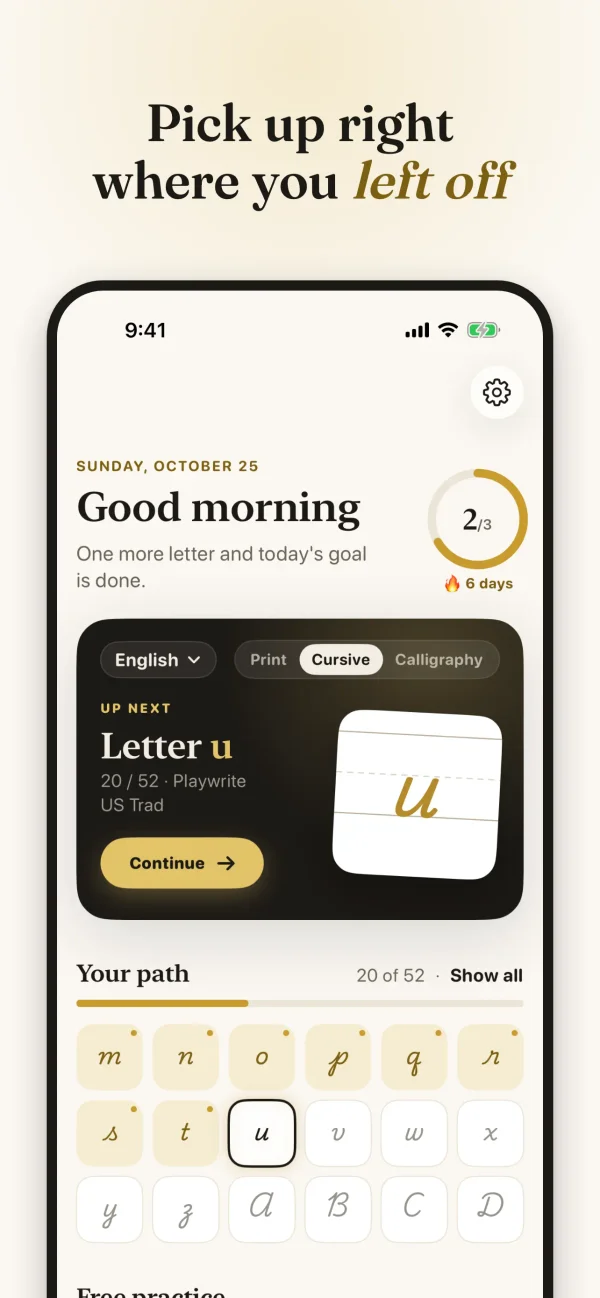
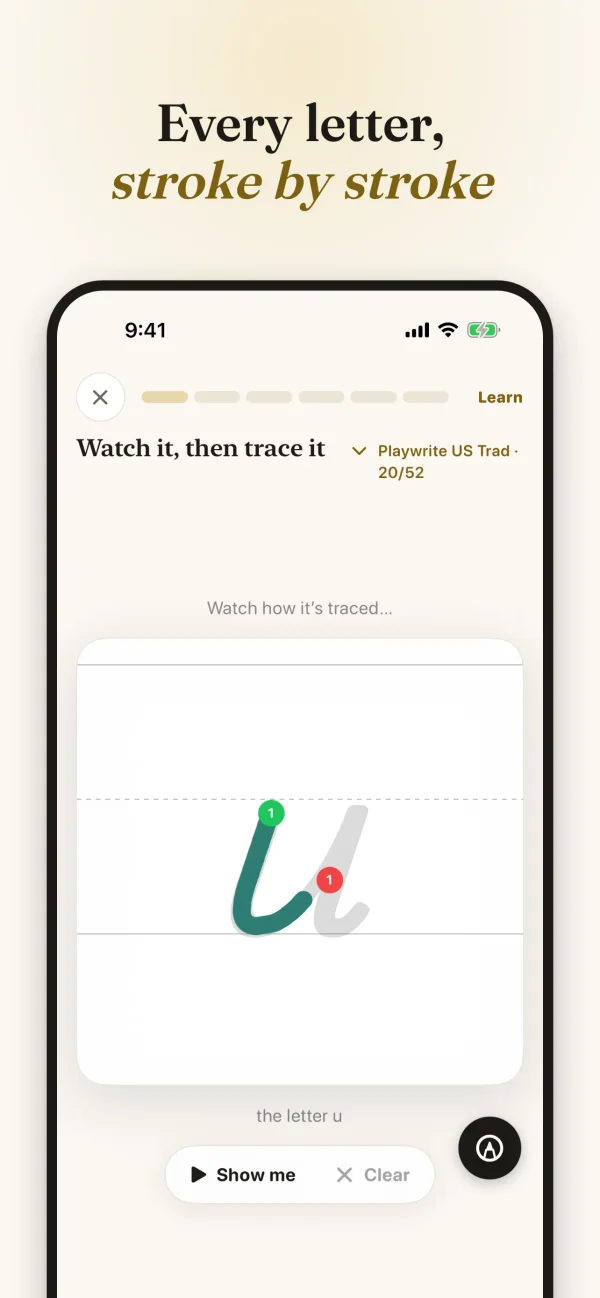
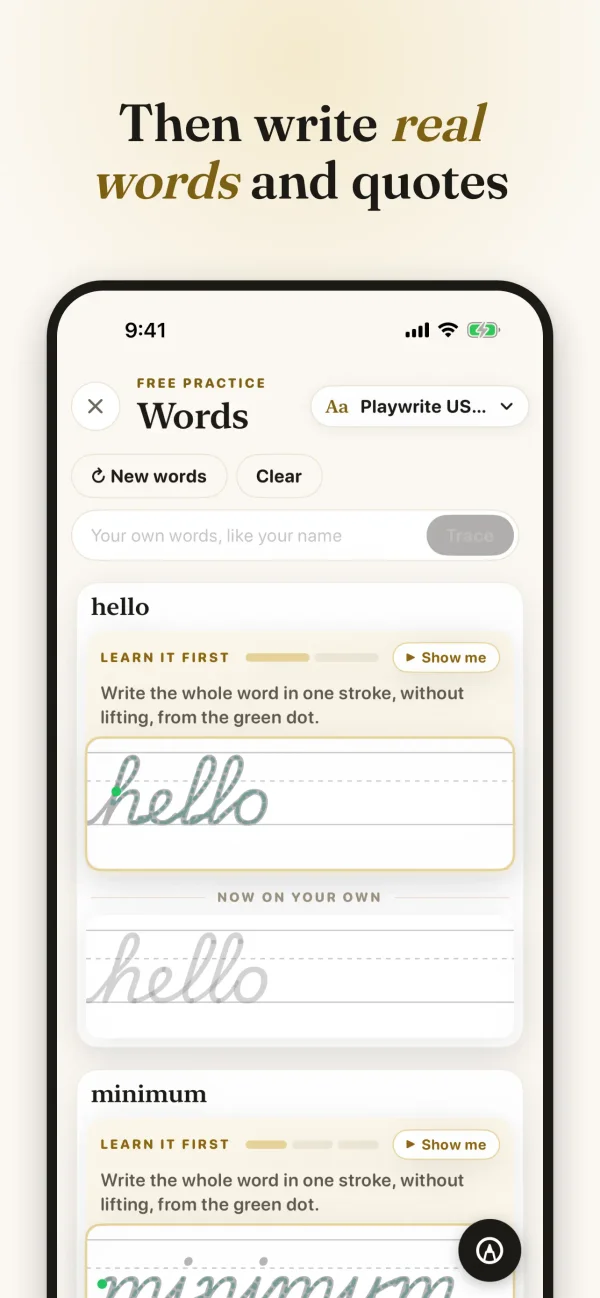
Pick a style and a handwriting font, and NeoShoDo teaches that font's own letters. Watch a quick demo of how each letter is written, then trace it yourself. NeoShoDo checks every stroke for shape and direction, so you learn correct letter formation, not just the shape.
EIGHTEEN FONTS, THREE STYLES
• Print: school handwriting print and literacy faces with single-story a and g
• Cursive: joined cursive, from traditional looped school cursive to flowing scripts
• Calligraphy: pointed-pen copperplate and broad-nib hands, from uncial to fraktur
Two fonts in every style are free: Edu NSW ACT Foundation and Andika, Sacramento and Playwrite US Trad, Pinyon Script and Uncial Antiqua. More print and cursive fonts come in optional one-time packs.
Best with a stylus. A finger can trace a shape, but grip and pen control only come from holding something — and those are what carry over to writing on paper. An Apple Pencil on iPad comes closest to pen on paper. A finger works fine, and nothing here is locked behind hardware.
• Watch-then-trace: a guided demo shows each font's stroke order, with numbered start and end points and an animated hint line
• Capitals follow traditional cursive stroke order
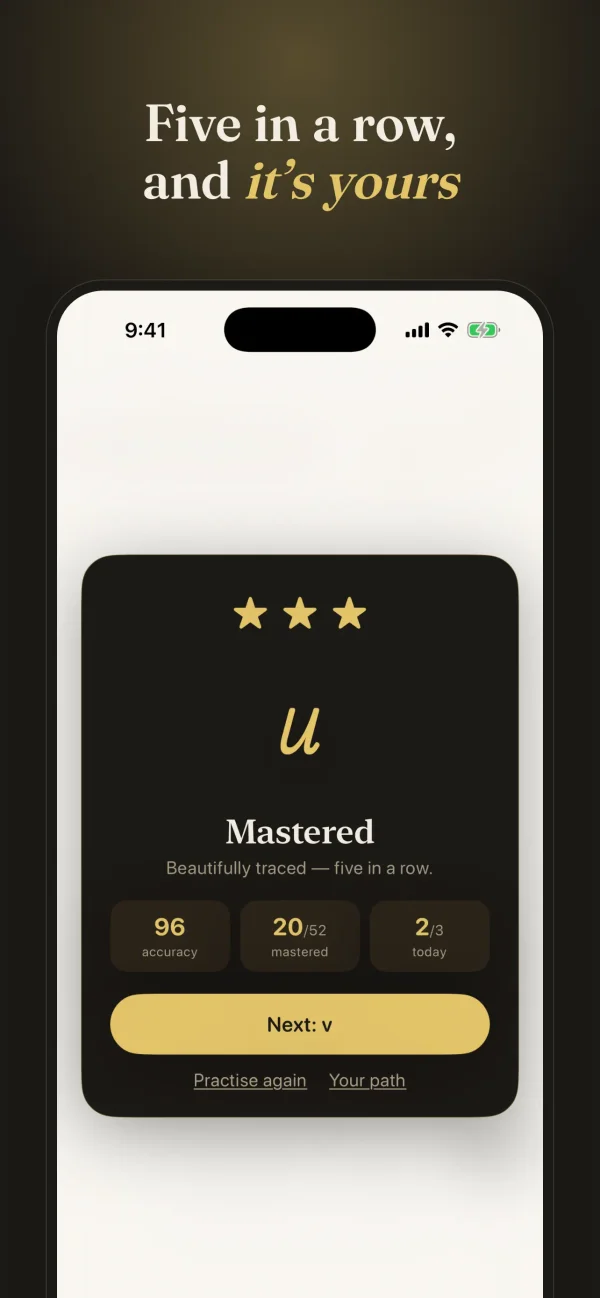
• Master each letter with a five-in-a-row drill before moving on
• Words and famous sentences on ruled paper; each word starts with a guided copy, and in a joined font you write it in one stroke
• Choose your paper: three-line, two-line, four-line, slant or single
• Optional script packs: Japanese, Chinese, Korean, Cyrillic and Arabic, each with its own words and sentences
• Full Apple Pencil support with Apple's native tools — pen, pencil, marker, crayon, colors, and an eraser
• Light, dark, sepia, and automatic themes
• Your progress syncs across your devices when you sign in
Try it free with no account, then sign in with Apple or Google to save your progress. Practice penmanship, one stroke at a time.
新機能
バージョン 1.7.3 · 2026/11/20
Better stroke order, and anonymous usage counts you can turn off.
- Corrected the guide pen's stroke order in Comic Neue, Patrick Hand, Quicksand and Atkinson Hyperlegible, so lessons, Words and Quotes follow the way each letter is really written
- Anonymous usage counts help us see what to improve. Nothing that identifies you is sent, and you can switch it off in Profile
アプリのプライバシー
このアプリのデータの取り扱いについて、Spaikz LLCがApp Storeで申告している内容です。
-
ユーザーに関連付けられたデータ
収集され、ユーザーの識別情報に関連付けられる場合があります。
- 購入
- 連絡先情報
- ID
- 使用状況データ
-
ユーザーに関連付けられないデータ
収集される場合がありますが、ユーザーの識別情報には関連付けられません。
- ID
- 診断
プライバシーの取り扱いは、ご利用の機能やお客様の年齢などに応じて異なる場合があります。
情報
- 販売元
- Spaikz LLC
- カテゴリ
- 教育
- バージョン
- 1.7.3
- 更新日
- 2026/11/20
- リリース
- 2026/8/11
- サイズ
- 32.4 MB
- 必要条件
- iOS 17.0以降
- 対象年齢
- 4+
- 価格
- 無料
- アプリ内課金
- あり
- 言語
- 英語
- 著作権
- © 2026 Spaikz LLC
こちらもおすすめ
-
 Mask Note: Image Occlusion教育
-
 Pass California: Real Estate教育
-
 時間割 - School Timetableシンプルな時間割管理アプリ
-
 TinyTracer: Kids Handwriting教育
-
 Manuscript: 手書きAI練習画面から本物の紙へ
-
 Times Tables: Facts Memorizer教育
-
 PenForm: Handwriting Coach教育
-
 Cursive Writing: Learn & Trace教育
-
 Pass Texas: Real Estate Exam教育
-
 ScriptPad: Arabic Writing教育