NetCam: Camera Control
Browser Remote & Shutter
Designed for iPhone, iPad, iPod touch
Free · In-app purchases
- Age rating9+
- CategoryPhoto & Video
- DeveloperPeter Sauer
- LanguagesEnglish
- Size24.0 MB
Links to the official App Store page
Download.org hosts no file of NetCam: Camera Control. The button opens its official App Store page, published by Peter Sauer. Listing last checked on Nov 14, 2026.
Screenshots

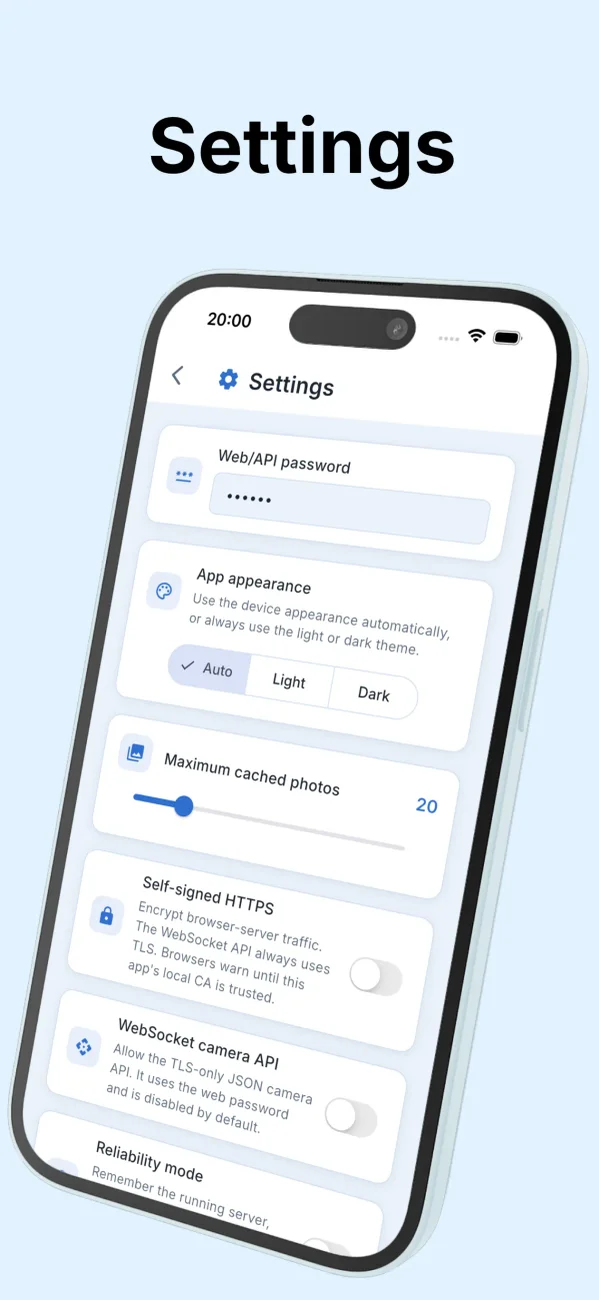
About
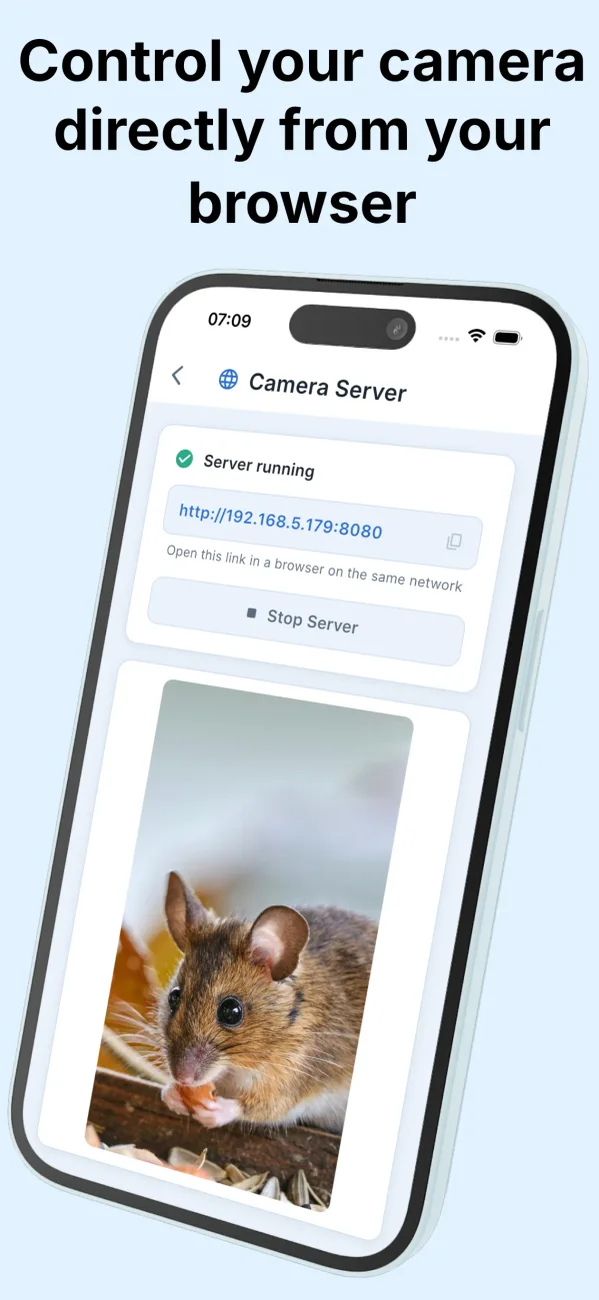
NetCam turns your iPhone into a remotely controlled still-photo camera. Open the control page in a modern browser on a computer, tablet, or another phone connected to the same local network—no account, desktop app, or developer-operated cloud server required.
CAPTURE FROM YOUR BROWSER
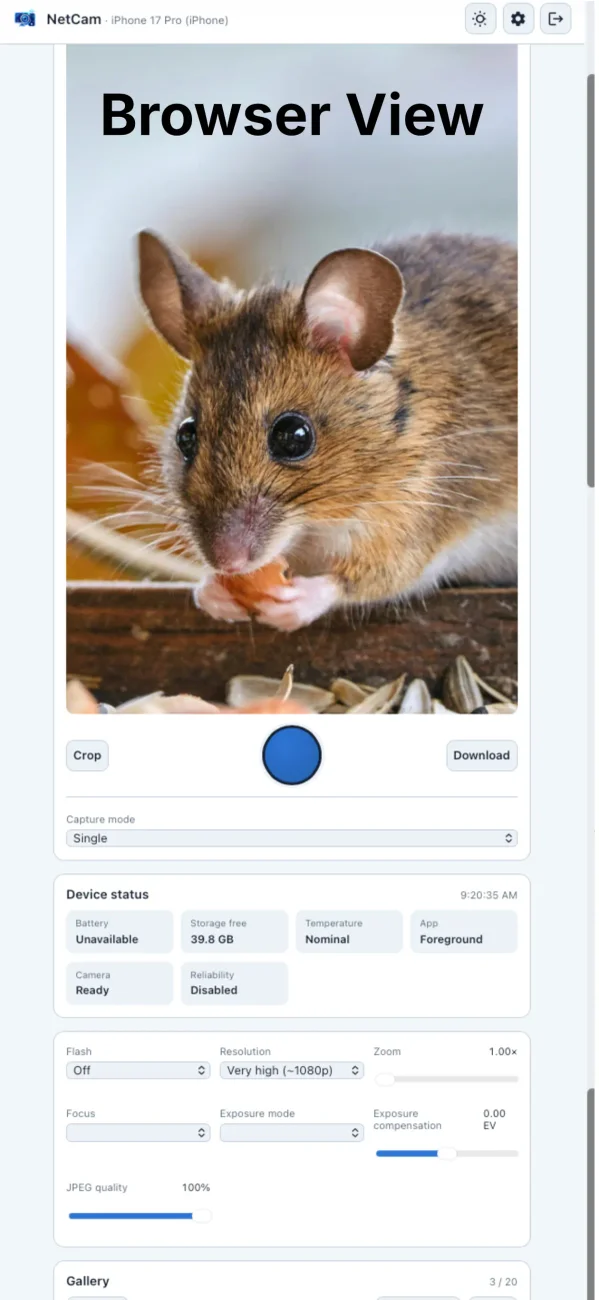
• See a live preview and trigger the camera remotely
• Take single, burst, delayed, interval, and time-lapse captures
• Choose the camera, lens, resolution, zoom, focus, exposure, flash, torch, and JPEG quality where supported by the device
• Check battery, charging, storage, thermal state, and camera readiness
MANAGE PHOTOS LOCALLY
• Browse the phone's NetCam gallery from your browser
• Download individual photos or export a selection as a ZIP archive
• Create a non-destructive crop for download while keeping the original image
• Delete photos manually or configure automatic cleanup
LOCAL BY DESIGN
NetCam hosts its control page directly on your phone. Camera controls and photos stay between your phone and the clients you connect on your local network. Access is protected by your NetCam password, with optional local HTTPS and convenient local-network discovery.
FOR ADVANCED WORKFLOWS
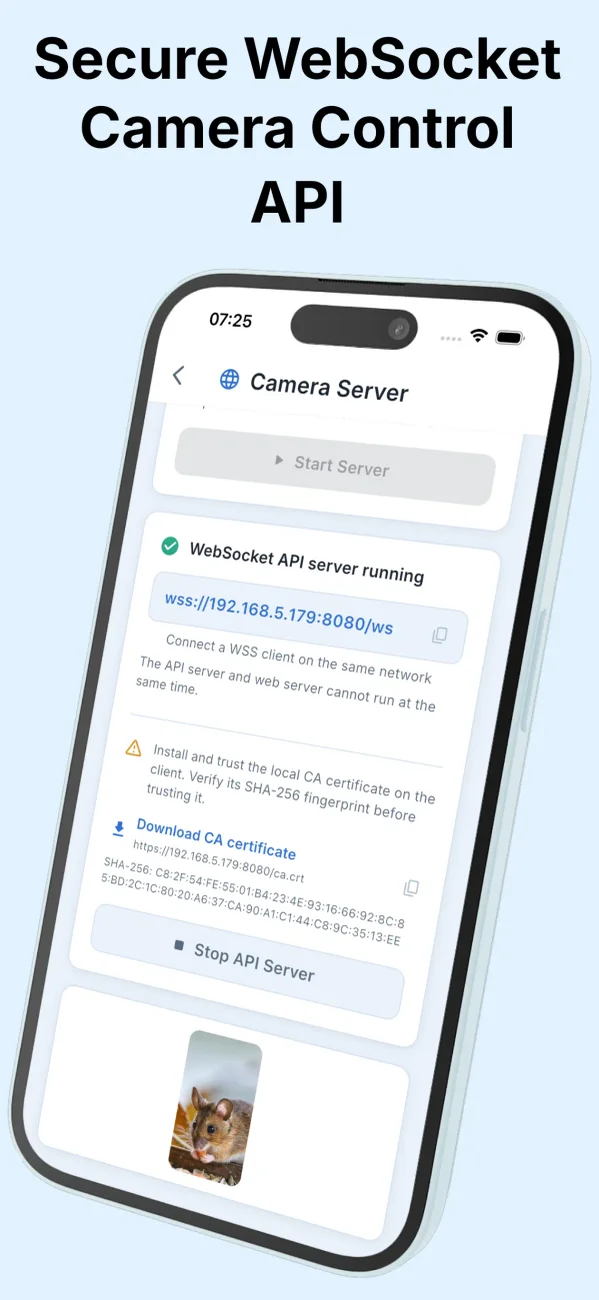
An optional secure JSON-over-WebSocket API and companion Python command-line client make NetCam useful for repeatable capture and automation setups.
BEFORE YOU START
NetCam requires a physical phone and a second device with a modern browser on the same reachable local network. Camera and local-network permissions are required. Keep NetCam in the foreground while using remote capture because the mobile operating system may suspend background camera activity.
PURCHASE INFORMATION
Core capture features are available without a purchase. Photo downloads include a NetCam logo watermark unless you unlock watermark-free downloads with the optional one-time purchase. No subscription.
What’s new
Version 1.0.29 · Nov 3, 2026
Added Tripod Mode: fullscreen one-button camera with remote shutter links (/photo, /next, /delete) and a /remote page.
App privacy
What Peter Sauer declares on the App Store about how this app handles data.
-
Data not collected
The developer does not collect any data from this app.
Privacy practices may vary, for example with the features you use or your age.
Information
- Seller
- Peter Sauer
- Category
- Photo & Video
- Version
- 1.0.29
- Updated
- Nov 3, 2026
- Released
- Sep 2, 2026
- Size
- 24.0 MB
- Requires
- iOS 15.0 or later
- Age rating
- 9+
- Price
- Free
- In-app purchases
- Yes
- Languages
- English
- Copyright
- © ScienceSoft e.U.
You might also like
-
 Webcam Remote - Camera ControlView & record webcam remotely
-
 PairCam - Browser Remote CamQR-linked monitor & remote
-
 ROVEWORKS CAMERAManual camera with film like
-
 OOTD Pal: Outfit Log JournalDaily Outfit Diary & Calendar
-
 Rika - Remote Shutter CameraCouple & group travel photos
-
 Image Upscaler OfflineUpscale your images, on-device
-
 Microscope Camera RemoteTurn your phone into a scope
-
 EasyCut : Auto SubtitleAI captions, every language
-
 RTSP CameraYour iPhone as an RTSP server
-
 Creator Cam ProLive preview and control cam