
NFC Writer: Secure Tag Setup
Read, write & verify NFC tags
Designed for iPhone
Free
- Age rating4+
- CategoryUtilities
- DeveloperJuyeon Yu
- LanguagesEnglish
- Size1.9 MB
Links to the official App Store page
Download.org hosts no file of NFC Writer: Secure Tag Setup. The button opens its official App Store page, published by Juyeon Yu. Listing last checked on Nov 18, 2026.
Screenshots
About
Write NFC tags the way you actually need to — and set up secure tags that prove themselves, without paying a monthly fee.
EVERYDAY NFC WRITING
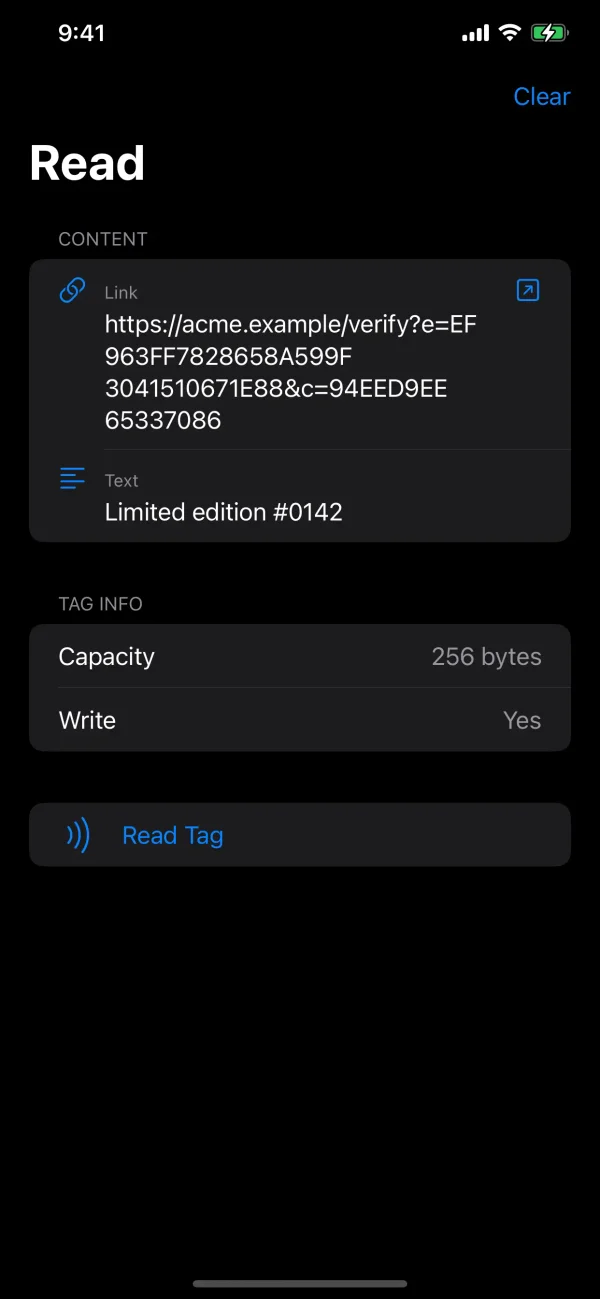
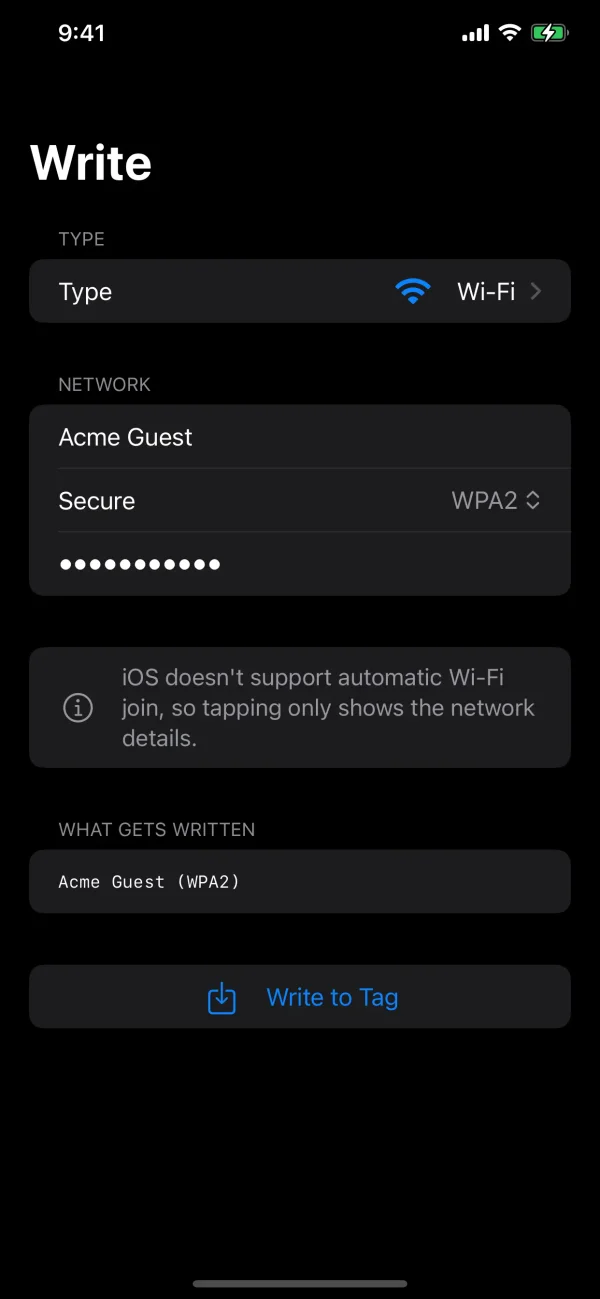
Write text, links, phone numbers, messages, email, locations, contacts, Wi-Fi networks, and App Store links. Read any NDEF tag and see exactly what's on it.
SECURE TAGS THAT PROVE THEMSELVES (SUN)
Most NFC apps stop at plain reading and writing. This one sets up SUN.
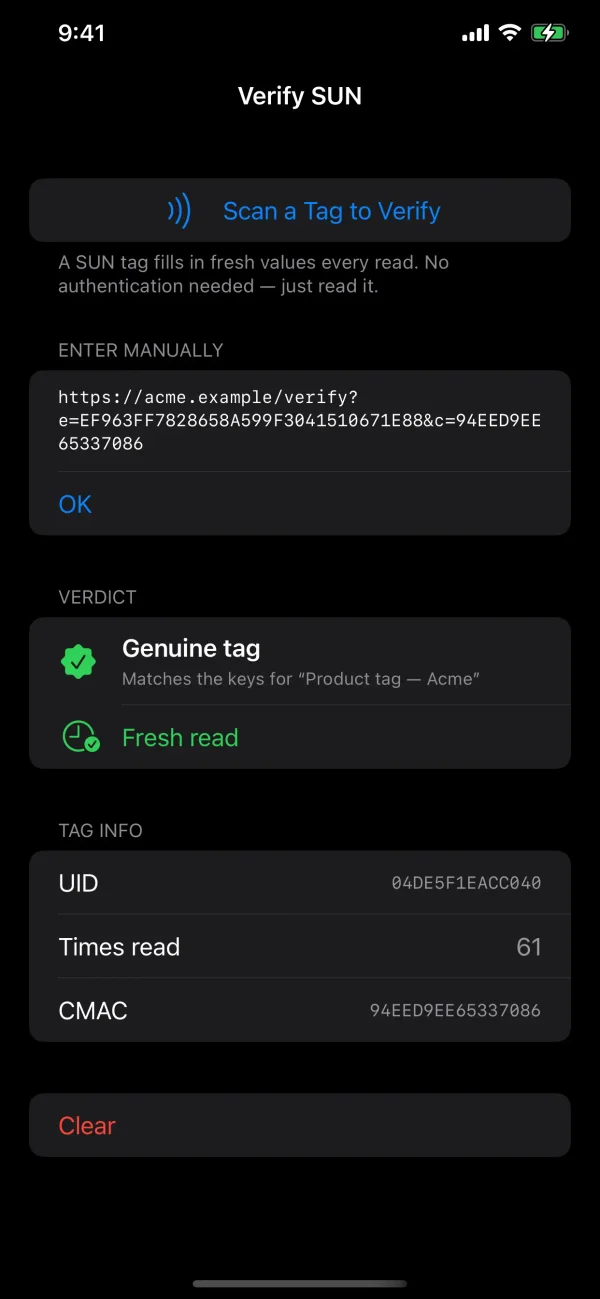
A SUN tag computes a fresh signature inside the chip every time it's read, and writes it into the URL. The signing key never leaves the chip, so a copied tag can't produce a valid signature. A read counter goes up on every tap, so an old captured URL can't be replayed.
That's the difference between a tag anyone can clone and a tag that proves it's the original.
WHAT YOU CAN DO
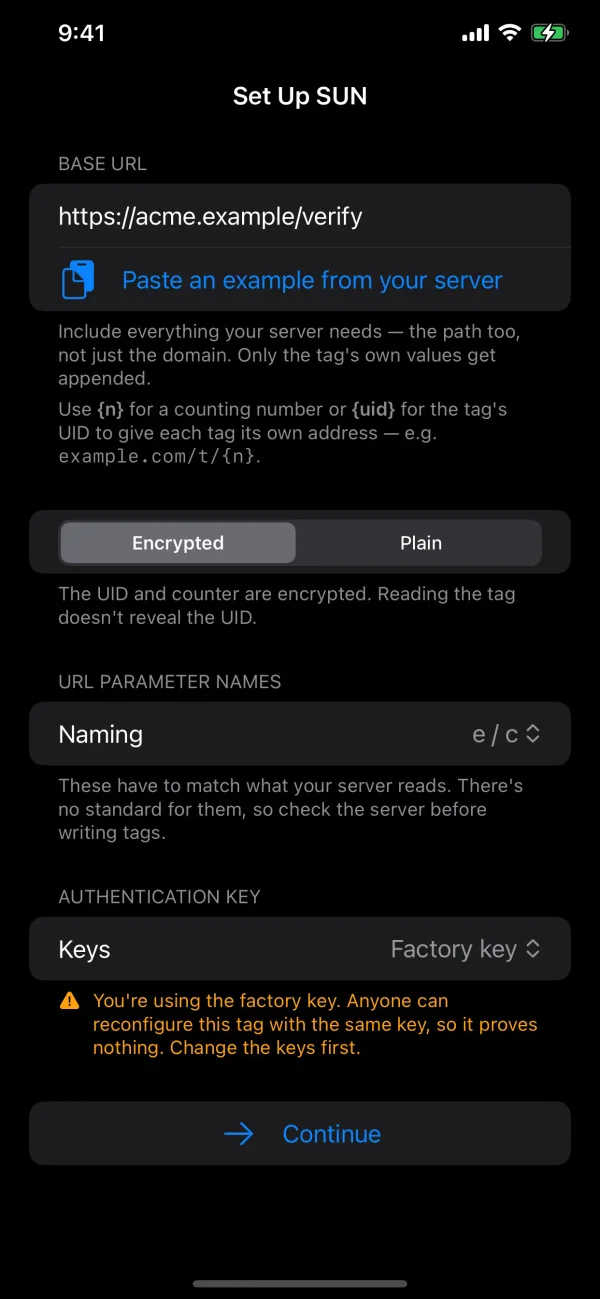
• Set up SUN with encrypted UID and counter, or plain mirroring
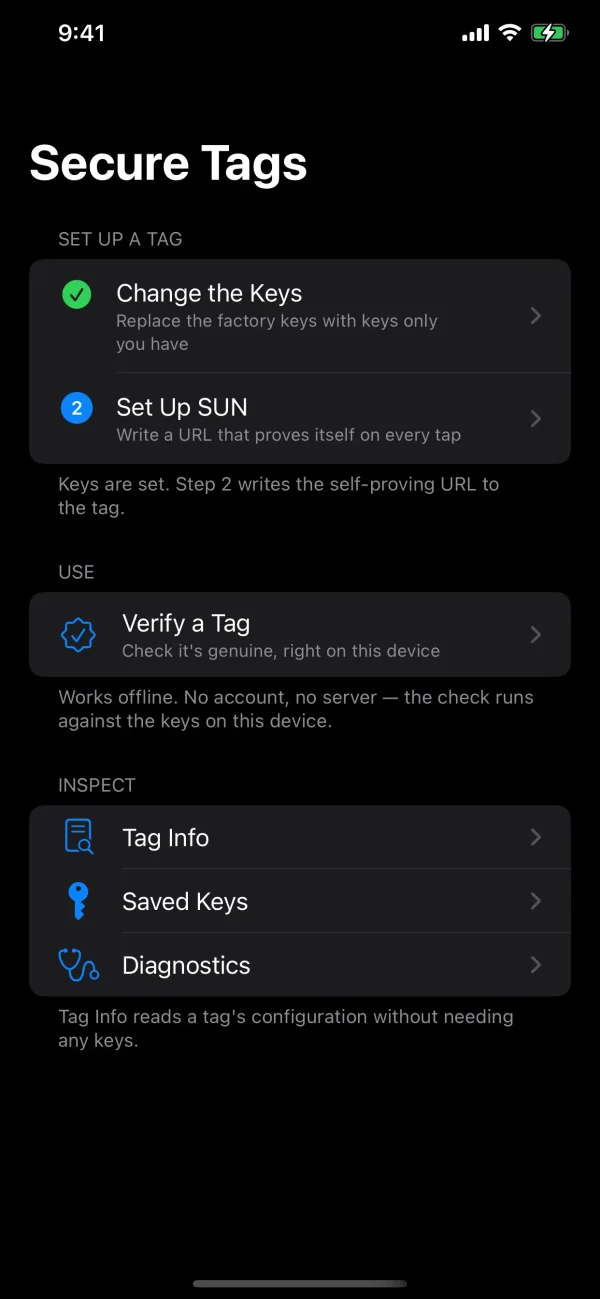
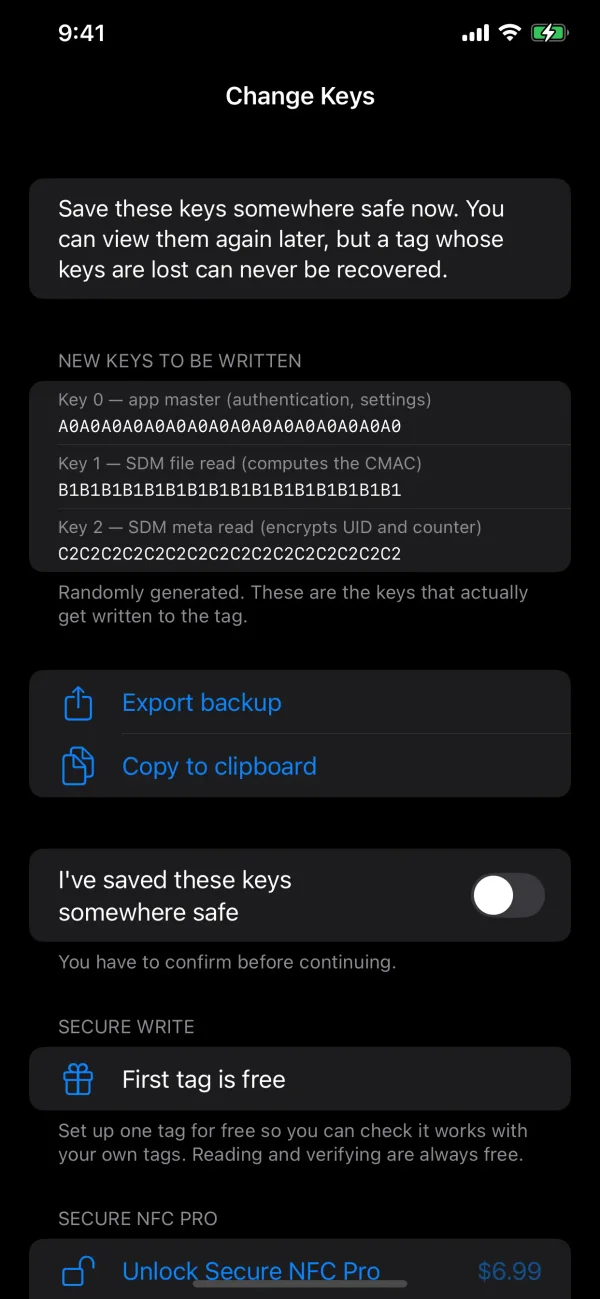
• Change the factory keys to random keys only you hold
• Verify a tag is genuine — signature and replay check
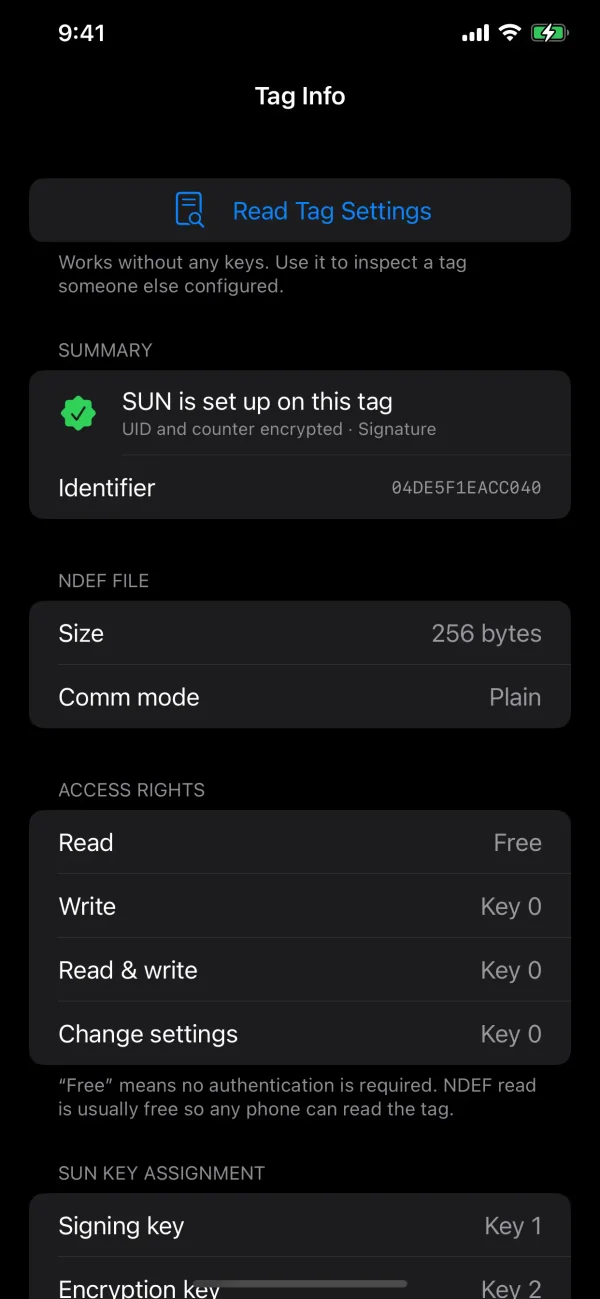
• Inspect how a secure tag is configured, no keys required
• Set up tags in batches, with duplicate detection
• Diagnose authentication and the secure channel step by step
VERIFICATION RUNS ON YOUR DEVICE
No account. No server. No ads. No analytics. No tracking. Your keys are stored in the iOS Keychain and sync through iCloud — they never reach us, because there is no "us" to reach. Verification works offline, which matters in a warehouse, a customs hall, or a venue with no signal.
PRICING WITHOUT A SUBSCRIPTION
Reading, writing, inspecting, and verifying are always free, and there are no ads anywhere in the app.
Set up your first secure tag for free, so you can confirm the whole thing works on your own hardware before paying anything. After that, Secure NFC Pro unlocks secure setup for good — one payment, no subscription, no renewals.
If a setup stops partway and leaves a tag half-configured, finishing that tag is free. The app started the change, so the app finishes it.
REQUIREMENTS
• iPhone 7 or later with iOS 17
• Tags that support SUN for the secure features
• Basic reading and writing work with any NDEF tag
NOTE ON WI-FI TAGS
Wi-Fi credentials are written to the standard Wi-Fi Simple Configuration format. iOS does not support automatic joining, so tapping the tag shows the network details instead of connecting.
CHANGING KEYS IS PERMANENT
These chips have no factory reset. If you lose a tag's keys, that tag can never be reconfigured. The app makes you confirm you've backed up your keys before it writes them, and keeps both the old and new keys until a change completes.
App privacy
What Juyeon Yu declares on the App Store about how this app handles data.
-
Data not collected
The developer does not collect any data from this app.
Privacy practices may vary, for example with the features you use or your age.
Information
- Seller
- Juyeon Yu
- Category
- Utilities
- Version
- 1.0
- Updated
- Sep 17, 2026
- Released
- Sep 17, 2026
- Size
- 1.9 MB
- Requires
- iOS 17.0 or later
- Age rating
- 4+
- Price
- Free
- Languages
- English
- Copyright
- © 2026 Juyeon Yu
You might also like
-
 Duet — Offline File TransferPrivate QR transfer, no cloud
-
 Sc4nRQR, NFC & Text Scanner
-
 PrivateMark: Photo WatermarkHide photos, watermark PDFs
-
 NFC Tap: Tag Reader & WriterRead, write & encrypt tags
-
 Alert Road UpdaterUtilities
-
 OnOff for NFC DrivesLock & unlock drives with NFC
-
 BluwiBluetooth Remote Control
-
 Photo Resizer - MinifyCompress photos offline
-
 ProxMate ProManage your Proxmox Instances
-
 CookieNFCBest NFC read and write tool