- Age rating4+
- CategoryUtilities
- DeveloperBoris Vanin
- LanguagesEnglish
- Size659.0 KB
Links to the official App Store page
Download.org hosts no file of Nightglow. The button opens its official App Store page, published by Boris Vanin. Listing last checked on Nov 12, 2026.
Screenshots

About
Night Clock gives your old iPhone a beautiful second life.
Set that spare or retired iPhone on your nightstand or desk, turn it
sideways, and it becomes a gorgeous always-on clock — inspired by iOS
StandBy mode, but delightfully simple.
No accounts. No setup. No clutter. Just open it and it works.
THREE CLEAN MODES
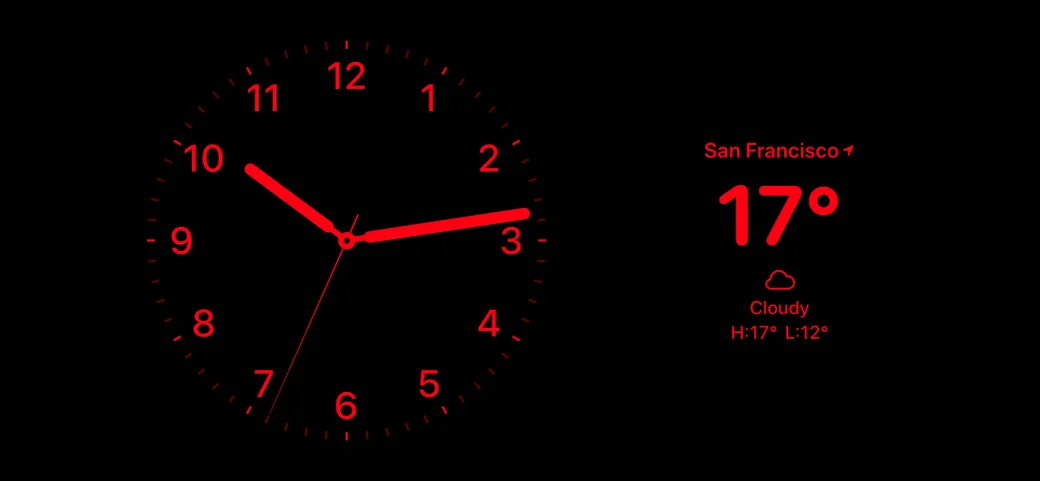
• Analog — a classic clock face with local weather and battery status
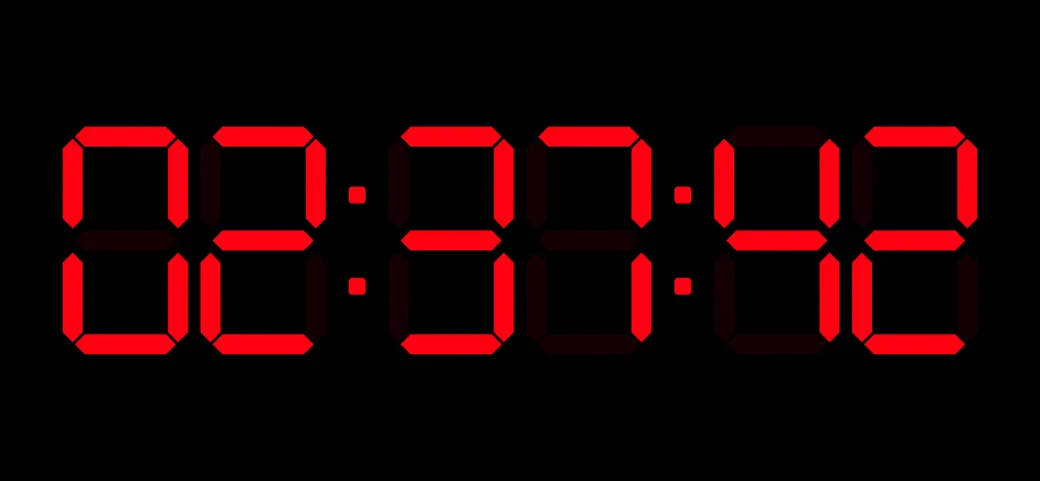
• Digital 12h — a full-screen 7-segment LED display of hours and minutes
• Digital 24h — a 7-segment display with hours, minutes, and seconds
SIMPLE BY DESIGN
• Swipe left or right to switch modes
• Swipe up or down anywhere to set the perfect nighttime brightness
• Remembers your last mode, so it's ready the moment you open it
• Screen stays on, so the time is always there when you glance over
• Nothing pops up at launch — weather and Home access are asked for
only when you turn those features on
MAKE IT YOURS
• Weather in °C or °F — set to your region by default, yours to change
• Pick the clock color with a slider and watch it change live
• Choose when the battery indicator appears, or keep it always on
• Reset every setting in one tap
SMART CHARGING (optional)
Keep your old battery healthy. Pick a Home-compatible smart plug that
powers the charger, and Night Clock switches it on when the battery
drops to your chosen level and off when it's charged enough — so the
phone isn't held at 100% around the clock.
MADE FOR OLD DEVICES
Don't retire your lovely old iPhone in a drawer. Night Clock runs
beautifully on older models and turns them into the perfect bedside or
desk clock — useful, elegant, and effortless.
That's it. A clock that does one thing wonderfully.
COMPATIBILITY & FEATURES BY DEVICE
Some features depend on how new your iPhone is. The clock itself works
on every supported device — the extras switch on for newer models:
• iPhone 8 and newer — full experience, including local weather and
optional smart charging through Home. iPhone 8 is the oldest model
that supports weather and Home.
• iPhone 7, iPhone 7 Plus, iPhone 6s, iPhone 6s Plus, and iPhone SE
(1st gen) — the clock, color, brightness, and battery features work
great, but weather and Home are not available on these models, so
those features are automatically hidden.
Either way, your old iPhone makes a wonderful bedside clock.
What’s new
Version 1.15 · Sep 7, 2026
• Custom clock color with live preview
• °C / °F choice for the weather, set to your region by default
• Permissions are asked only when you use a feature, never at launch
• Adjustable on/off charging thresholds, settings reset, and steadier HomeKit control
App privacy
What Boris Vanin declares on the App Store about how this app handles data.
-
Data not collected
The developer does not collect any data from this app.
Privacy practices may vary, for example with the features you use or your age.
Information
- Seller
- Boris Vanin
- Category
- Utilities
- Version
- 1.15
- Updated
- Sep 7, 2026
- Released
- Jul 2, 2026
- Size
- 659.0 KB
- Requires
- iOS 15.6 or later
- Age rating
- 4+
- Price
- Free
- Languages
- English
- Copyright
- © 2026 Smart Home Laboratory
You might also like
-
 Big Clock – Always On DisplayFullscreen Desk Clock
-
 Dock: StandBy Clock & PlanetsNightstand, Bedside & Charging
-
 Huge Digital Clock - Bed SideDesk Clock & Night Stand Clock
-
 Simple_ClockMinimal Analogue Clock
-
 Rect Clockfull screen analog clock
-
 The Analog ClockUtilities
-
 Alarm Clock'Loud Alarms, Music & Sounds
-
 Alarm Clock HDLoud Alarms, Music & Sounds
-
 Loud Alarm Clock by BLITZLoudest for Heavy Sleepers
-
 Alarm Clock: Music Sleep TimerMorning wake up by loud sounds