
- Age rating4+
- CategoryDeveloper Tools
- DeveloperYong Guo
- LanguagesEnglish+ 1 more
- Size41.0 MB
Links to the official App Store page
Download.org hosts no file of Nomad: AI Coding Agents. The button opens its official App Store page, published by Yong Guo. Listing last checked on Nov 23, 2026.
Screenshots

About
Claude Code, Codex, Cursor, OpenCode and more — every coding agent on your own machines, in one iPhone app, with a real terminal, files and desktop when you need to take over.
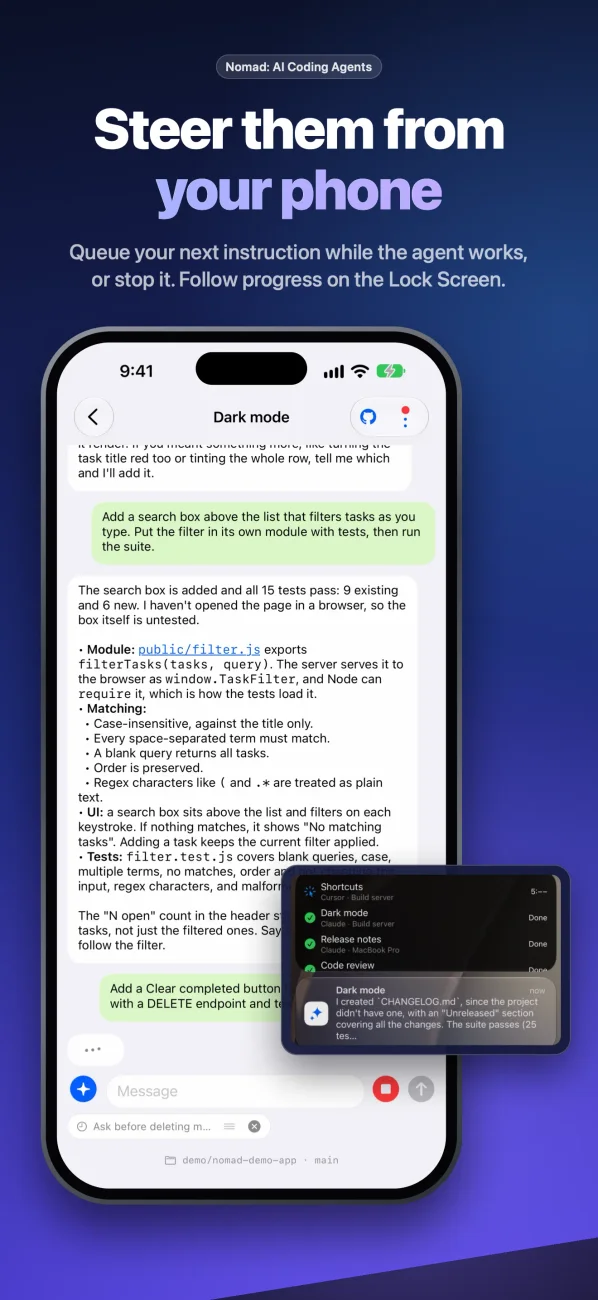
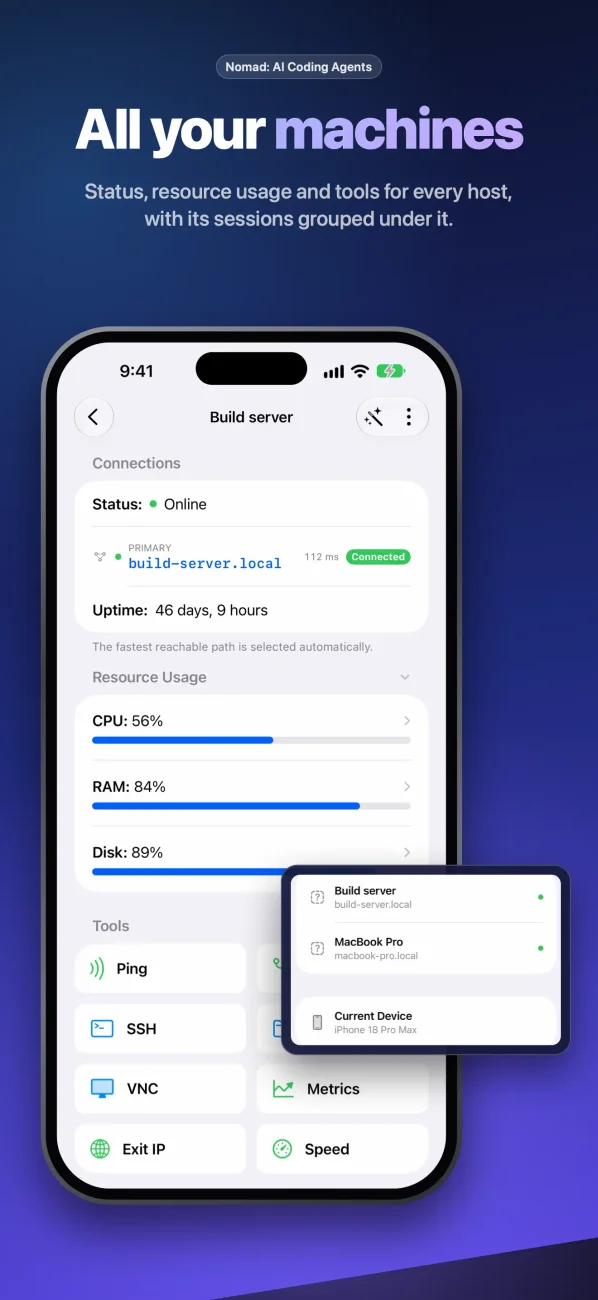
Steer agents mid-task, share a live session with others, and keep all your Macs and Linux servers in one place. You need a computer or server you can reach over SSH; Nomad sets up the agent runtime on it for you.
CHAT YOUR WAY
• Ask follow-up questions and follow streaming replies in a native chat interface.
• Add images, videos, and files to give your agent the context it needs.
• Open supported documents and images from replies, with attachment previews and downloads.
• Reply to an earlier message to keep the discussion in context.
Available models, tools, and capabilities depend on the agent installed and configured on your host.
AI CODING AND VIBE CODING
Describe your goal in natural language and guide a coding agent on your own host to explore code, implement ideas, investigate issues, and iterate. Follow up from your phone, add screenshots or files, and inspect replies and generated results. Open the terminal or remote files when you need more control. Code execution, tools, and models depend on your host and configured agent; Nomad is not an included cloud development environment running on the iPhone.
SHARE WITH FAMILY AND FRIENDS — BROWSER ACCESS TOO
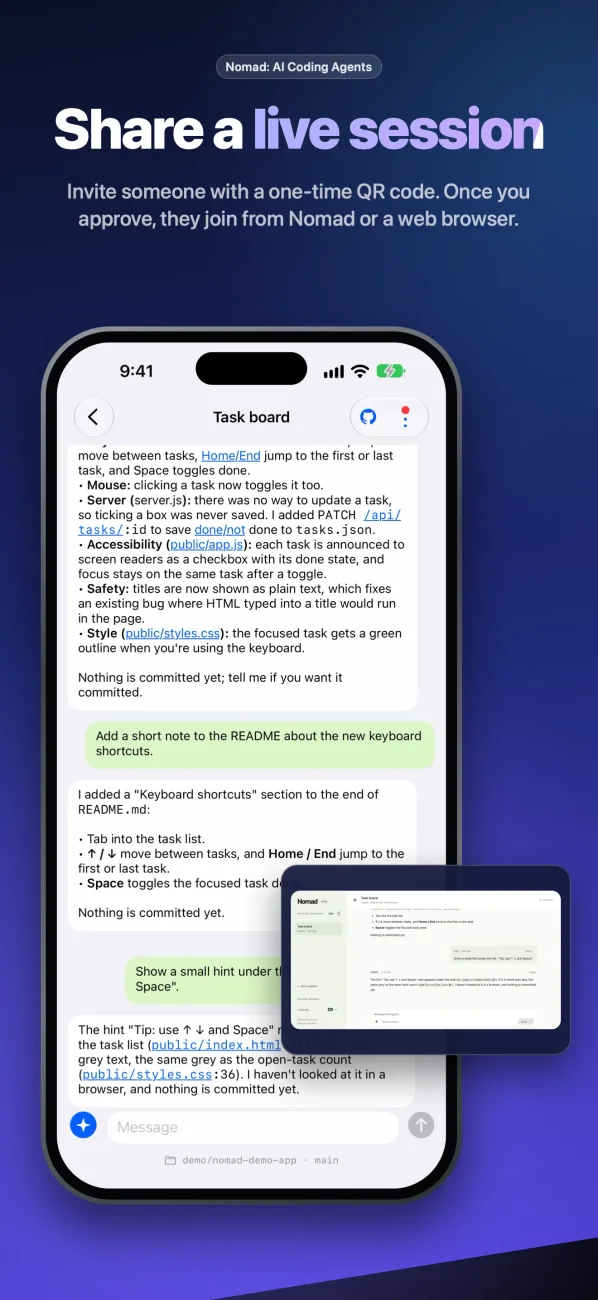
• Share a specific conversation, not access to your entire computer.
• Invite someone by link or QR code. Access starts after the owner approves their request.
• Recipients can use the Nomad app or a web browser.
• To authorize a browser, an owner or an approved recipient scans its QR code with Nomad's + → Scan QR Code. The web link alone does not grant access.
• Participants follow the same conversation and agent replies, and can send messages when permitted. The owner controls chat permission and history scope, and can stop sharing at any time.
• When sharing ends, live access stops while previously downloaded history remains on the recipient's device.
Creating and joining host-managed shares does not require a Nomad account. The browser is a recipient-only client; it has no model selector or host administration controls.
YOUR WORKSPACE, WHEN YOU NEED IT
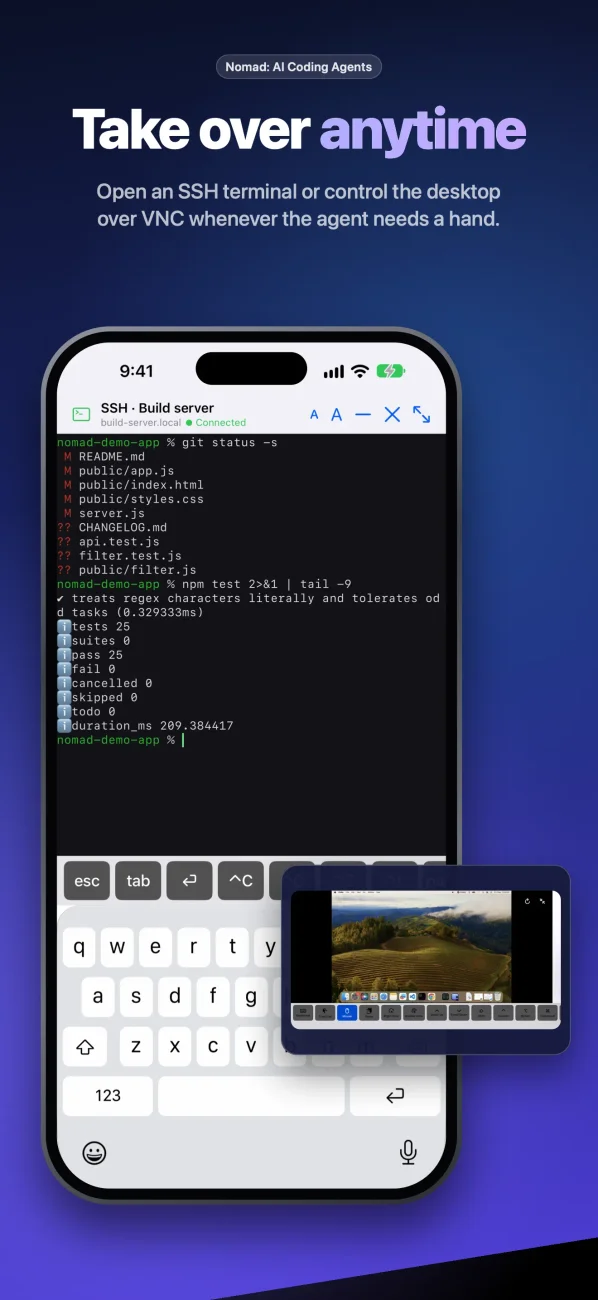
Use an SSH terminal, browse and transfer files over SFTP, or control a compatible remote desktop over VNC. The corresponding services must be enabled and reachable on your host.
BEFORE YOU START
Nomad is a client for your own hosts and agents. It does not include a free AI service or a hosted agent. The owner needs a reachable, online Mac or Linux host with the chosen agent installed, configured, and authenticated. Browser sharing also requires a reachable HTTPS address.
Your host's agent may send prompts, attachments, and task context to its configured AI provider. Models, subscriptions, API charges, and usage conditions depend on your configuration and the third-party service's terms. Share only content you are authorized to share.
Nomad account sign-in is optional and supports features such as settings and Saved Messages sync. SSH credentials are protected by the iOS Keychain. See the privacy policy for how optional sync, feedback, and diagnostics are handled.
What’s new
Version 1.1.13 · Nov 21, 2026
- Not at your computer? Send the setup link to yourself (Mail, Notes, AirDrop) and open it there later.
- When no computer is found on your Wi-Fi, Nomad offers the one-command setup right away.
- Faster, steadier reconnects when you come back to the app or switch networks.
- Composer: / picks a folder, @ picks another session.
- Save images to Photos from the preview.
- Shared sessions: clearer messages when the owner's computer can't be reached.
- Smoother terminal during long installs, and other fixes.
App privacy
What Yong Guo declares on the App Store about how this app handles data.
-
Data not linked to you
May be collected but is not linked to your identity.
- Location
- Contact info
- Identifiers
Privacy practices may vary, for example with the features you use or your age.
Information
- Seller
- Yong Guo
- Category
- Developer Tools
- Version
- 1.1.13
- Updated
- Nov 21, 2026
- Released
- Sep 10, 2026
- Size
- 41.0 MB
- Requires
- iOS 17.0 or later
- Age rating
- 4+
- Price
- Free
- Languages
- English, Simplified Chinese
- Copyright
- © 2026 Markdays
You might also like
-
 MiraBridge AI Code RemoteAI Coding from Your Phone
-
 afk — AI Coding Agent RemoteSteer AI agents from anywhere
-
 PrismaraChat with 300+ AI models
-
 SmartWot - All-in-One ToolsAll-in-One Utility Daly Tools
-
 Stinkbug PMSoftware Project Manager
-
 Ghostex: AI Coding AgentsYour agents, from your pocket
-
 DexRelay: Claude Code & CodexRemote AI coding agent for Mac
-
 Json To TableDeveloper Tools
-
 VibeBuddy: Agent MonitorWatch your AI coding agents
-
 AgentCmd: AI Coding AgentRemote CLI for vibe coders