Nonna for Elders
One-tap video calls
Designed for iPhone, iPad, iPod touch
Free · In-app purchases
- Age rating4+
- CategoryUtilities
- DeveloperAbraao Silva
- LanguagesEnglish+ 2 more
- Size122.9 MB
Links to the official App Store page
Download.org hosts no file of Nonna for Elders. The button opens its official App Store page, published by Abraao Silva. Listing last checked on Nov 23, 2026.
Screenshots


About
Nonna is one app for both sides of the call.
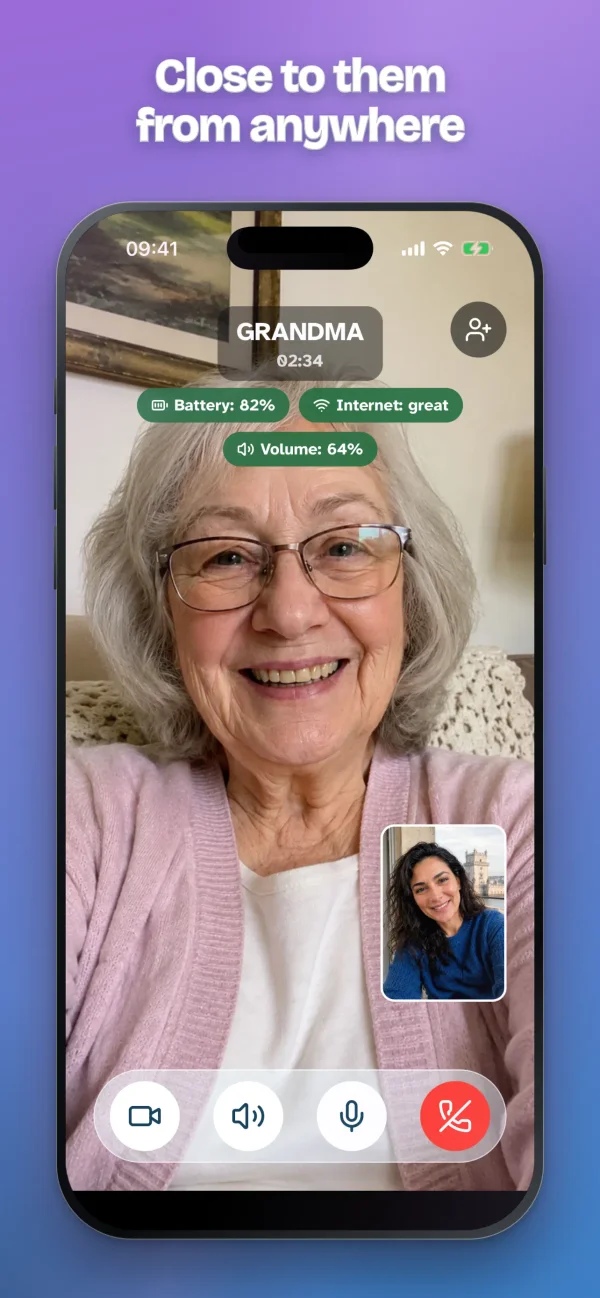
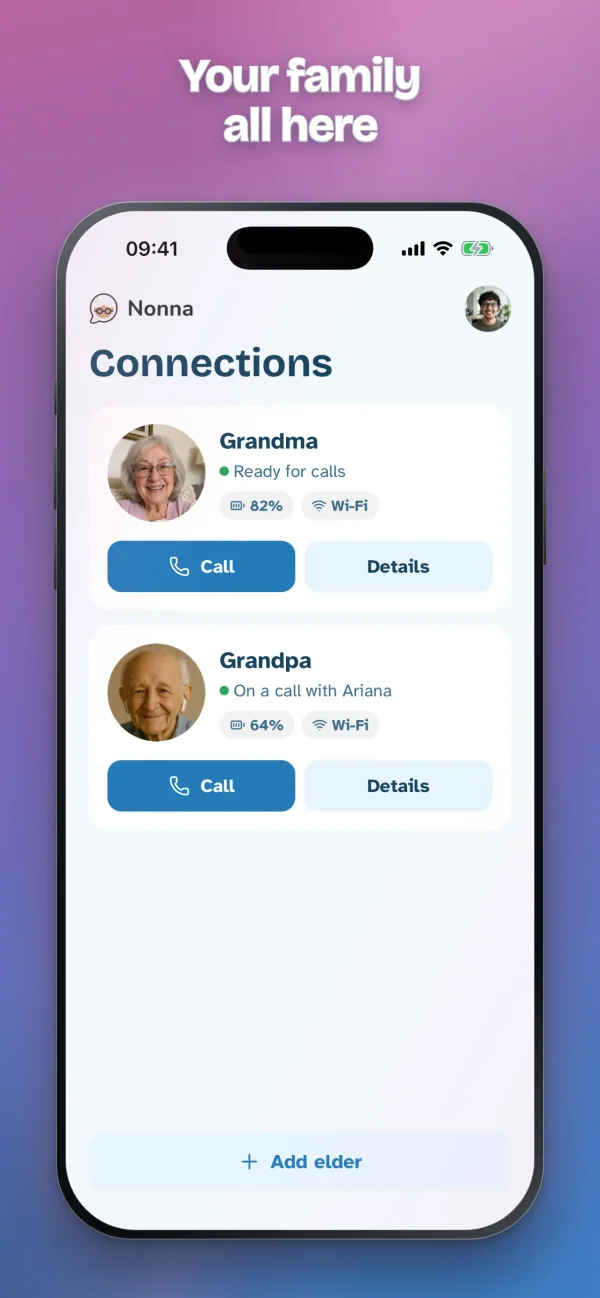
On your phone, you manage everything: build the family list, set up the elder's phone, and call whenever you want.
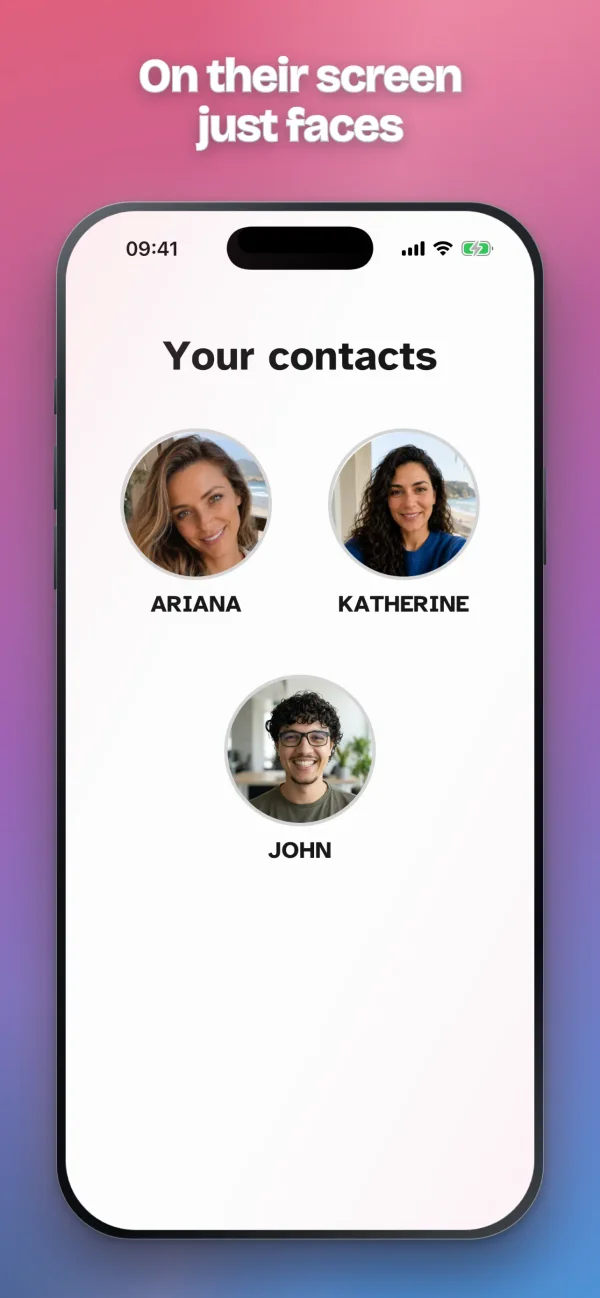
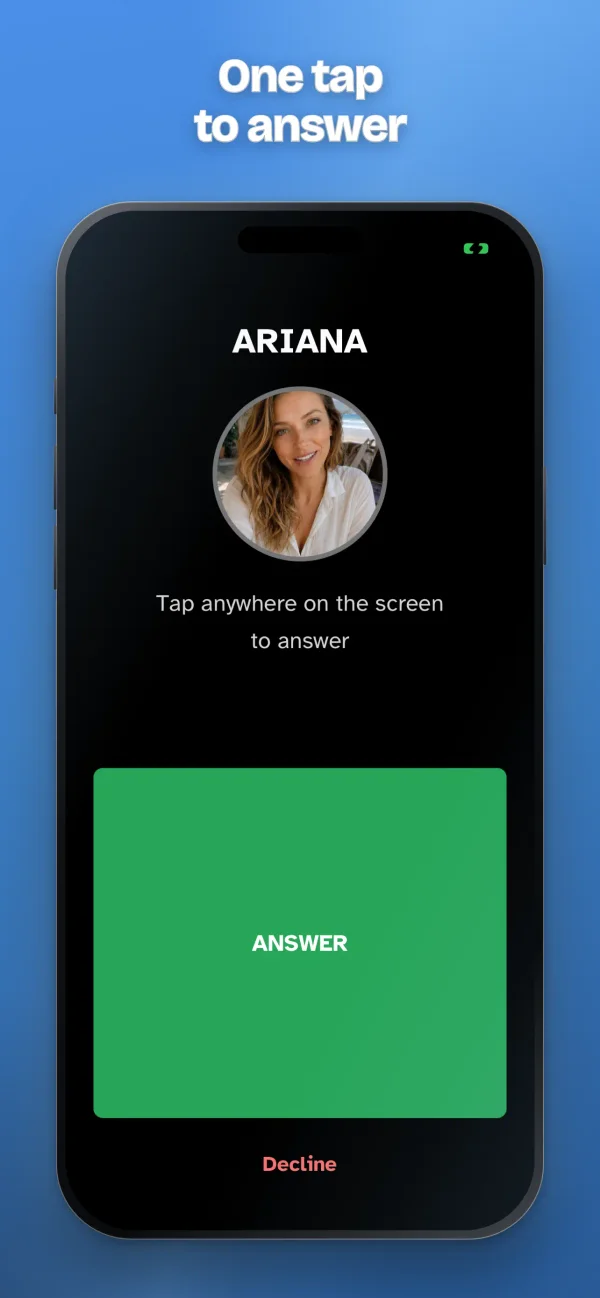
On their phone the same app becomes something else: a screen of large family photos and nothing else. They just tap a photo and the call starts.
No menus, no notifications, and no settings they can accidentally change.
Set it up just once
Install Nonna on their phone, log in with your account, and select "Their phone". It just takes a moment. After that, they'll never have to deal with emails, passwords, or login screens.
One tap to call, one tap to answer
They simply tap a photo to start a call. When receiving a call, the screen shows the caller's photo alongside one large "Answer" button. It's that simple. Zero confusion, just connection.
Bring the whole family together
Group calls let children, grandchildren, and grandparents join the same screen. Everyone appears with a familiar photo and name they easily recognise.
Manage everything remotely
Update a photo, edit a name, or add a new family member - all from your own phone. Changes appear instantly on theirs, so you'll never need to handle their device again.
Designed for eyes and ears that need a little extra help
Large buttons, high-contrast text, and volume they can actually hear. The interface decisions were made for someone who is eighty, not someone who is thirty.
A secure connection
Calls go directly between the devices, and each family's account is separate from every other.
The two sides don't need the same kind of phone.
Try it free for 7 days
Set up their phone, make the first calls, and only then decide. The subscription starts after the 7 days and can be cancelled anytime in the store.
Terms of Use (EULA): https://www.apple.com/legal/internet-services/itunes/dev/stdeula/
What’s new
Version 2.0.12 · Nov 21, 2026
Video calls now keep going in a small window when you leave the app, for the family and the elder, an incoming call with the app open shows only Nonna's screen without ringing twice, the Android call notification no longer comes back after you answer, and the "Details" button is now called "Settings".
App privacy
What Abraao Silva declares on the App Store about how this app handles data.
-
Data linked to you
May be collected and linked to your identity.
- Contact info
- Identifiers
-
Data not linked to you
May be collected but is not linked to your identity.
- Usage data
- Diagnostics
Privacy practices may vary, for example with the features you use or your age.
Information
- Seller
- Abraao Silva
- Category
- Utilities
- Version
- 2.0.12
- Updated
- Nov 21, 2026
- Released
- Apr 24, 2026
- Size
- 122.9 MB
- Requires
- iOS 15.1 or later
- Age rating
- 4+
- Price
- Free
- In-app purchases
- Yes
- Languages
- English, Portuguese, Spanish
- Copyright
- © Nonna 2026
You might also like
-
 AutoStop AlarmUtilities
-
 Domino Puntos CamUtilities
-
 Bedside CareHome caregiver call button
-
 One2One: Video Call by LinkPrivate calling, face to face
-
 Teleprompter: Voice FollowScript reader that follows you
-
 HeartCall-Private Couple DiaryPrivate Memories for Couples
-
 Video Sound Extractor m4a/mp3Export Audio as M4A and MP3
-
 VBus®Touch HCUtilities
-
 Night Owl – Baby Night LightStay lit for night tasks
-
 ONSCREEN JoyFamilyTV & Tablets for Senior Care