Noogat – Voice Notes
That Organize Themselves
Designed for iPhone, iPad
Free · In-app purchases
- Age rating4+
- CategoryProductivity
- DeveloperDayJobDevelopment LLC
- LanguagesEnglish
- Size15.1 MB
Links to the official App Store page
Download.org hosts no file of Noogat – Voice Notes. The button opens its official App Store page, published by DayJobDevelopment LLC. Listing last checked on Nov 21, 2026.
Screenshots

About
Your mind moves fast. Now your notes can keep up.
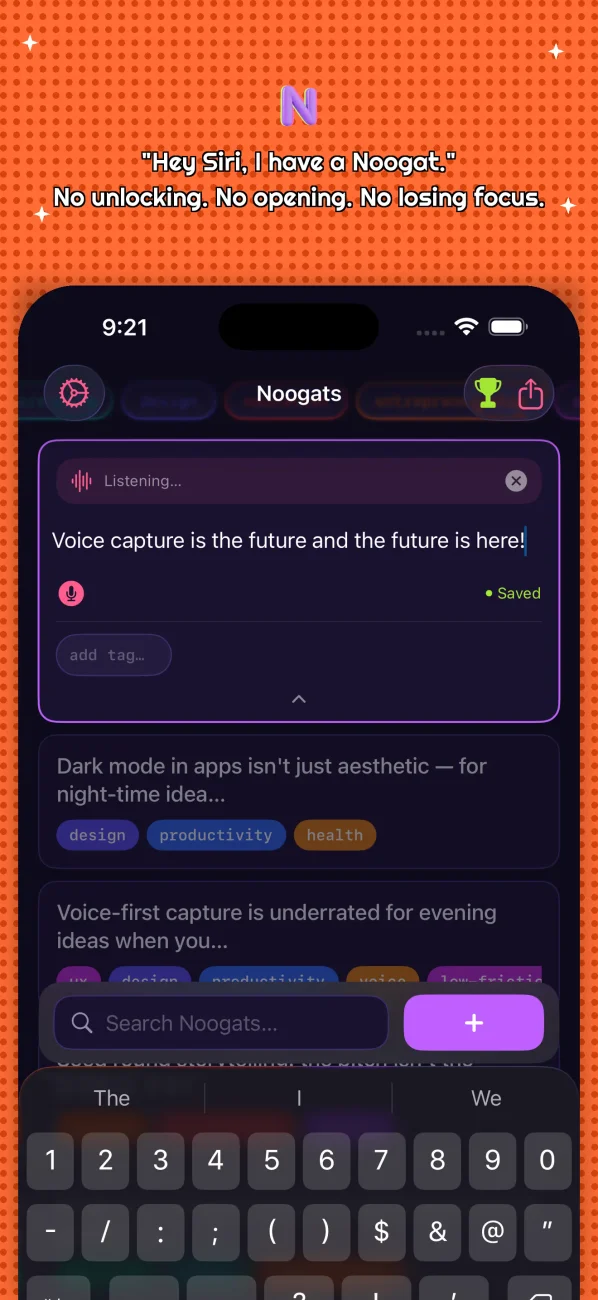
Say "Hey Siri, I have a Noogat" — your thought is captured, AI-tagged, and searchable before you finish the sentence. No app to open. No screen to unlock.
Capture anything, from anywhere.
Whether you're driving, mid-workout, or in the middle of a meeting — Noogat captures your thought the instant you have it. Native Siri integration, the way Apple intended.
AI that organizes for you.
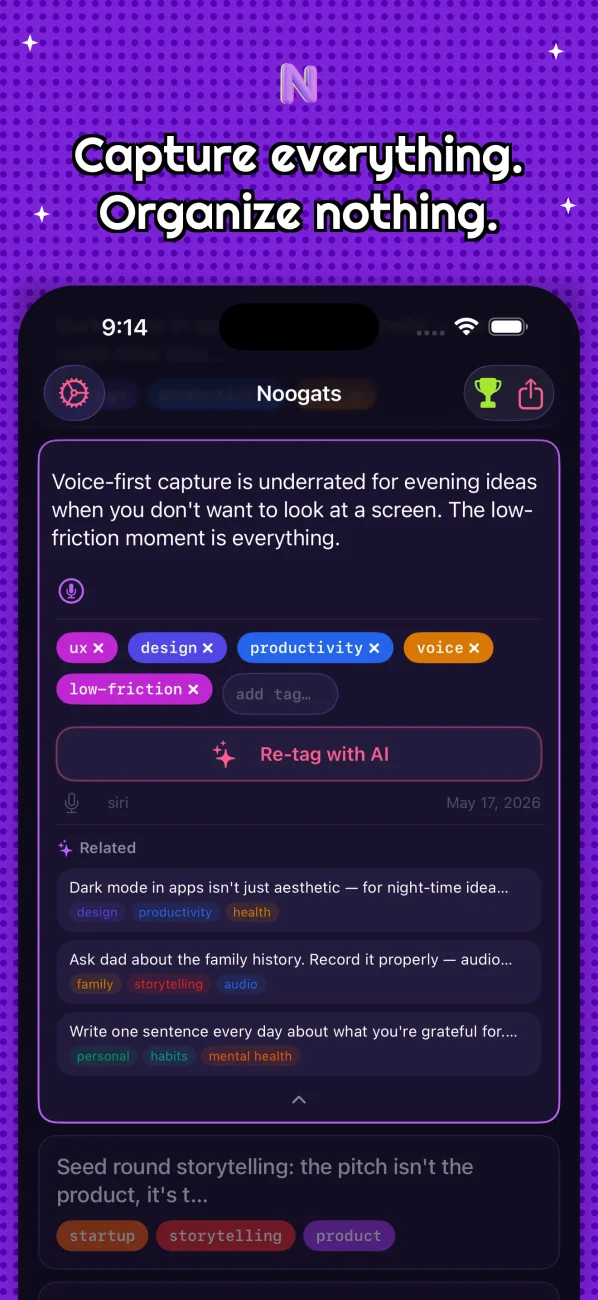
Every idea you capture is automatically categorized with AI-generated tags. No folders to manage, no manual sorting. Noogat reads your idea and figures out where it belongs — so when you need it later, it's already organized.
Find anything in seconds.
Full-text search across every idea you've ever saved. Filter by topic, project, or theme with a single tap. Your ideas are only as useful as your ability to find them. Noogat makes sure you always can.
Zero friction is the feature.
Most capture tools require you to open an app, tap a button, then figure out where to file it. Noogat removes every one of those steps. Speak → saved. That's it.
What you get:
• Native Siri capture — "Hey Siri, I have a Noogat"
• AI auto-tagging with searchable labels
• Full-text search across all your ideas
• Semantic search — finds ideas even when you can't remember the exact words
• Works hands-free, screen-off, anytime
Free & Pro:
Noogat is free to use — capture unlimited ideas at no cost. Upgrade to Noogat Pro for advanced AI features including semantic search.
Built for people whose best thinking happens away from a desk.
ADHD professionals who lose ideas between thought and screen. Commuters who can't type while driving. Creatives who need to capture inspiration on the spot. Anyone who's ever said "I had such a good idea earlier — what was it?"
Terms of Use (EULA): https://www.apple.com/legal/internet-services/itunes/dev/stdeula/
Privacy Policy: https://noogat.app/privacy/
What’s new
Version 1.3 · Jun 23, 2026
Interactive Checklists
Convert any Noogat into a checklist. Long-press a card and choose "Convert to Checklist," or use the checklist icon in the detail view. AI parses your captured text into individual action items automatically.
Tap any item to check it off — checked items move to the bottom. Toggle checklist mode off at any time to restore the original text; your items are preserved if you re-enable it.
App privacy
What DayJobDevelopment LLC declares on the App Store about how this app handles data.
-
Data linked to you
May be collected and linked to your identity.
- Contact info
- User content
- Identifiers
-
Data not linked to you
May be collected but is not linked to your identity.
- Diagnostics
Privacy practices may vary, for example with the features you use or your age.
Information
- Seller
- DayJobDevelopment LLC
- Category
- Productivity
- Version
- 1.3
- Updated
- Jun 23, 2026
- Released
- May 27, 2026
- Size
- 15.1 MB
- Requires
- iOS 17.0 or later
- Age rating
- 4+
- Price
- Free
- In-app purchases
- Yes
- Languages
- English
- Copyright
- © 2026 DayJobDevelopment LLC
You might also like
-
 Jin MobileDictate, Notes, Meetings, AI
-
 Nib - AI Notes & TranslationRecord, transcribe, summarize
-
 GratefoldPocket notebook, made digital
-
 FocusFeed for YouTubeYouTube without the feed
-
 Afterthought: Voice NotesTasks, reminders & meetings
-
 Z-SyncTabs and Spaces on the go
-
 GretioThe Missing Pocket Scan Tool
-
 Meetly: AI Meeting Note TakerVoice Recorder & Transcription
-
 Voice To Notes - Offline AILive Transcription & Dictation
-
 Speakwise - AI Note TakerVoice to Text & Transcription