
Jin Mobile
Dictate, Notes, Meetings, AI
Designed for iPhone, iPad
In-app purchases
- Age rating4+
- CategoryProductivity
- DeveloperMurali Balaraman
- LanguagesEnglish
- Size91.7 MB
Links to the official App Store page
Download.org hosts no file of Jin Mobile. The button opens its official App Store page, published by Murali Balaraman. Listing last checked on Nov 16, 2026.
Screenshots



About
Talk, and Jin Mobile writes.
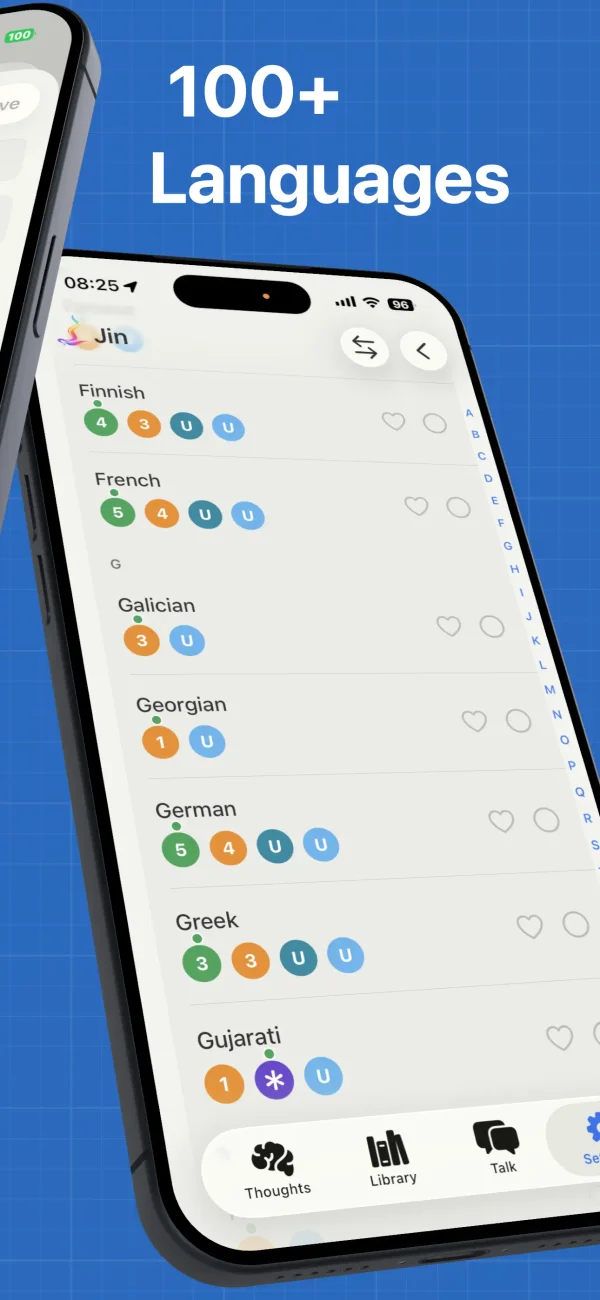
Jin Mobile turns your voice into clean text as you speak, in any of 100+ languages, on iPhone, iPhone Duo, iPad, and Apple Watch.
Every feature free for 7 days, then Monthly or Lifetime.
WHY JIN MOBILE
• Accuracy. 99%+, tracked for every speech model in Stats.
• Live transcription. Your words appear as you say them.
• 100+ languages, each on the speech model that suits it best.
• Vocabulary. 4,000+ words built in, including 1,800+ professional and medical terms.
• Private. Speech runs on your device, and one switch keeps everything local.
• Every device. iPhone, iPad, and Apple Watch sync in seconds. Open an iPhone Duo and two pages sit side by side.
• Help: a Guide, page tours, a Glossary, and Siri.
DICTATION
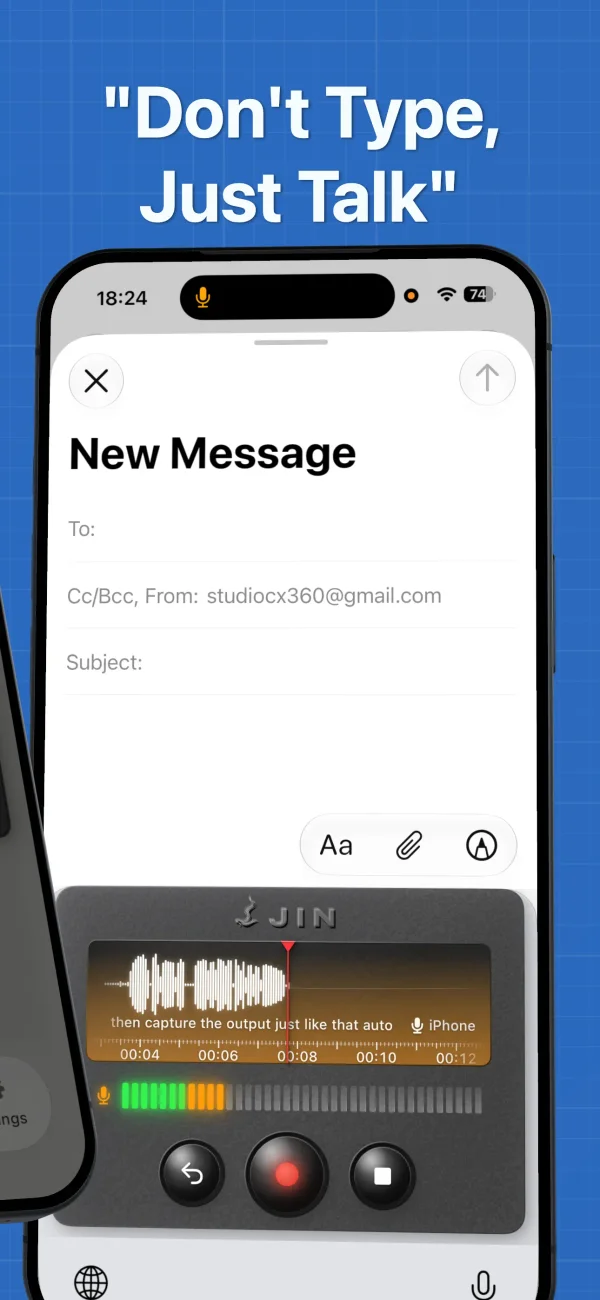
• The keyboard types into any app: Mail, Messages, Slack, Notes, Safari.
• Edit as you speak. Say "scratch that" to drop a sentence.
• Magic Formatting writes times, dates, money, phone numbers, and math the right way.
• Tones: Verbatim, Formal, Casual, Texting, Excited, Email, and Document. Write Like Me sounds like you.
• Swipe typing, AutoCorrect, and suggestions that learn your words.
• Bolt. Copy text, say what to do with it, and paste the result.
• Dictation History keeps every take, audio included.
• Filler Words, Snippets, and Replacements. Say "Hey Jin" when your hands are full.
• Hinglish, Tanglish, Banglish, and Singlish, written in English letters.
THOUGHTS AND LIBRARY
• Tap the rainbow button and speak. Your thought is saved and titled.
• Capture from Apple Watch, upload audio, or use Free Flow Mode for long-form thinking.
• Smart Suggest files each thought into Projects, Folders, and Sub Folders.
• Ask your Library out loud. Explore asks questions that take a thought further.
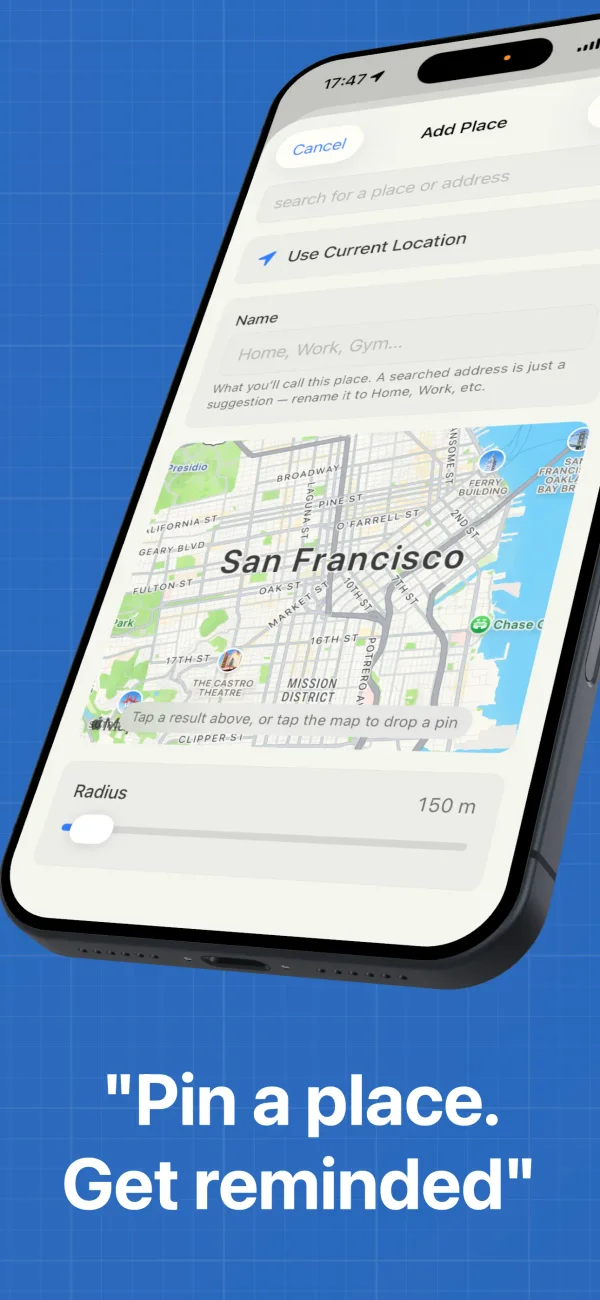
• Add photos, files, scans, places, reminders, Urgency, and People to any thought.
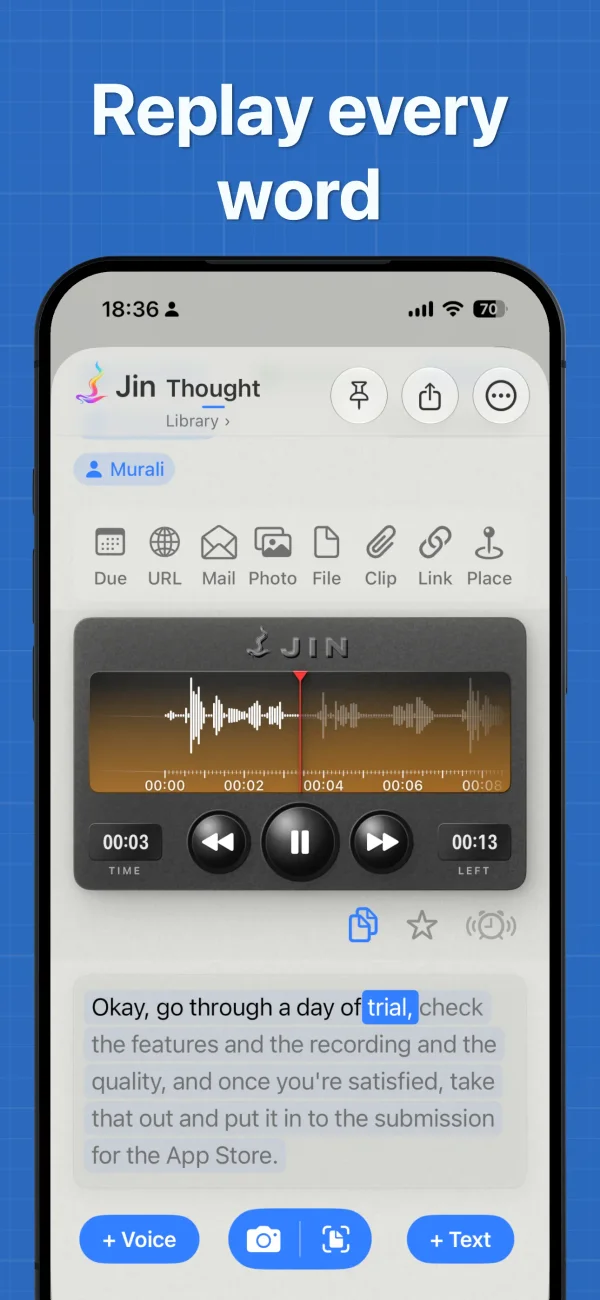
• Karaoke playback from 0.5x to 2x. Every word lights up as you hear it.
• Clippy keeps what you copy.
• Pending, Archive, Journal, Merge, Find & Replace, and summaries by folder, tag, or date.
MEETINGS
• Record or upload a meeting, with speaker labels. You confirm everyone's consent before it records.
• Only your own voice is learned. Others are told apart in each meeting and not kept.
• Templates. Thirty summary layouts, or your own. Mark key moments live.
• Plaud. Your recordings arrive on their own.
• Auto recovery. An interrupted recording is saved and rebuilt from its audio.
CALENDAR
• Speak to your calendar. Start a thought with "calendar" or "reminder" and Act makes it.
• Event Tasks. Speak tasks and sub-tasks onto any event, tick them off, move the rest.
• Deadlines, To-Dos, and projects that run over several days with one checklist.
• Your week hour by hour. On iPad held sideways, your day sits beside the month.
• Availability shows when you're free, with another city's clock.
TRANSLATE
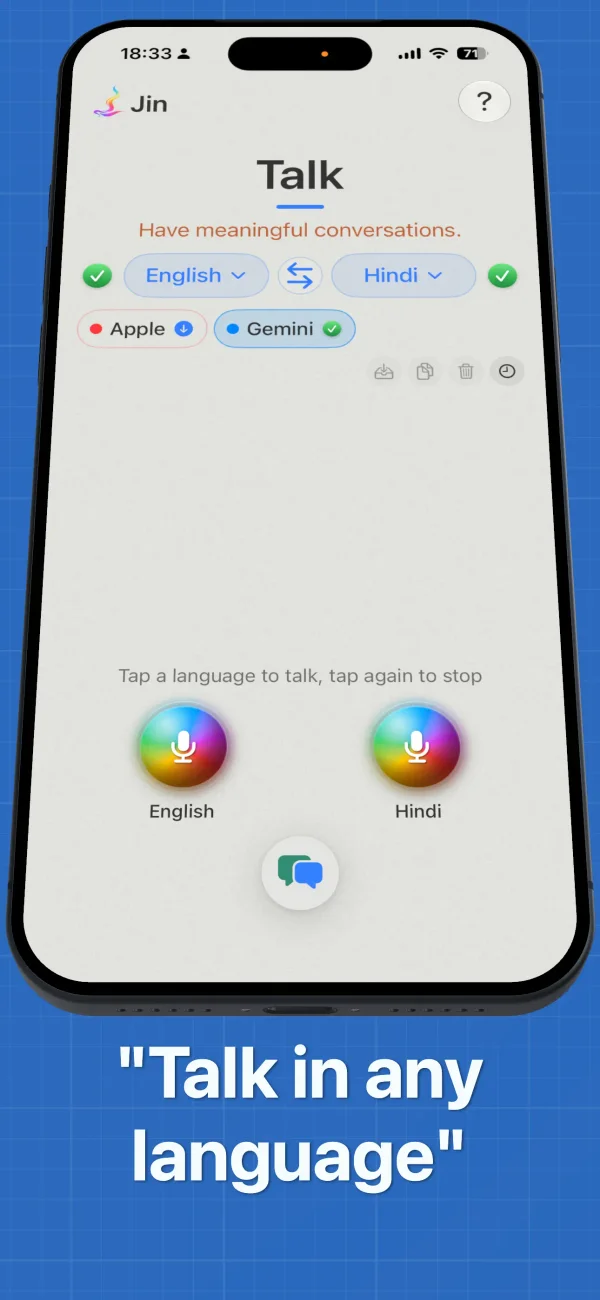
• Speak one language and read another. Lasso any text in any app to translate it.
• Talk. Two people, two languages, one phone, read aloud as you go.
• Apple translates English pairs on device. A Gemini key adds many more.
STATS AND STREAKS
• Stats and streaks pool across all your devices.
• Speech Coach scores Pace, Fillers, Hesitation, Variation, and Clarity.
• Earn a daily badge, answer Quiz of the Day, and fill a six-month Consistency grid.
INTEGRATIONS
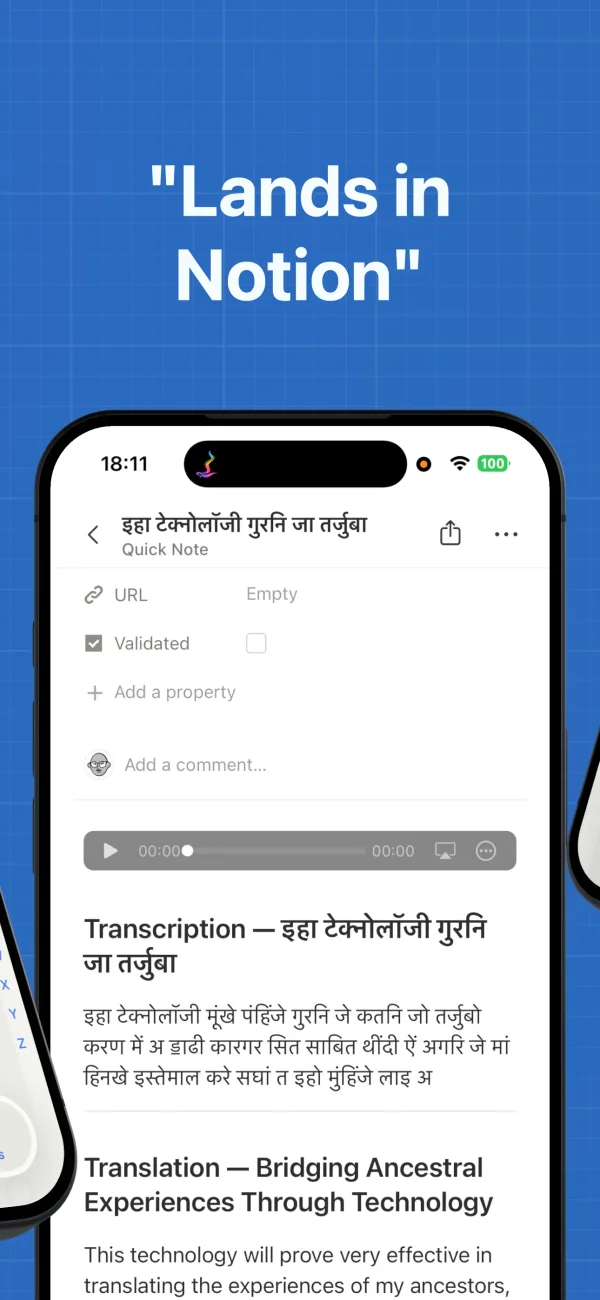
• Notion, Apple Calendar, and Apple Reminders.
• Webhooks to Make, Zapier, n8n, and hundreds more apps.
EVERYTHING ELSE
• Local: one switch, and nothing you capture leaves your phone.
• Cloud features use your own key, only when you turn them on.
• App Lock keeps your library, or any tab in it, behind Face ID.
• Audio Retention from a day to forever. Discarded recordings wait in Recovered Audio.
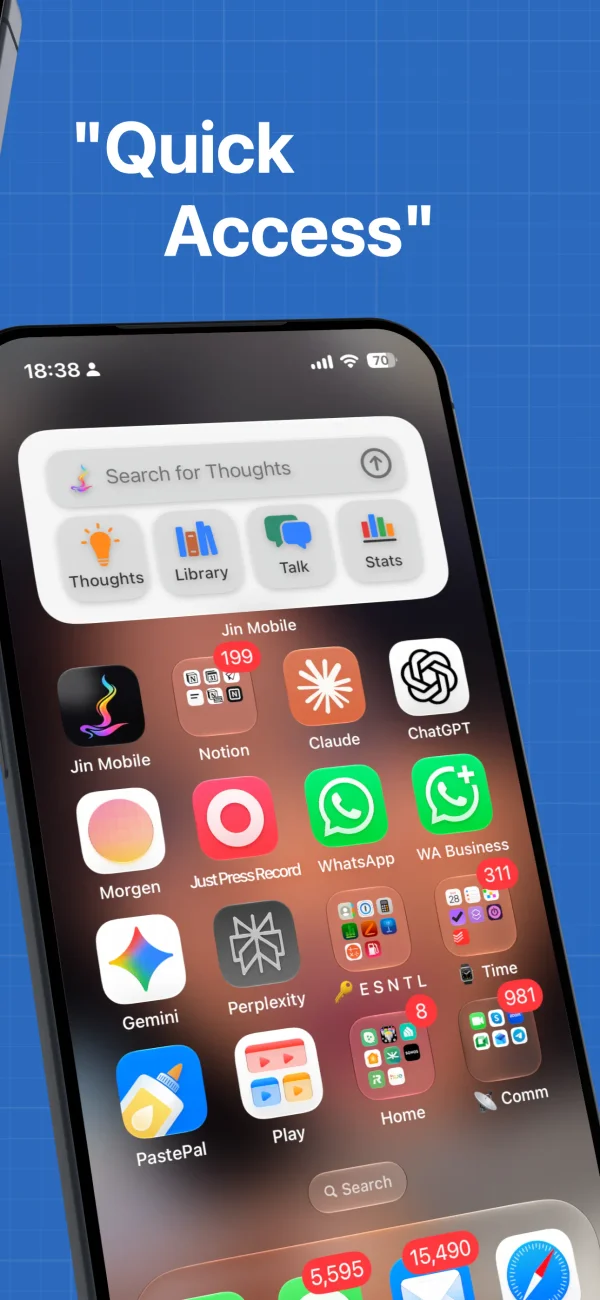
• Backed up to iCloud. Home Screen widgets, including a Calendar.
• No account needed. Works offline.
Open Jin Mobile and start talking.
Terms of Use: https://www.apple.com/legal/internet-services/itunes/dev/stdeula/
Privacy Policy: https://studiocx360.com/services-4
What’s new
Version 1.7.2 · Nov 13, 2026
Jin Mobile now has two plans: Monthly, with a free week, or Lifetime, paid once. If you bought Jin Mobile before, you keep everything and there is nothing to buy.
New in 1.7.2:
• Made for iPhone Duo. Folded, it works like your iPhone. Open it and two pages sit side by side, with the divider on the fold.
• A Holiday List in Settings, Cal, the same one as on your Mac. Mark the holidays you take off and add your own vacation days.
• Blackout dates in a project, and Next Free on Availability to jump to your next free slot.
• Day Labels can span several days. Add one from any day, drag one to another day, and see them as a band in the day view and a blue line on the month.
• To-Dos has three levels of groups, one box to add to, and an Inbox for to-dos your Mac found in a Thought.
• Tasks can run over several days and carry up to five reminders. Tap a task's circle once to start it and again to tick it off.
• Priority as Q1, Q2 or Q3 on Thoughts and tasks.
• Merge events: press and hold an event to join events on one day into one, tasks included.
• Tap an event task with sub-tasks to tick them all at once. An event's count shows how many tasks are started.
• Rename a Thought or a meeting wherever its title shows.
• Share as Jin Note now carries the summary, notes, to-dos, mind map and rewrite, each with its own switch.
• Navigation shows the whole app as a map you can jump through.
• Photos: pick several at once, or drop or paste a picture.
• On iPad, the Jin Mobile keyboard leaves more room for the text you are writing.
• Check Now on the Sync card, and a deleted event now leaves every device.
• Many smaller fixes.
App privacy
What Murali Balaraman declares on the App Store about how this app handles data.
-
Data not linked to you
May be collected but is not linked to your identity.
- Location
- Contacts
- User content
Privacy practices may vary, for example with the features you use or your age.
Information
- Seller
- Murali Balaraman
- Category
- Productivity
- Version
- 1.7.2
- Updated
- Nov 13, 2026
- Released
- Apr 21, 2026
- Size
- 91.7 MB
- Requires
- iOS 17.4 or later
- Age rating
- 4+
- In-app purchases
- Yes
- Languages
- English
- Copyright
- © 2026 Murali Balaraman
You might also like
-
 Caddy: Notes, Tasks & ContactsPlus stories & a reading list
-
 Ragondin AssistantPrivate AI that runs offline
-
 TypePrompt: AI Keyboard&PasteText Expander with iCloud Sync
-
 Relay Voice: Memos into NotesAI Transcribes Speech to Text
-
 I On It: AI Voice RemindersVoice to task, call & message
-
 Prismical - AI Note TakerTranscribe meetings and memos
-
 ZenNotes Web ClipperClip the web as Markdown notes
-
 Snaptex: Math & LaTeX to ImageAI Answers & Markdown Tables
-
 Whoice Widget - TranscriptionsSave Your Thoughts In 3 Clicks
-
 masterfilefive tools. one quiet place.