- Age rating4+
- CategoryProductivity
- Developerriley lau
- LanguagesEnglish
- Size18.0 MB
Links to the official App Store page
Download.org hosts no file of Nooklo — Deep Work. The button opens its official App Store page, published by riley lau. Listing last checked on Nov 18, 2026.
Screenshots

About
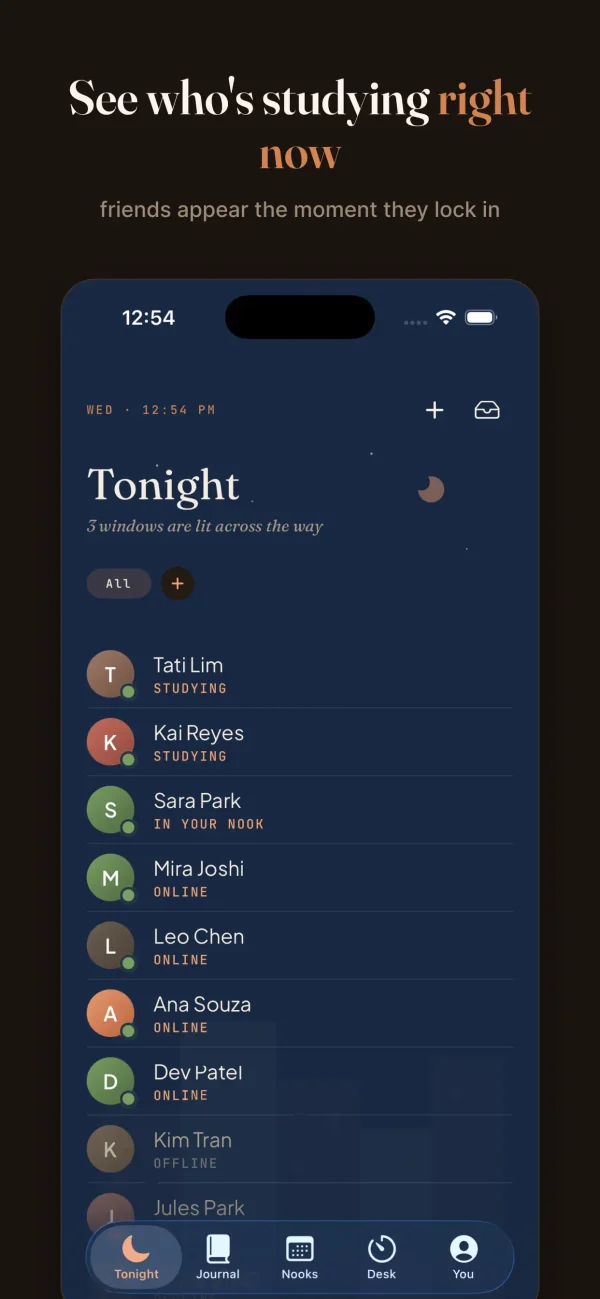
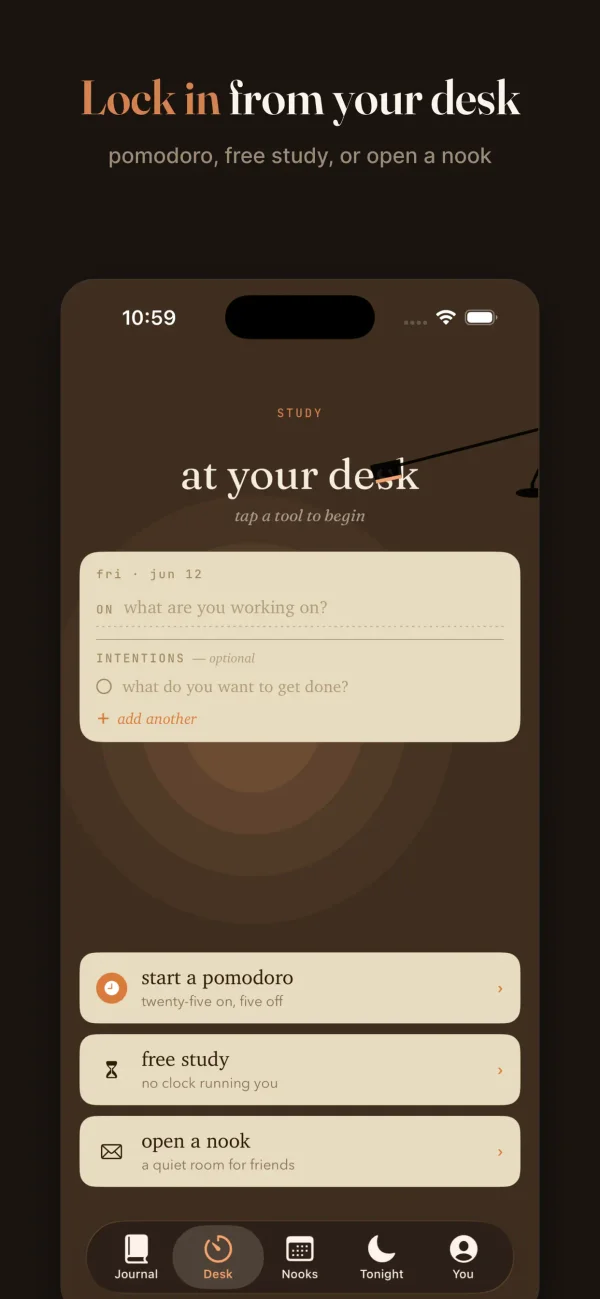
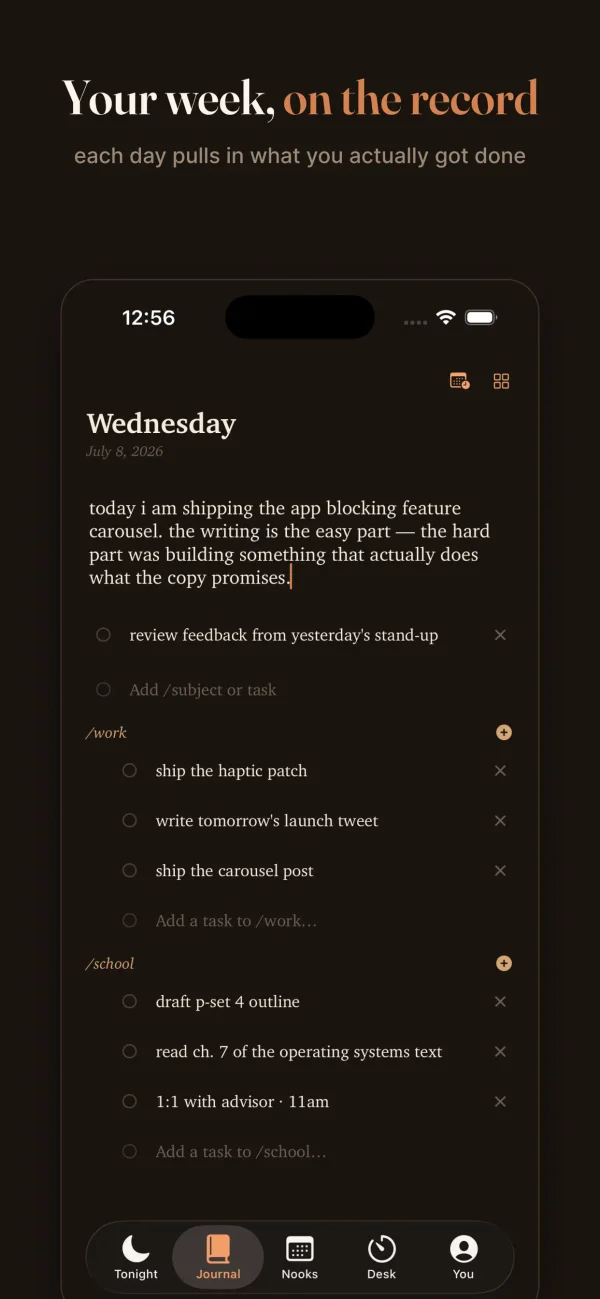
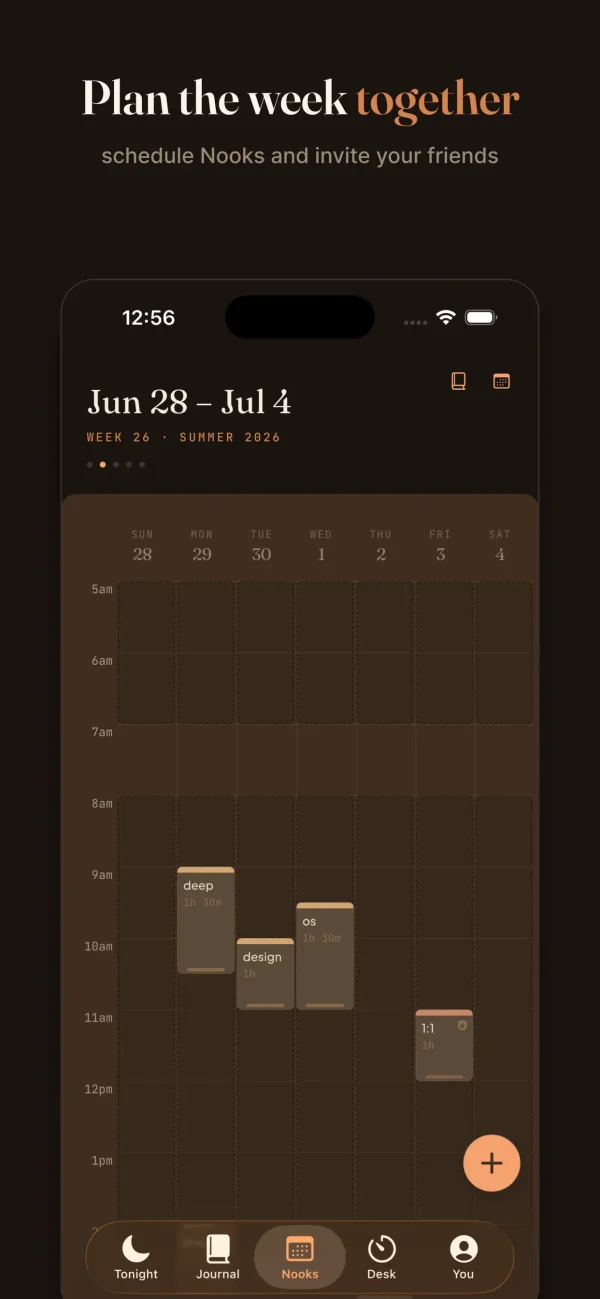
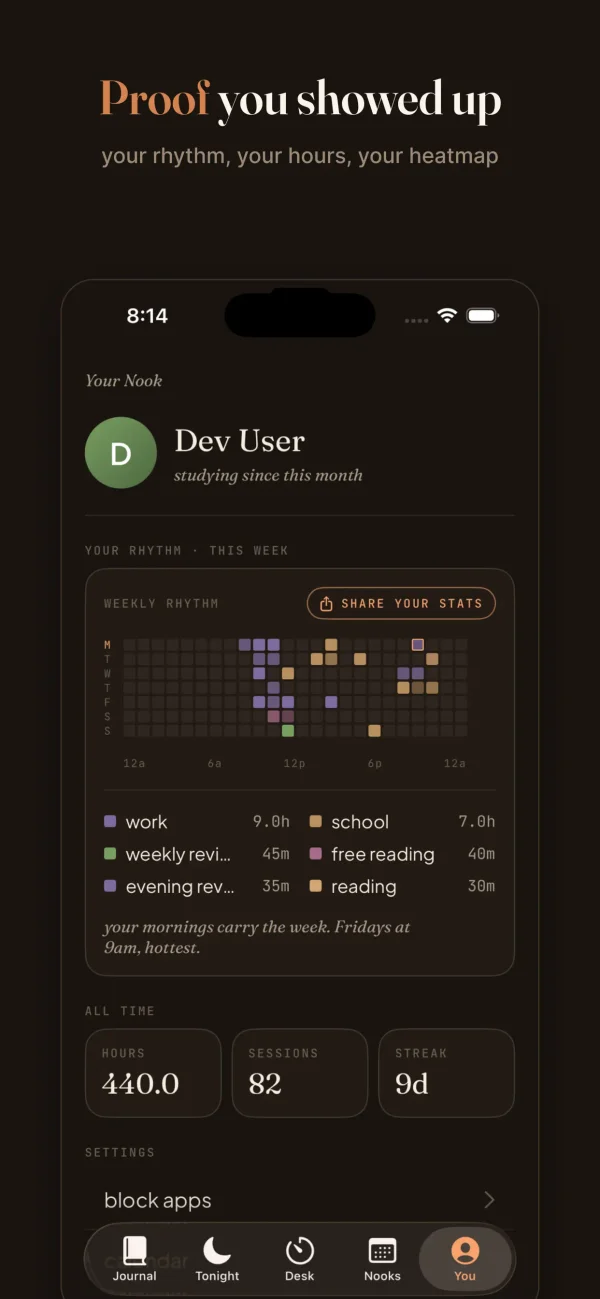
Houseparty for studying. Most study apps are timers. Nooklo is a place where your friends already are. Open the app, see who's locked in right now, and join them with a tap. Same synced timer, same room. No chat, no video, no pressure. HOW IT WORKS The Tonight feed shows which friends are in a session right now. Tap one to slip in beside them. You'll run the same focus blocks and breaks, in sync. Or start your own session, and your friends get a push the moment you lock in. BLOCK THE APPS THAT PULL YOU AWAY Pick your distracting apps once. Nooklo blocks them at the iOS level every time a session starts, lifts the shield at breaks, and re-locks when focus resumes. It survives force-quits and phone locks. You never touch the picker again. You can also set recurring windows (sleep, class hours, deep work) where your picked apps stay blocked automatically. PLAN THE WEEK TOGETHER Schedule Nooks on a 7 day grid and invite up to 4 friends. Your existing calendar (iCloud, Google, Outlook, Exchange) shows through as ghost blocks so you never double-book, and scheduled Nooks mirror back to your calendar. A JOURNAL THAT WRITES ITSELF Every day pulls in what you actually got done: completed Nooks, checked-off tasks, session reflections. Add your own to-dos, check them off mid-session, and get quiet receipts, not a scoreboard. PROOF YOU SHOWED UP A heatmap of when you actually study, hours per subject, weekly rhythm, and share-stats cards. Stats are intimate, not competitive. FOCUS MECHANICS THAT HOLD UP • Pomodoro (25/5 by default, 50/10 or custom) and free study • Lock Screen Live Activity and Dynamic Island countdown • Home screen widgets to start a session without opening the app • Session intentions: capture what you want to get done, check it off mid-session PRIVATE BY DEFAULT Only friends you add can see when you're in a session. No public profiles, no follower counts, no algorithm. Calendar and reflection data stays on your device. Everything is free right now, including app blocking. Plus is free until September.
What’s new
Version 1.4.0 · Aug 17, 2026
your nights, sharper.
— draw your own profile picture — pick a color, a font, or go backgroundless
— pin the to-dos that matter most
— a cleaner in-session notepad, your list front and center
— faster launches and smoother calendar scrolling
— custom colors for your subjects and circles
— fixes across nook invites, circles, notifications, and friend history
App privacy
What riley lau declares on the App Store about how this app handles data.
-
Data linked to you
May be collected and linked to your identity.
- Contact info
- User content
- Identifiers
- Usage data
Privacy practices may vary, for example with the features you use or your age.
Information
- Seller
- riley lau
- Category
- Productivity
- Version
- 1.4.0
- Updated
- Aug 17, 2026
- Released
- May 12, 2026
- Size
- 18.0 MB
- Requires
- iOS 26.0 or later
- Age rating
- 4+
- Price
- Free
- Languages
- English
- Copyright
- © 2026 Riley Lau
You might also like
-
 Now: ADHD Task StarterFocus Timer & Brain Dump
-
 SpringHabtHabit Tracker App
-
 nook: second brainSave Anything You Find Online
-
 Focus Together: Study TimerCute Avatars, Live Study Buddy
-
 Weffoo – Live Focus AppLive, silent sessions together
-
 NotykaNotes & Cloud Sync
-
 Alarmaze - Solve To StopAlarm Clock With Quests
-
 FocusValley: Focus TogetherRevision, work, ADHD friendly
-
 StudyDuo: Study With MeLive focus rooms & partners
-
 Kaizen: Focus & Study TimerApp Blocker & Habit Tracker