
StudyDuo: Study With Me
Live focus rooms & partners
Designed for iPhone, iPad
In-app purchases
- Age rating4+
- CategoryProductivity
- DeveloperOleh Shapoval
- LanguagesEnglish+ 6 more
- Size90.1 MB
Links to the official App Store page
Download.org hosts no file of StudyDuo: Study With Me. The button opens its official App Store page, published by Oleh Shapoval. Listing last checked on Nov 8, 2026.
Screenshots

About
Studying alone is harder than it should be, and it isn't your discipline. Most people focus better when someone else is working next to them.
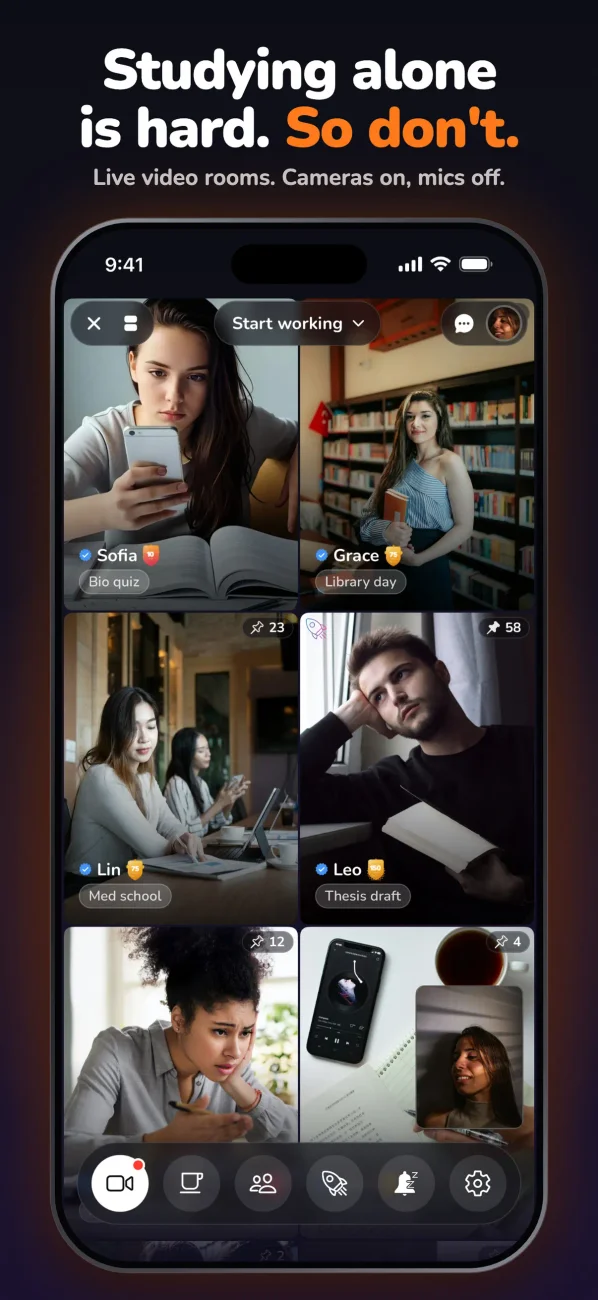
StudyDuo puts you in a live video room with people who are working right now. No talking, no meetings, no small talk. You sit down and start. People call this body doubling or "study with me". Here it's live and open 24/7.
HOW IT WORKS
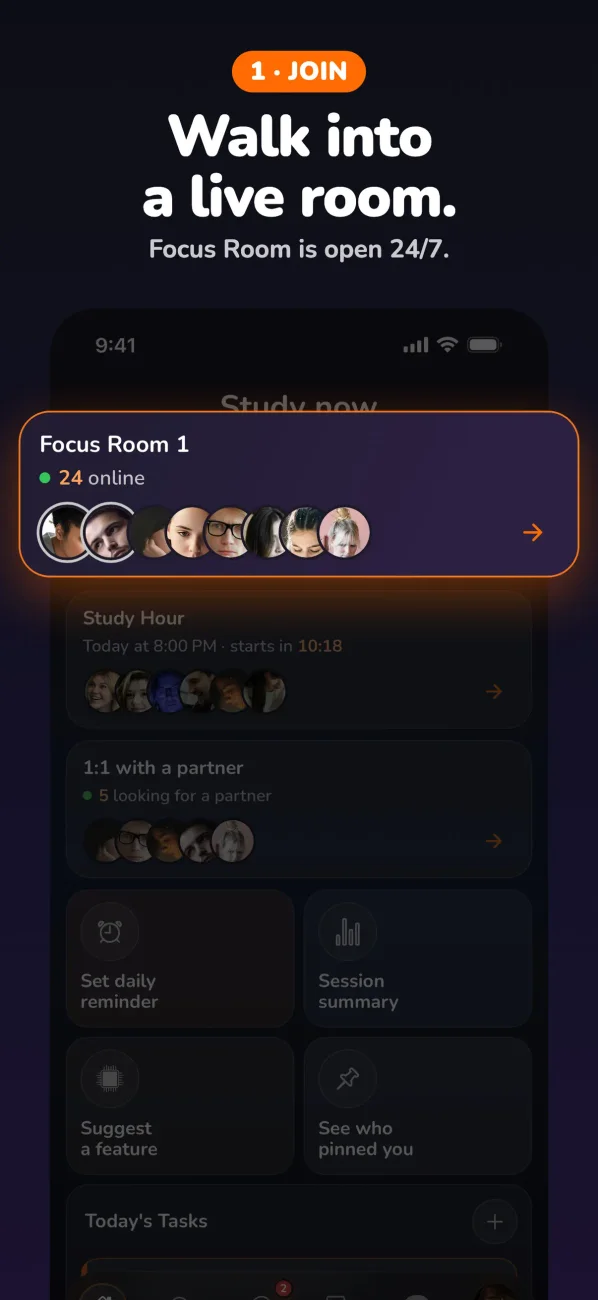
1. Open Focus Room, a silent video room that never closes.
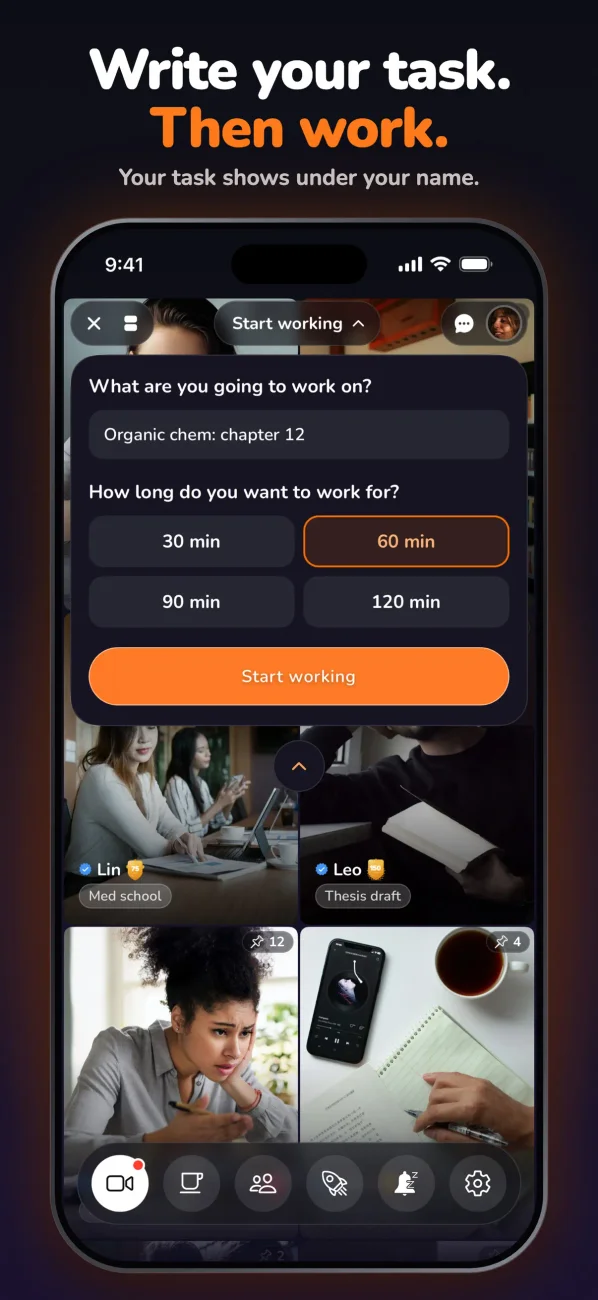
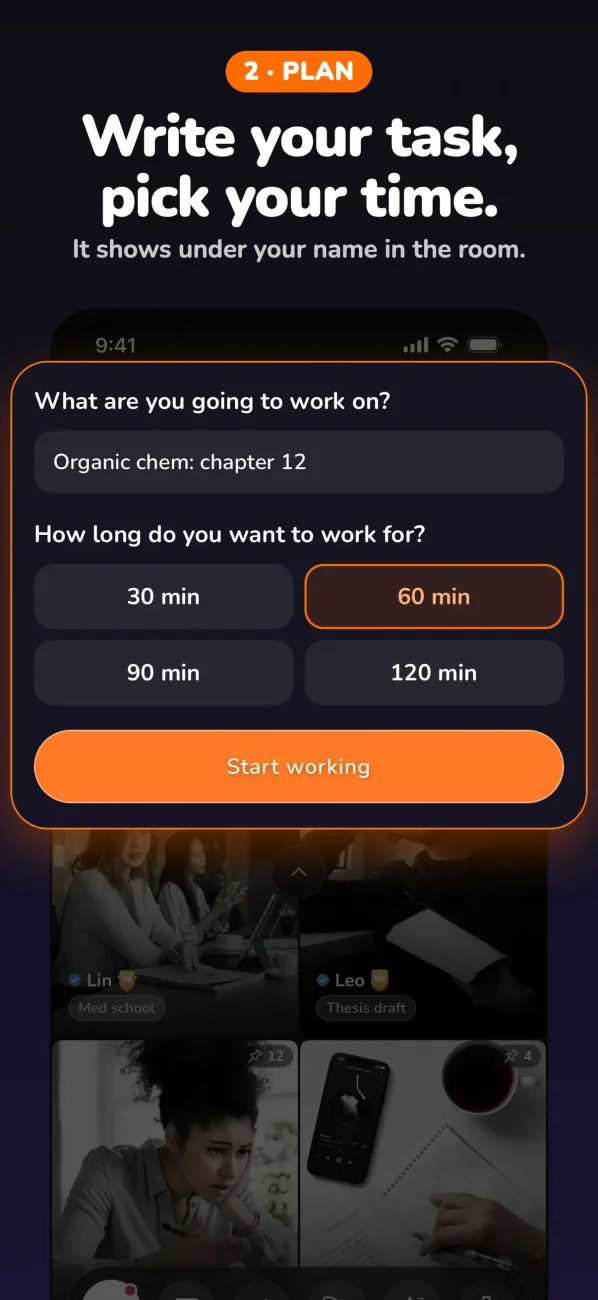
2. Write what you're working on and pick 30, 60, 90 or 120 minutes.
3. Point your camera at your face or your desk, or keep it off.
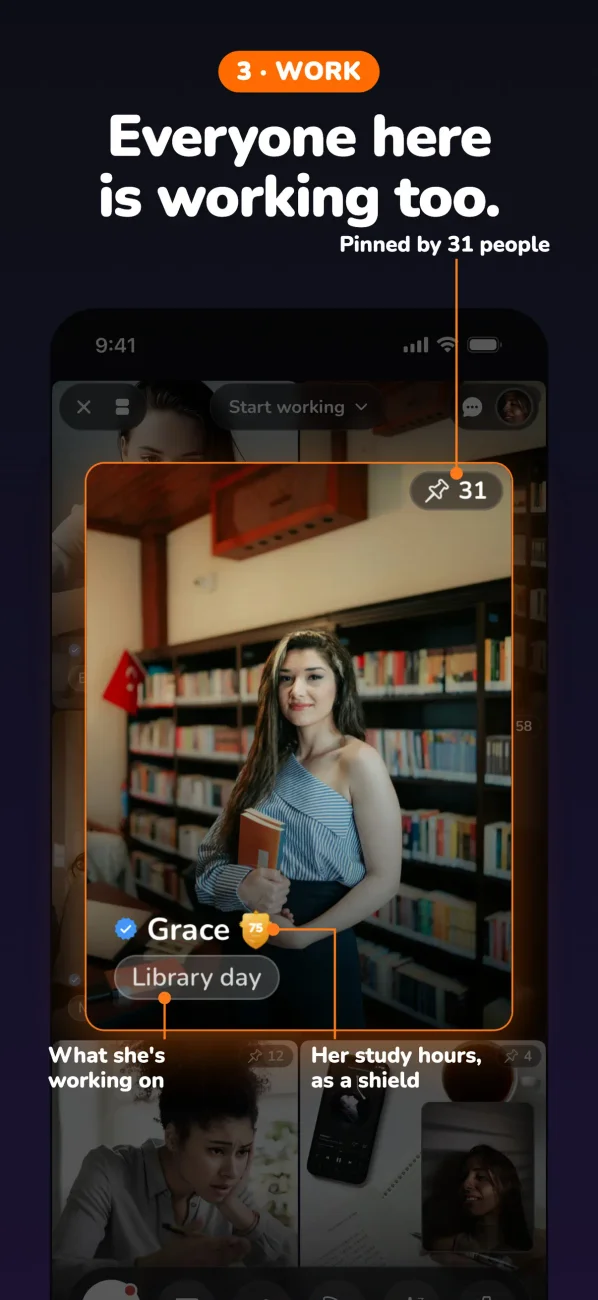
4. Work. Your task shows under your name, and everyone around you is working too.
THREE WAYS TO STUDY
Focus Room: walk in whenever you need to focus. Cameras on, microphones off.
Study Hour: once a day, everyone studies at the same time. Two 25-minute focus blocks with a 5-minute break, then a check-in: did you get it done?
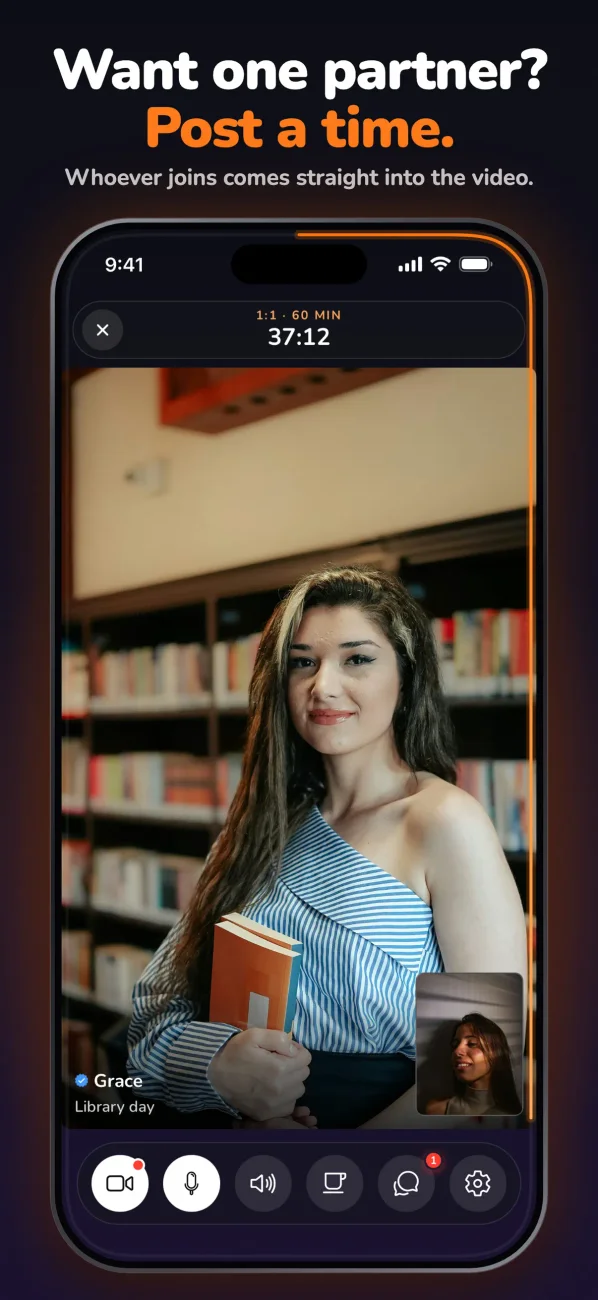
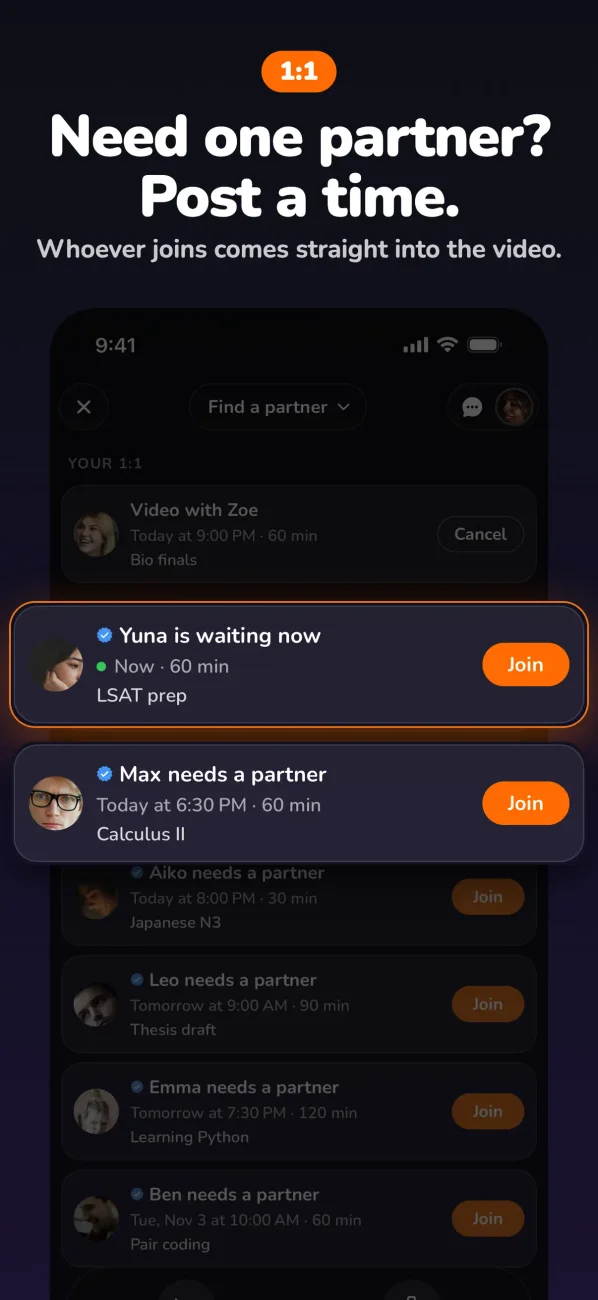
1:1 with a study partner: want one focus partner instead of a whole room? Post a time on the board, now or within a week. Whoever joins comes straight into the video with you. Tap the microphone to talk, or use the chat.
KEEP GOING
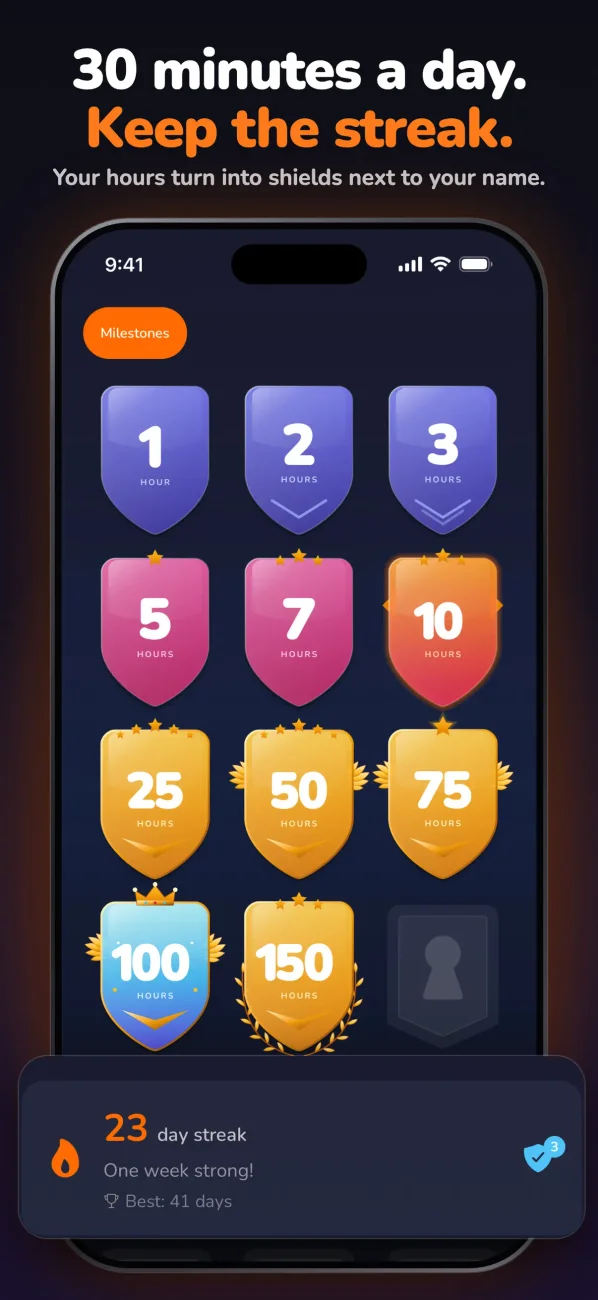
• Streak: 30 minutes a day, in one go or a few, counts the day. Freezes save your streak when you miss one.
• Hours and shields: your study time adds up, and your top shield shows next to your name.
• Tasks: plan your days with reminders. Tap Work on this, and your task shows in the room.
• Daily reminder: pick a time, and we'll nudge you every day.
PEOPLE WHO KEEP YOU GOING
• Double-tap a video to send a like.
• Pin the people who motivate you, and they stay at the top of your grid.
• Follow them, message them, and get a notification when they start studying.
• Post in the feed.
• Show the song you're playing on your tile with Apple Music.
YOUR CAMERA, YOUR RULES
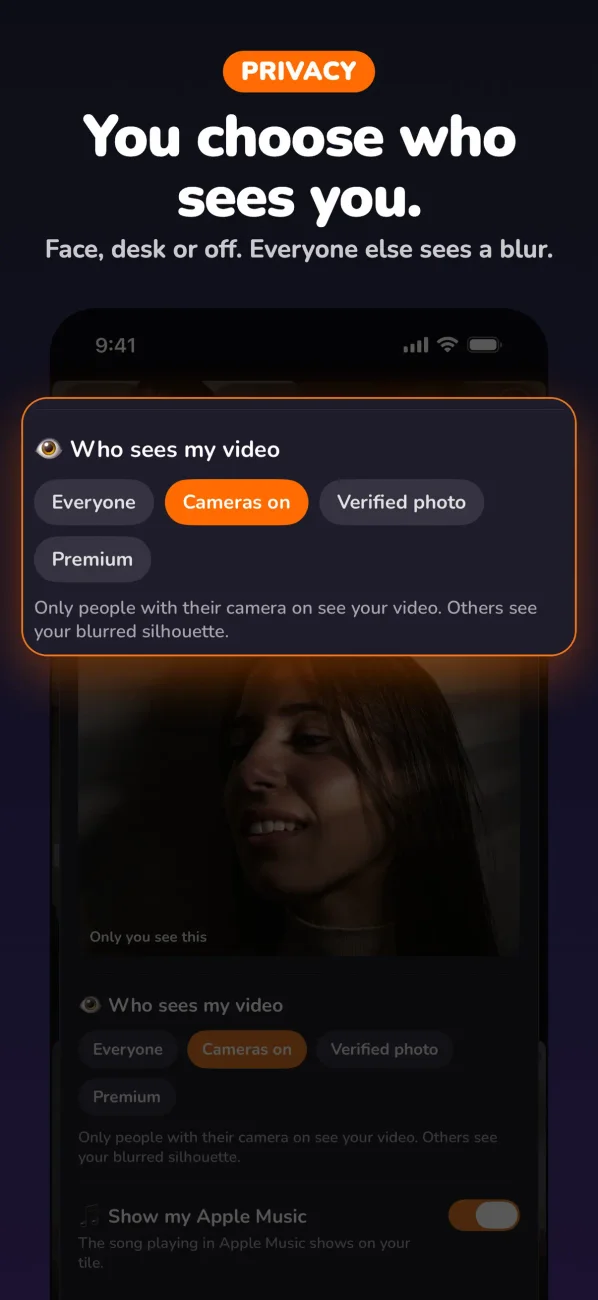
• Your camera starts off. You decide when it goes on.
• Face or desk: show yourself, or only your hands and notes.
• Choose who sees your video: everyone, people with their camera on, people with a verified photo or, with Premium, only Premium members. Others see a blurred silhouette.
• Step away anytime: your camera pauses, and others see you're away.
• A selfie check puts a blue mark next to your name. Only our team sees the selfie, and we delete it right after the check.
• Teens 16–17 have their own rooms, separate from adults. Video rooms aren't available under 16.
• Rooms aren't recorded. You can report or block anyone from their video.
FREE AND PREMIUM
Everyone gets an hour of video rooms a day, plus tasks, streaks, badges, chat and the feed. New accounts get 14 days of Premium for free. When they end, you choose whether to keep it.
Premium adds:
• Video rooms without the daily limit
• HD video
• 2 boosts a day: first on everyone's grid for an hour
• 5 streak freezes a month instead of 2, and one more every 5 days in a row instead of every 7
• Dark theme
• Show your video only to Premium members
Superboost is a one-time purchase, not a subscription: 5 hours first on everyone's screen.
Made for students, exam prep, remote workers, writers, coders and anyone who gets more done next to someone else.
Terms of Use: https://studyduo.app/terms
Privacy Policy: https://studyduo.app/privacy
What’s new
Version 1.1 · Nov 4, 2026
StudyDuo is now live video rooms.
• Focus Room: a silent video room, open 24/7. Cameras on, mics off.
• Study Hour: once a day, everyone studies at the same time.
• 1:1: post a time on the board and study with one partner on video.
• Streaks and shields: 30 minutes a day counts the day, and your hours add up.
• Your camera, your rules: face, desk or off, and you pick who sees your video.
App privacy
What Oleh Shapoval declares on the App Store about how this app handles data.
-
Data used to track you
May be used to track you across apps and websites owned by other companies.
- Purchases
- Location
- Identifiers
- Usage data
-
Data linked to you
May be collected and linked to your identity.
- Purchases
- Location
- Contact info
- User content
- Identifiers
- Usage data
- Other data
-
Data not linked to you
May be collected but is not linked to your identity.
- Diagnostics
Privacy practices may vary, for example with the features you use or your age.
Information
- Seller
- Oleh Shapoval
- Category
- Productivity
- Version
- 1.1
- Updated
- Nov 4, 2026
- Released
- Mar 26, 2026
- Size
- 90.1 MB
- Requires
- iOS 16.4 or later
- Age rating
- 4+
- In-app purchases
- Yes
- Languages
- English, French, German, Japanese, Korean, Portuguese, Spanish
- Copyright
- © 2026 StudyDuo
You might also like
-
 Focus Together: Study TimerCute Avatars, Live Study Buddy
-
 Koza : Find your study buddyConnect w friends matches you
-
 SpringHabtHabit Tracker App
-
 Nooklo — Deep WorkFocus timer that blocks apps
-
 StudyClock: Study Timer AlarmPomodoro Focus & Break Alarms
-
 Outfocus: Time TogetherPomodoro, Cozy Rooms & Rewards
-
 StudyBuddy: Focus & StudyProductivity
-
 Nela: Study Pet Focus TimerPomodoro, Focus & App Blocker
-
 Screaming Coach - Focus TimerThe Angry Accountability Coach
-
 Screentime AI CoachReduce & Limit Screen Time