
NoStim: Screen Time
Apps without the slot machine
Designed for iPhone, iPad
Free · In-app purchases
- Age rating4+
- CategoryProductivity
- DeveloperWilliam Lawrence
- LanguagesEnglish
- Size12.9 MB
Links to the official App Store page
Download.org hosts no file of NoStim: Screen Time. The button opens its official App Store page, published by William Lawrence. Listing last checked on Nov 25, 2026.
Screenshots


About
NoStim blocks the parts of your apps that pull you back, and keeps the parts that are about people.
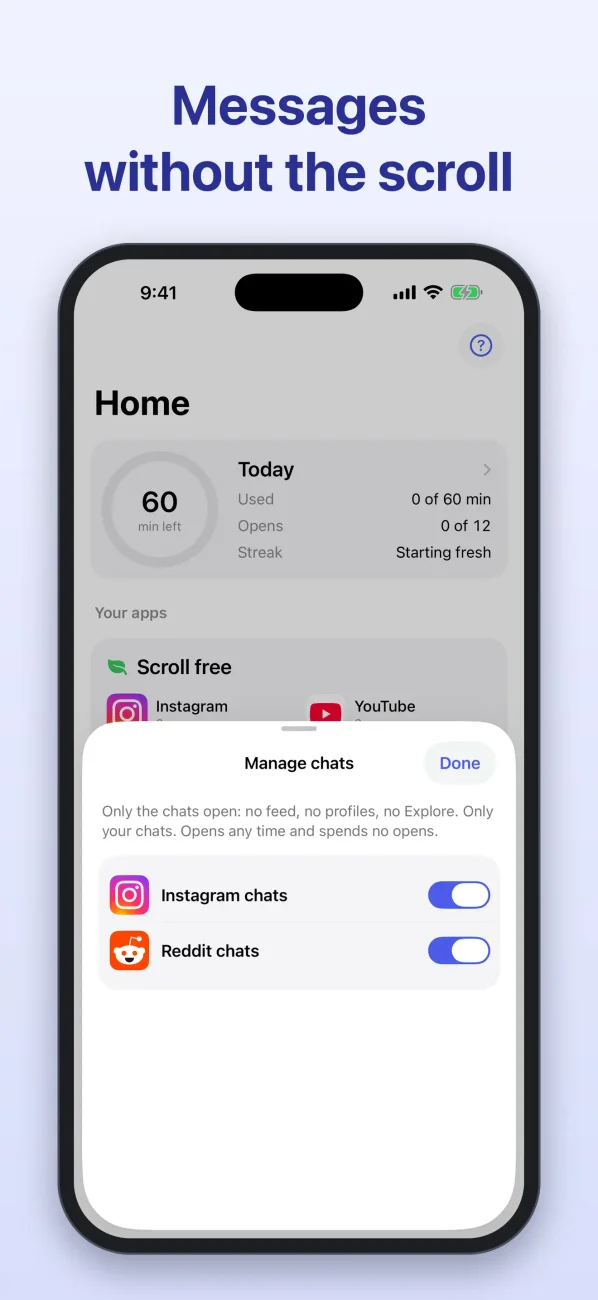
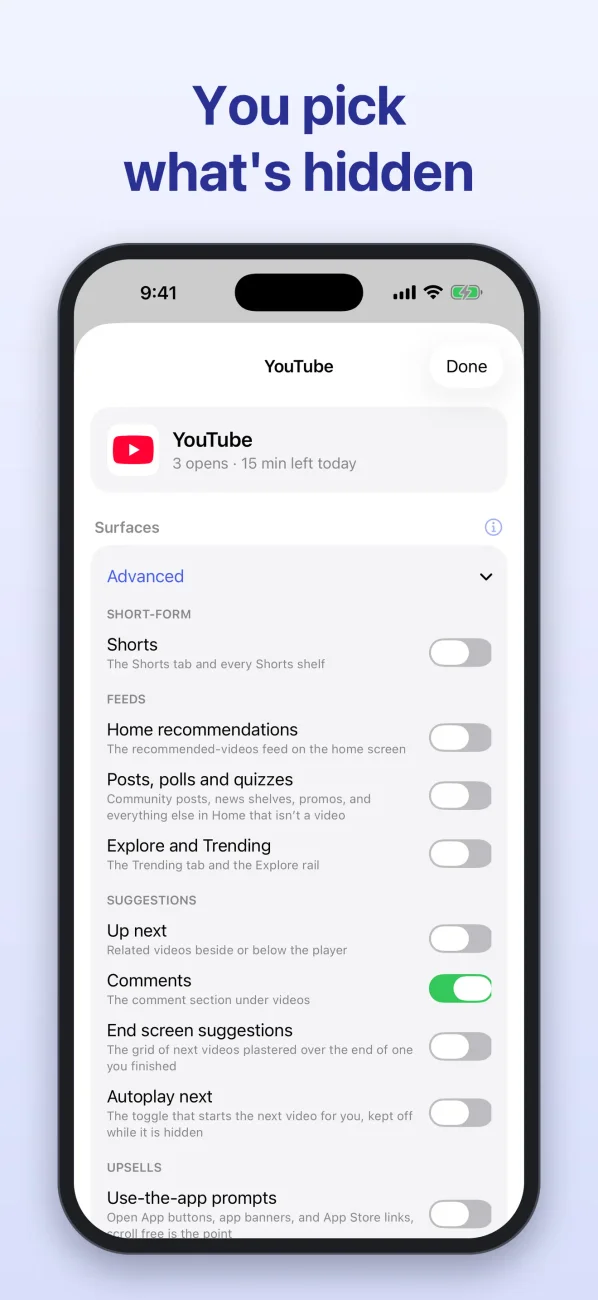
Scroll free. Open Instagram, YouTube, X, Facebook, Reddit, LinkedIn, Pinterest or Twitch inside NoStim with the addictive parts taken out: no Reels, no endless feed, no Shorts. You choose what's hidden on each one. Log in once and stay logged in. Posts your friends send you still open.
Chats. Read and answer your Instagram and Reddit messages without going near the feed.
Post. Go straight to writing a post on X, Reddit or YouTube, with no feed on the way.
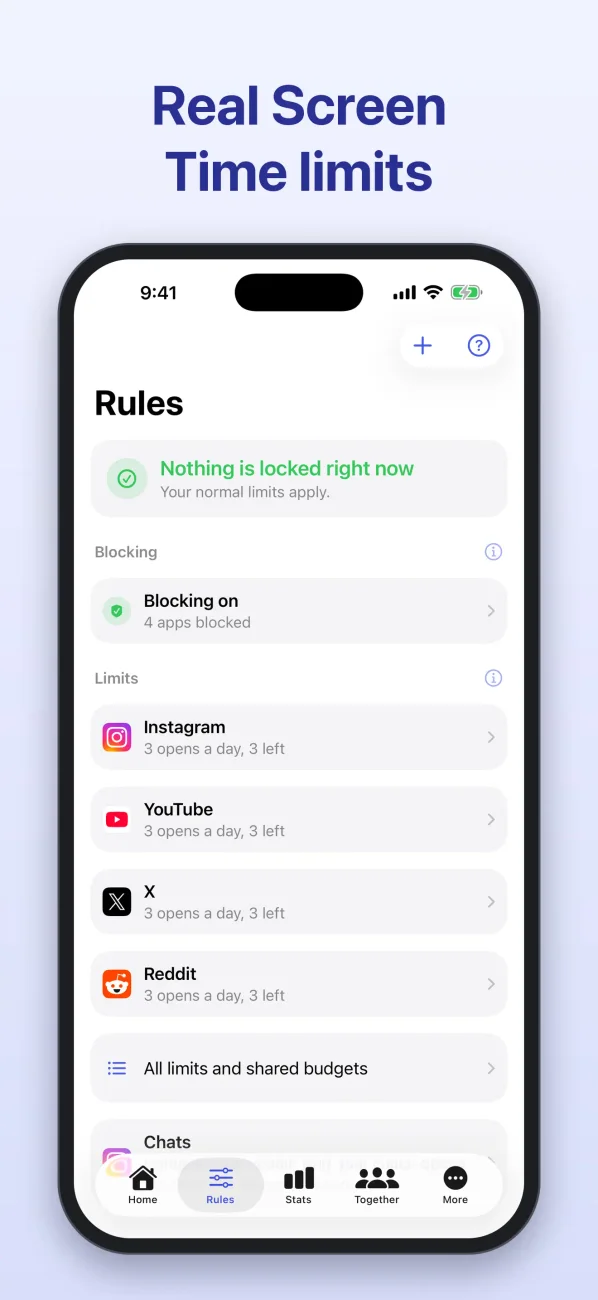
Real blocking. Apple's own Screen Time shields on the apps you pick, with limits that mean something: opens per day, minutes per open, opening odds if you want the dice to decide, locked hours, and a waiting room that offers you something else to do instead of a lecture.
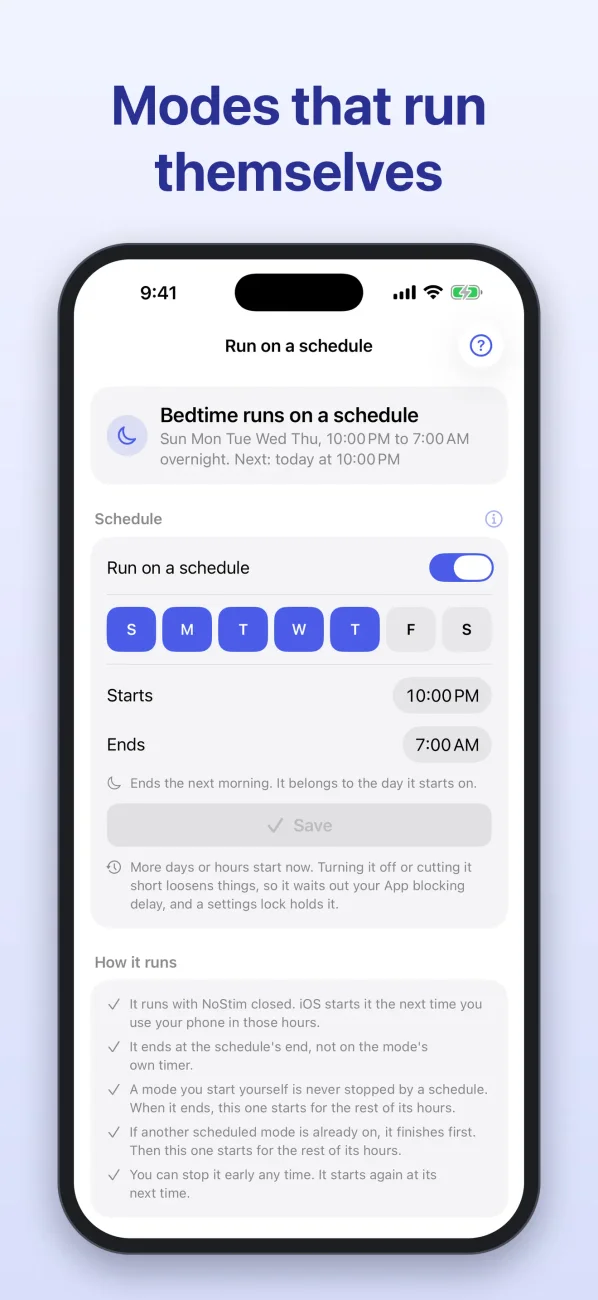
Modes and schedules. Lock things down for studying, the gym or winding down at night, by hand or on a schedule that starts and ends by itself.
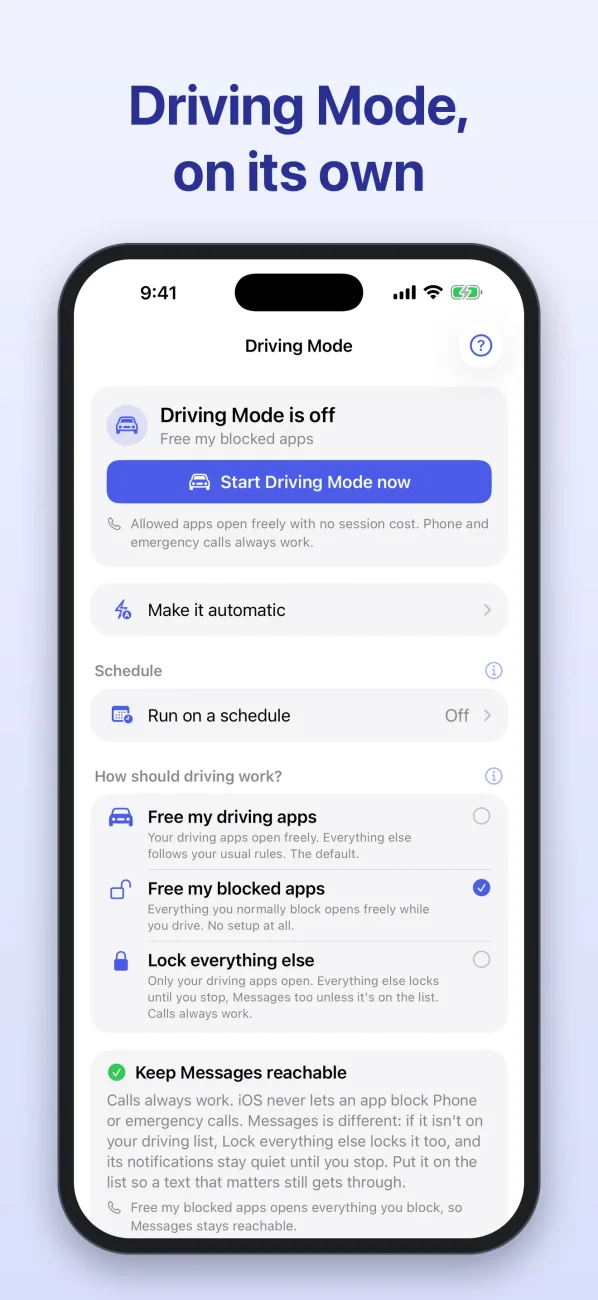
Driving Mode. It starts when your iPhone's Driving Focus turns on and frees the apps you need in the car, like Maps, Messages and music. No lock ever holds it back.
A ratchet, not a cage. Making NoStim stricter is instant. Making it looser waits out a delay you chose ahead of time. Lock your settings for a weekend, a week, or with no end date at all, and if you want out early, the price is one you set when you were thinking clearly.
Kind where it counts. Comfort Mode for chronic illness bad days, with no guilt and no questions. Vacation mode you book a day ahead. Streaks that measure commitment, not abstinence: using your whole budget still counts as a day held.
Together. An optional circle of a few people who care, sharing only your streak and your stumbles, person to person through your own iCloud. A partner lock where someone you trust holds the key.
YouTube inside NoStim keeps playing when you leave the app or lock your phone, and it can play in picture in picture.
The blocker is free, forever. No ads and no account. NoStim Pro adds Circles, partner unlock codes, your full history and extra themes. Nothing that blocks is ever behind the paywall.
Terms of Use (EULA): https://www.apple.com/legal/internet-services/itunes/dev/stdeula/
Privacy Policy: https://sashalawrence13.github.io/NoStim/privacy.html
What’s new
Version 2.1.1 · Nov 23, 2026
Saved videos have their own place. Paste any YouTube link, or add it from the clipboard, and the video sits on Home under Saved videos with its title and picture, up to ten. Tap it and it plays in NoStim's own player, with no feed, no related videos and no search; it opens any time, through any limit, and spends none of your opens. Save video is also in the YouTube bar's menu.
The block screen now gives you two clear choices for apps that have a Scroll free version: open it in NoStim without the feed, or use one of your opens as before. Choosing Scroll free sends a notification right away, and the screen tells you to tap it. If NoStim's notifications are off, the screen says to turn them on.
Places. Pick a place, like the gym or the library, and a mode starts when you arrive and ends when you leave. Find it by searching Apple Maps for a name or an address, or use where you are right now. Driving always wins.
Trade time shows every limited app, and says why one can't give right now: always blocked, no time left today, or held by a schedule. Apps on a time budget can give any of their unused minutes. You also choose the shape of what you get: the same minutes as more short opens or fewer long ones, never more than you gave, and each open you receive runs for exactly the length you picked.
Change how an app's time is split, like three 1-minute opens into one 3-minute open, any time, as long as the total stays the same. Your circle sees the change.
When a trade or a change names an app that has no nickname, NoStim asks you for one so your circle sees a name instead of "an app".
Setting a limit like one open of three minutes now saves exactly as you set it.
Scroll free widgets in more sizes: small and medium on the Home Screen, round and wide on the Lock Screen. Set one to a platform and it shows that platform's logo. One tap opens its Scroll free page, through your limits.
A Scroll free control for Control Center, the Lock Screen or the Action button opens one platform's Scroll free page with one press, through your limits.
Open a link works for any platform NoStim serves, even one you haven't added: a post or video opens as one page, without the feed.
Double-tap to skip in Scroll free YouTube: two taps on the right of the video skip ahead 10 seconds, two on the left go back 10, and more taps add up.
On a YouTube live stream you've rewound, hold to play at 2x.
Swipe up on a YouTube video to go full screen now works on iPad too.
The Driving Mode setup no longer sends you to a Focus Filters section your Driving Focus may not have. If it has none, the Start button, Siri, the control and Places start Driving Mode instead.
Driving Mode no longer opens your Scroll free apps without using an open. Saved videos wait until you stop driving, and NoStim says so right where you tap.
App privacy
What William Lawrence declares on the App Store about how this app handles data.
-
Data not collected
The developer does not collect any data from this app.
Privacy practices may vary, for example with the features you use or your age.
Information
- Seller
- William Lawrence
- Category
- Productivity
- Version
- 2.1.1
- Updated
- Nov 23, 2026
- Released
- Aug 20, 2026
- Size
- 12.9 MB
- Requires
- iOS 17.0 or later
- Age rating
- 4+
- Price
- Free
- In-app purchases
- Yes
- Languages
- English
- Copyright
- © 2026 Sasha Lawrence
You might also like
-
 Arc Lock – App BlockerOpen source, no account needed
-
 Unspiral - Stop scrollingBlock Reels, Shorts and more
-
 Unscroll - No Reels & ShortsProductivity
-
 Unscroll: Escape the FeedSame apps, less distraction
-
 BrowseKind: Stop ScrollingBlock Reels, Shorts & Feeds
-
 ZoneBlock - Focus & BlockerLocation-Based App & Web Block
-
 Unscroll: Block Reels & ShortsRemove reels from your apps
-
 Intent: Block Reels & ShortsFocus without endless feeds
-
 FocusGuard: App Lock & BlockerDumb Phone Mode & Screen Time
-
 Yava: Block Reels & ShortsStop Doomscrolling & Focus