FocusGuard: App Lock & Blocker
Dumb Phone Mode & Screen Time
Designed for iPhone, iPad
In-app purchases
- Age rating4+
- CategoryProductivity
- Developererdem caygor
- LanguagesFrench+ 10 more
- Size18.7 MB
Links to the official App Store page
Download.org hosts no file of FocusGuard: App Lock & Blocker. The button opens its official App Store page, published by erdem caygor. Listing last checked on Nov 22, 2026.
Screenshots
About
Take back your time. FocusGuard blocks the apps that pull you in, and makes sure the block holds when your willpower doesn't.
THE PROBLEM
Most of us unlock our phones dozens of times a day, usually without deciding to. The apps are built to keep you scrolling, and a simple time limit is one tap away from "Ignore". Blocking only works if it's hard to undo.
THE SOLUTION
FocusGuard is built on Apple's Screen Time, so blocks are enforced by iOS itself. You choose how strict to be, from a gentle pause to a session that can't be cancelled.
HOW IT WORKS
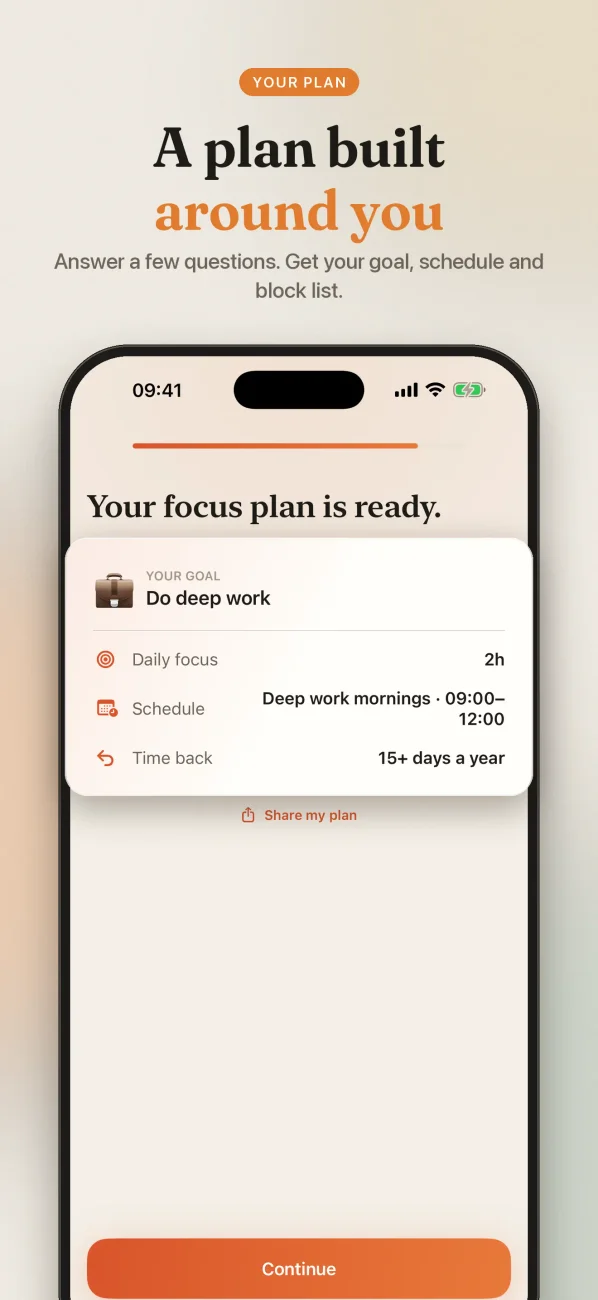
1. Tell us your goal. A short setup builds your plan: a daily focus goal, a starter schedule and the apps that distract you most.
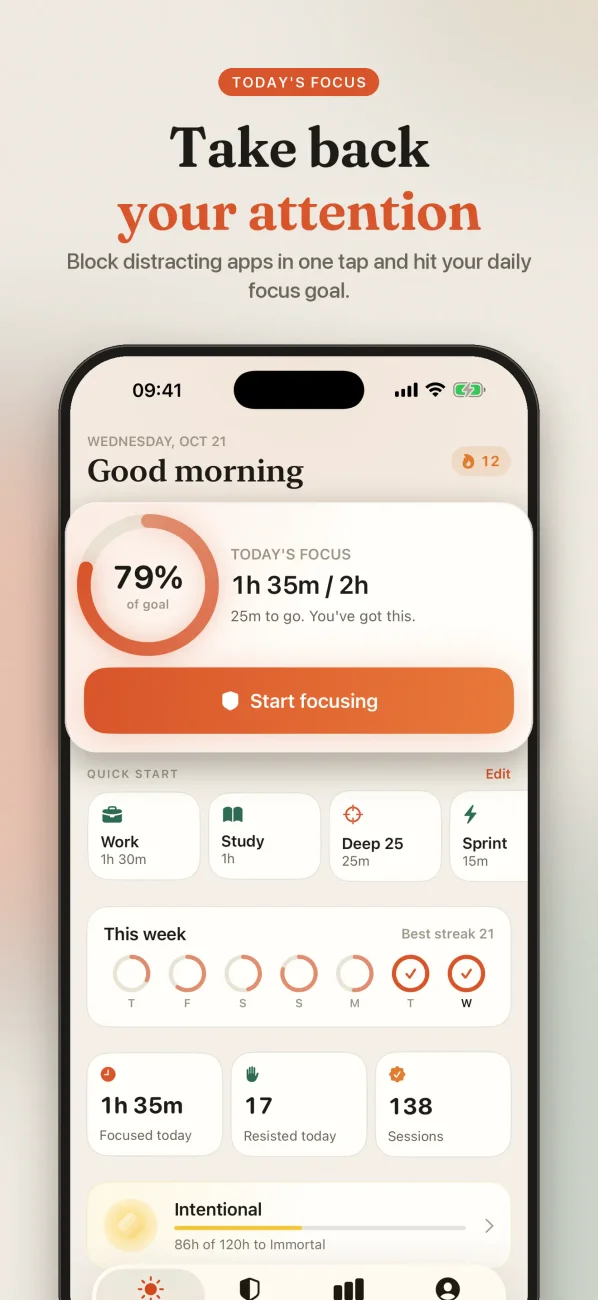
2. Block in one tap. Start a focus session from a quick preset or with Siri.
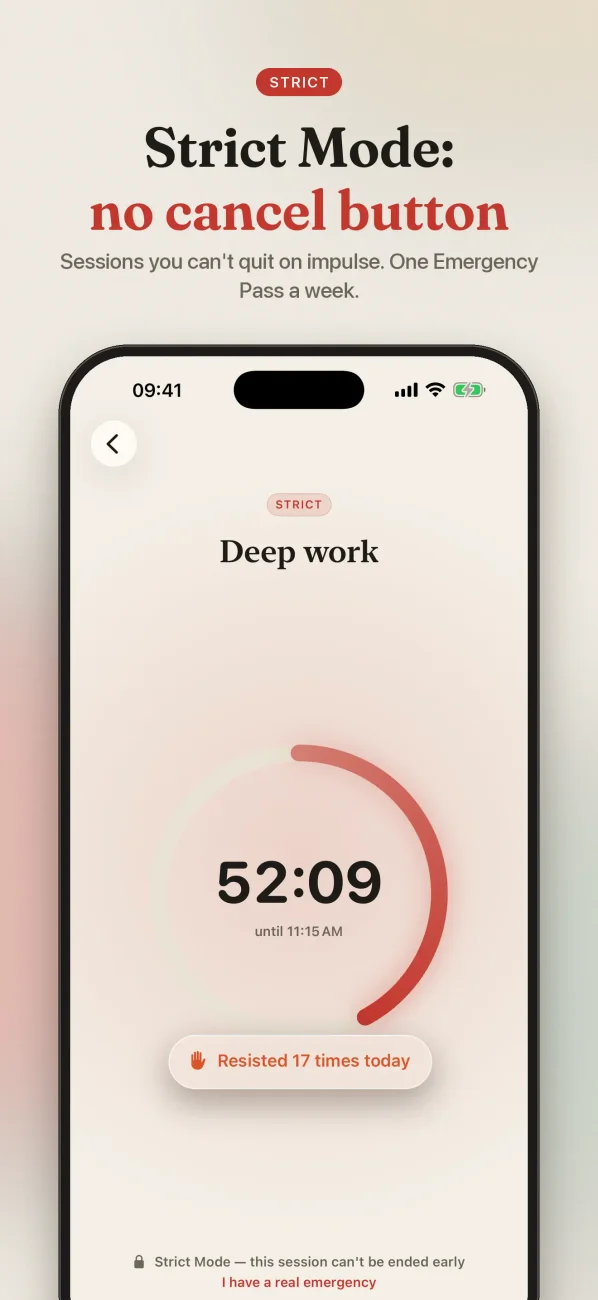
3. Pick your strictness. Flexible allows a mindful pause, Focus asks for a 30-second challenge to quit, Strict can't be ended early.
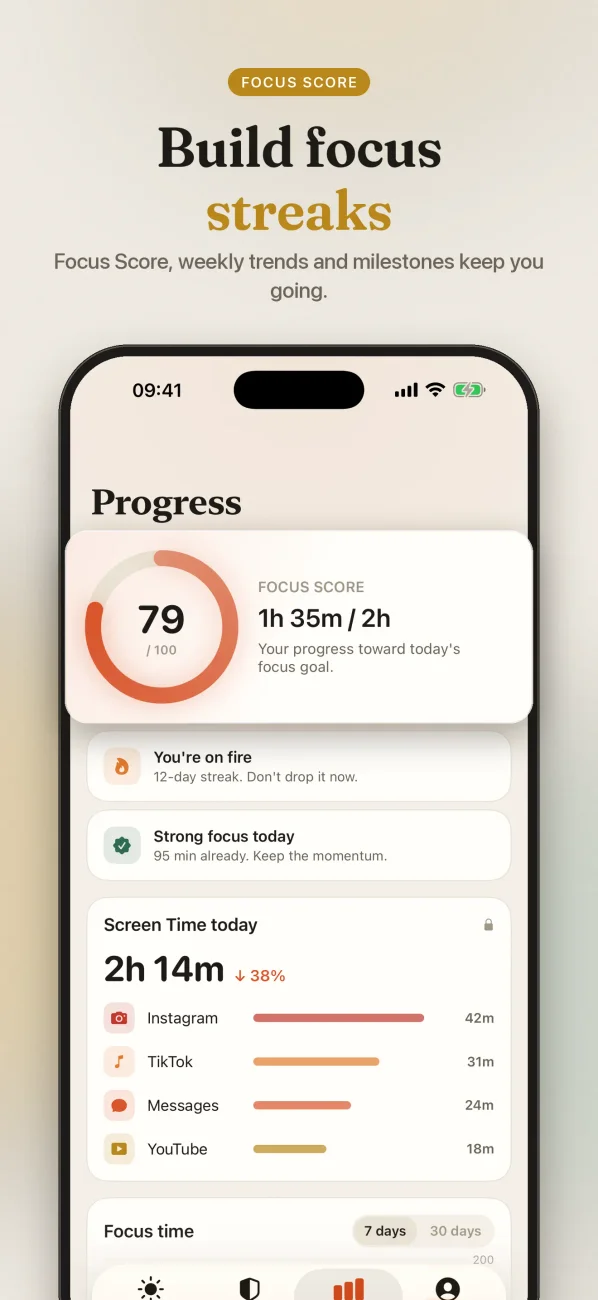
4. Watch your streak grow. Every focused day counts toward your streak, gems and milestones.
WAYS TO BLOCK
• Focus Sessions: block the apps and sites you choose for a set time
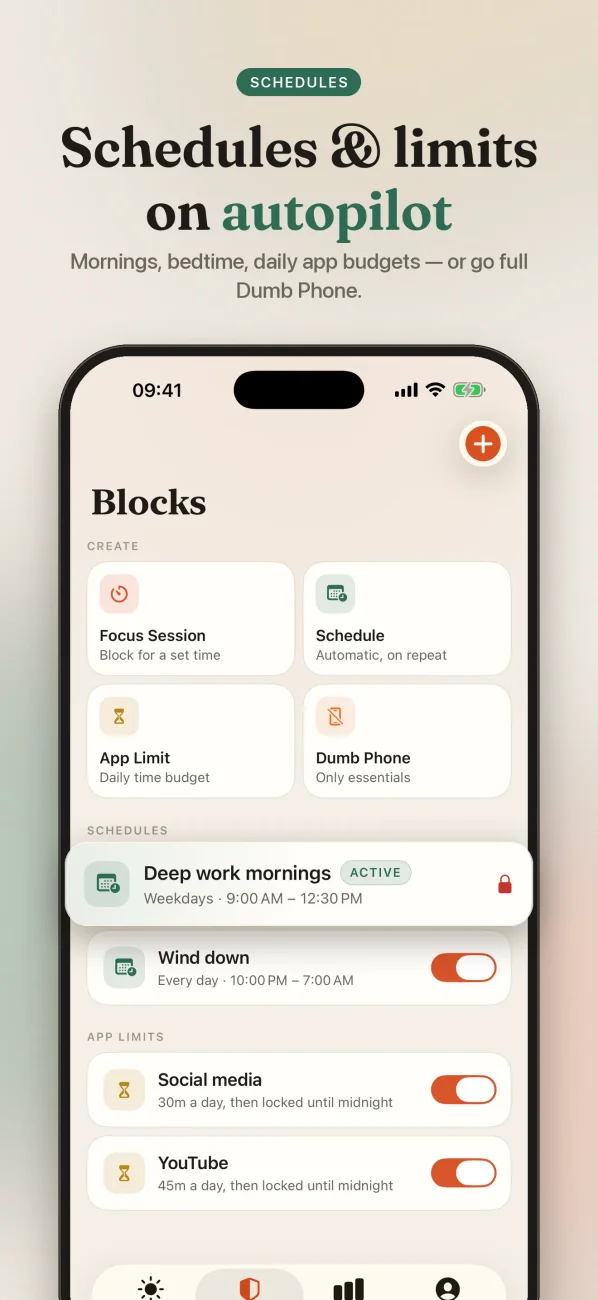
• Schedules: block automatically on the days and hours you pick, including overnight
• Daily App Limits: give social apps a daily budget. When it's spent, they lock until midnight
• Always On: keep apps blocked until you turn it off
• Dumb Phone Mode: allow only the few apps you truly need. Everything else locks
• Sleep Mode: distractions lock automatically at bedtime
HARD TO BACK OUT OF
• Strict Mode: no cancel button. One Emergency Pass per week for real emergencies
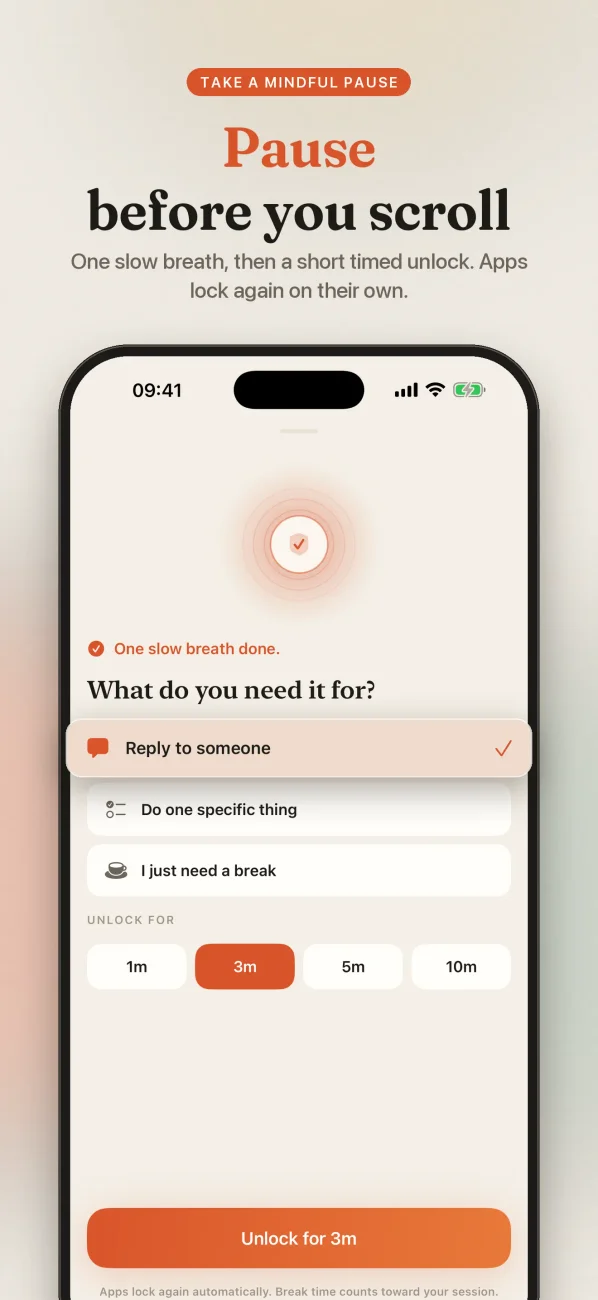
• Mindful Pause: one slow breath and a reason before a short, timed unlock. Apps lock again on their own
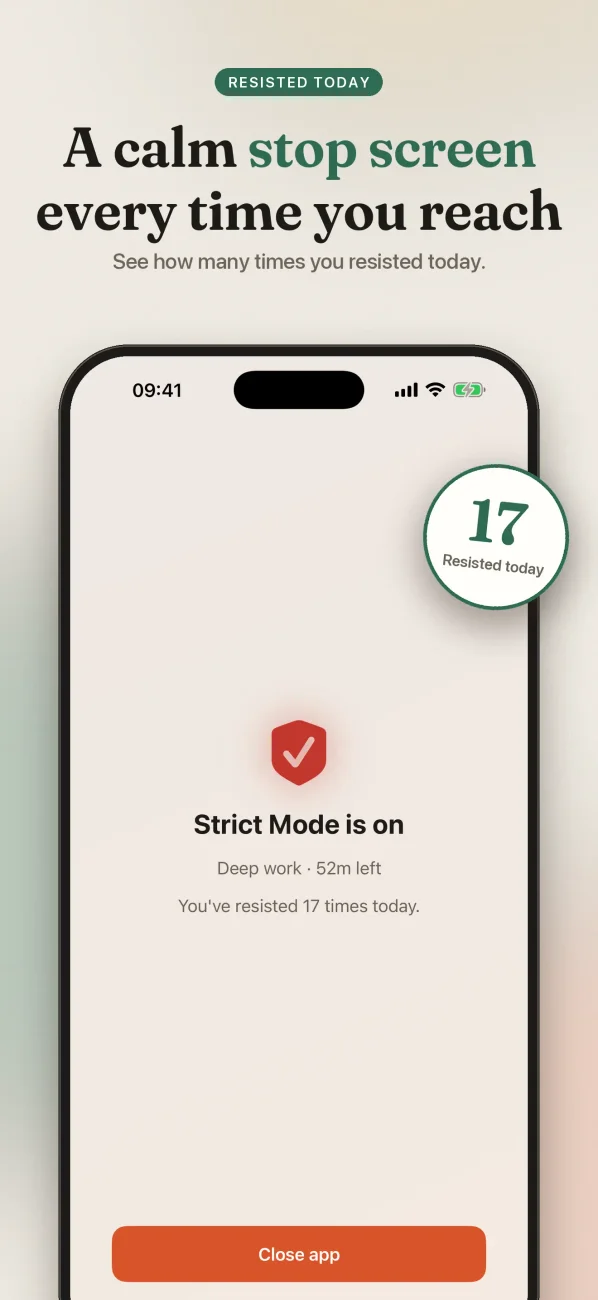
• See how many times you resisted today, right on the block screen
• PIN and uninstall protection against impulse decisions
STAY MOTIVATED
• Focus Score: your progress toward today's focus goal
• Weekly focus charts, streaks, evolving gems and milestones
• Home Screen and Lock Screen widgets, plus a Live Activity while you focus
• Siri and Shortcuts: start focusing or lock apps hands-free
• Focus sounds: white, pink and brown noise
WHY FOCUSGUARD IS DIFFERENT
• Blocks are enforced by iOS Screen Time, not a reminder you can swipe away
• No VPN profile, no account, no ads
• FocusGuard never sees which apps you use. Apple keeps that private, and your data stays on your iPhone
FREE
• Unlimited Flexible focus sessions with Mindful Pause
• 1 schedule plus Sleep Mode, and 1 daily app limit
• Streaks, Focus Score, widgets and 7-day stats
FOCUSGUARD PRO
• Focus and Strict difficulty
• Dumb Phone Mode
• Unlimited schedules and app limits
• PIN and uninstall protection
• 30-day history and focus heatmap
Pro is available as a weekly, monthly or yearly auto-renewable subscription. Payment is charged to your Apple ID at confirmation of purchase. The subscription renews automatically unless cancelled at least 24 hours before the end of the current period. Manage or cancel anytime in Settings → your name → Subscriptions.
Terms of Use: https://www.apple.com/legal/internet-services/itunes/dev/stdeula/
What’s new
Version 1.5.1 · Nov 5, 2026
Fixes and polish from a full review of the app:
• Forgot your PIN? You can now reset it after a 24-hour wait
• Strict sessions: the Emergency Pass is always within reach, even with Always On, and it's only used once the session really ends
• App limits now unlock reliably at midnight
• Tapping Sleep Mode now opens its own settings
• A small celebration when your Gem reaches a new tier, plus new subtle animations
• Better support for larger text sizes and Reduce Motion
• Clearer wording and improved translations
• Pro is now more affordable
App privacy
What erdem caygor declares on the App Store about how this app handles data.
-
Data not linked to you
May be collected but is not linked to your identity.
- Identifiers
- Usage data
Privacy practices may vary, for example with the features you use or your age.
Information
- Seller
- erdem caygor
- Category
- Productivity
- Version
- 1.5.1
- Updated
- Nov 5, 2026
- Released
- May 6, 2026
- Size
- 18.7 MB
- Requires
- iOS 17.6 or later
- Age rating
- 4+
- In-app purchases
- Yes
- Languages
- French, German, English, Simplified Chinese, Korean, Spanish, Italian, Japanese, Dutch, Portuguese, Turkish
- Copyright
- © 2026 Erdem Çaygör
You might also like
-
 Focus Guard: App BlockerScreen time, focus, kid mode
-
 Doomblock – Strict App BlockerFocus without the loopholes.
-
 PawLock: Screen Time BlockerApp Lock, Focus & Pomodoro
-
 Pausely: Screen Time ControlPet, Dopamine Detox & Downtime
-
 ProveIt: Screen Time BlockerStop Doom Scrolling, Do Tasks
-
 Minua: Earn Screen TimeParental Control & App Blocker
-
 Nomato: Screen Time BlockerApp blocker & focus timer
-
 Focus Lock: Limit Screen TimeMy App Time - Dopamine Detox
-
 AntiDoom: Screen Time ControlApp Blocker for Doomscrolling
-
 Nightlock: Bedtime App BlockerScreen Time Limit & Sleep Lock