
Note Together
Plan, Share & Split Expenses
Designed for iPhone
Free · In-app purchases
- Age rating4+
- CategoryProductivity
- DeveloperEkin DEVECILER
- LanguagesEnglish
- Size118.3 MB
Links to the official App Store page
Download.org hosts no file of Note Together. The button opens its official App Store page, published by Ekin DEVECILER. Listing last checked on Nov 17, 2026.
Screenshots




About
Plan everyday life with the people who matter. Note Together brings shared lists, tasks, expenses, groups, calendars, and reminders into one
clear workspace.
PLAN TOGETHER IN REAL TIME
• Create shopping, to-do, event, note, and workout lists
• Share lists with friends, family, roommates, or teammates
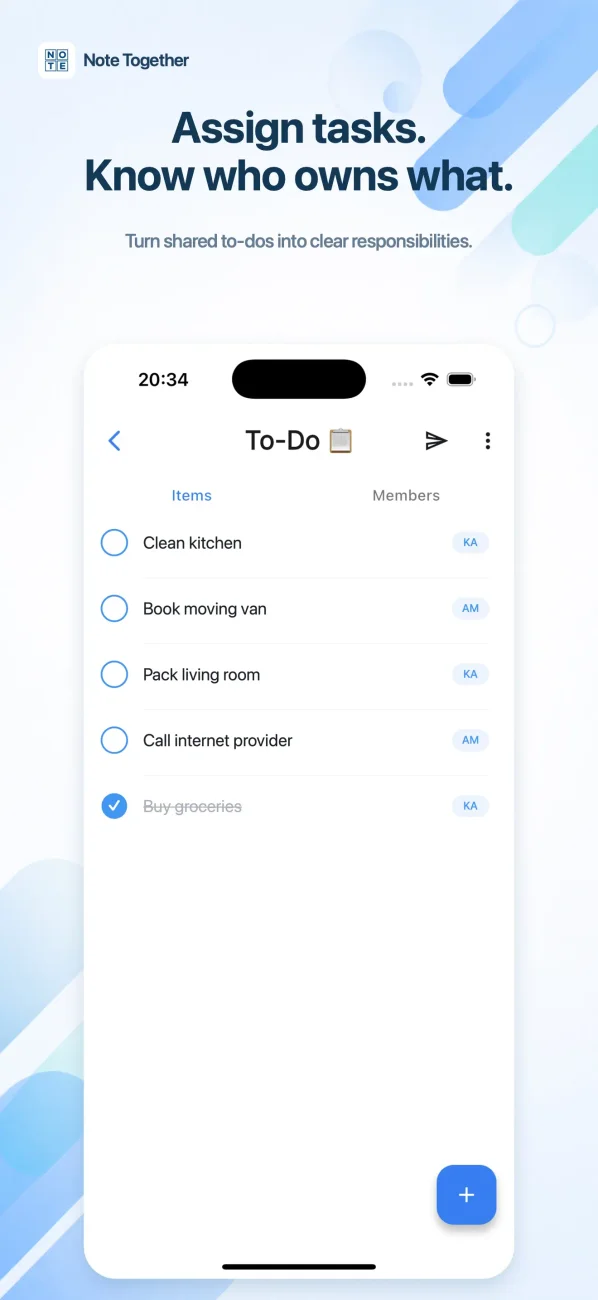
• Assign items, add due dates, and see what is complete
• Send reminders and custom notifications to list members
KEEP GROUPS ORGANIZED
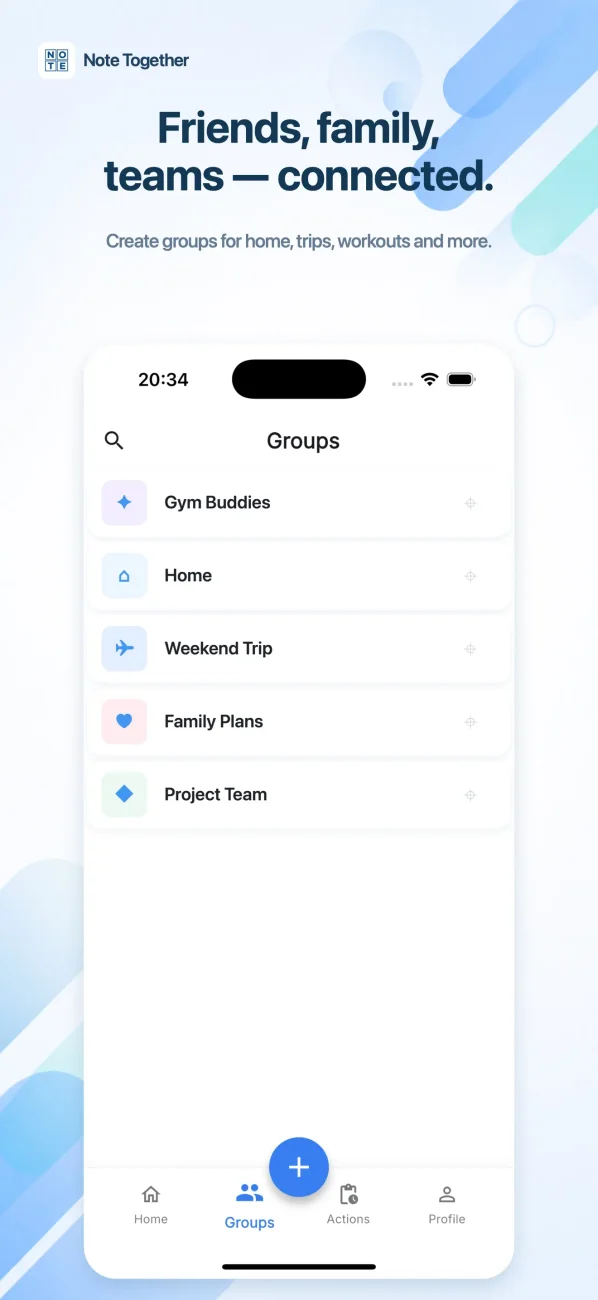
• Create a group for home, trips, projects, or workouts
• Manage members, shared lists, notes, and a group calendar
• Keep important plans visible from one group dashboard
SPLIT EXPENSES WITHOUT CONFUSION
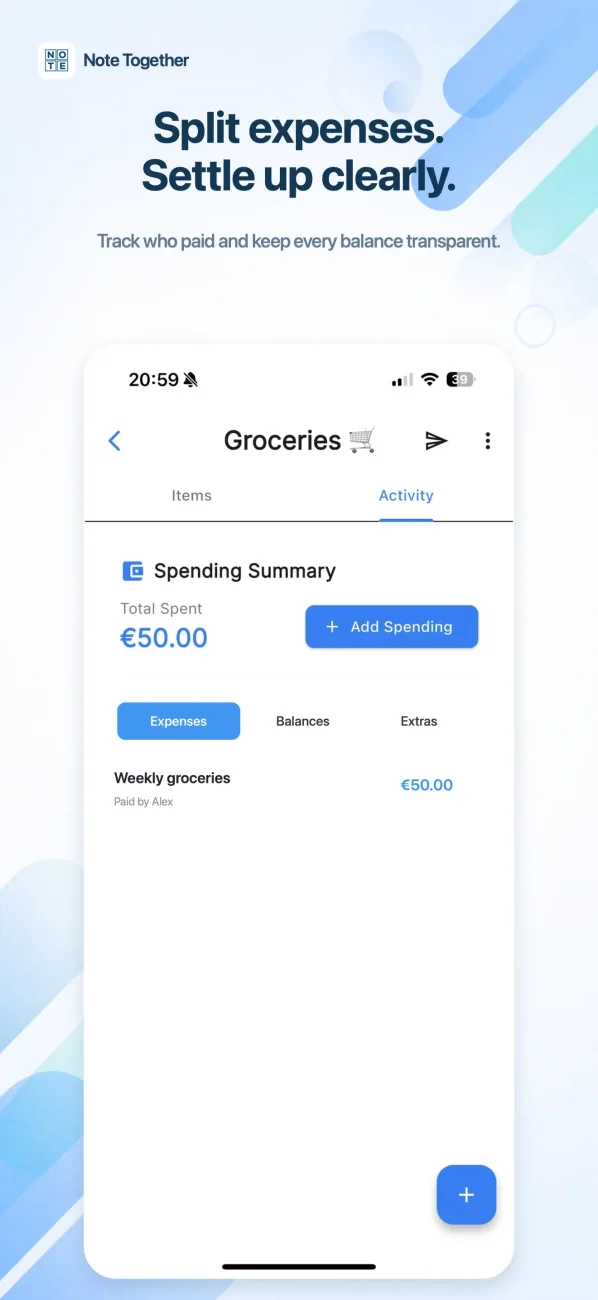
• Add expenses to shared shopping lists
• Record who paid and who participated
• Review balances and settle up clearly
• Include guests without giving them account access
MAKE IT YOURS
• See today’s priorities in Daily Overview
• Keep plans visible with Home Screen widgets
• Use Note Together in English, Turkish, German, Spanish, Italian, or French
• Unlock more customization and an ad-free experience with optional Premium
Your shared plans stay synchronized so everyone sees the same up-to-date information.
Some features require an internet connection and an account. Free users may see ads. Optional monthly and yearly Premium subscriptions, as
well as a one-time Lifetime purchase, are available in the app.
Apple Standard Terms of Use (EULA): https://www.apple.com/legal/internet-services/itunes/dev/stdeula/
Privacy Policy: https://notetogether.laplaceapps.com/privacy
What’s new
Version 1.2.15 · Oct 26, 2026
New
• Made for iPhone Duo: unfold to see your lists and the open list side by side; fold and carry on from the outer screen, with the tabs and + beside the clock.
• New here? Right after you sign up, a short setup builds your first list with you.
• Add a whole list by voice, typing or a photo: tap the AI button on any to-do or shopping list. Three tries are free.
• Scan a receipt when you add a spending, then split it as usual.
• Calendar tab: your dated to-dos, event lists and private plans in one place.
• Type a to-do with a day, a time or an @name and the details fill in. Reminders and priority sit under Add details.
• Wallpapers with a matching accent theme in Settings → Background. Some wallpapers are part of Premium.
• 18 more languages, including Japanese, Chinese, Korean, Portuguese, Polish and Ukrainian.
Improved
• Your notifications are behind the bell on the Lists screen.
• Delete and Leave now live in List Settings.
• Fewer pop-ups: what's new is a card on the Lists screen instead of a pop-up at launch.
• Every sheet closes by swiping down or tapping outside.
App privacy
What Ekin DEVECILER declares on the App Store about how this app handles data.
-
Data used to track you
May be used to track you across apps and websites owned by other companies.
- Identifiers
-
Data linked to you
May be collected and linked to your identity.
- Health and fitness
- Purchases
- Financial info
- Location
- Contact info
- User content
- Identifiers
- Usage data
- Diagnostics
Privacy practices may vary, for example with the features you use or your age.
Information
- Seller
- Ekin DEVECILER
- Category
- Productivity
- Version
- 1.2.15
- Updated
- Oct 26, 2026
- Released
- Apr 22, 2026
- Size
- 118.3 MB
- Requires
- iOS 16.0 or later
- Age rating
- 4+
- Price
- Free
- In-app purchases
- Yes
- Languages
- English
- Copyright
- © Laplace Apps
You might also like
-
 Cepbul: Gallery Photo FinderFind any photo or document
-
 VergiGPTProductivity
-
 WisppadQuick notes that fade away
-
 Ike OrganizerEisenhower Matrix Manager
-
 PDF Cepte: Dönüştür ve TaraProductivity
-
 CatchytCapture, retain, move on
-
 Flock - Application TrackerJob Search & AI Resume Builder
-
 DonewardVoice Memos Into Tasks
-
 Snagbox: Bookmark & Link SaverRead Later, Private Organizer
-
 Warmthly: Keep in TouchCall Mom & friends on time