Note2Data: Handwriting to Text
Private OCR scanner, offline
Designed for iPhone, iPad, iPod touch
In-app purchases
- Age rating4+
- CategoryProductivity
- DeveloperJoseph Griffin
- LanguagesEnglish
- Size44.4 MB
Links to the official App Store page
Download.org hosts no file of Note2Data: Handwriting to Text. The button opens its official App Store page, published by Joseph Griffin. Listing last checked on Nov 12, 2026.
Screenshots
About
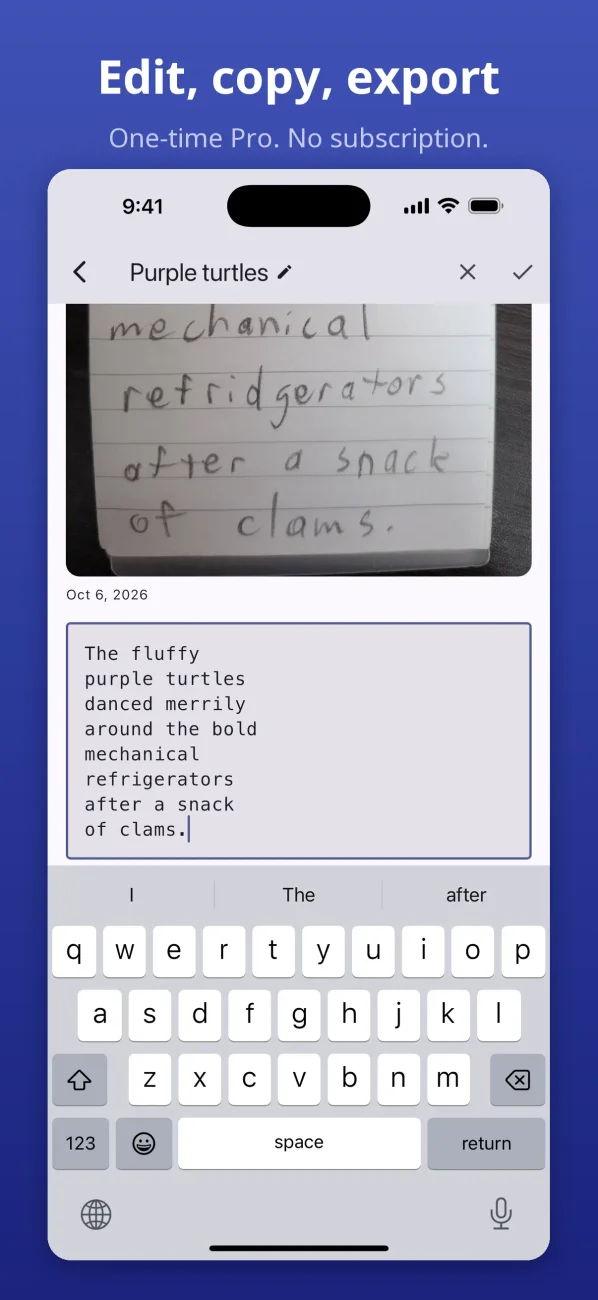
Note2Data turns a photo of text into clean, editable text, right on your phone. Snap a handwritten note, a page from a book, a label, a sign, or a receipt, and get back text you can copy, edit, hear read aloud, organize, and export. Everything runs on-device, with no account, no cloud, and no subscription.
HOW IT WORKS
• Capture anything with text, using the camera or a photo from your gallery.
• Crop and rotate to frame the words.
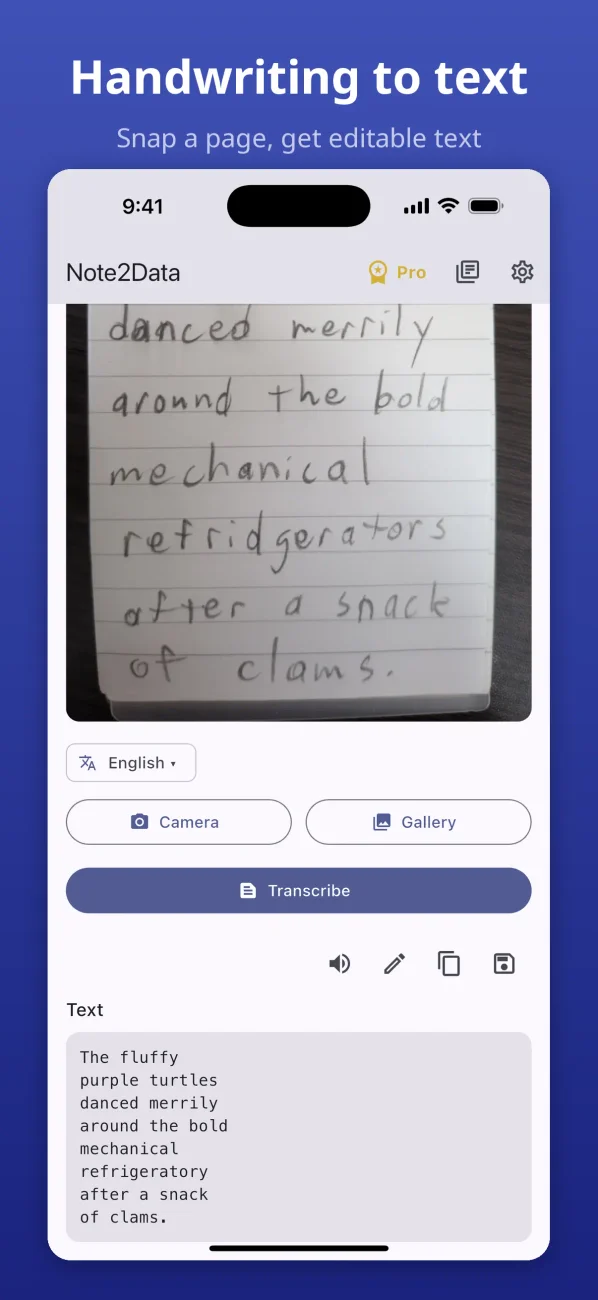
• Tap Transcribe. On-device AI reads the text, handwritten or printed, and returns it as formatted text.
• Edit it in place, save it to your library, group related notes, and export.
READS HANDWRITING AND PRINT
Most scanners only manage neat printed pages. Note2Data also reads handwriting, like notes, journals, and letters, alongside printed text from books, labels, signs, and receipts.
PRIVATE BY DESIGN
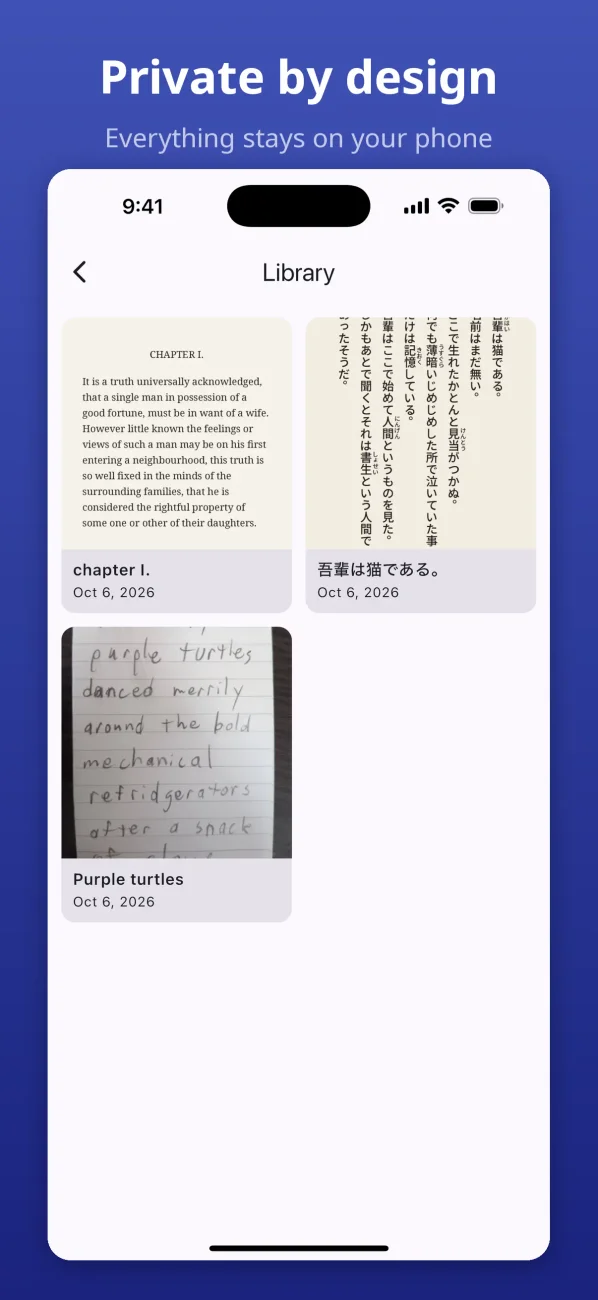
What you capture is personal, so Note2Data keeps it on your device. Recognition runs locally. Your images and text are never uploaded, there is no account, and nothing is shared or sold. Optional, anonymous crash reports help us fix bugs, and they never include your images or text.
ONE-TIME SETUP
Each language downloads once on first run (around 750 MB for English, Wi-Fi recommended; around 21 MB for Japanese). After that, transcription works fully offline, with no connection needed.
FEATURES
• Reads handwriting and print: photograph a page, get editable text.
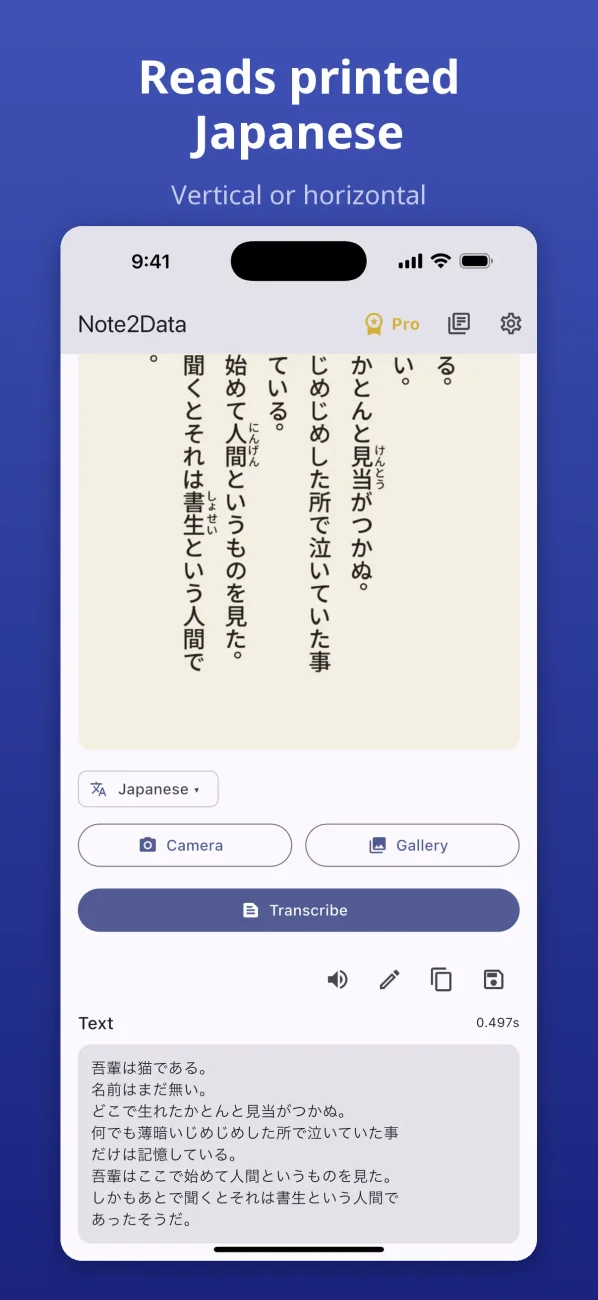
• Japanese support: printed Japanese pages, vertical or horizontal, as a small add-on download - handy for book pages and language study.
• Read aloud: have any transcription spoken back to you.
• Library: save notes, drag to group them, rename, and edit in place.
• Export: share your text or save it as a PDF.
• Crop and rotate before transcribing for the cleanest read.
FREE AND PRO
• Free forever: transcribe pages and listen to them read aloud, with a few free imports to try copy and edit.
• Pro: a single one-time purchase (no subscription) unlocks unlimited copy and edit, saving to your library, grouping, and export.
WHAT IT HANDLES
Note2Data reads English text, handwritten or printed, and printed Japanese (vertical or horizontal; furigana is skipped, and handwritten Japanese and decorative lettering are not supported). It is tuned for running prose, such as notes, journals, letters, and book pages, rather than complex layouts, so it does not yet handle math, tables, multi-column pages, or comic and manga panels with sound effects. Clear, well-lit pages read best. English takes a few seconds per page on a modern phone; Japanese is usually done in about a second.
For anyone who wants their words back as text, without handing their pages to the cloud.
What’s new
Version 1.0.7 · Oct 7, 2026
Fixes some transcription bugs.
App privacy
What Joseph Griffin declares on the App Store about how this app handles data.
-
Data not linked to you
May be collected but is not linked to your identity.
- Diagnostics
Privacy practices may vary, for example with the features you use or your age.
Information
- Seller
- Joseph Griffin
- Category
- Productivity
- Version
- 1.0.7
- Updated
- Oct 7, 2026
- Released
- Jun 15, 2026
- Size
- 44.4 MB
- Requires
- iOS 15.0 or later
- Age rating
- 4+
- In-app purchases
- Yes
- Languages
- English
- Copyright
- © 2026 Joe Gruffins
You might also like
-
 PromptSmithAI Prompt Creation Assistant
-
 のこりメモ - 金額を自動合計・残額管理Productivity
-
 PromptCraft(プロンプトクラフト)Productivity
-
 Markdown to PDF: Pro EditorConvert MD to DOCX, EPUB, HTML
-
 MonoTape - Calculator MemoLabeled Calculator Notebook
-
 Calculator Notes - SpreadsheetWidget Sheets Calculator Notes
-
 Simple Calendar: Widget Calmonthly schedule glance
-
 NEA Career Fair (Job Seeker)National Career Fair
-
 Image to Word Converter & EditPhoto to DOCX & Text Scan
-
 ScribblePad: Notes & PDFHandwriting notes & PDF markup