
Notedly | Save for Later
AI organizes posts you keep
Designed for iPhone, iPad, Mac
Free · In-app purchases
- Age rating4+
- CategoryProductivity
- DeveloperChia-Hung Lin
- LanguagesEnglish+ 4 more
- Size36.8 MB
Links to the official App Store page
Download.org hosts no file of Notedly | Save for Later. The button opens its official App Store page, published by Chia-Hung Lin. Listing last checked on Nov 25, 2026.
Screenshots


About
Found something on social media or the web you want to keep, but your screenshots are a mess?
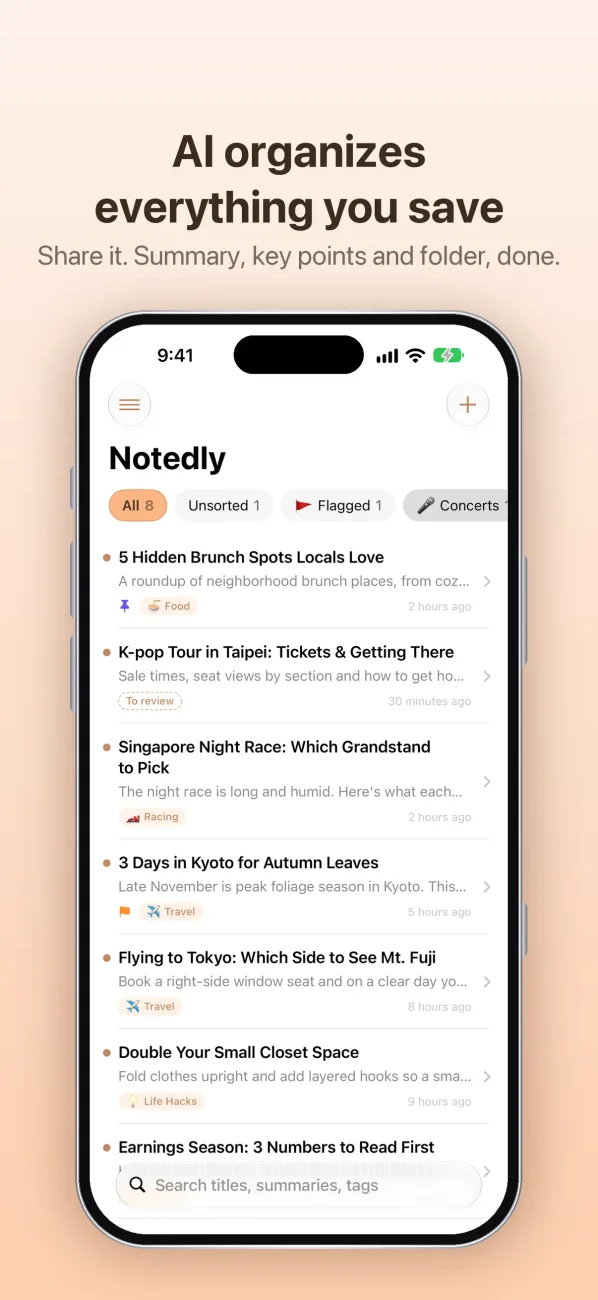
Notedly keeps the posts and pages you save for later neatly organized.
SAVE WITH ONE SHARE
In Threads, Instagram, Facebook, YouTube, Safari or any app, tap Share → Notedly. No copy and paste.
AI ORGANIZES IT
Notedly writes a title, summary, key points and tags, so you know what something is about without opening it again.
AUTO-FILED INTO FOLDERS
Food, Travel, Learning, Shopping, Money, Life Hacks… or create your own folders with descriptions and the AI sorts the way you think. When it isn't sure, it offers a few choices — one tap and it's filed.
SAVE SCREENSHOTS TOO
No link for a story or chat? Share a screenshot. Your phone reads the text on it, and AI organizes it just like a link.
FOOD & PLACES MAP
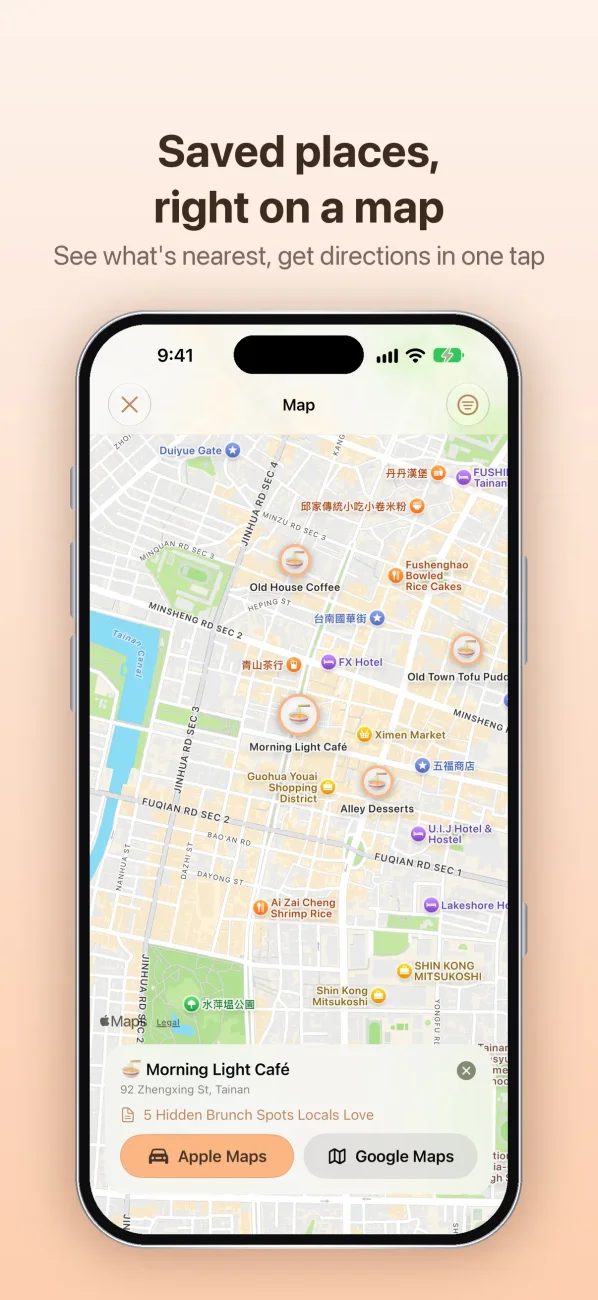
Saved restaurants and spots appear on a map. See what's nearest and get directions in Apple Maps or Google Maps with one tap. Turn on Nearby Alerts to get a heads-up when you walk past a place you saved.
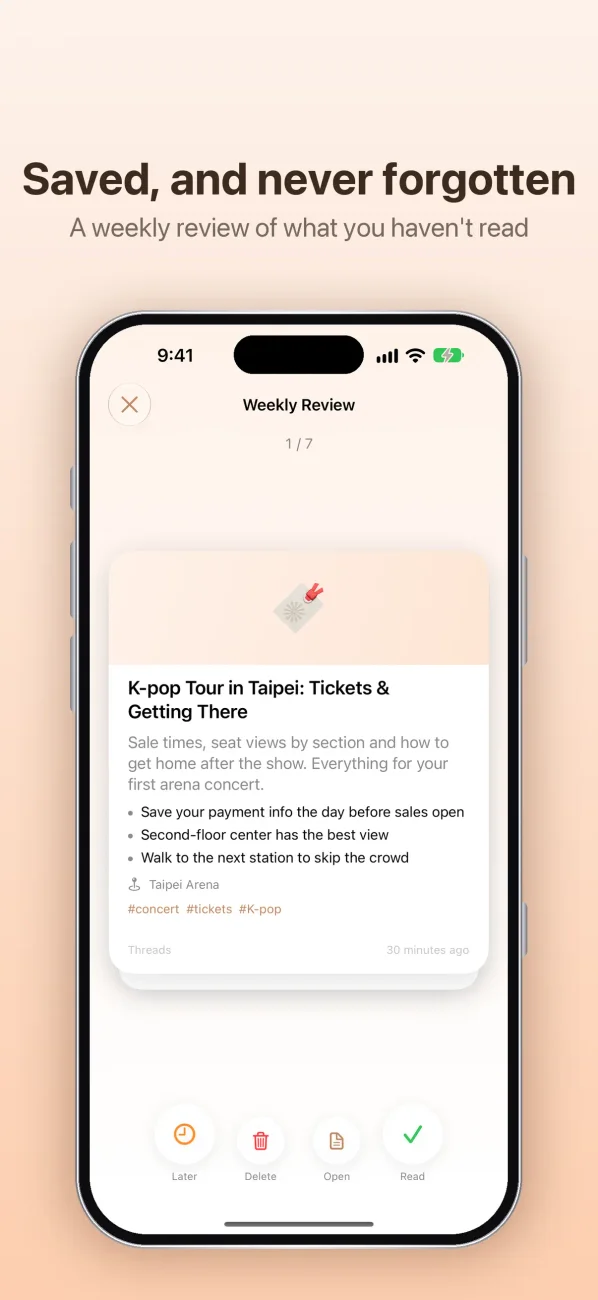
SAVED, AND NEVER FORGOTTEN
• Weekly Review: a reminder on the day and time you choose, then swipe through unread notes like cards
• Ask Your Notes: ask "Which brunch spots did I save?" and AI answers from your own notes
• Home Screen widget: an unread note pops up on your Home Screen, one tap to open
MOVE IN FROM OTHER APPS
Import files exported from other read-later apps, browser bookmarks, or a list of links. Duplicates are skipped and AI organizes the rest.
EASY TO FIND
• Search titles, summaries and tags
• Pin or flag what matters
• Remind Me Later: get a notification at the time you pick
• Undo accidental deletes: the Trash keeps notes for 30 days
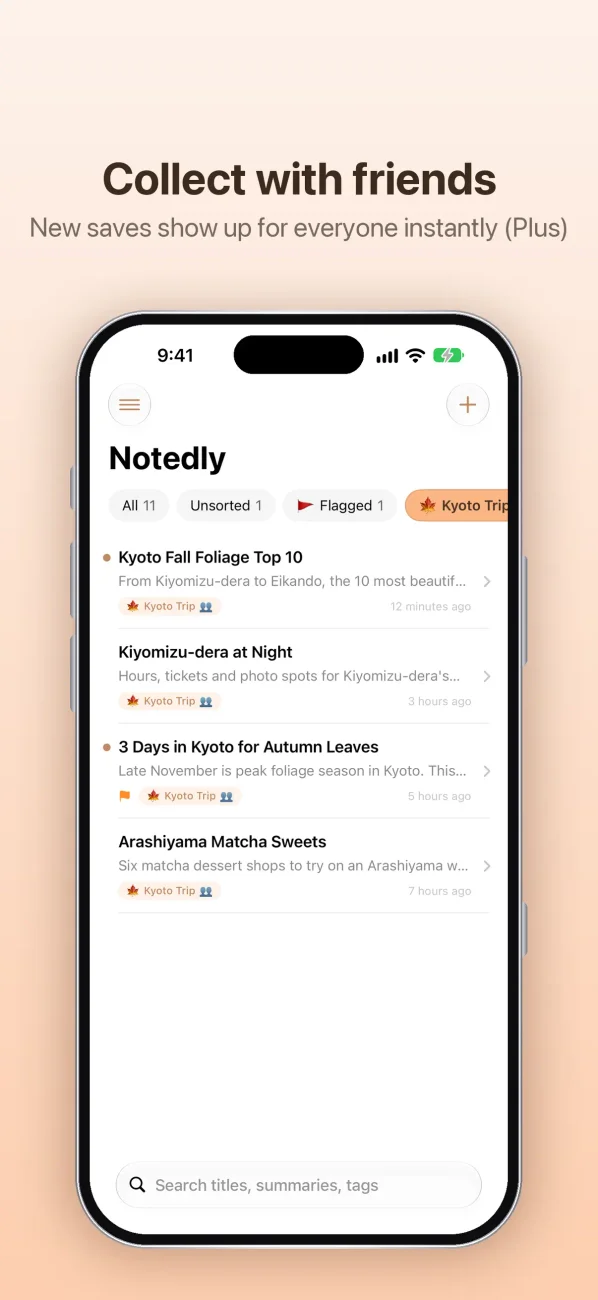
• Share a whole folder as a list with friends
SYNC ACROSS IPHONE, IPAD AND MAC
Sign in with Apple or Google and your notes and folders sync automatically. You can also use Notedly without signing in; your data stays on your device.
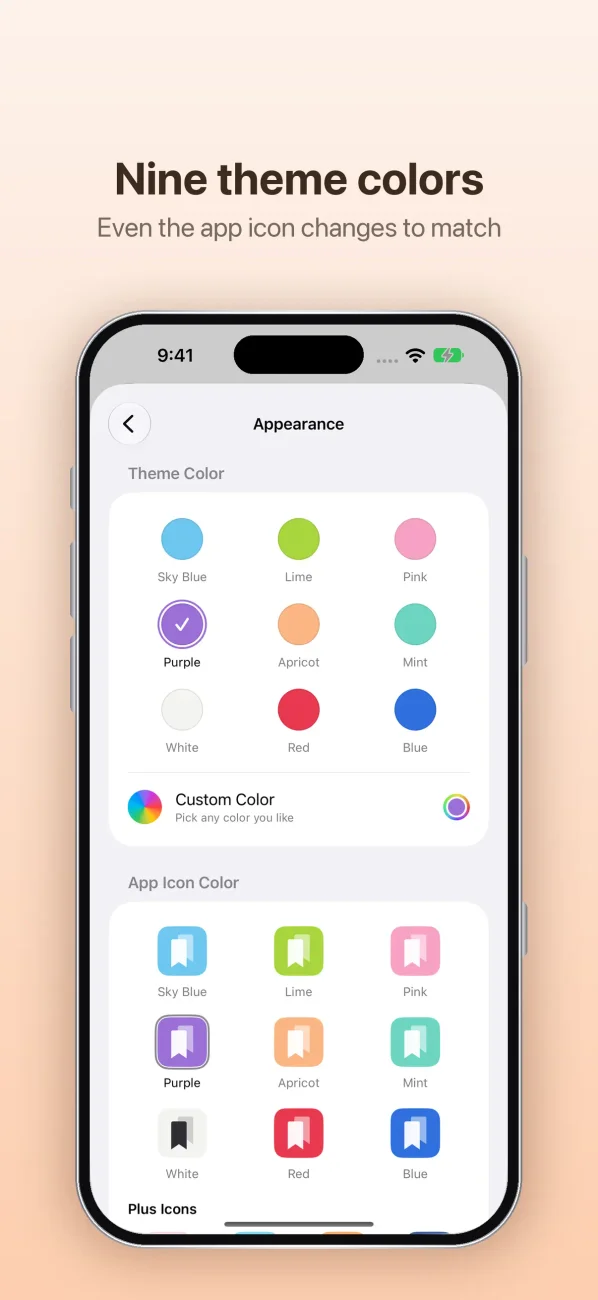
NINE THEME COLORS
Make it your color — even the app icon changes to match.
ABOUT AI
Notedly can use Google Gemini's free tier (get a free key yourself) or the built-in Apple Intelligence on supported devices. If neither is available, it grabs the page description.
【ORGANIZE TOGETHER (NOTEDLY PLUS)】
Create a shared folder and invite friends with a single link. Notes anyone adds show up for everyone within seconds, while read status, pins and private notes stay your own. Choose whether each person can edit or only view. Joining someone else's folder is free.
【NOTEDLY PLUS】
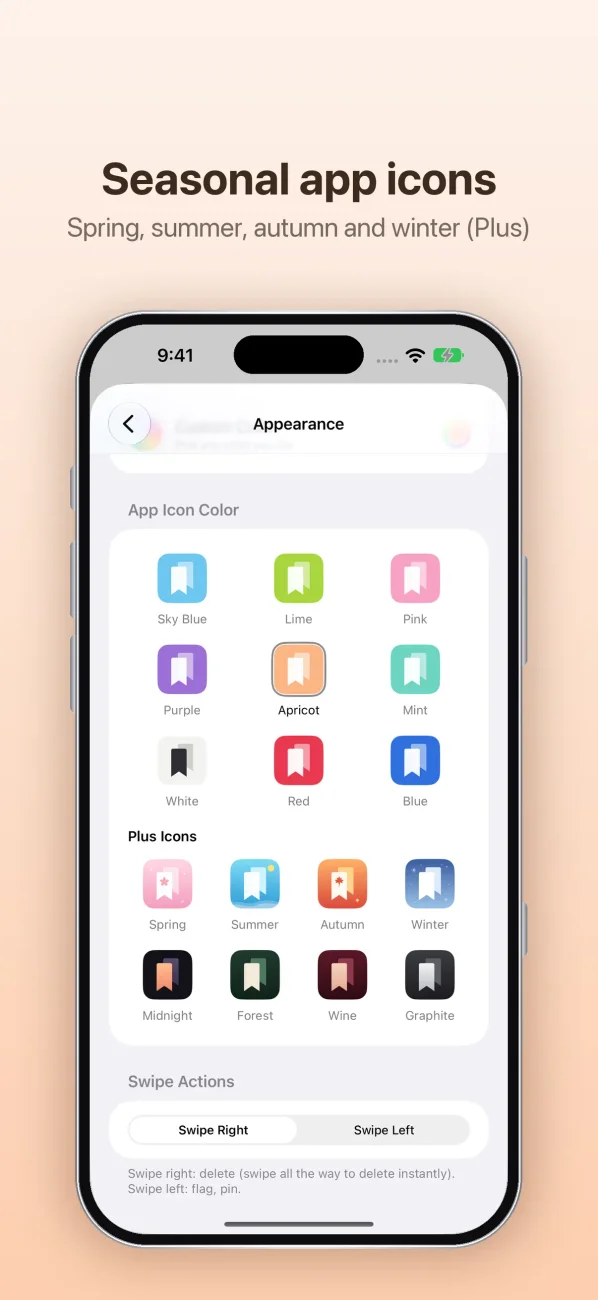
Everything you use today stays free. Plus adds new features: shared folders, recipe ingredients to Reminders, and seasonal and dark app icons. Choose monthly, yearly (with a 7-day free trial) or a one-time lifetime purchase. Family Sharing is supported. Subscriptions renew automatically; cancel anytime in Subscriptions on the App Store.
Terms of Use: https://www.apple.com/legal/internet-services/itunes/dev/stdeula/
Privacy Policy: https://getnotedly.web.app/privacy/
No ads for now, and we never sell your data.
What’s new
Version 2.0 · Nov 24, 2026
• New: shared folders! Create a folder, send a link to invite friends or family, and notes anyone adds show up for everyone within seconds. Read status, pins and private notes stay your own, and joining is free.
• Introducing Notedly Plus: create shared folders, send recipe ingredients to Reminders, and choose from 8 seasonal and dark app icons. Everything you use today stays free.
• New animations: notes fly into folders, roll into the trash, and new theme colors sweep across the screen.
• Small improvements and fixes.
App privacy
What Chia-Hung Lin declares on the App Store about how this app handles data.
-
Data linked to you
May be collected and linked to your identity.
- Contact info
- User content
- Identifiers
Privacy practices may vary, for example with the features you use or your age.
Information
- Seller
- Chia-Hung Lin
- Category
- Productivity
- Version
- 2.0
- Updated
- Nov 24, 2026
- Released
- Nov 3, 2026
- Size
- 36.8 MB
- Requires
- iOS 18.0 or later
- Age rating
- 4+
- Price
- Free
- In-app purchases
- Yes
- Languages
- English, Japanese, Korean, Simplified Chinese, Traditional Chinese
- Copyright
- © 2026 Chia-Hung Lin
You might also like
-
 Saves Library: Posts & LinksSearch every save in one place
-
 KeepNest: Screenshot OrganizerAI Sorts Your Links & Notes
-
 Picki - Bookmark Social PostsSave tweets & read later
-
 Zip Unzip - Unrar Tool PROPro Unzip Tool
-
 Tinrec Transcribe Voice NotesAI Summary Audio Recorder
-
 Weel Planner: ADHD CalendarVisual 24-Hour Daily Schedule
-
 Compress PDF reduce pdf sizePDF Compressor, Small pdf size
-
 네이버 메모 – Naver MemoProductivity
-
 Cheatsheet: Sticky Note WidgetQuick Recall Memos + Watch App
-
 DayStamp - Habit TrackerDaily Routine, Streak & Widget