NoteMaster: Notes & Calendar
Notes, tasks & AI assistant
Designed for iPhone, iPad
Free · In-app purchases
- Age rating4+
- CategoryProductivity
- DeveloperFirat Bahcekapili
- LanguagesEnglish+ 7 more
- Size68.4 MB
Links to the official App Store page
Download.org hosts no file of NoteMaster: Notes & Calendar. The button opens its official App Store page, published by Firat Bahcekapili. Listing last checked on Nov 23, 2026.
Screenshots


About
NoteMaster – Notes, Tasks & Calendar
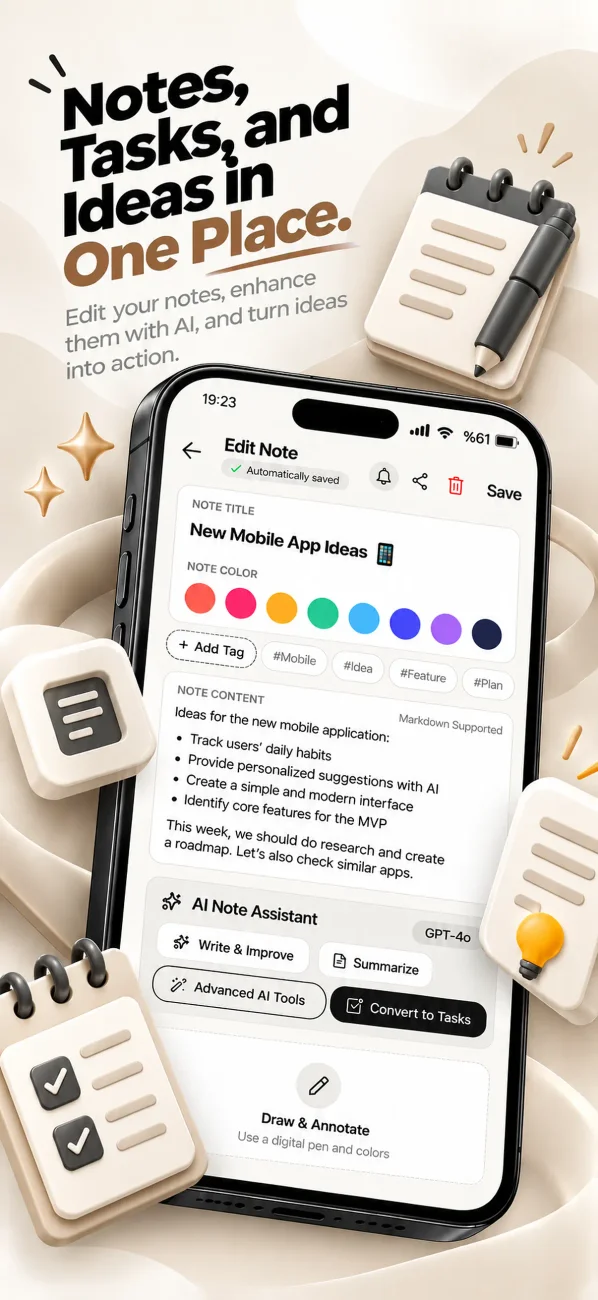
Capture your ideas, plan your tasks, and organize your day. NoteMaster brings your notes, tasks, calendar, and AI-powered tools together in one place.
TAKE NOTES AND DEVELOP YOUR IDEAS
• Organize your notes with colors, tags, pinning, and search.
• Write handwritten notes, draw, and add photos.
• Customize your writing space with different paper styles.
• Export your drawings as PDF files.
• Record voice notes and easily convert them into text.
ATTACH FILES AND RECORDINGS
• Add voice recordings to your notes and turn them into text whenever you need.
• Attach PDF, Word, Excel, PowerPoint, and text files or photos to your notes and events.
• Open PDF, Word, and Excel files, photos, and text right in the app, and mark up PDFs with a pen, highlighter, or text.
• Keep attachments on your device, or optionally in your own Google Drive to reach them on all your devices.
• Let long recordings split into parts automatically, and keep using the app while they turn into text.
PLAN YOUR DAY
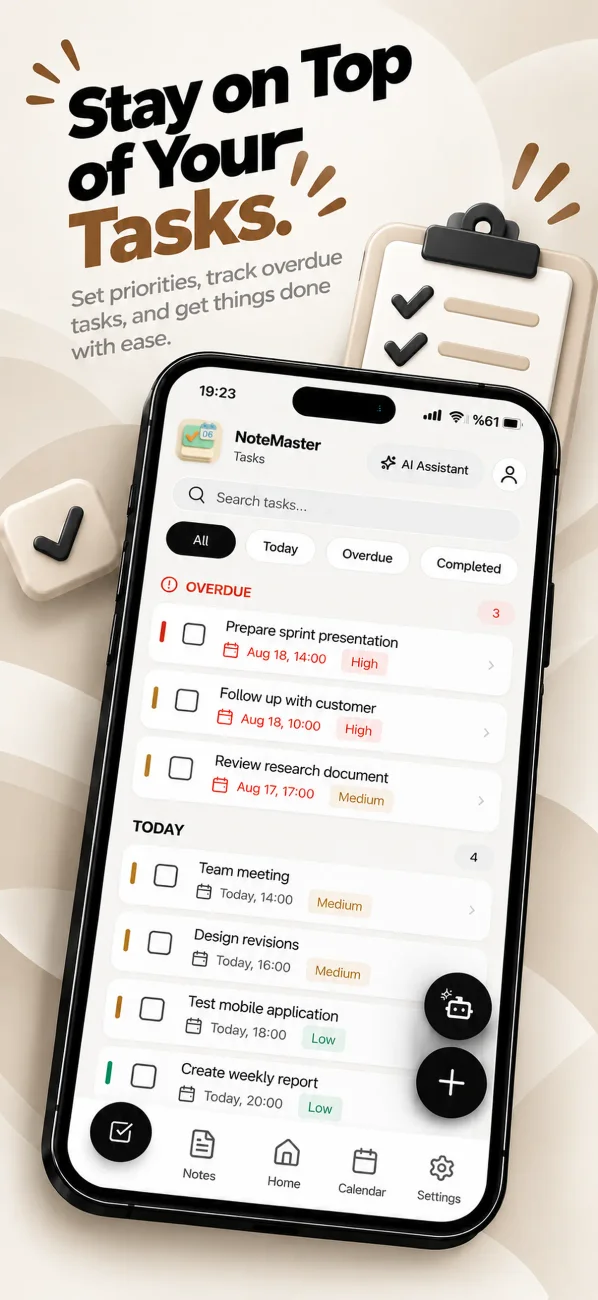
• Manage tasks with priorities, due dates, and reminders.
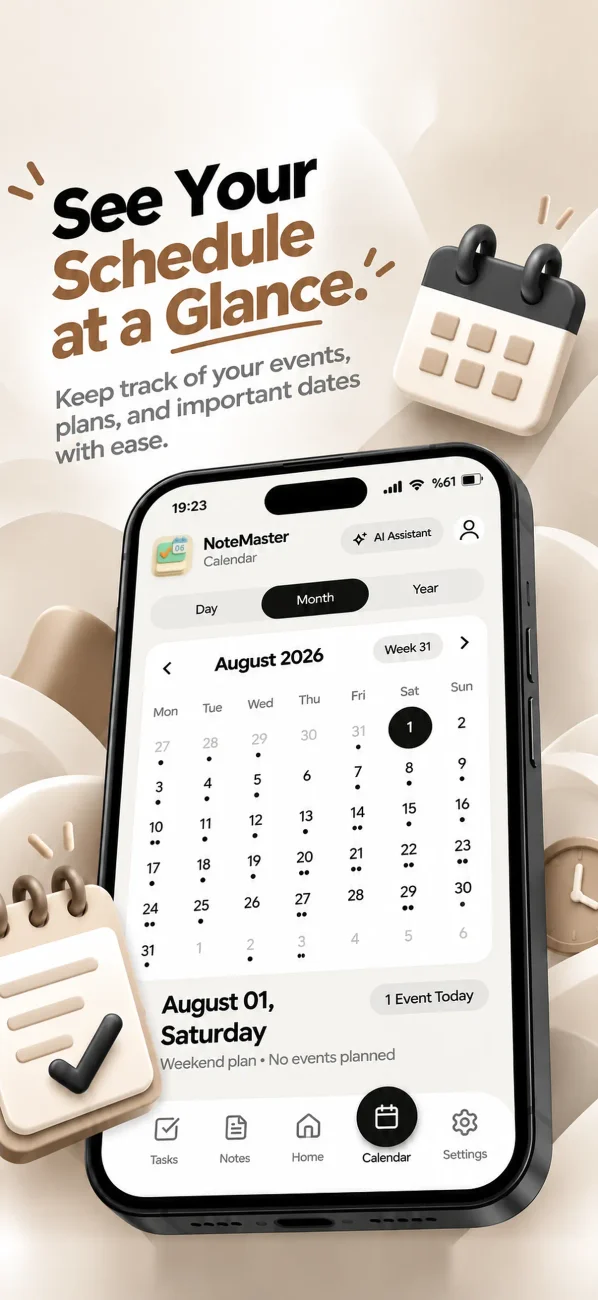
• Keep track of your schedule with daily, weekly, monthly, and yearly calendar views.
• Optionally sync your events with Google Calendar in both directions.
• Stay on top of important tasks with timely notifications.
DO MORE WITH AI
• Summarize notes, improve your writing, and develop your ideas.
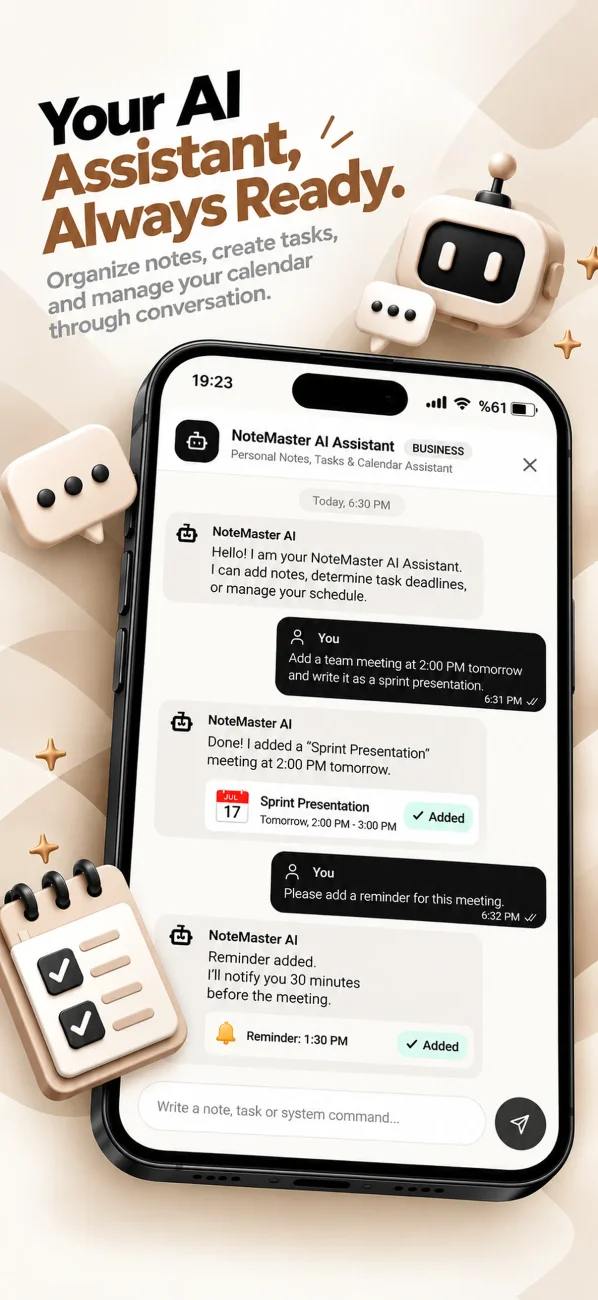
• Create notes, tasks, and calendar events with your AI assistant.
• Ask questions about your schedule and manage your plans with ease.
AI features are optional. Your content is not used to train AI models. You can manage your data-sharing preferences at any time in the app settings.
WIDGETS ON YOUR HOME SCREEN
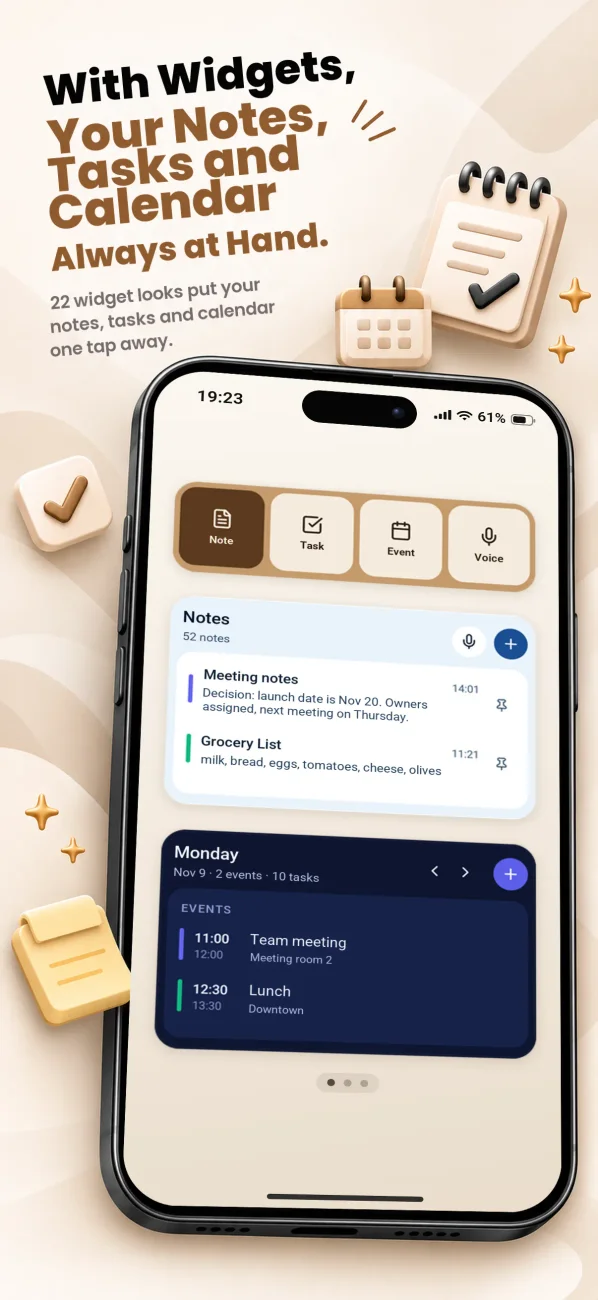
• See your notes, tasks, calendar, and day at a glance with home screen widgets.
• Personalize your widgets with new looks from the Widget Store.
YOUR NOTES, EVERYWHERE
• Sign in with Apple, Google, or your email address.
• Sync your data across your devices.
• Keep working offline and sync your data when your connection is restored.
• Enjoy a comfortable experience with light and dark themes.
• Use NoteMaster in 8 languages.
YOUR PRIVACY COMES FIRST
You are in control of your personal data. We do not sell your data. You can delete your account and all associated data at any time through the app.
A PLAN THAT FITS YOUR NEEDS
• Free: notes, tasks, calendar, tags, and handwriting with the ballpoint pen, with basic limits, stored on your device.
• Pro (subscription): sync across devices, reminders, the AI assistant and AI writing tools, voice-to-text, voice recordings and file attachments, all pen types, photos in drawings, PDF export, home screen widgets, and higher limits.
• Business (subscription): everything in Pro plus unlimited notes, events, and tags, more AI requests, share links, and team sharing for up to 5 people.
• AI credits (one-time purchase): extra AI requests for Pro and Business once the daily limit is used up. They do not expire.
Explore each plan's features and pricing in the app.
SUBSCRIPTION TERMS
NoteMaster Pro and Business offer monthly and yearly auto-renewing subscriptions.
• Payment will be charged to your Apple Account at confirmation of purchase.
• Your subscription automatically renews unless canceled at least 24 hours before the end of the current subscription period.
• Your account will be charged for renewal within 24 hours before the end of the current subscription period.
• You can manage or cancel your subscription in your Apple Account settings after purchase.
• Current prices are displayed in the app before purchase.
Terms of Use: https://notemaster.fcodetr.com/terms
Privacy Policy: https://notemaster.fcodetr.com/privacy
Support: fcodetr@gmail.com
What’s new
Version 1.1.6 · Nov 11, 2026
• Pro and Business subscriptions can be purchased inside the app.
• Long voice recordings are split into parts when Auto split is on.
• Transcription runs in the background and the text is added to your note.
• A finished voice recording is added to your note without waiting for Save.
• Home screen widgets and the widget look store are added.
App privacy
What Firat Bahcekapili declares on the App Store about how this app handles data.
-
Data linked to you
May be collected and linked to your identity.
- Purchases
- Contact info
- User content
- Identifiers
- Usage data
- Diagnostics
Privacy practices may vary, for example with the features you use or your age.
Information
- Seller
- Firat Bahcekapili
- Category
- Productivity
- Version
- 1.1.6
- Updated
- Nov 11, 2026
- Released
- Nov 5, 2026
- Size
- 68.4 MB
- Requires
- iOS 16.4 or later
- Age rating
- 4+
- Price
- Free
- In-app purchases
- Yes
- Languages
- English, French, German, Italian, Portuguese, Russian, Spanish, Turkish
- Copyright
- © 2026 FcodeTR
You might also like
-
 SaxeloProductivity
-
 CalendarNotes: Cute ReminderMinimal alarm & to-do planner
-
 Odtülüler Yusuf ÖncebeProductivity
-
 EyotekProductivity
-
 Word to PDF Converter - ReaderConvert PDF to Word,JPG to PDF
-
 Gamma AI - Writing PromptsParagraph writer
-
 Planner for iPadDirectly write on the calendar
-
 yandex ai: chatbot & assistantSmart search & art generator