NoteMaster: Notes & Calendar
Notes, tasks & AI assistant
Được thiết kế cho iPhone, iPad
Miễn phí · Mua hàng trong ứng dụng
- Độ tuổi4+
- Danh mụcHiệu Suất
- Nhà phát triểnFirat Bahcekapili
- Ngôn ngữTiếng Anh+ 7 ngôn ngữ khác
- Kích thước68,4 MB
Liên kết đến trang App Store chính thức
Download.org không lưu trữ tệp nào của NoteMaster: Notes & Calendar. Nút này mở trang ứng dụng trên App Store, nơi Firat Bahcekapili phát hành ứng dụng. Trang được kiểm tra lần cuối: 23/11/2026.
Ảnh chụp màn hình


Giới thiệu
Nhà phát triển chưa cung cấp nội dung này bằng ngôn ngữ của bạn.
NoteMaster – Notes, Tasks & Calendar
Capture your ideas, plan your tasks, and organize your day. NoteMaster brings your notes, tasks, calendar, and AI-powered tools together in one place.
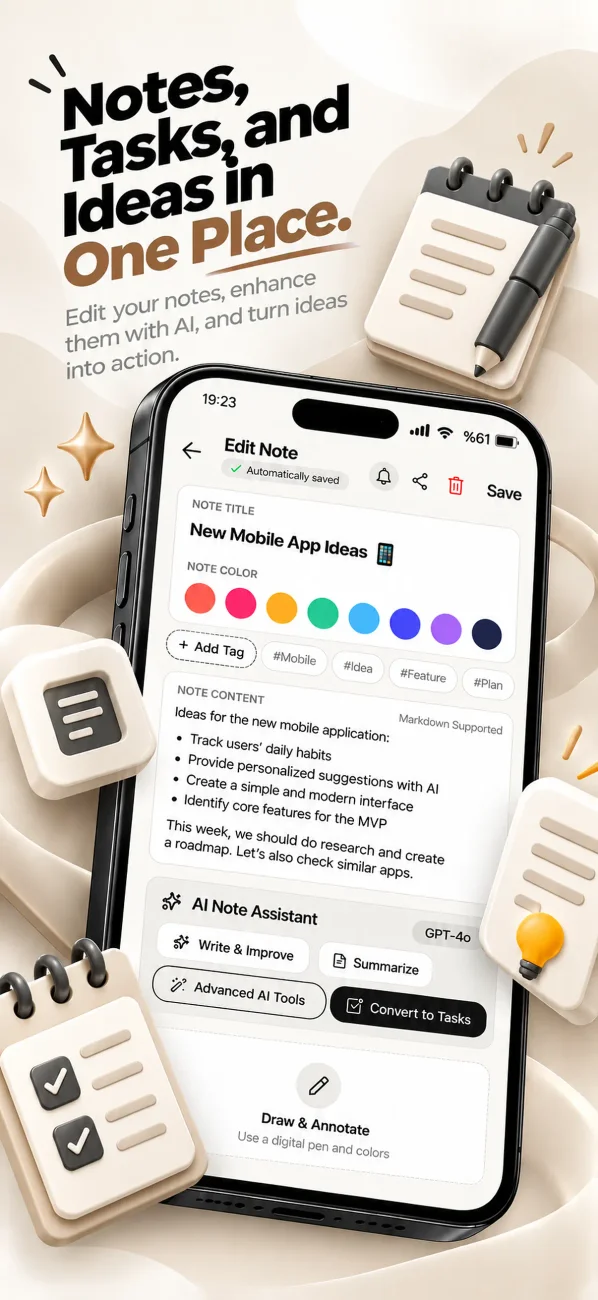
TAKE NOTES AND DEVELOP YOUR IDEAS
• Organize your notes with colors, tags, pinning, and search.
• Write handwritten notes, draw, and add photos.
• Customize your writing space with different paper styles.
• Export your drawings as PDF files.
• Record voice notes and easily convert them into text.
ATTACH FILES AND RECORDINGS
• Add voice recordings to your notes and turn them into text whenever you need.
• Attach PDF, Word, Excel, PowerPoint, and text files or photos to your notes and events.
• Open PDF, Word, and Excel files, photos, and text right in the app, and mark up PDFs with a pen, highlighter, or text.
• Keep attachments on your device, or optionally in your own Google Drive to reach them on all your devices.
• Let long recordings split into parts automatically, and keep using the app while they turn into text.
PLAN YOUR DAY
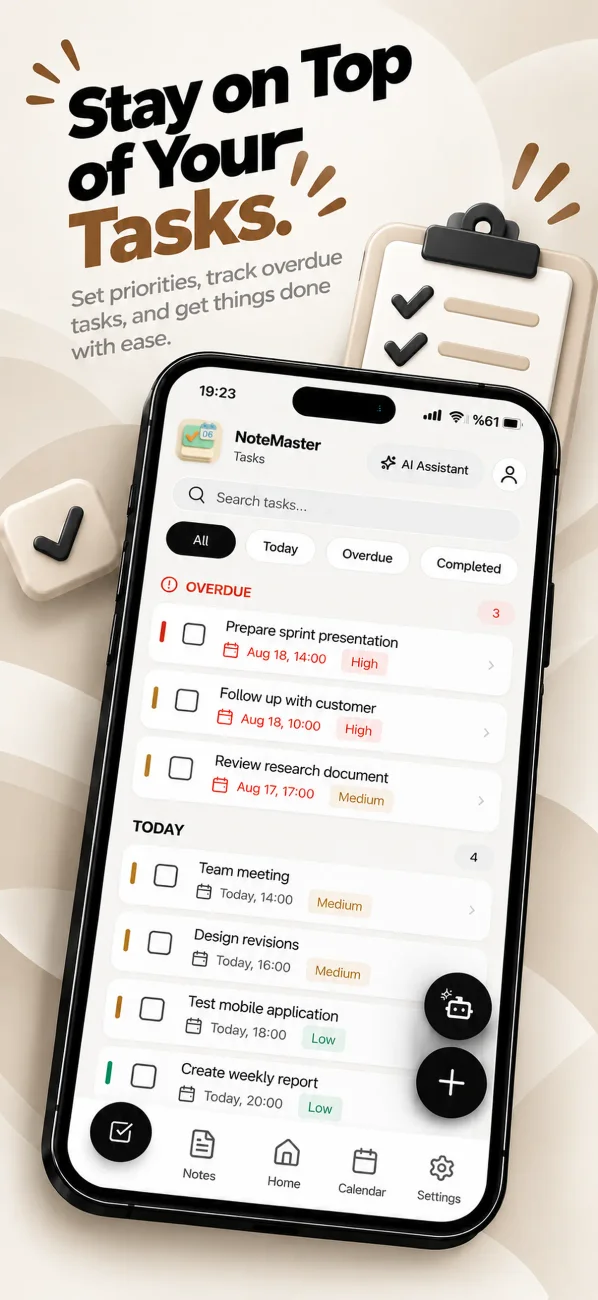
• Manage tasks with priorities, due dates, and reminders.
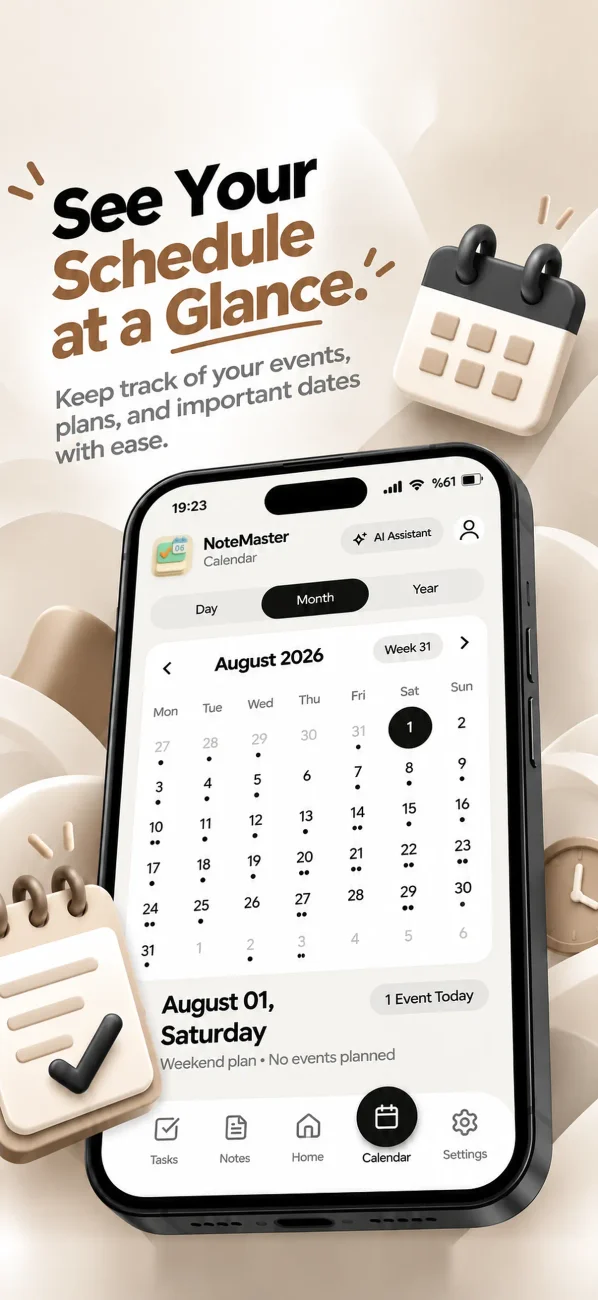
• Keep track of your schedule with daily, weekly, monthly, and yearly calendar views.
• Optionally sync your events with Google Calendar in both directions.
• Stay on top of important tasks with timely notifications.
DO MORE WITH AI
• Summarize notes, improve your writing, and develop your ideas.
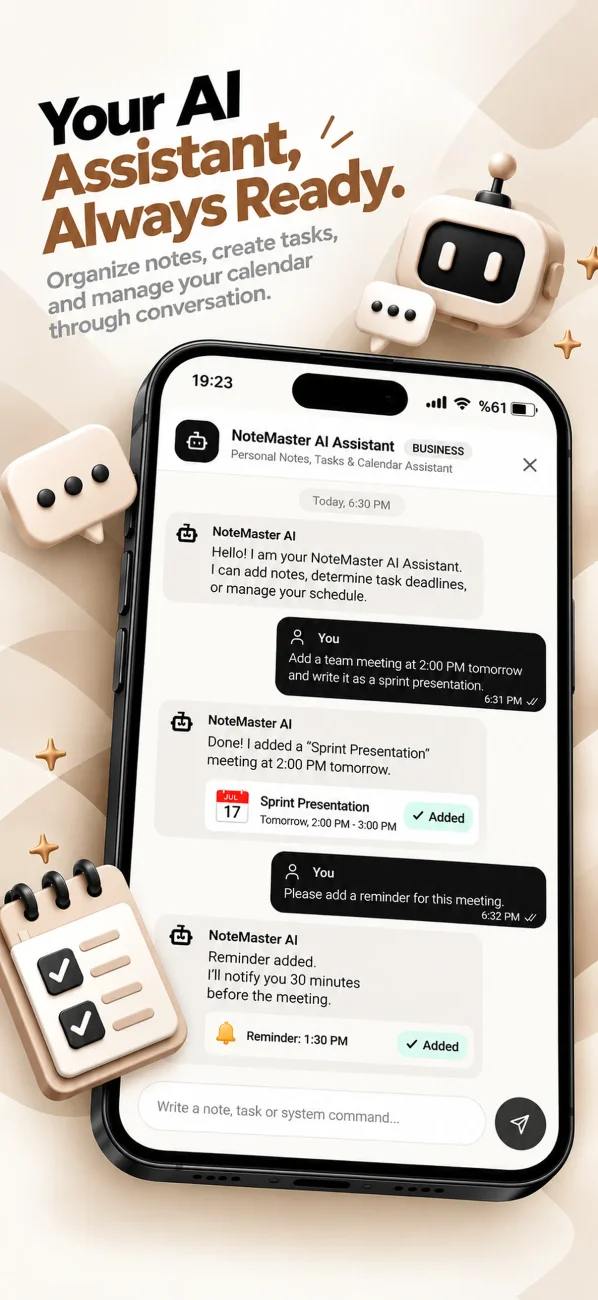
• Create notes, tasks, and calendar events with your AI assistant.
• Ask questions about your schedule and manage your plans with ease.
AI features are optional. Your content is not used to train AI models. You can manage your data-sharing preferences at any time in the app settings.
WIDGETS ON YOUR HOME SCREEN
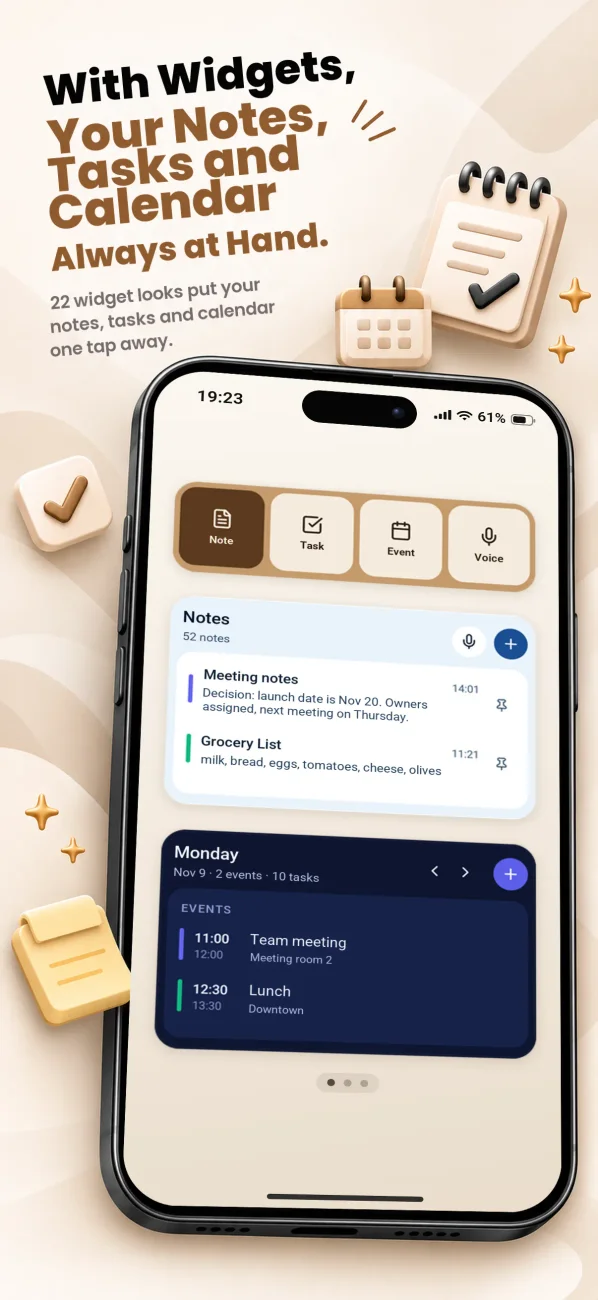
• See your notes, tasks, calendar, and day at a glance with home screen widgets.
• Personalize your widgets with new looks from the Widget Store.
YOUR NOTES, EVERYWHERE
• Sign in with Apple, Google, or your email address.
• Sync your data across your devices.
• Keep working offline and sync your data when your connection is restored.
• Enjoy a comfortable experience with light and dark themes.
• Use NoteMaster in 8 languages.
YOUR PRIVACY COMES FIRST
You are in control of your personal data. We do not sell your data. You can delete your account and all associated data at any time through the app.
A PLAN THAT FITS YOUR NEEDS
• Free: notes, tasks, calendar, tags, and handwriting with the ballpoint pen, with basic limits, stored on your device.
• Pro (subscription): sync across devices, reminders, the AI assistant and AI writing tools, voice-to-text, voice recordings and file attachments, all pen types, photos in drawings, PDF export, home screen widgets, and higher limits.
• Business (subscription): everything in Pro plus unlimited notes, events, and tags, more AI requests, share links, and team sharing for up to 5 people.
• AI credits (one-time purchase): extra AI requests for Pro and Business once the daily limit is used up. They do not expire.
Explore each plan's features and pricing in the app.
SUBSCRIPTION TERMS
NoteMaster Pro and Business offer monthly and yearly auto-renewing subscriptions.
• Payment will be charged to your Apple Account at confirmation of purchase.
• Your subscription automatically renews unless canceled at least 24 hours before the end of the current subscription period.
• Your account will be charged for renewal within 24 hours before the end of the current subscription period.
• You can manage or cancel your subscription in your Apple Account settings after purchase.
• Current prices are displayed in the app before purchase.
Terms of Use: https://notemaster.fcodetr.com/terms
Privacy Policy: https://notemaster.fcodetr.com/privacy
Support: fcodetr@gmail.com
Có gì mới
Phiên bản 1.1.6 · 11/11/2026
• Pro and Business subscriptions can be purchased inside the app.
• Long voice recordings are split into parts when Auto split is on.
• Transcription runs in the background and the text is added to your note.
• A finished voice recording is added to your note without waiting for Save.
• Home screen widgets and the widget look store are added.
Quyền riêng tư của ứng dụng
Những gì Firat Bahcekapili khai báo trên App Store về cách ứng dụng này xử lý dữ liệu.
-
Dữ liệu liên kết với bạn
Có thể được thu thập và liên kết với danh tính của bạn.
- Mục mua
- Thông tin liên hệ
- Nội dung của người dùng
- Mã định danh
- Dữ liệu sử dụng
- Chẩn đoán
Phương thức đảm bảo quyền riêng tư có thể khác nhau, chẳng hạn như tuỳ theo các tính năng bạn sử dụng hoặc độ tuổi của bạn.
Thông tin
- Người bán
- Firat Bahcekapili
- Danh mục
- Hiệu Suất
- Phiên bản
- 1.1.6
- Cập nhật
- 11/11/2026
- Phát hành
- 05/11/2026
- Kích thước
- 68,4 MB
- Yêu cầu
- iOS 16.4 trở lên
- Độ tuổi
- 4+
- Giá
- Miễn phí
- Mua hàng trong ứng dụng
- Có
- Ngôn ngữ
- Tiếng Anh, Tiếng Pháp, Tiếng Đức, Tiếng Ý, Tiếng Bồ Đào Nha, Tiếng Nga, Tiếng Tây Ban Nha, Tiếng Thổ Nhĩ Kỳ
- Bản quyền
- © 2026 FcodeTR