- Age rating4+
- CategoryProductivity
- DeveloperNathalie Magno
- LanguagesEnglish
- Size11.2 MB
Links to the official App Store page
Download.org hosts no file of NoteSS. The button opens its official App Store page, published by Nathalie Magno. Listing last checked on Nov 20, 2026.
Screenshots


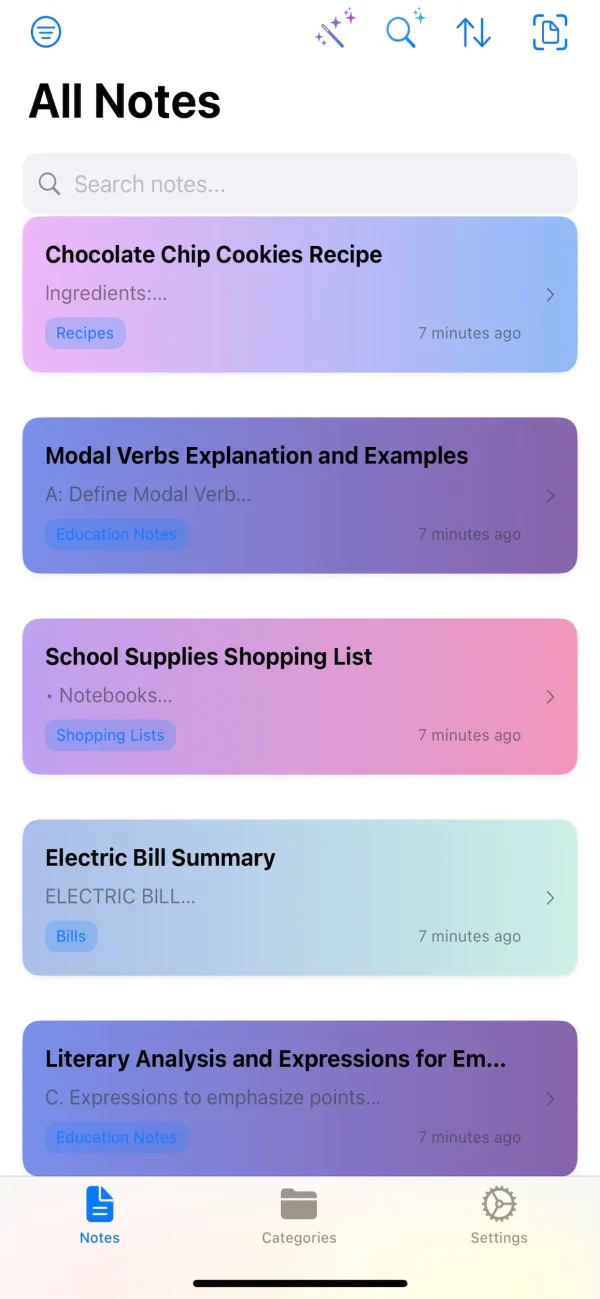

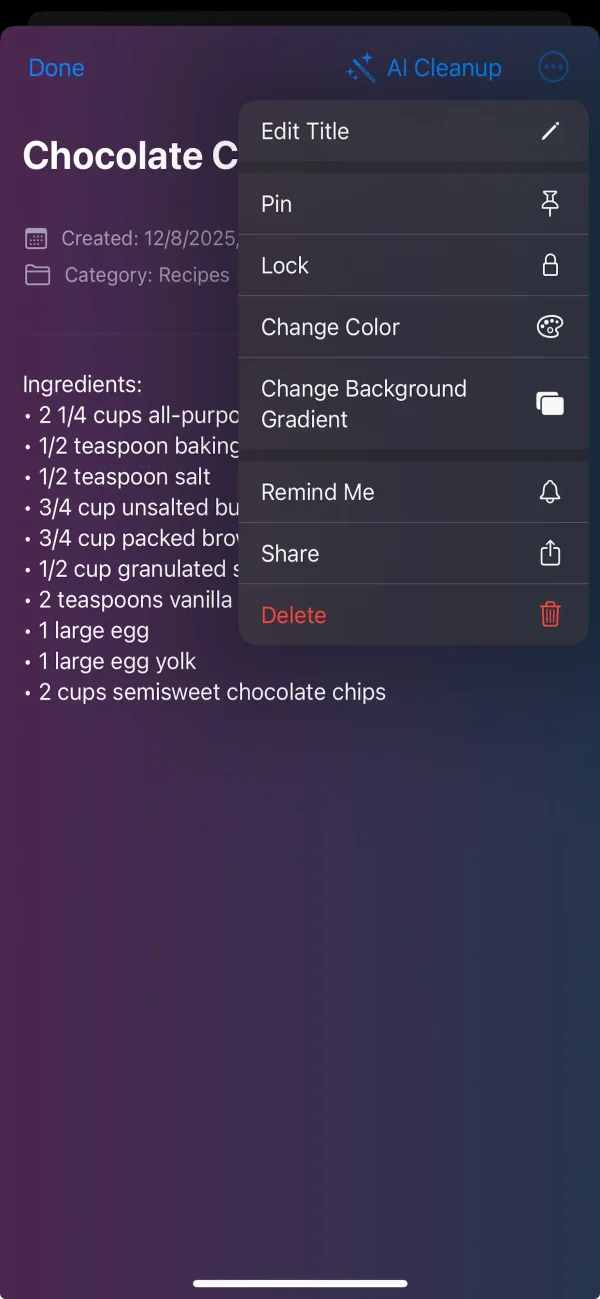

About
Transform your screenshot chaos into an organized, searchable library. NoteSS is the AI-powered screenshot manager that finally makes your screenshots actually useful.
NEVER LOSE A SCREENSHOT AGAIN
Stop endless scrolling through your Photos app. NoteSS automatically reads, understands, and organizes every screenshot you take. Find that restaurant menu, receipt, or important conversation in seconds.
POWERFUL AI FEATURES
- Instant OCR – Extract all text from screenshots automatically
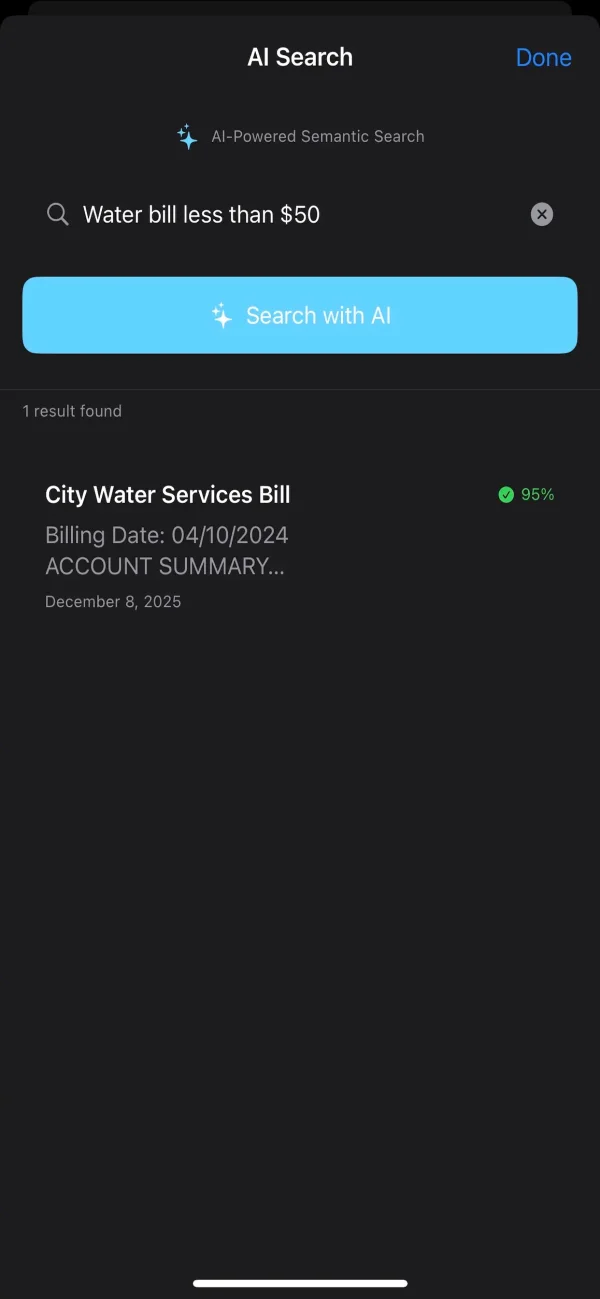
- Smart AI Search – Find notepad based on the content, not just with keywords
- AI Text Cleanup – Remove clutter and get clean, readable text
- Smart Titles – AI generates meaningful titles for every screenshot
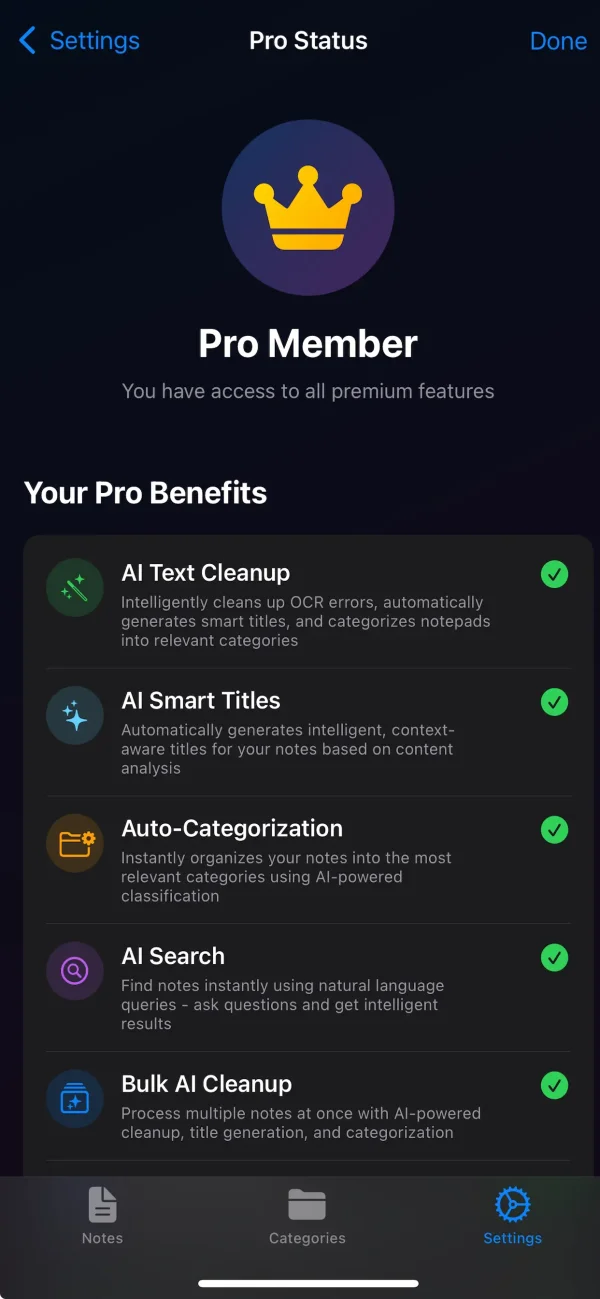
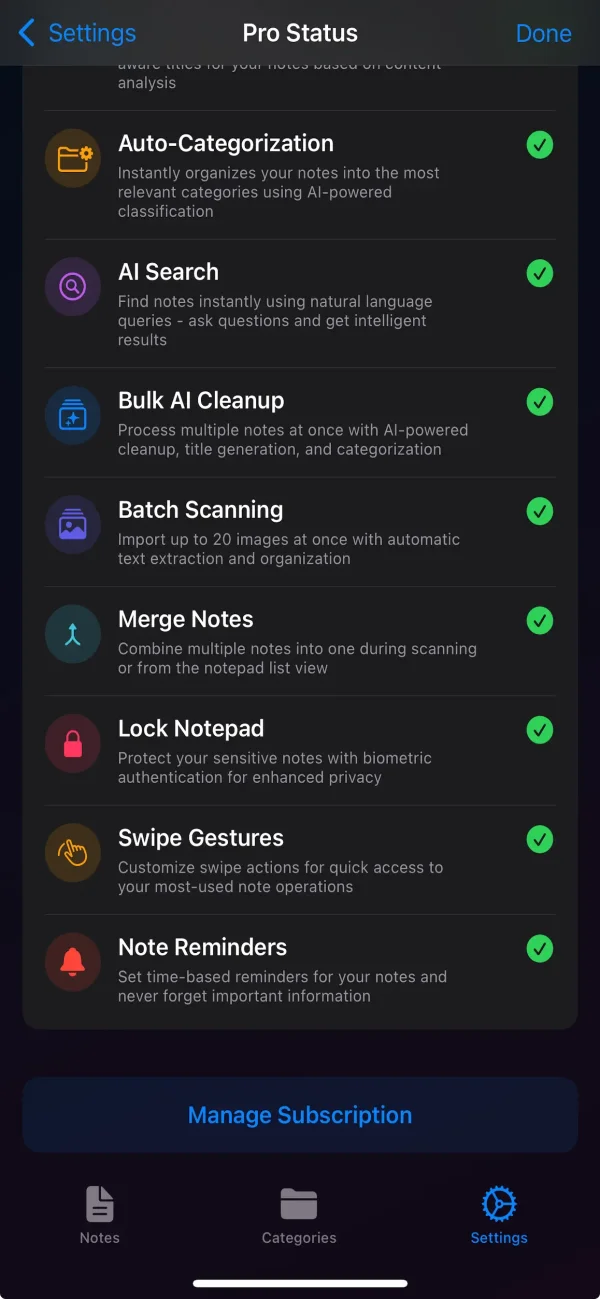
- Auto-Categorization – Automatically tagged as Finance, Social, Work, Design, and more
PRIVACY YOU CAN TRUST
Your screenshots stay yours. NoteSS processes data on-device whenever possible, and all cloud processing is encrypted. We never use your data for training or share it with third parties.
SEAMLESS SYNC
Capture on your iPhone, search on your iPad, organize on your Mac. Your screenshot library syncs seamlessly across all your devices with iCloud.
FREE TO START
- Basic organization and categorization
- Essential search features
- On-device OCR
NOTESS PRO
Unlock unlimited potential:
- Unlimited AI requests
- Priority support
- Custom themes
- Batch processing
- Smart folders
PERFECT FOR
- Receipts and invoices
- Restaurant menus and recipes
- Social media posts and memes
- Work conversations and emails
- Design inspiration
- Article snippets
- Anything you screenshot!
Stop letting valuable information get lost in your camera roll. Download NoteSS and turn your screenshots into a powerful, searchable knowledge base.
Privacy Policy: e3li.dev/notess/privacy
Terms of Service: e3li.dev/notess/terms
Support: support@e3li.dev
Terms of Use: https://www.apple.com/legal/internet-services/itunes/dev/stdeula/
What’s new
Version 1.5.1 · Jul 8, 2026
• Fixed the checklist widget so notes with bullet points, dashes, or numbers now appear as tappable checklist items — on both the widget and the in-app checklist view.
• Pasted Markdown tables (using pipe characters) now automatically convert into formatted tables in the editor instead of showing as raw text.
App privacy
What Nathalie Magno declares on the App Store about how this app handles data.
-
Data not linked to you
May be collected but is not linked to your identity.
- User content
Privacy practices may vary, for example with the features you use or your age.
Information
- Seller
- E3LI SOFTWARE DEVELOPMENT SERVICES
- Category
- Productivity
- Version
- 1.5.1
- Updated
- Jul 8, 2026
- Released
- Dec 21, 2025
- Size
- 11.2 MB
- Requires
- iOS 17.0 or later
- Age rating
- 4+
- Price
- Free
- In-app purchases
- Yes
- Languages
- English
- Copyright
- © 2025 E3Li Software Development Services
You might also like
-
 Kuri — AI Planner for FamiliesPaste or snap to calendar
-
 Simple Notes, Notepad & ListsPrivate checklists & folders
-
 HiFutureSelf: Future MessengerSchedule Reminders Motivation
-
 priori: adhd body doublingfocus with your butterfly
-
 Sticky Notes Widget. StickiesMemo papers plus color drawing
-
 Text Me ThatReminders That Text You
-
 Plain Note: Notes WidgetSimple Notepad for Quick Memos
-
 Gif Maker: Photo to GIFPhotos & Videos to GIF
-
 Sticky Notes: Free Note TakingTo Do List & Notepad Reminders
-
 Diamond Diary Notes With LockSecret Journal with Password