
NotiKeep: Save Notifications
Read messages without opening
Designed for iPhone
Free · In-app purchases
- Age rating4+
- CategoryProductivity
- DeveloperGustavo Takechi
- LanguagesEnglish+ 6 more
- Size26.8 MB
Links to the official App Store page
Download.org hosts no file of NotiKeep: Save Notifications. The button opens its official App Store page, published by Gustavo Takechi. Listing last checked on Nov 26, 2026.
Screenshots
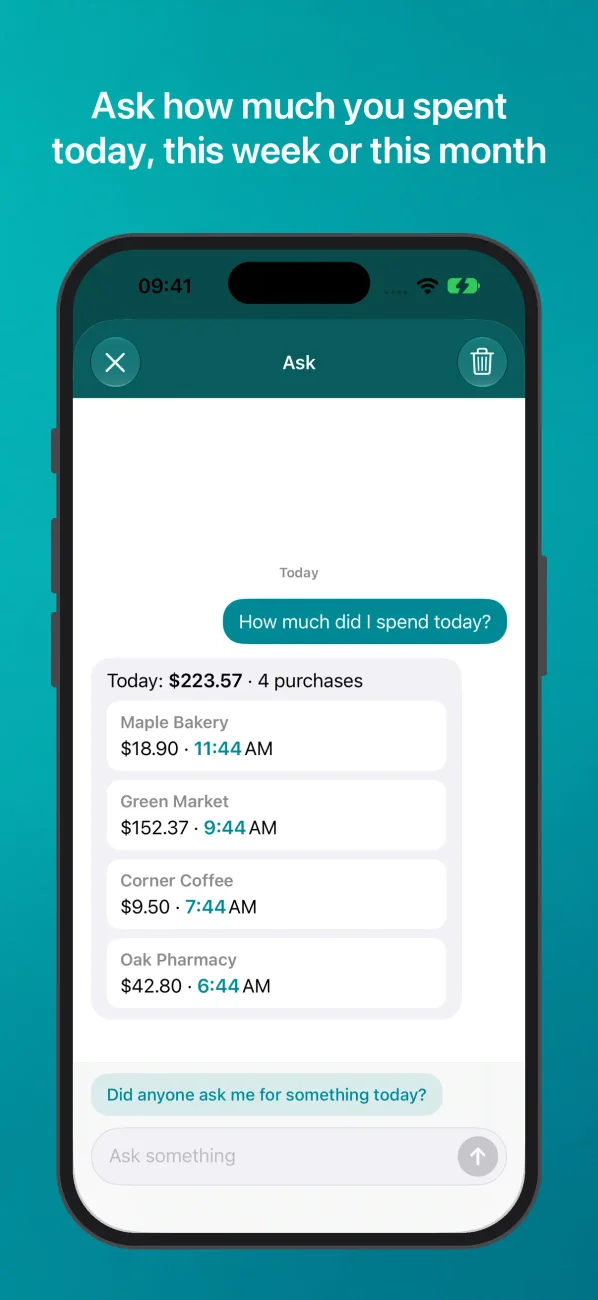
About
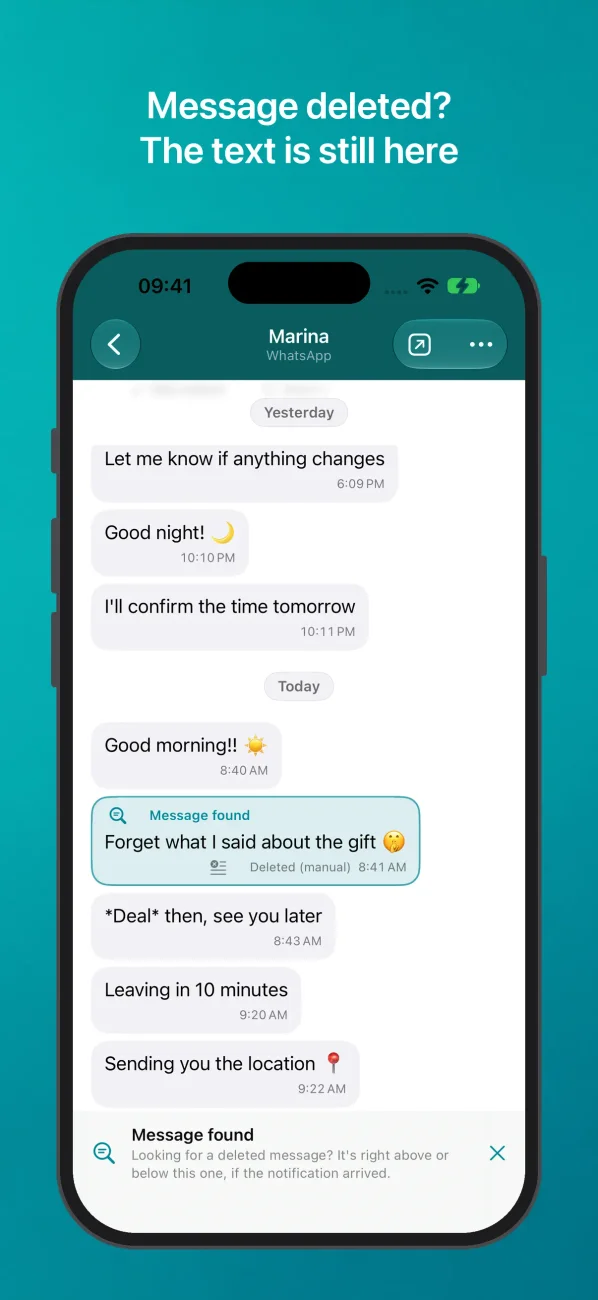
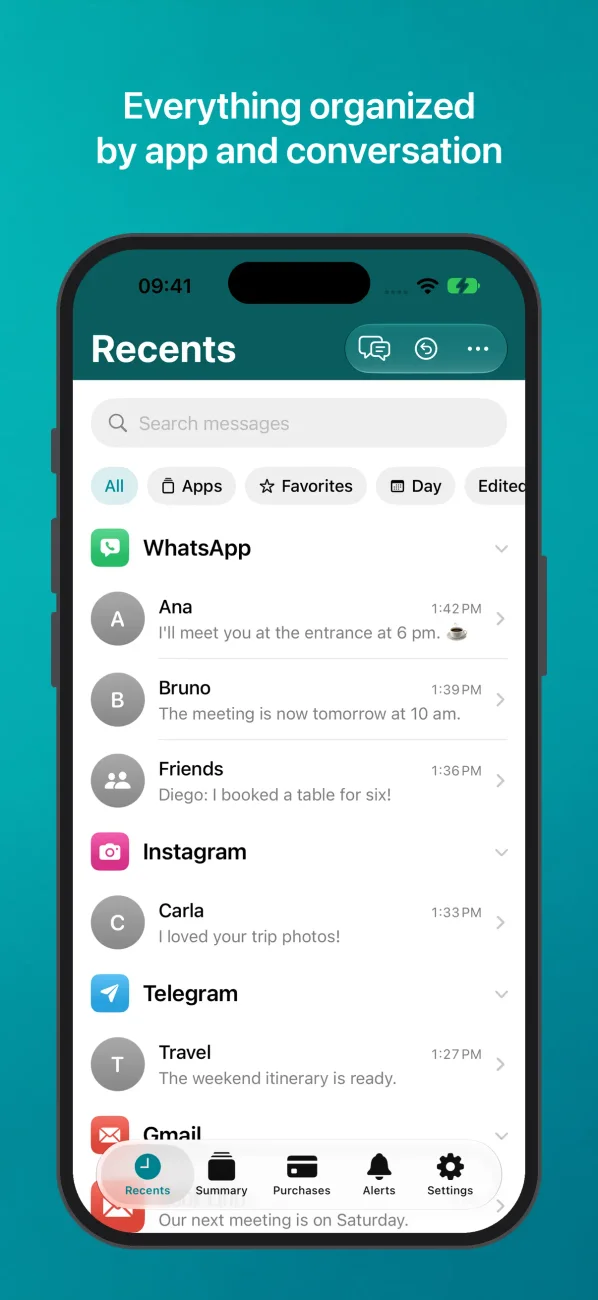
A message was deleted or edited? Text that already arrived as a notification stays on your iPhone. NotiKeep saves notifications from the apps you choose, organizes them by app and conversation, and summarizes your day.
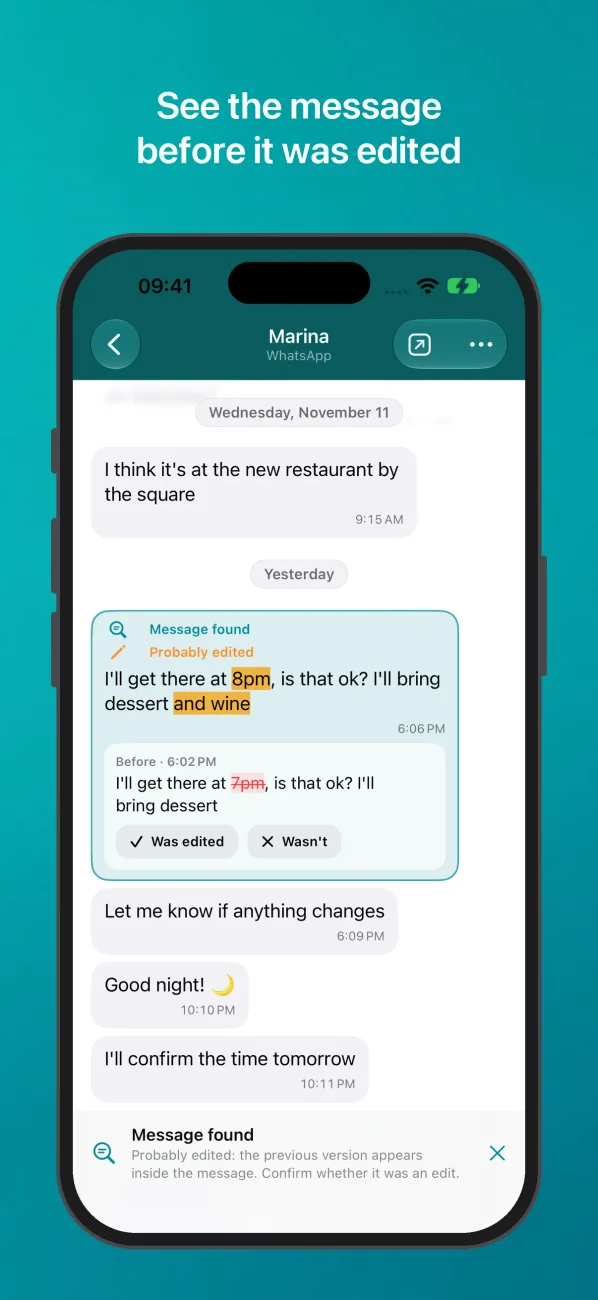
DELETED AND EDITED MESSAGES
If someone deletes a message after its notification arrived, you can still read the text in NotiKeep, in the conversation where it was. In WhatsApp, NotiKeep recognizes likely edits and shows the earlier version inside the new one, with the changes highlighted.
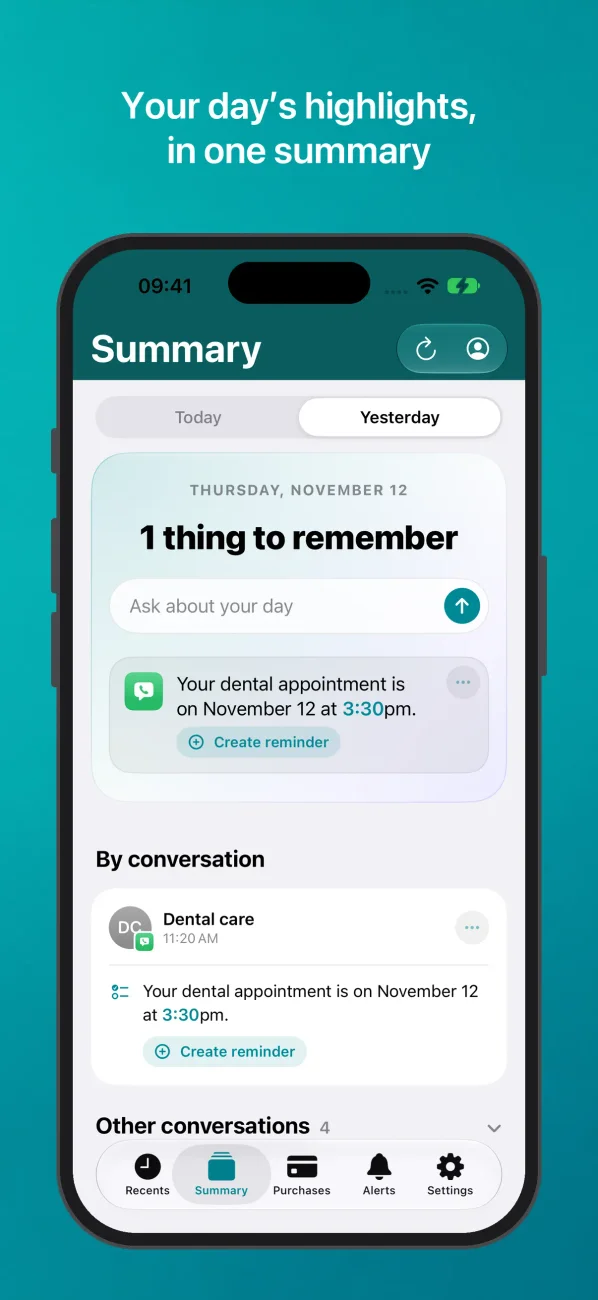
YOUR DAY, SUMMARIZED
NotiKeep reads the day’s conversations and shows only what matters: plans, requests, notices, and what people asked of you. Each highlight goes to your calendar or reminders with one tap, and the day’s highlights arrive in a notification at the time you choose. Summaries are made by Apple Intelligence on your iPhone or, if you allow it, in Apple’s private cloud (Private Cloud Compute).
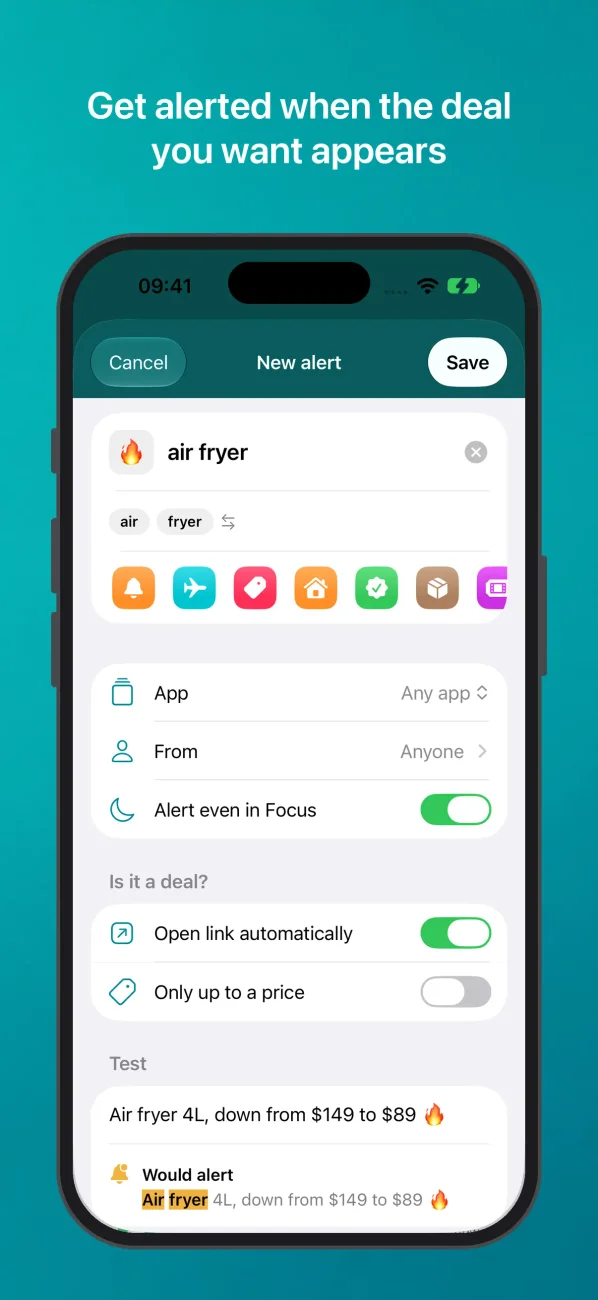
WORD ALERTS
Pick a word, like a delivery, a name, or a result, and NotiKeep alerts you when it shows up, even in a Focus. An alert can apply to just one app, person, or group.
FIND ANY MESSAGE
Search without worrying about accents and filter by app, conversation, and day. Share or copy a message from another app and NotiKeep opens the conversation right there.
READ WITHOUT OPENING THE CONVERSATION
Read your messages in NotiKeep without opening the messaging app or sending a read receipt through it.
PRIVACY
Notifications stay on your iPhone. No account and no ads; NotiKeep has no server. Turn on Face ID lock, choose when history is deleted, and ignore conversations you don’t want to save. Usage analytics are optional and never include messages, names, or searches.
NOTIKEEP PRO
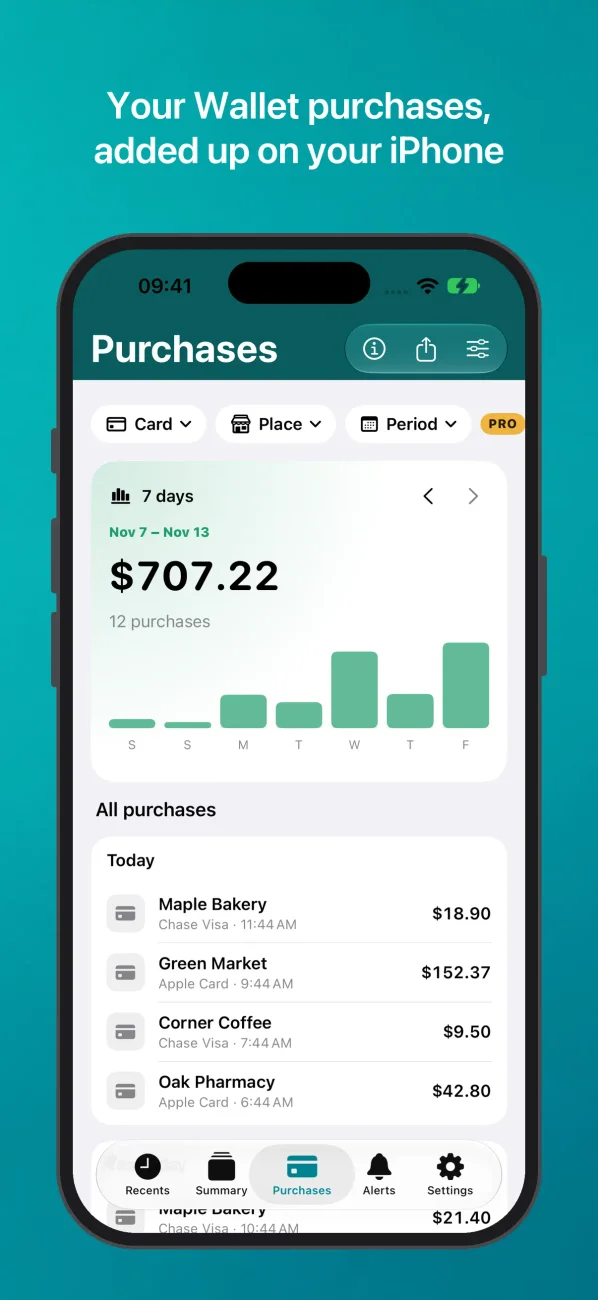
The download is free. To read your saved history, subscribe to NotiKeep Pro, monthly or yearly: all apps, unlimited alerts, the Summary for every conversation, Show Latest Notification on the Action button, Back Tap, or Siri, and CSV and PDF export. Without a subscription, the Summary shows up to 3 important conversations a day. If you used NotiKeep before version 1.5, you keep the free history of one app.
The subscription renews automatically unless canceled in iPhone Settings at least 24 hours before the end of the period. Payment is charged to your Apple Account when you confirm the purchase.
GETTING STARTED AND LIMITS
Requires iOS 27 or later and an automation in the Shortcuts app; the tutorial walks you through each step. NotiKeep only saves the text of notifications received after setup. It can’t recover old messages or save photos, videos, or audio. Notifications without previews and muted conversations may not provide text. Summaries rely on Apple’s language models, which vary by iPhone and language.
Support: https://notikeep.app/en/support/
Privacy: https://notikeep.app/en/privacy/
Terms of Use: https://www.apple.com/legal/internet-services/itunes/dev/stdeula/
What’s new
Version 1.8 · Nov 25, 2026
• Codes that copy themselves: when a verification or delivery code arrives, it’s already copied, on your Mac too. It shows in the Dynamic Island and on the Lock Screen, and the Latest code widget copies it with one tap.
• Clipboard history: keep what you copy, only on your iPhone. The last item is always at hand; with Pro, the whole history, with search and pinned items.
• One shortcut does it all. If you already use NotiKeep, a quick guide helps you update the shortcut.
• Pix, bank slips, tracking numbers and coupons in messages copy with one tap.
• Remind me later, pause a conversation for 24 hours, a links-only filter and Spotlight search.
App privacy
What Gustavo Takechi declares on the App Store about how this app handles data.
-
Data linked to you
May be collected and linked to your identity.
- Purchases
- Identifiers
- Usage data
- Diagnostics
Privacy practices may vary, for example with the features you use or your age.
Information
- Seller
- Gustavo Takechi
- Category
- Productivity
- Version
- 1.8
- Updated
- Nov 25, 2026
- Released
- Oct 13, 2026
- Size
- 26.8 MB
- Requires
- iOS 27.0 or later
- Age rating
- 4+
- Price
- Free
- In-app purchases
- Yes
- Languages
- English, French, German, Italian, Portuguese, Spanish, Turkish
- Copyright
- © 2026 Gustavo Takechi
You might also like
-
 Clipster: Clipboard ManagerSave, pin & paste anywhere
-
 Planwall: Lock Screen CalendarLife Wallpaper & Notes
-
 CleanStreak HomeA cleaner home every day.
-
 ToText: AI Transcript SummaryEnglish voice & meeting notes
-
 Notification HistoryView Notification History
-
 Awesome Habits: Habit TrackerStreaks, days since & goals
-
 the newsProductivity
-
 Toki: Tasks, Scheduling & WorkAI agent for what matters
-
 Google AI Edge GalleryPrivate, Fast, Offline AI
-
 Zapia: Personal AI AssistantAgent for chat, mail, calendar