ntoday - Brain Dump Notes
Notes that become a to-do list
Designed for iPhone, iPad
In-app purchases
- Age rating4+
- CategoryProductivity
- Developerxiah lee
- LanguagesKorean+ 2 more
- Size21.8 MB
Links to the official App Store page
Download.org hosts no file of ntoday - Brain Dump Notes. The button opens its official App Store page, published by xiah lee. Listing last checked on Nov 8, 2026.
Screenshots
About
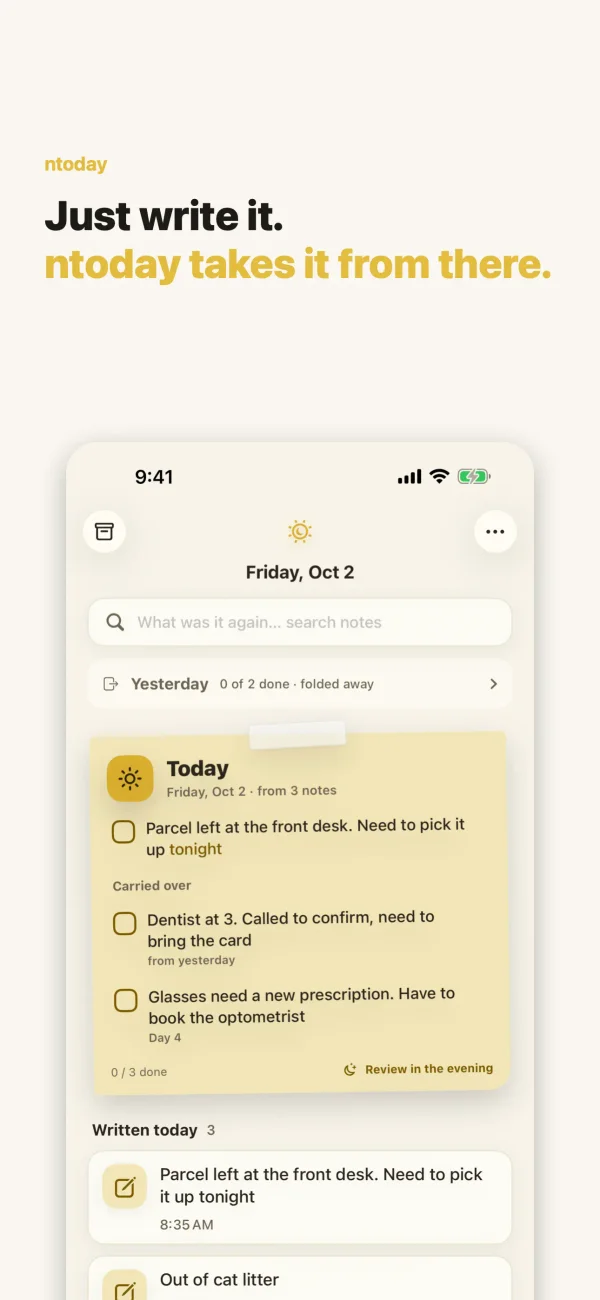
Just write it. ntoday takes it from there.
Throw whatever's in your head at it, however messy. The next morning it puts back just the parts you need to hold on to.
It doesn't tell you to get organised. It keeps things organised for you.
■ Writing takes no thought
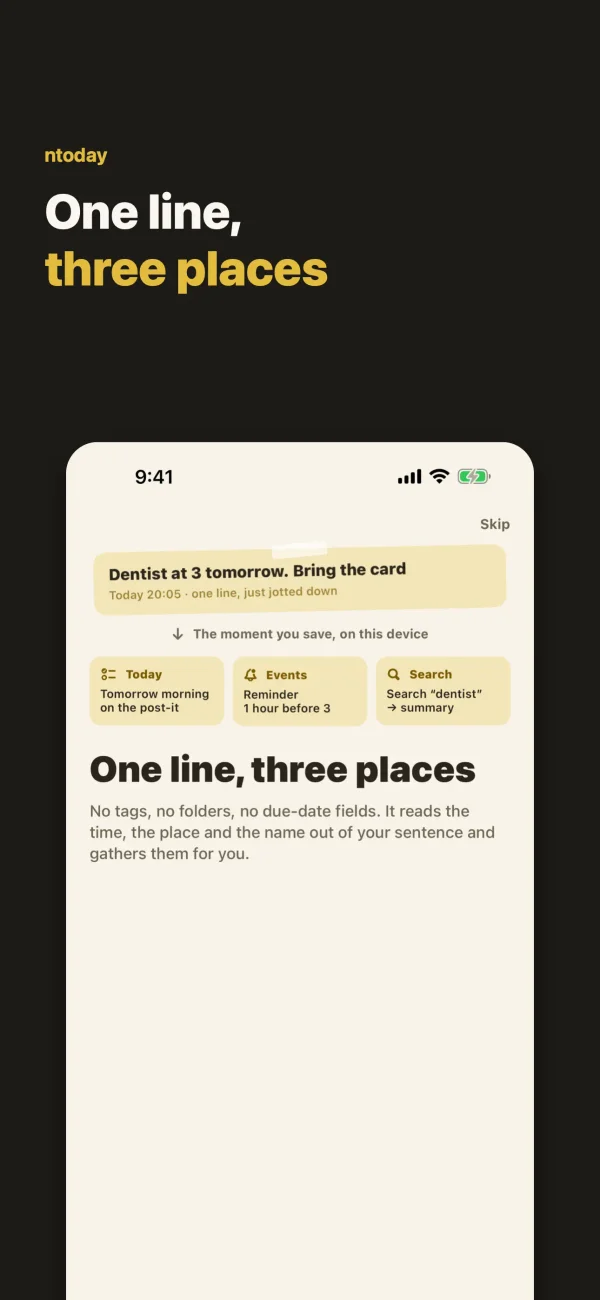
One line goes to three places at once — today's list, your appointments, and search.
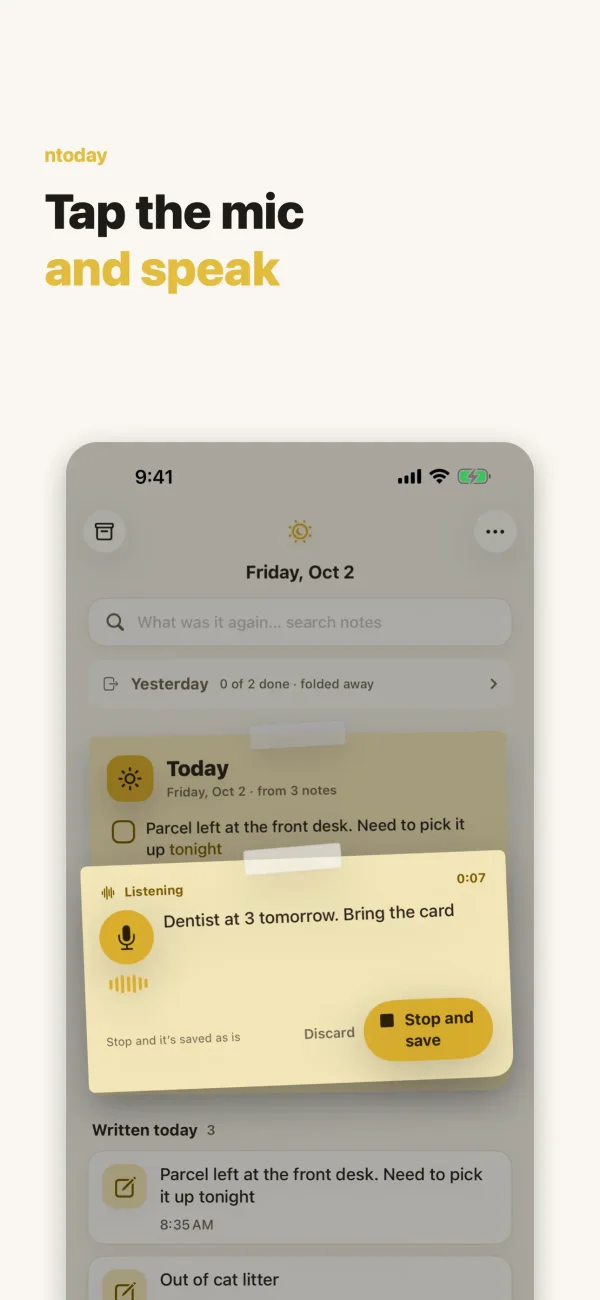
Hold + and speak. You get the transcript and the original recording, kept together.
Photos go in as they are.
■ It brings things back before you go "oh — right"
Writing it down and never looking again is the real problem. So it looks for you.
· 7:30 in the morning — only what's left over and what's due today. Nothing due, nothing rings
· 8:00 at night — the unfinished ones, once, quietly
· Tick things off from a widget or your Apple Watch without opening the app
■ What you wrote sorts itself
To-dos, appointments, where you put it, shopping, things that repeat.
No boxes to set up. Writing is enough.
If something lands in the wrong box, one tap on "not this" takes it out — and it remembers the shape.
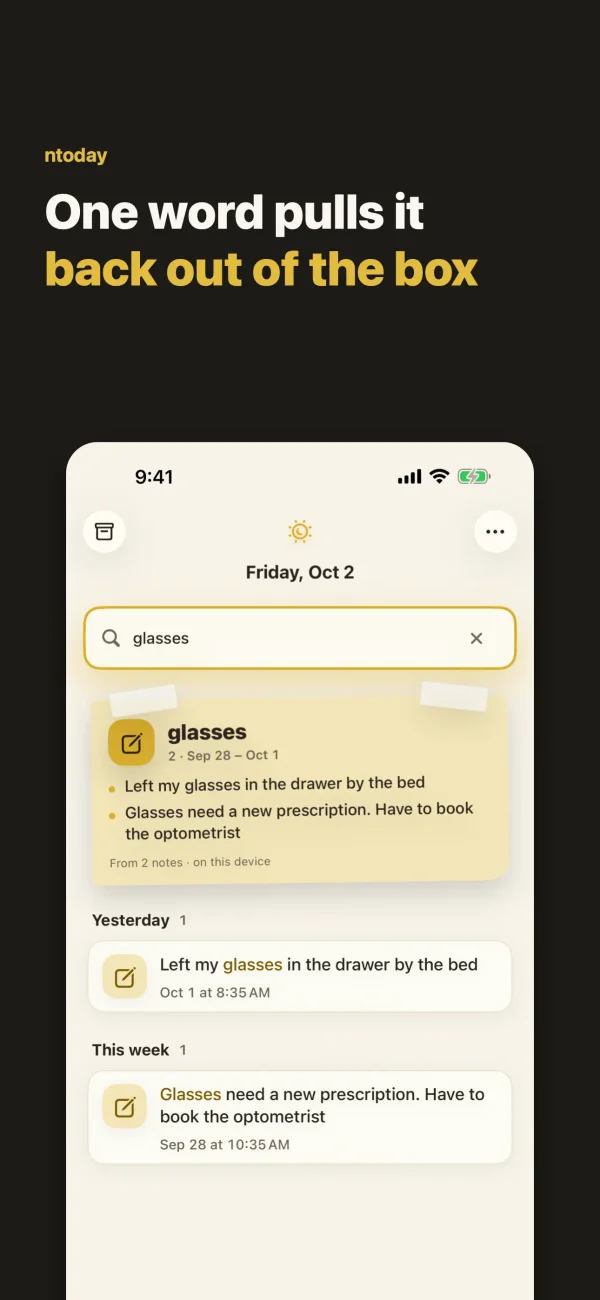
■ One word pulls it back out
Type "dentist" and everything you wrote about the dentist comes back on a single sheet.
When it was, what it cost, what they told you.
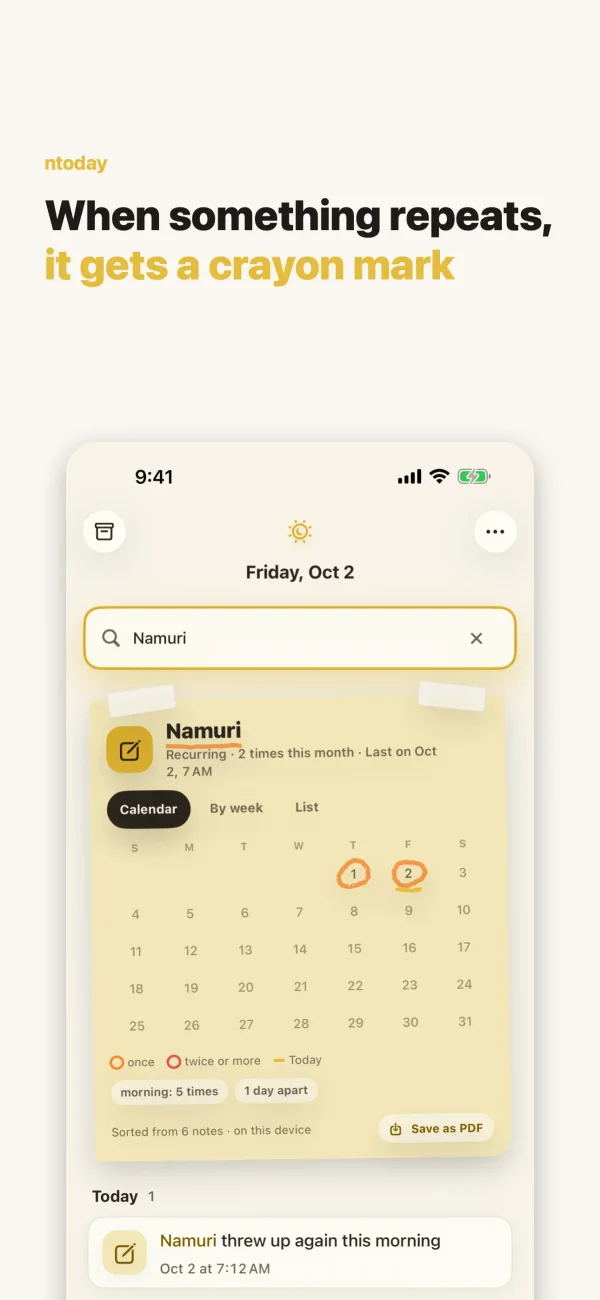
■ When something repeats, it gets a crayon mark
Write "sick again" across a few days and circles appear on a calendar.
It isn't a feature you switch on. The notes become the tracker by themselves.
Export it as one page to show a doctor or a vet.
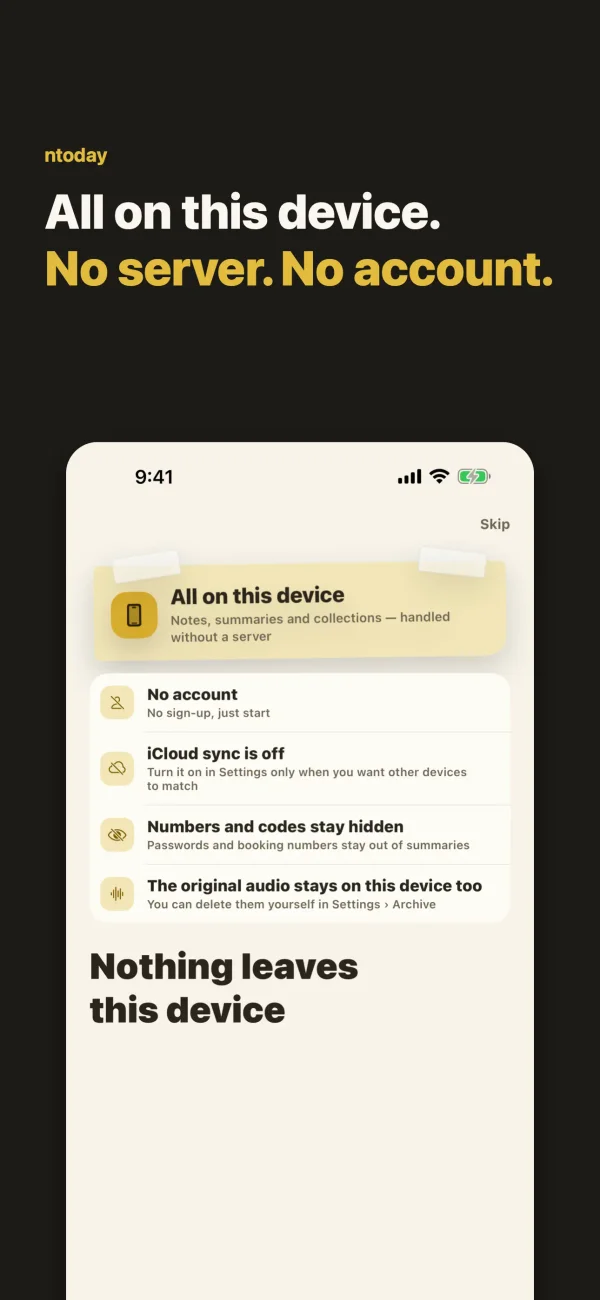
■ All of it on this device
There is no server. There never will be. What you write does not leave the phone.
No account, no sign-in.
iCloud sync is off until you turn it on, and even then it only goes to your own private iCloud.
Codes and passwords you jot down are hidden from summaries, previews, widgets and the lock screen.
■ ntoday Plus — buy once, keep it
Four more boxes (money, people, codes, scraps), iCloud sync, three months of tracker history with its widget, and three paper colours.
Not a subscription. No ads.
The free app has no limit on how much you write, and search, the morning and evening nudges, widgets, Apple Watch, export and the archive are **always free**.
Built for people who write things down and forget them.
English · 한국어 · 日本語
What’s new
Version 1.2.1 · Oct 14, 2026
Polished screens throughout the app.
App privacy
What xiah lee declares on the App Store about how this app handles data.
-
Data not collected
The developer does not collect any data from this app.
Privacy practices may vary, for example with the features you use or your age.
Information
- Seller
- xiah lee
- Category
- Productivity
- Version
- 1.2.1
- Updated
- Oct 14, 2026
- Released
- Oct 2, 2026
- Size
- 21.8 MB
- Requires
- iOS 26.0 or later
- Age rating
- 4+
- In-app purchases
- Yes
- Languages
- Korean, English, Japanese
- Copyright
- © 2026 ntoday
You might also like
-
 차곡차곡 - CairnProductivity
-
 SteadyMemo: Calendar NotesMemos by date, at a glance
-
 Trace: Journal & Time CapsulePrivate voice diary with lock
-
 Xen Note - PDF Markup & NotesStylish Note, Always With You
-
 말루비Productivity
-
 Saved for laterProductivity
-
 Brain Dump: 메모·할일 위젯Productivity
-
 StashNote Bookmarks Read LaterSave Links, Add Tags, Sync Now
-
 Messo: To-Do, Notes, TasksTo-do, tasks for daily life
-
 Fly Notes: Voice RemindersBrain dump, to-dos & Ask AI