
SteadyMemo: Calendar Notes
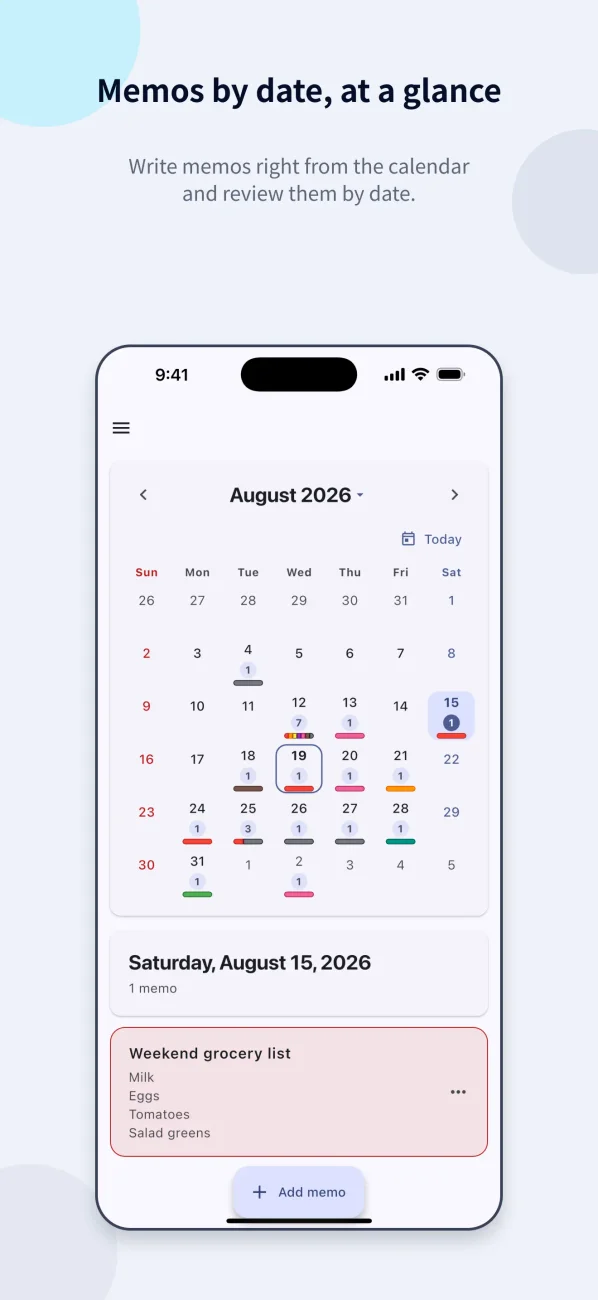
Memos by date, at a glance
Designed for iPhone, iPod touch
In-app purchases
- Age rating4+
- CategoryProductivity
- DeveloperYeongsang Kim
- LanguagesKorean+ 1 more
- Size33.3 MB
Links to the official App Store page
Download.org hosts no file of SteadyMemo: Calendar Notes. The button opens its official App Store page, published by Yeongsang Kim. Listing last checked on Nov 12, 2026.
Screenshots

About
Organize plans, ideas, and everyday records by date.
SteadyMemo is an app for writing and organizing memos by date. Choose a day on the calendar, add a memo, and find it easily whenever you need it.
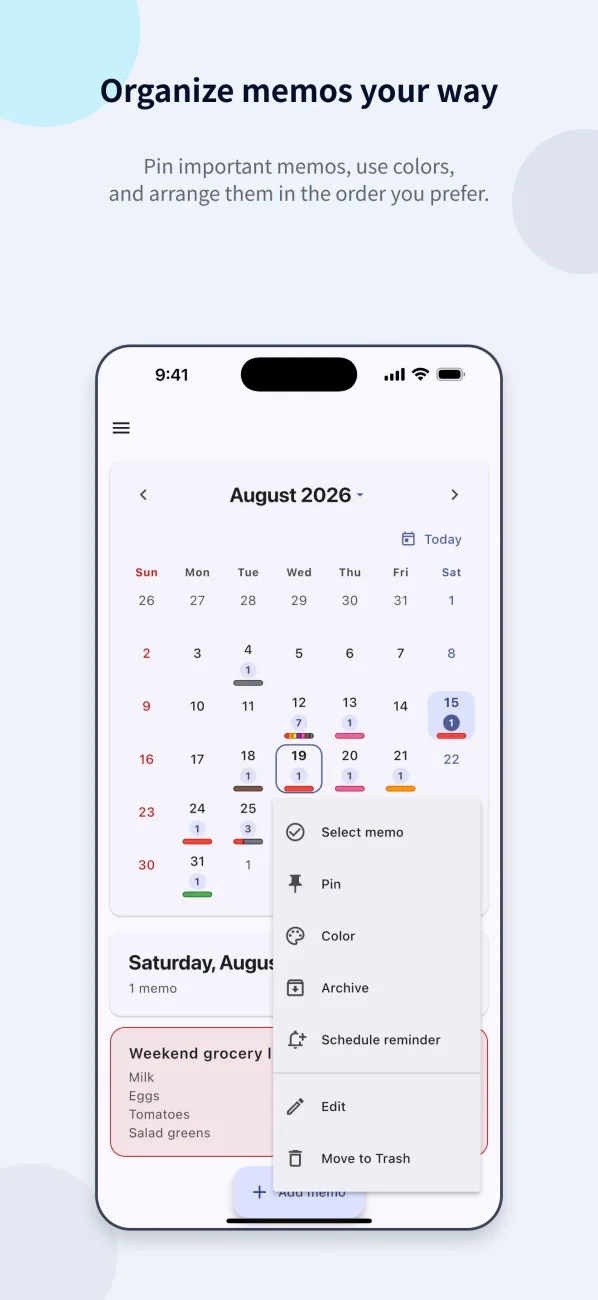
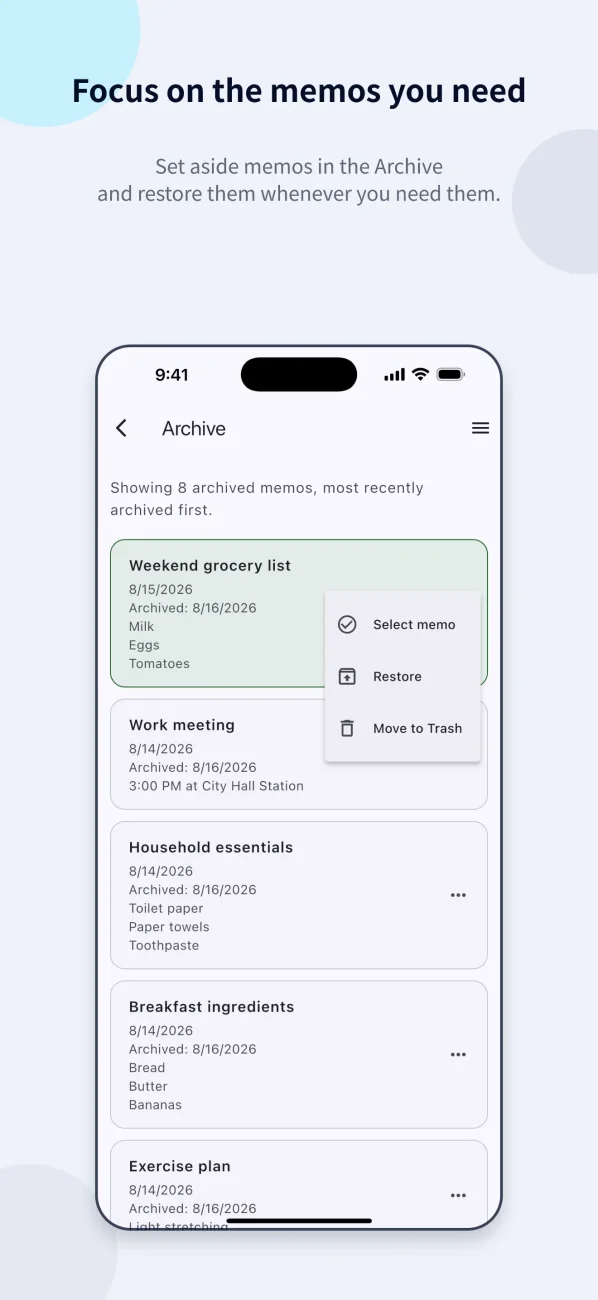
Pin important memos or use colors to tell them apart, and move finished records to the Archive. Set a reminder for a memo you need to remember, then return to it at the right time.
[What you can do with SteadyMemo]
- Keep memos by date and see each day's plans and records at a glance
- Find the memo you want quickly using the calendar or search
- Pin important memos, organize them with colors, and archive finished records
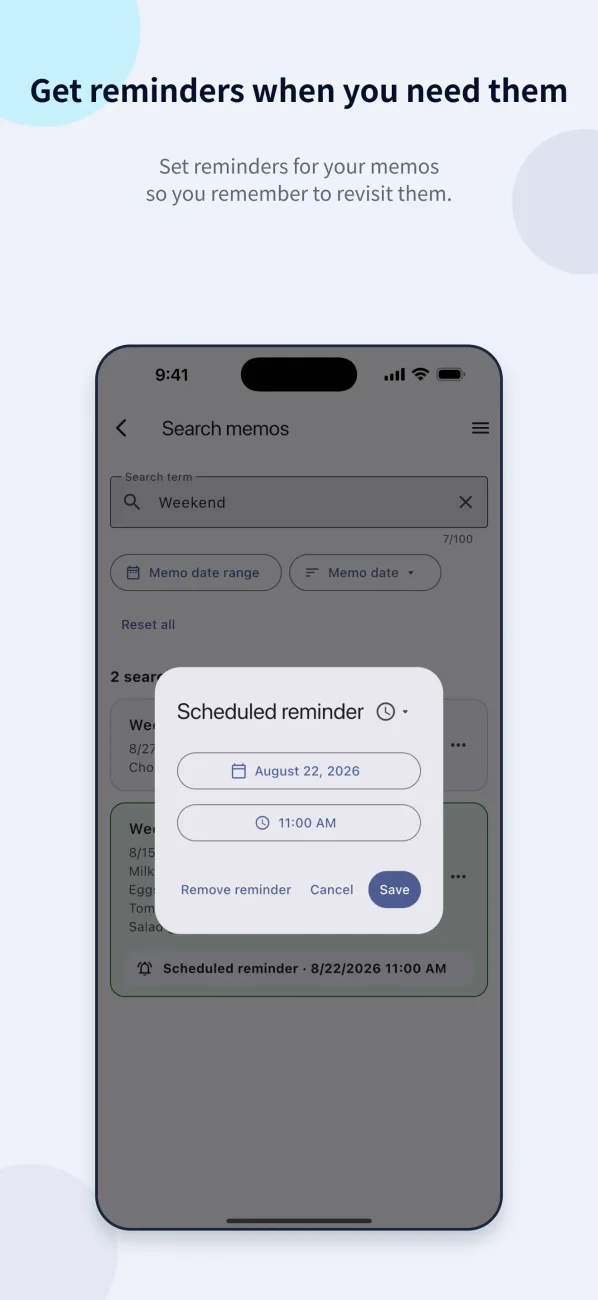
- Use scheduled reminders to revisit memos when they matter
- Start writing memos without creating an account
[Key features]
1. Calendar memos
- Create and edit memos by date from the monthly calendar
- See which dates have memos and how many are saved for each date
2. Search and organize
- Search titles and content
- Narrow results to a date range and sort by memo date or date added
- Pin memos, assign colors, and change their order within each date
- Move finished memos to the Archive and restore them when needed
- Restore deleted memos from Trash for 30 days or delete them permanently
3. Scheduled reminders
- Choose a date and time to set a reminder for a memo
- Set a reminder for each memo, with either one notification or up to 3 additional notifications at your chosen interval until confirmed
- Use reminders for schedules, appointments, and tasks you do not want to miss
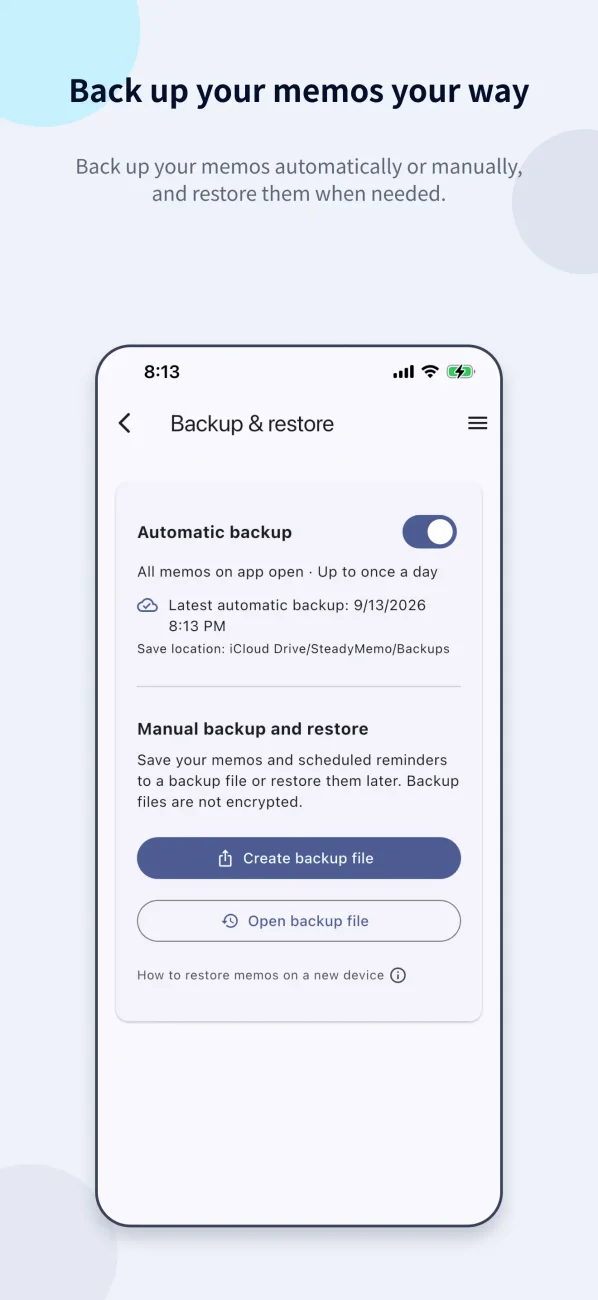
4. Backup and restore
- With automatic backups enabled, all memos are backed up to iCloud Drive when you open the app, at most once a day
- Create a backup file manually whenever you need one
- Load a saved backup file to restore memos
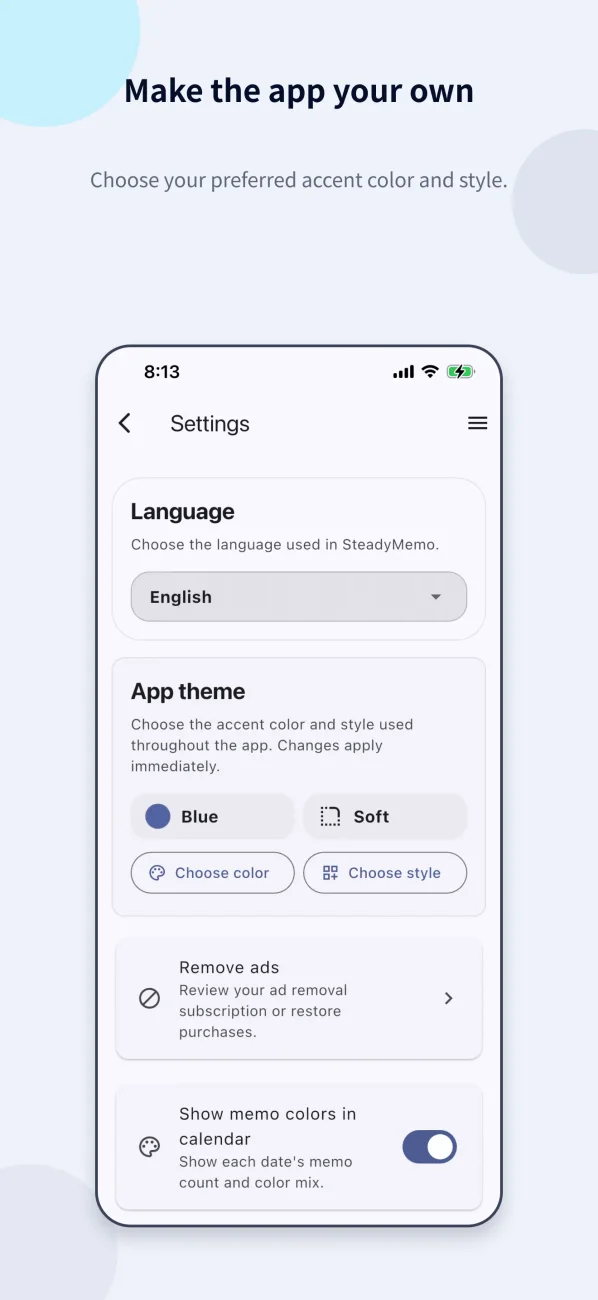
5. App theme
- Choose a theme color to suit your taste
- Choose from Default, Soft, and Flat styles
[Data and permissions]
Memo content is stored on your device. You can write, search, and organize memos without creating an account or connecting to the internet.
Automatic backups require iCloud Drive. Backup files are saved in the SteadyMemo/Backups folder in iCloud Drive. Saving a backup does not automatically restore memos in the app on another device.
You can restore memos by loading a backup file saved automatically or manually. The app does not add its own encryption to backup files, so keep them in a secure location that other people cannot access. Reminder settings are included, but only reminders scheduled for a future time are restored.
Scheduled reminders require notification permission on your iPhone.
Terms of Use (EULA): https://www.apple.com/legal/internet-services/itunes/dev/stdeula/
Privacy Policy: https://steadyseller.com/home/en/privacy-policy
What’s new
Version 1.1.0 · Sep 14, 2026
- Added automatic backups. When enabled, all notes are backed up to iCloud Drive when you open the app, at most once a day.
- Added app theme settings. Choose your preferred color and style.
App privacy
What Yeongsang Kim declares on the App Store about how this app handles data.
-
Data linked to you
May be collected and linked to your identity.
- Purchases
- Location
- Contact info
- User content
- Identifiers
- Usage data
-
Data not linked to you
May be collected but is not linked to your identity.
- Identifiers
- Diagnostics
- Other data
Privacy practices may vary, for example with the features you use or your age.
Information
- Seller
- Yeongsang Kim
- Category
- Productivity
- Version
- 1.1.0
- Updated
- Sep 14, 2026
- Released
- Sep 3, 2026
- Size
- 33.3 MB
- Requires
- iOS 15.0 or later
- Age rating
- 4+
- In-app purchases
- Yes
- Languages
- Korean, English
- Copyright
- © 2026 SteadySeller.com
You might also like
-
 One Line in TimeA line a day, a book in time
-
 데일리노트Productivity
-
 KKUK - Lock Screen HabitsStamp it, keep it
-
 Mosco - Calendar & To-DoType one line. It's scheduled.
-
 내쓸모Productivity
-
 My Daily MemoOne Line a Day Diary Calendar
-
 달력 메모장 - 메모, 일기장, 달력Productivity
-
 Notepad with Browser - SproutNotes, Browser, Sync, Widget
-
 ssamit - Tutor ManagerSchedule, Billing, Profile