Nudge: Speaker Remote
Compatible with Sonos
Designed for iPhone, iPad
Free · In-app purchases
- Age rating4+
- CategoryMusic
- DeveloperBolton LLC
- LanguagesEnglish
- Size97.1 MB
Links to the official App Store page
Download.org hosts no file of Nudge: Speaker Remote. The button opens its official App Store page, published by Bolton LLC. Listing last checked on Nov 24, 2026.
Screenshots


About
Control your Sonos speaker system from your iPhone, iPad, Apple Watch and now Mac — the remote it always deserved.
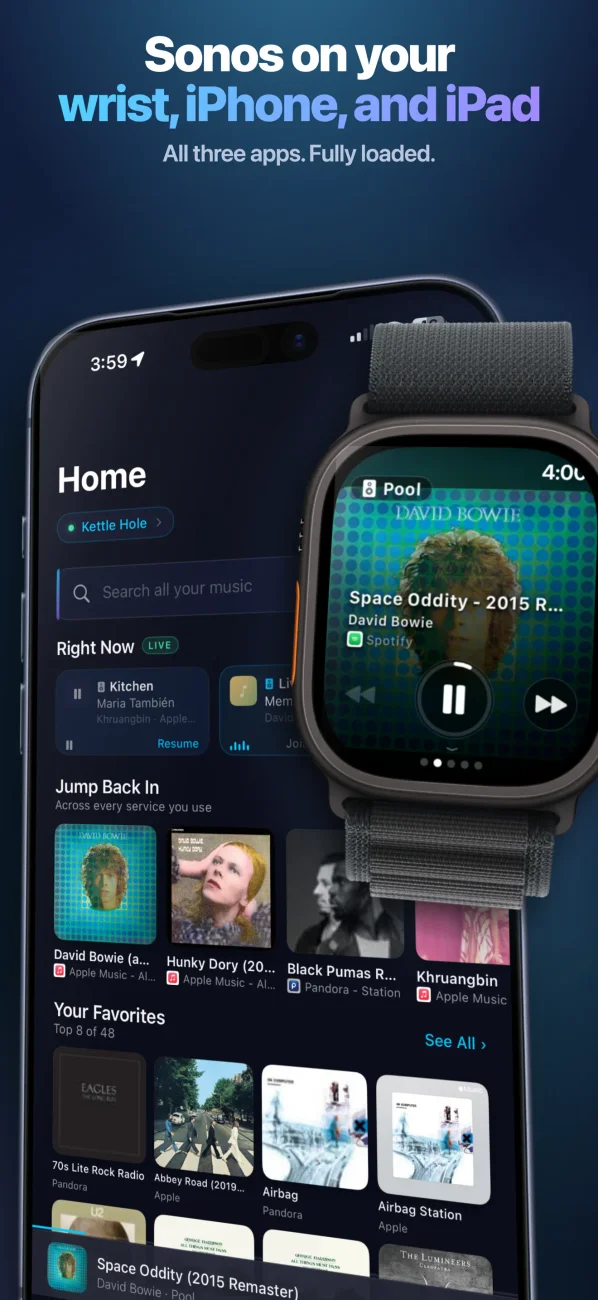
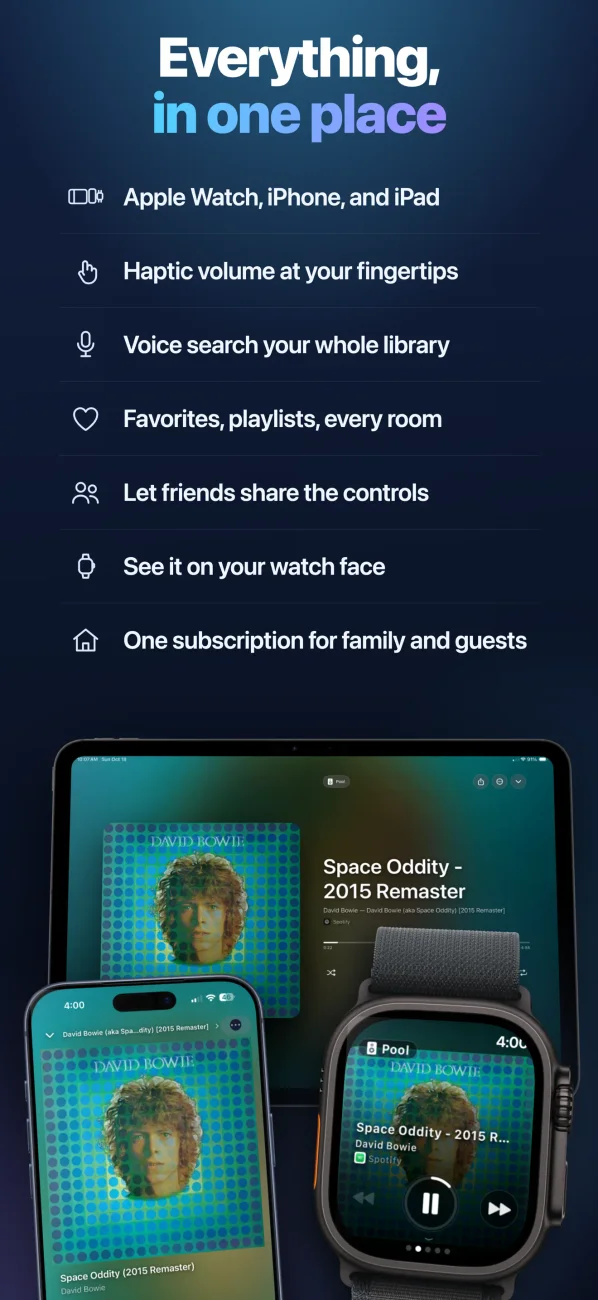
Nudge is a full speaker controller for iPhone, with a purpose-built Apple Watch app that turns your wrist into a remote. Every speaker, every connected music service, every room — in one fast, focused app. (A quick first-run setup on iPhone finds your speakers and connects your account; after that, both apps just work.)
ON YOUR APPLE WATCH
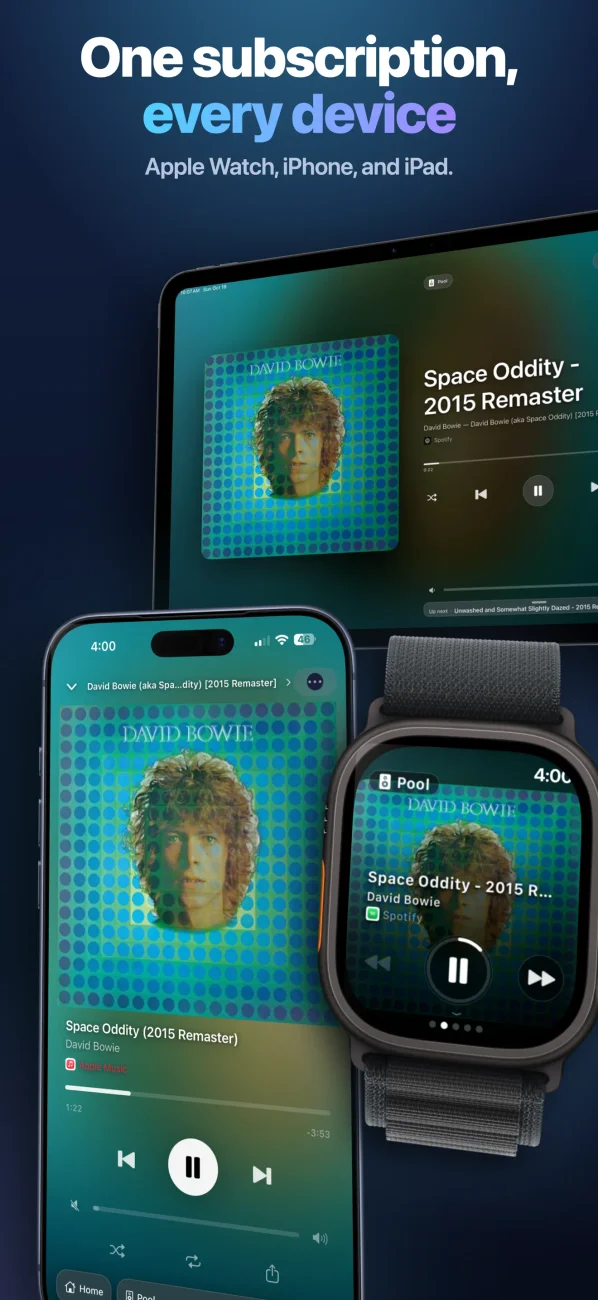
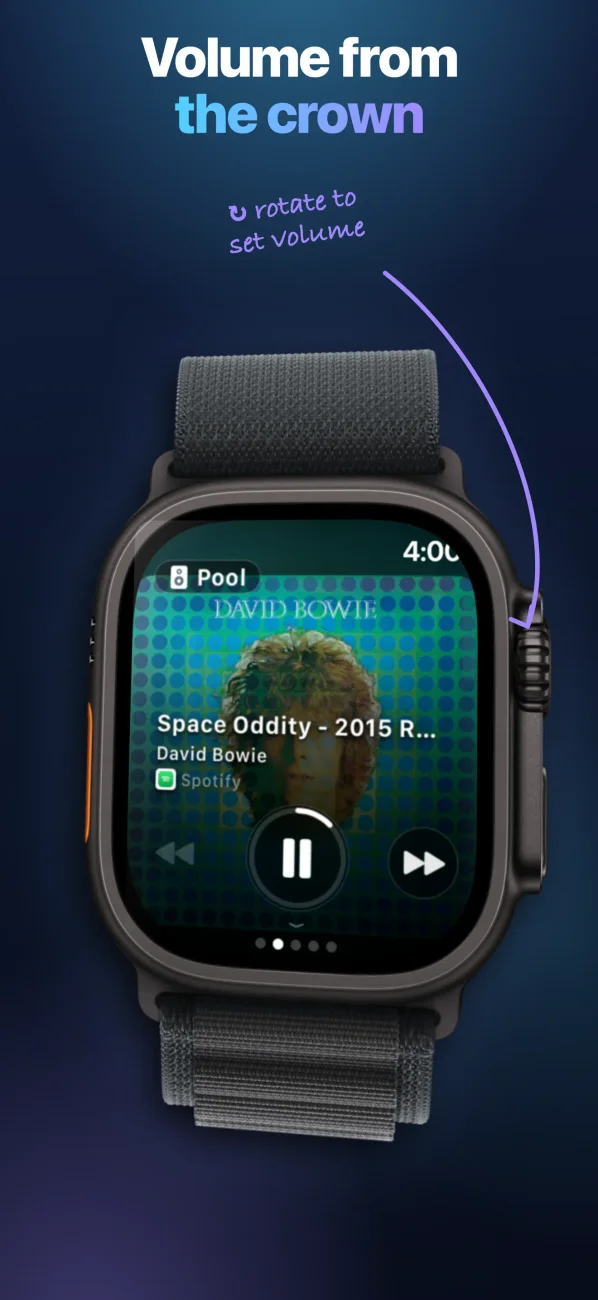
Nudge is built specifically for Apple Watch — not a shrunken phone app. Full-bleed album art, precise Digital Crown volume with haptic feedback, Double Tap to play and pause without touching the screen, and a watch face complication that shows what's playing and jumps you straight in. One-handed, glanceable, instant.
ON YOUR IPHONE
The full controller in your pocket: Now Playing with album art and transport, voice and text search across your library and Favorites, speaker and group management, and DJ Access — all in a clean, focused interface that's faster than the apps you've been using.
ON YOUR IPAD
Nudge is now on iPad. It isn't a stretched-out iPhone app: it was laid out for the big screen, so you can browse, pick a room and control what's playing without ever leaving the screen you're on.
ON YOUR MAC
Nudge for Mac is not optimized to work on Mac with full Keyboard support. Now your favorite app can live right your MacBook, so you can browse, pick a room and control what's playing without ever leaving the screen you're on.
VOICE SEARCH
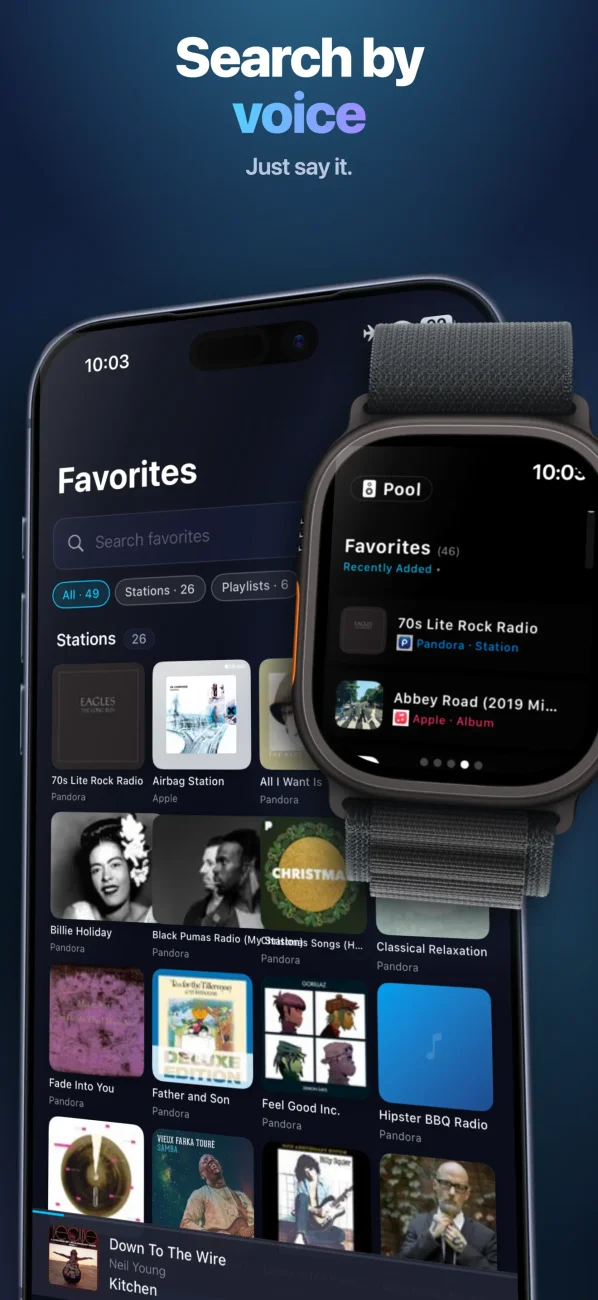
Say what you want to hear — Nudge searches your personal music library and Favorites and plays it. Hands-free voice dictation on Apple Watch while you cook, work out, or move around the house, plus fast search on iPhone. One tap to play.
NOW PLAYING
Full-screen album art with intuitive playback controls. Precise volume — Digital Crown with haptics on the Watch, smooth sliders on iPhone. Shuffle, repeat, and crossfade. Skip, scrub, and switch rooms in a tap.
DJ ACCESS
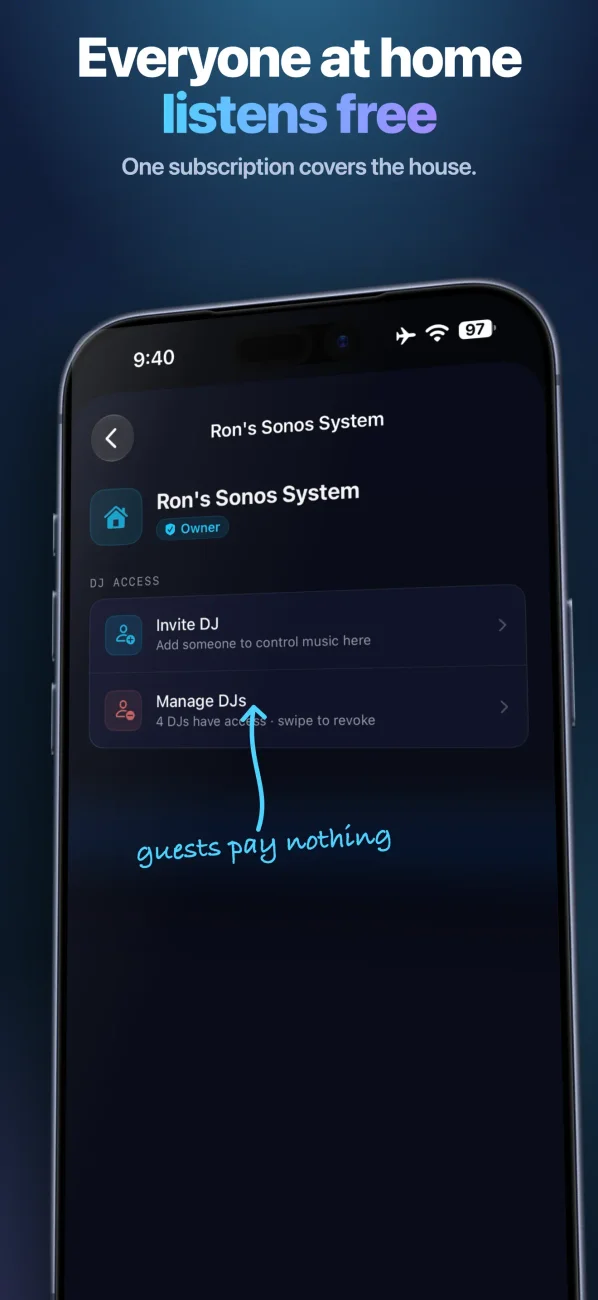
Turn your friends into DJs. One invite and they can control your speakers — play from your library and Favorites, adjust volume, switch rooms. No passwords shared. Safe and secure. Your system, your rules.
SPEAKERS AND GROUPS
See every speaker and group on your network. Switch rooms instantly. Create and modify groups on the fly. Album art thumbnails show what's playing where, at a glance.
FAVORITES
Your saved Favorites for one-tap playback — stations, albums, and playlists across all your music services.
FAMILY SHARING
One subscription covers your entire Apple Family at no extra cost.
Requires iPhone with iOS 26.x or later and iPad with iPadOS 26.1 or later. Apple Watch features require Apple Watch Series 6 or later with watchOS 11.6 or later. Compatible with MacOS 27.1 or later. Compatible wireless speakers on the same Wi-Fi network.
Requires a Sonos system on your Wi-Fi network.
—-
Nudge is independently developed and is not affiliated with, endorsed by, or sponsored by Sonos. Sonos is a registered trademark of Sonos, Inc.
PRIVACY & TERMS
Privacy: https://nudge-app.me/privacy/
Terms: https://nudge-app.me/terms/
What’s new
Version 26.11.3 · Nov 23, 2026
- Nudge now runs on your Mac — control every room from your desk with the same sidebar and Now Playing as iPad.
- Save to Favorites with a tap of the heart — on Now Playing, album pages and every long-press menu, with Undo if you change your mind.
- Switch a room between TV and music — one tap on the Speakers tab, the room page, Speaker Settings or your Apple Watch.
- Resume after TV plays the radio station you were on — back to your music in one tap.
- Group volume moves every speaker together — from the Lock Screen and Apple Watch too, each keeping its own balance.
- Tap the song on Now Playing to open its album — even while a station plays.
- Nudge on Mac stays fast and responsive — even after it has been open for hours.
- Jump Back In loads reliably all day — your recent music is always one tap away.
- Nudge opens and switches screens without stalls — smoother on Mac, iPad and iPhone.
- Jump Back In appears as soon as you join someone's speakers as a guest — no need to reopen the app.
- Drag music onto a room on Mac and iPad — drop an album, playlist, station or song on a sidebar room, a Right Now card or the Now Playing column.
- The Queue opens as the whole right pane in landscape Now Playing — read and reorder what's coming up even in a small window.
- Now Playing fits small Stage Manager and Mac windows — the album art, title and controls scale together and nothing runs off the edge.
- Queues now load in the background — scroll through hundreds of tracks without a freeze.
- Play Now checks slow speakers before adding again — your music lands in the queue once.
- Play Now starts the new album before clearing the old queue — your music begins sooner.
- Play Now adds the new music before removing the old — if anything fails, you keep the queue you had.
- Clear Queue now has Undo on iPhone, iPad and Apple Watch — take back an accidental clear in one tap.
- On iPad, drag an album or playlist onto a room to replace its queue — swap music fast, with 5 seconds to Undo.
- Nudge waits out a busy speaker instead of searching again — you stay in the remote through stalls and Wi-Fi blips.
- Nudge remembers the networks you've used, across your devices — reconnect in seconds after reinstalling or on a new iPhone.
- Queue edits now follow each song's exact spot — quick removes always change the right song in the right room.
- Your first play opens Now Playing, and the family-listening card waits for Home — you see what's playing right away.
App privacy
What Bolton LLC declares on the App Store about how this app handles data.
-
Data not linked to you
May be collected but is not linked to your identity.
- Identifiers
- Usage data
- Diagnostics
Privacy practices may vary, for example with the features you use or your age.
Information
- Seller
- Bolton LLC
- Category
- Music
- Version
- 26.11.3
- Updated
- Nov 23, 2026
- Released
- Aug 9, 2026
- Size
- 97.1 MB
- Requires
- iOS 26.1 or later
- Age rating
- 4+
- Price
- Free
- In-app purchases
- Yes
- Languages
- English
- Copyright
- © 2026 Bolton LLC
You might also like
-
 Sonique - Speaker ControllerFast multiroom music control
-
 Sound Relay EqualizerEqualizer for every app
-
 Crystal MusicMusic
-
 Track One – Vinyl JournalA record of your life in vinyl
-
 AcousticPro SPL RTA RT60Acoustic PDF reports
-
 SNB MetersProfessional audio metering
-
 My Records MusicCovers, not text lists
-
 ZoneFoundry for SonosMulti-room Sonos, by voice
-
 Harmonoid Music PlayerPlays & manages your music
-
 Music UncoveredNonstop Music Head-Up Display