- Age rating4+
- CategoryMusic
- DeveloperOliver Rauch
- LanguagesEnglish
- Size5.2 MB
Links to the official App Store page
Download.org hosts no file of Sound Relay Equalizer. The button opens its official App Store page, published by Oliver Rauch. Listing last checked on Nov 18, 2026.
Screenshots

About
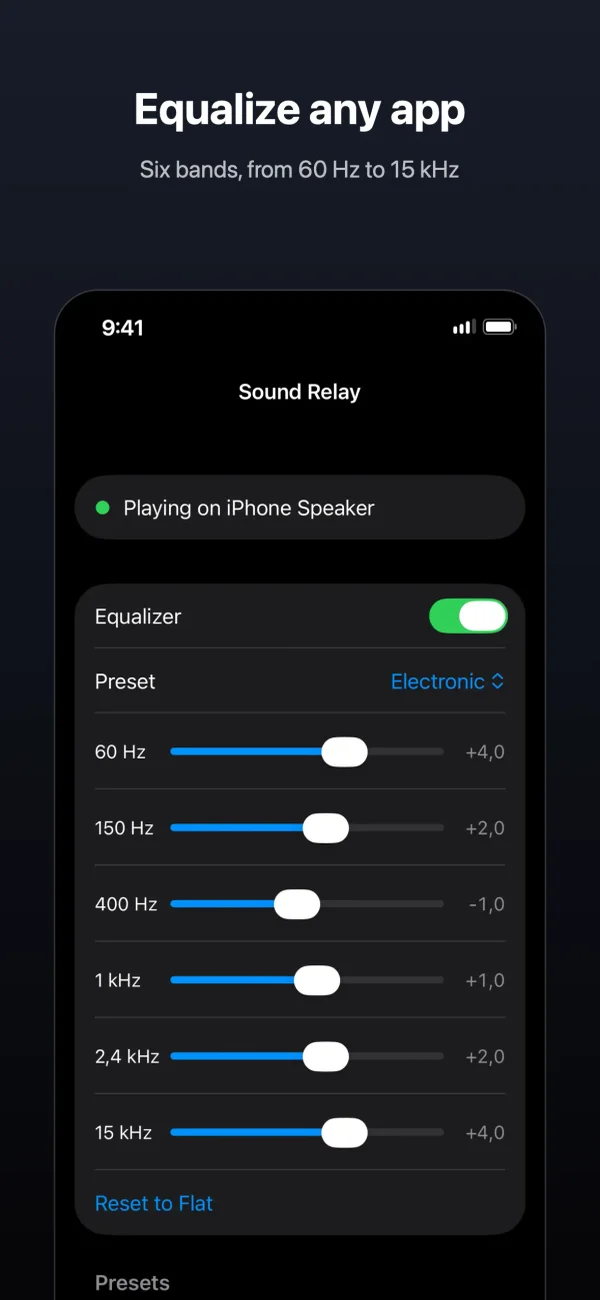
Sound Relay Equalizer adds a six-band equalizer to the sound of any app on your iPhone or iPad. Music, podcasts, videos: if it plays through your speaker or headphones, you can shape it.
HOW IT WORKS
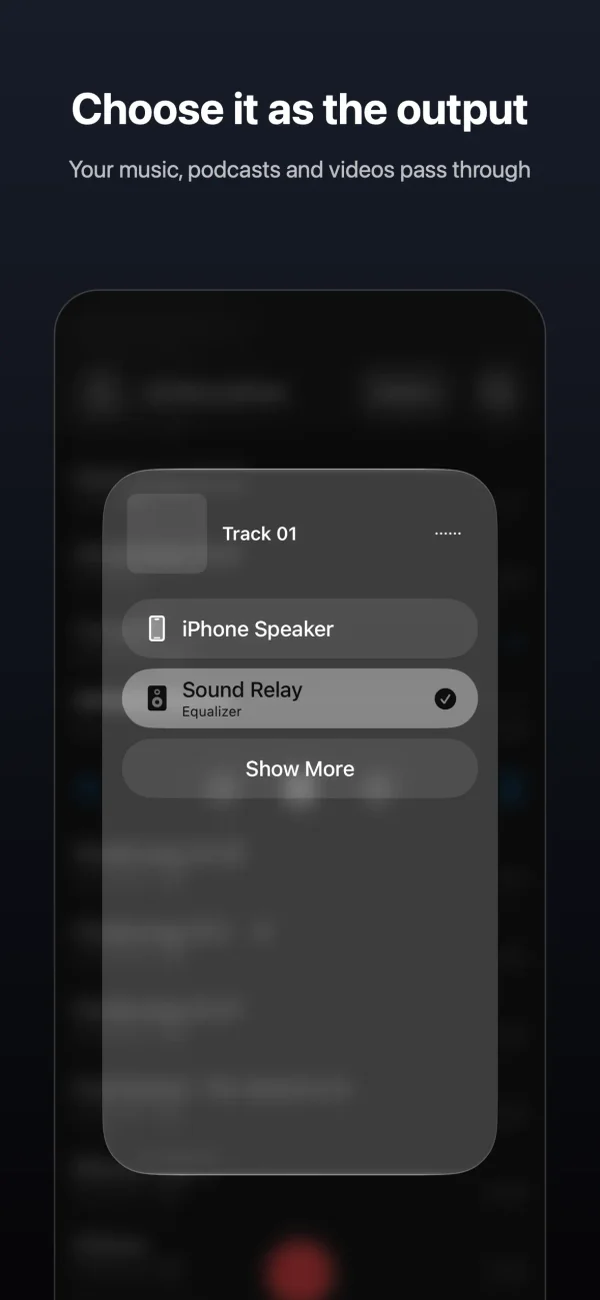
Open Sound Relay once and leave it in the background. Open Control Center, tap the output button and choose "Sound Relay". From then on your audio passes through the equalizer on its way to the headphones or speaker you were using before: AirPods, Bluetooth or wired headphones, or the iPhone speaker. The status row shows which one. Choose your headphones in the output menu again to stop.
SHAPE THE SOUND
• Six bands: 60 Hz, 150 Hz, 400 Hz, 1 kHz, 2.4 kHz and 15 kHz, each from −12 to +12 dB in half-decibel steps.
• Twelve built-in presets, from Bass Boost to Classical.
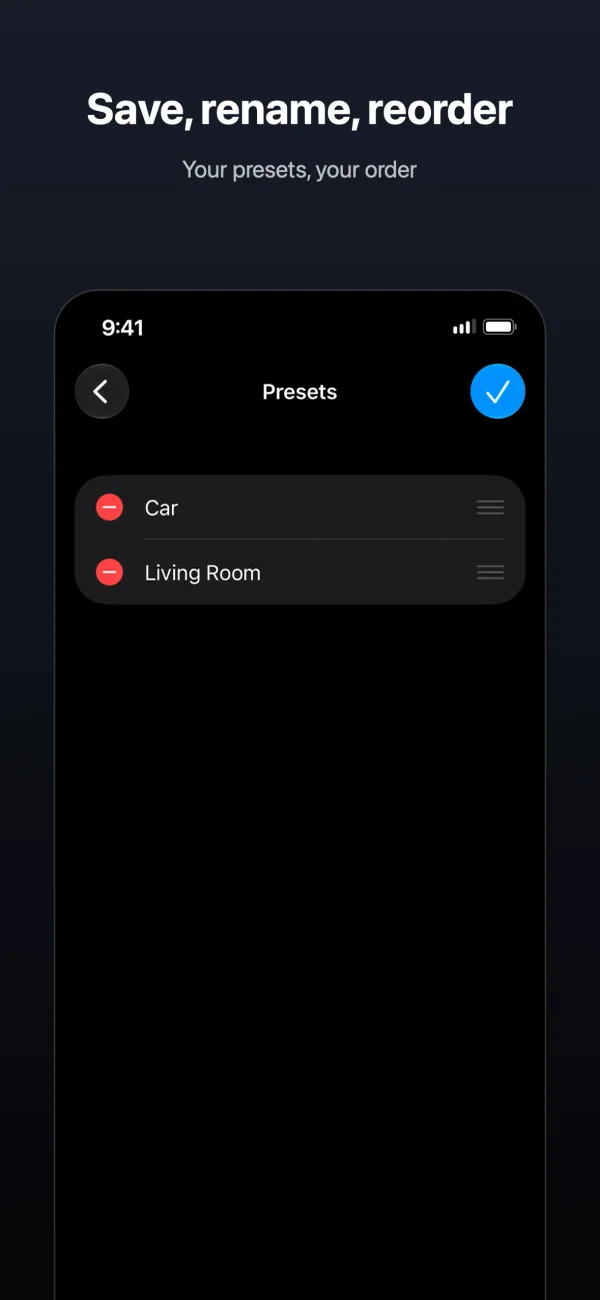
• Save your own presets, rename and reorder them.
• An Equalizer switch to compare with the original sound at any time.
• A built-in limiter keeps boosted bands from distorting.
ALWAYS KNOW WHAT IS HAPPENING
The status row tells you whether Sound Relay is selected and which output it is playing on.
SHORTCUTS AND SIRI
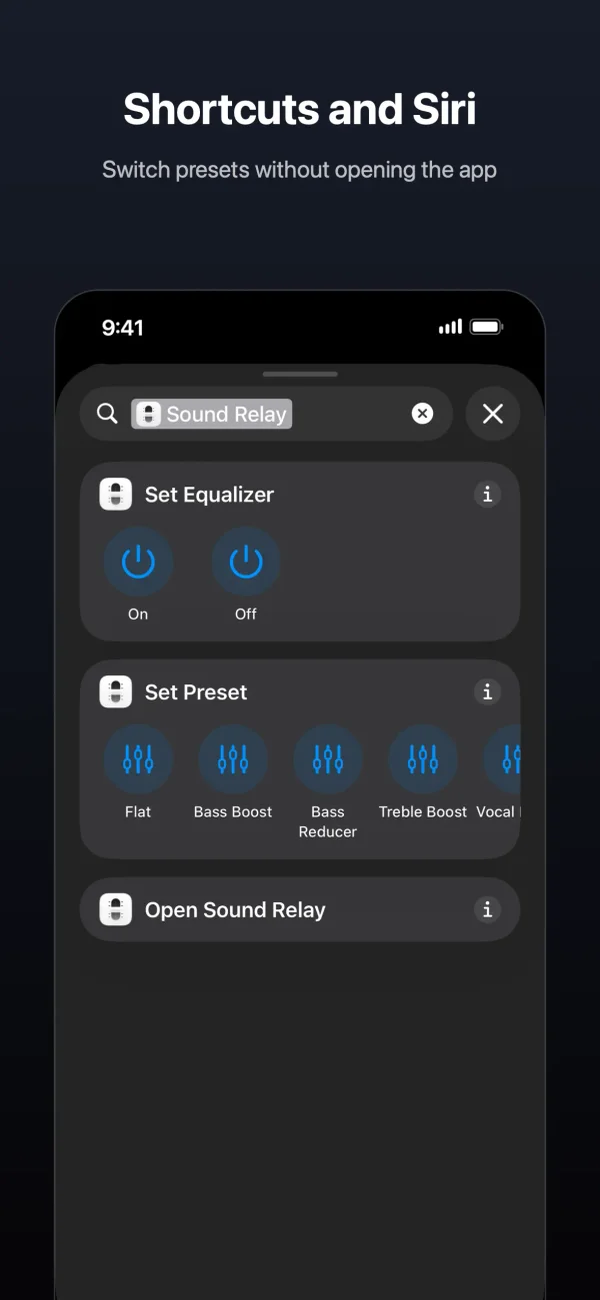
Open Sound Relay, choose a preset or switch the equalizer from the Shortcuts app and Siri. Let an automation open Sound Relay whenever your AirPods connect.
PRIVATE BY DESIGN
Your audio never leaves your device. Sound Relay collects no data, has no account and never records anything.
GOOD TO KNOW
• Sound Relay must be running for the entry to appear in Control Center. After a restart, open it once.
• If your headphones disconnect, Sound Relay mutes instead of playing out loud and tells you with a notification. Your music keeps running in its app; pause it, reconnect, or tap the Play button in Sound Relay to continue on the speaker.
• AirPlay speakers such as HomePod are not supported. With one selected, Sound Relay plays on the device itself.
• Requires iOS 27.
What’s new
Version 1.1 · Nov 15, 2026
• Sound Relay is now a full iPad app.
• Smoother playback: the rare corrections for clock drift are faded, not cut.
App privacy
What Oliver Rauch declares on the App Store about how this app handles data.
-
Data not collected
The developer does not collect any data from this app.
Privacy practices may vary, for example with the features you use or your age.
Information
- Seller
- Oliver Rauch
- Category
- Music
- Version
- 1.1
- Updated
- Nov 15, 2026
- Released
- Nov 11, 2026
- Size
- 5.2 MB
- Requires
- iOS 27.0 or later
- Age rating
- 4+
- Price
- Free
- Languages
- English
- Copyright
- © 2026 Oliver Rauch
You might also like
-
 vinylogue for Last.fmYour listening history
-
 AurisPEQSystem-wide EQ
-
 BeatlysOffline player for your files
-
 Attune: Headphone EQAudiophile Tuning, Your Files
-
 Pragmatic Audio PEQSystem Wide PEQ
-
 EDSP31-610Music
-
 SoundStage - Sound EnhancerSurround & EQ for your music
-
 profissional_pro_28Music
-
 Music Bass Booster: EnhancerAdjust volume,Amplify boost
-
 Bass & Volume Booster: LouderEqualizer, Speaker Amplifier