
Number Keys Please - Keyboard
Number Row & Swipe Keyboard
Designed for iPhone, iPad
$0.99 · In-app purchases
- Age rating4+
- CategoryProductivity
- DeveloperHyunGyu Kim
- LanguagesEnglish+ 1 more
- Size21.2 MB
Links to the official App Store page
Download.org hosts no file of Number Keys Please - Keyboard. The button opens its official App Store page, published by HyunGyu Kim. Listing last checked on Nov 28, 2026.
Screenshots



About
Stop switching to 123. Keep numbers and symbols within reach. Number Keys Please is a keyboard for iPhone and iPad with a dedicated number row, customizable swipe shortcuts, and on-device word suggestions.
NUMBERS AND SYMBOLS
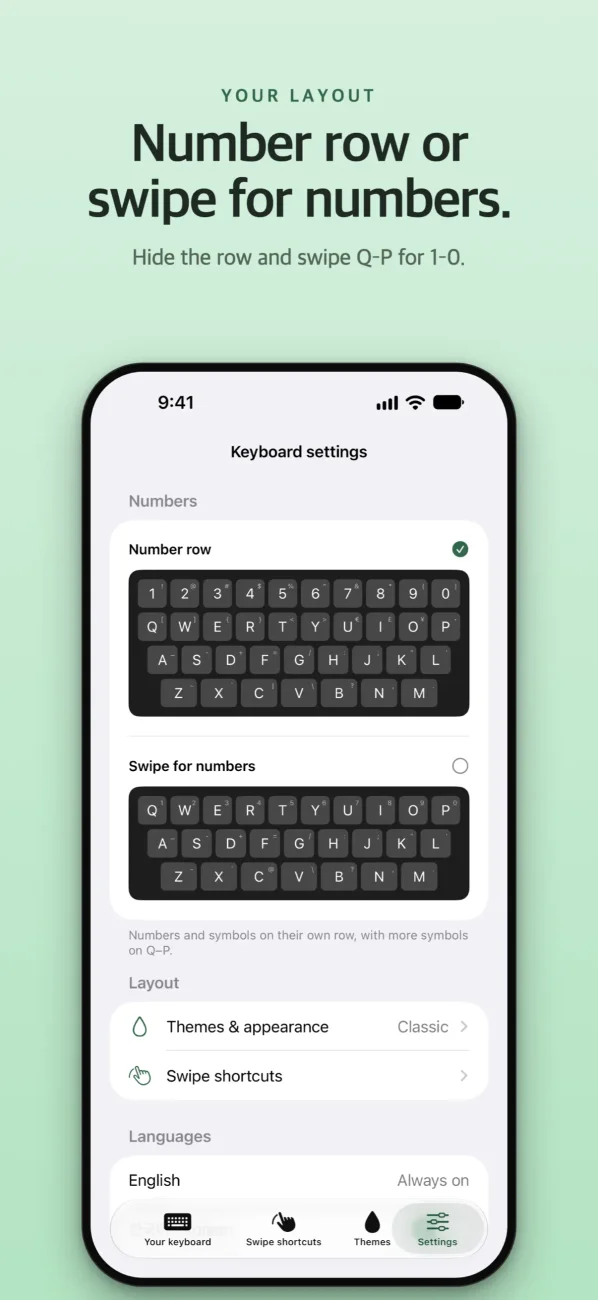
• Keep a 1–0 row above the letters, or hide it and swipe down on Q–P for numbers.
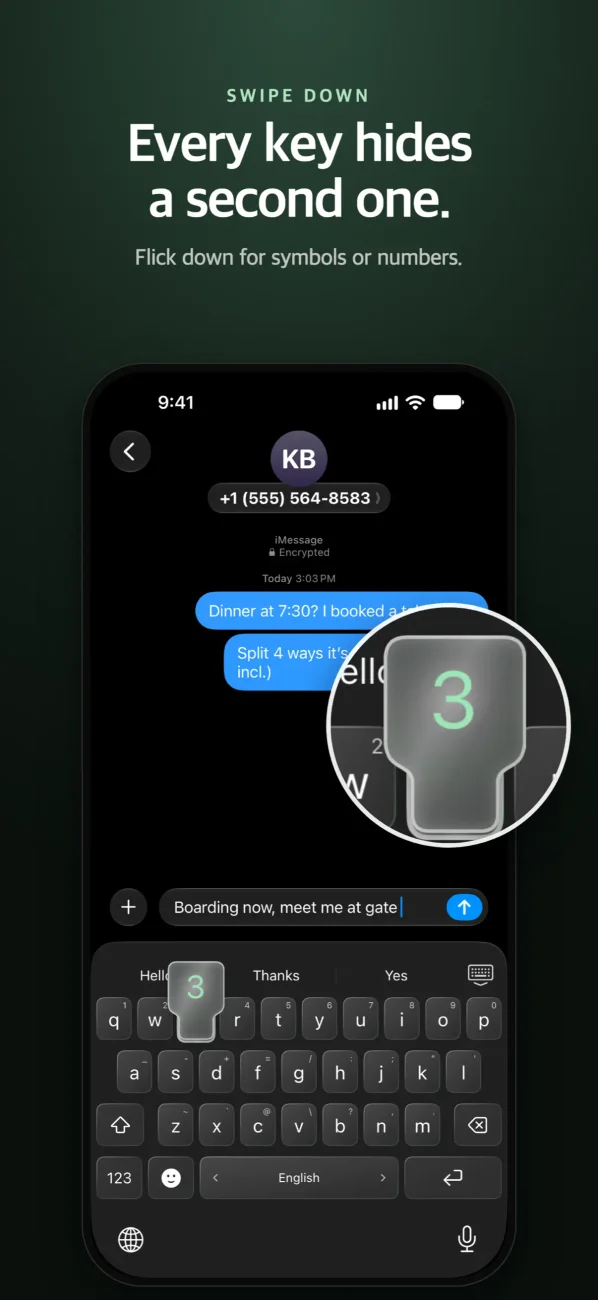
• Swipe down on a key to enter its shortcut. Set shortcuts for symbols, numbers, or strings up to eight characters long.
• Swipe up on a supported letter and slide sideways to choose an accented character. Hold a key to preview its swipes.
TYPE IN FIVE LANGUAGES
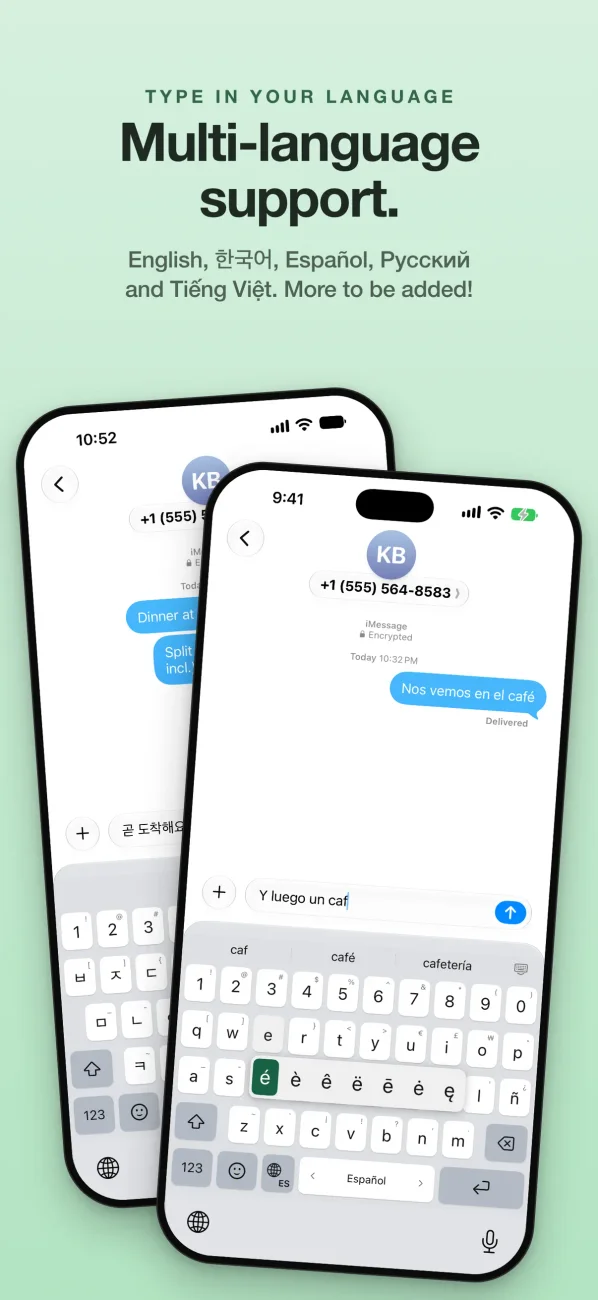
• Type in English, standard two-set Korean (두벌식), Spanish with Ñ and inverted punctuation, Russian, or Vietnamese with Telex.
• Hold the globe to choose an enabled language or open language settings. The globe displays the current language code.
• Get on-device suggestions and autocorrect as you type. Korean suggestions account for particles and endings, and you can tap the original word to undo an autocorrection.
• Download word lists for Spanish, Russian, and Vietnamese in Additional dictionaries. The lists work offline after download. Vietnamese uses word suggestions.
MAKE IT YOUR KEYBOARD
• Slide the space bar to move the cursor, search for emoji in English or Korean, and adjust key sounds and haptics.
• Use the included Classic theme or unlock Liquid Glass with a one-time purchase on iOS 26 or later. The translucent keys glow and spring back as you type.
• Try the keyboard in the app, or practice with poems and short stories in the typing tester.
ON-DEVICE TYPING
Your typing stays on your device. The keyboard works with Full Access off. Turn on Allow Full Access to share your app settings, downloaded dictionaries, and purchased theme with the installed keyboard, and to use key sounds in other apps.
GET STARTED
In iOS Settings, go to General → Keyboard → Keyboards → Add New Keyboard and choose Number Keys Please.
What’s new
Version 1.3.2 · Nov 27, 2026
• New languages: Spanish (with Ñ, ¿ and ¡), Russian and Vietnamese (Telex). Turn them on in Settings → More languages
• Accents: swipe up on a letter to see all its accents in a row below the key, then slide sideways to pick one
• Smarter Korean: particles and verb endings are understood, so 학교을 becomes 학교를, 안되요 becomes 안돼요, and 공부했 suggests 공부했어요
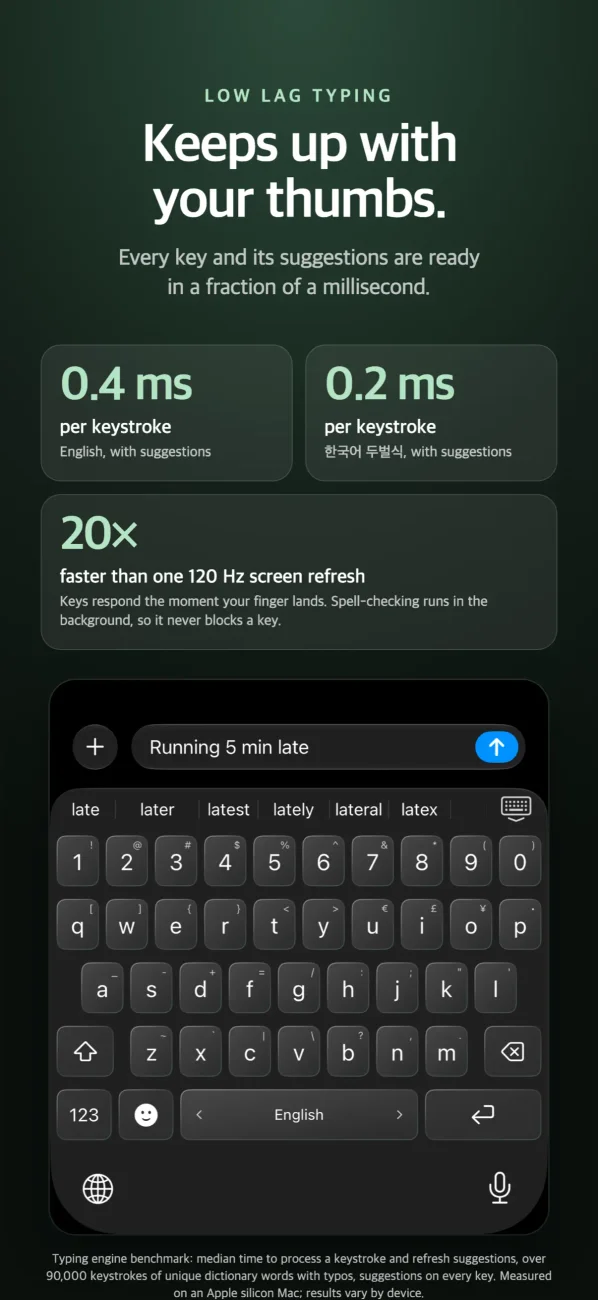
• Keys respond faster, even with key sounds on
• Hold any key to preview what swiping up or down on it types
• Hold the globe to pick a language from a list, or slide to Settings to change your languages. The key now shows the current language (EN, KO, ES, RU, VI)
• Download the Spanish, Russian and Vietnamese dictionaries in Settings → Additional dictionaries. They work offline once downloaded
• Suggestions now update with every key you type
• Better at fixing typos where you hit a key next to the one you meant
• After an autocorrection, tap the word you typed in the suggestion bar to put it back
App privacy
What HyunGyu Kim declares on the App Store about how this app handles data.
-
Data not collected
The developer does not collect any data from this app.
Privacy practices may vary, for example with the features you use or your age.
Information
- Seller
- HyunGyu Kim
- Category
- Productivity
- Version
- 1.3.2
- Updated
- Nov 27, 2026
- Released
- Oct 21, 2026
- Size
- 21.2 MB
- Requires
- iOS 17.0 or later
- Age rating
- 4+
- Price
- $0.99
- In-app purchases
- Yes
- Languages
- English, Korean
- Copyright
- © 2026 HyunGyu Kim
You might also like
-
 Master One - Habit BuilderTrack & Master Your Habits
-
 Bookmarks: Manage & Read LaterFolders, tags & iCloud sync
-
 Lefty KeyboardLeft Handed Keyboard
-
 Oria Browser: Ad BlockerPrivate, Fast & Safe Internet
-
 Calendar+ 2: Planner WidgetAI Day Schedule & Agenda
-
 Foliamemo - Little MomentsMood & Memories, Daily Life
-
 Pixel BookmarksAll Bookmarks in one place
-
 Links - Save Links EasilySave, organize, & share links
-
 Pencil Calendar - PencilCalDraw events with Apple Pencil
-
 Calendar Vertical & MonthlySimple Multiple Calendar