
Numgigo - Text Viewer
Your TXT, EPUB & PDF library
Designed for iPhone, iPad, Mac
Free · In-app purchases
- Age rating4+
- CategoryBooks
- Developeryeongwuk kim
- LanguagesEnglish+ 9 more
- Size48.5 MB
Links to the official App Store page
Download.org hosts no file of Numgigo - Text Viewer. The button opens its official App Store page, published by yeongwuk kim. Listing last checked on Nov 23, 2026.
Screenshots



About
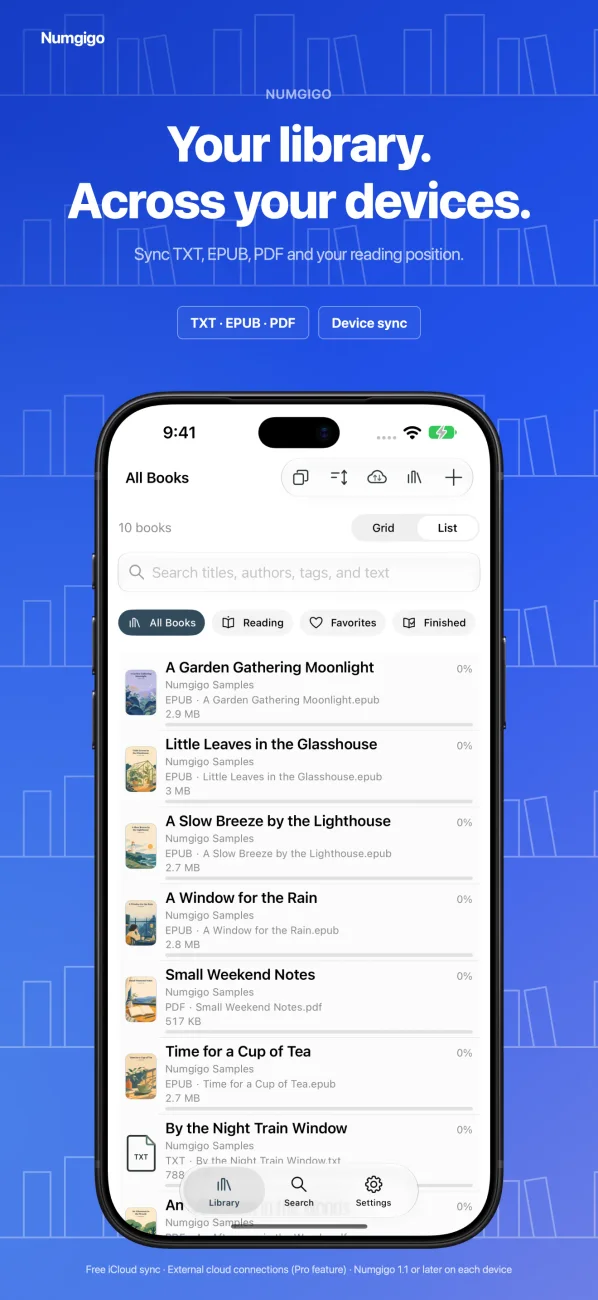
Your library. Across your devices. Numgigo.
Bring TXT, EPUB and PDF together, and keep reading across iPhone, iPad, Mac and even Numgigo on other operating systems.
Keep reading across iPhone, iPad and Mac
Read on your iPhone when you're out, then settle into the larger screen of your iPad or Mac at home. Free iCloud sync carries your books, reading positions and reading records across devices using the same iCloud account.
With Google Drive, Dropbox and OneDrive sync (Pro feature), your library lives in Numgigo's own folder and continues in Numgigo on your other devices connected to the same account. On iPhone and iPad, sync continues after you close the app when the system allows. If a book's original file differs between devices, you choose which one to keep.
A reading experience that feels like yours
For TXT and EPUB, adjust fonts, text size, line spacing, margins and backgrounds, or use a favorite photo as your reading background. Import Custom Fonts (Pro feature) lets you add fonts of your own.
Turn one page at a time or scroll, and spread two pages side by side on larger screens. On iPad and an unfolded iPhone Duo, full-screen reading widens the text.
Find books easily as your library grows
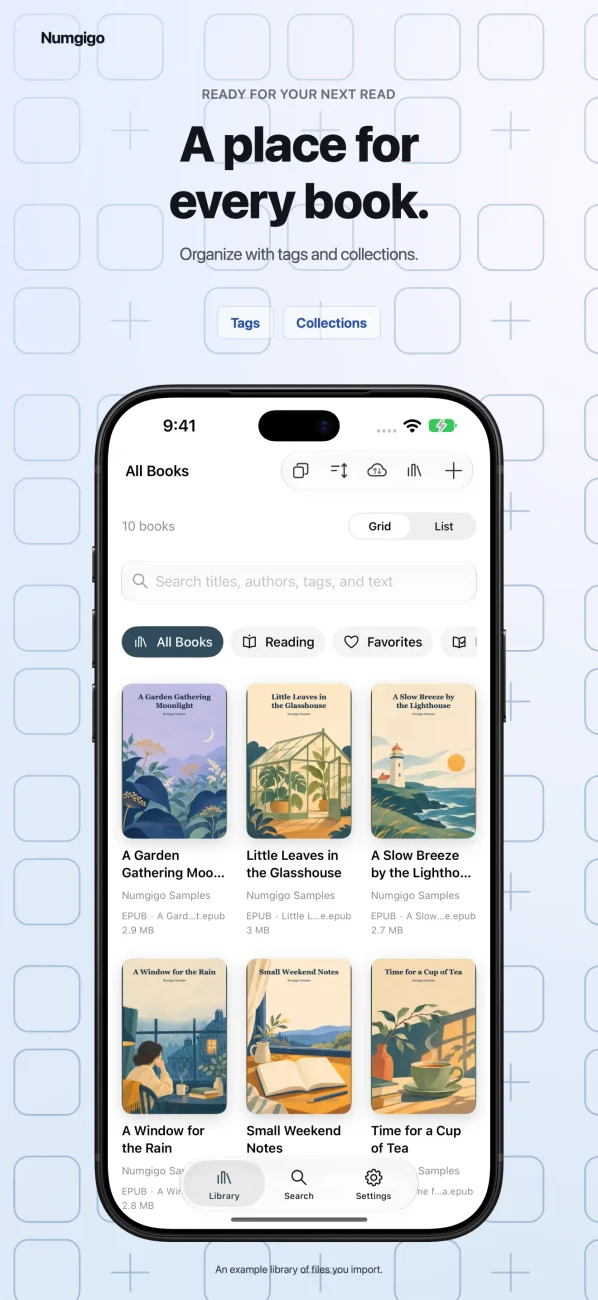
Keep books you're reading, favorites and finished books apart. Mark books with tags and gather series or topics into collections. EPUB covers and the first page of PDFs appear as book covers.
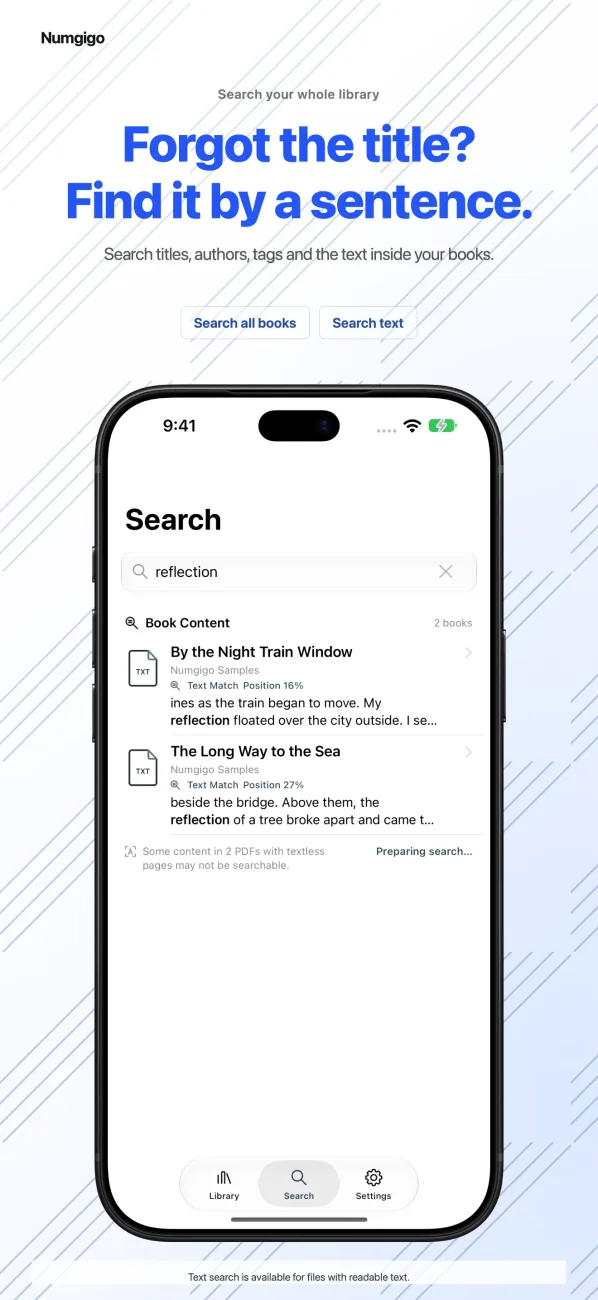
Search your whole library by title, author, tag and text, and sort by size or file type.
Advanced TXT Tools (Pro feature) preview line-break fixes, blank lines and find and replace before saving a new book, and split long files. Advanced EPUB Tools (Pro feature) create a polished new edition of an EPUB. Either way, the original stays untouched. TXT series management (Pro feature) can join multi-volume stories into one book.
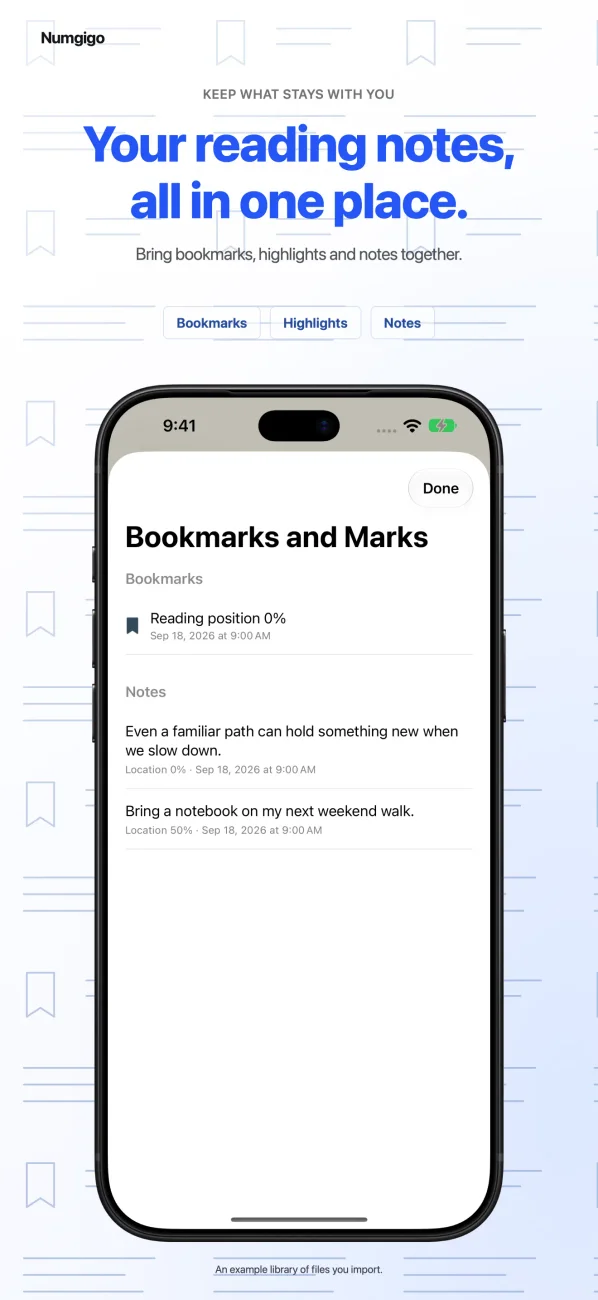
Keep the passages you want to remember
Leave bookmarks, highlight favorite lines and write notes, then revisit them all in one place.
Read in the way that suits you
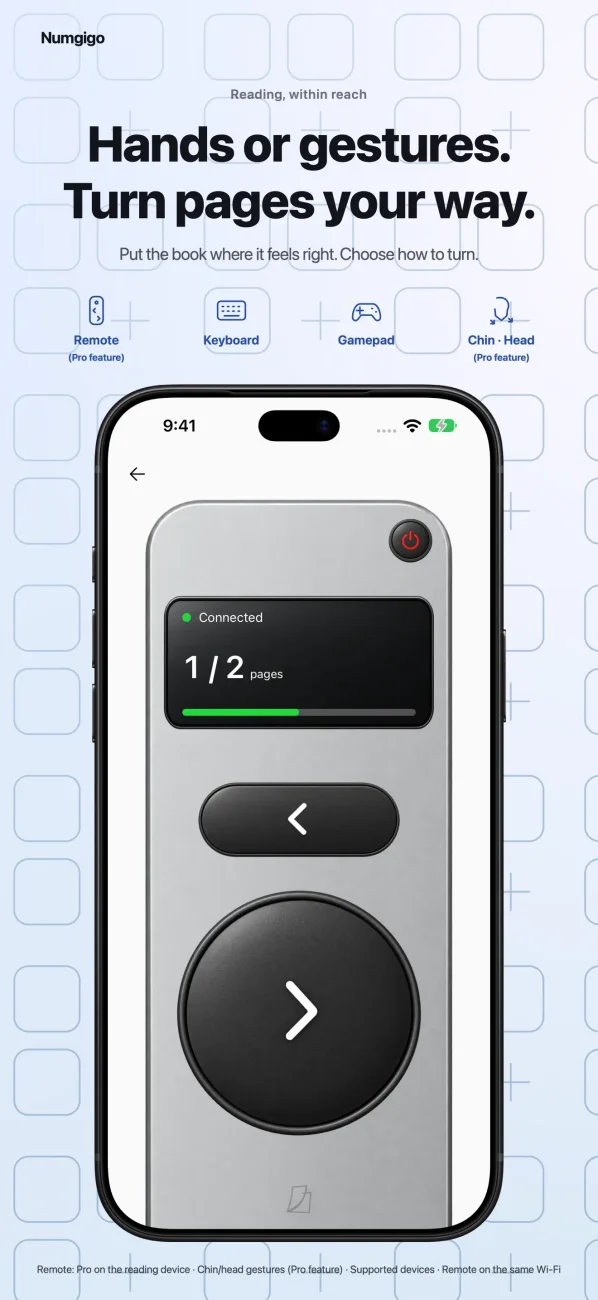
Turn pages by touch, keyboard or a compatible game controller.
Chin and Head Page Turning (Pro feature) uses the camera on supported devices to turn pages hands-free. Turn Pages with a Remote (Pro feature) lets another iPhone or iPad on the same Wi-Fi act as a remote. Automatic page turning and vertical auto-scroll (Pro features) let you read at your own pace.
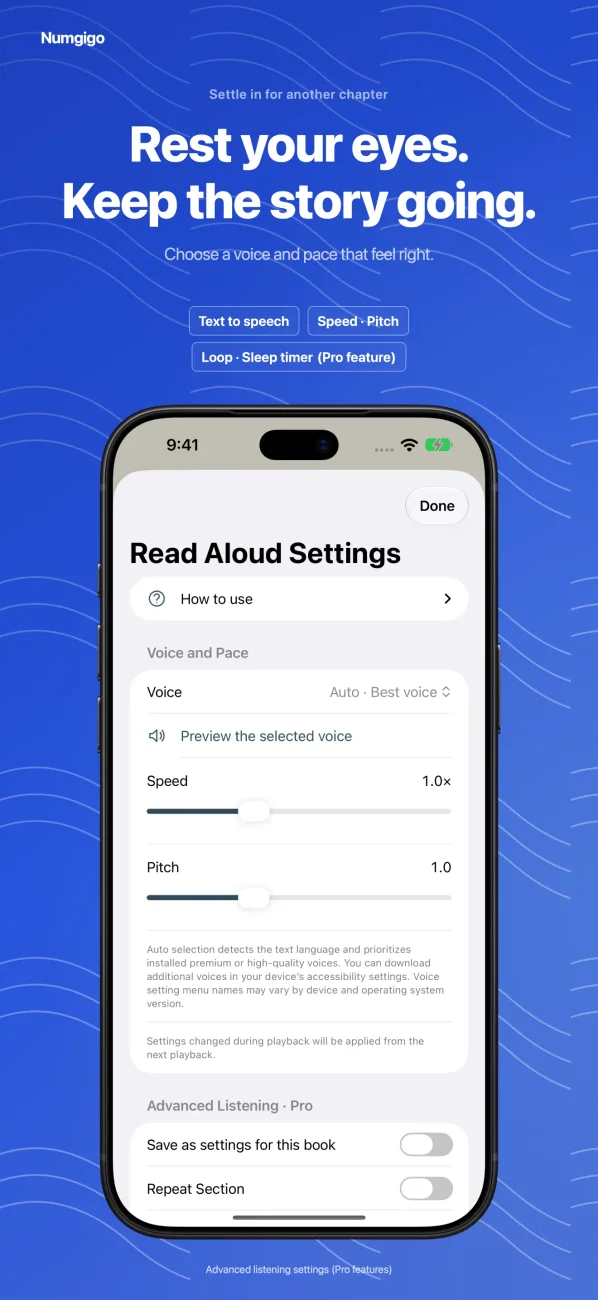
Listen to TXT and EPUB with your device's voices. Advanced listening (Pro feature) adds a sleep timer, section repeat, pronunciation and skip rules, and per-book settings.
Keep your books and reading records safe
Creating and restoring library backups is free. A backup saves your book files, reading records, collections, reading presets and custom background image in one file.
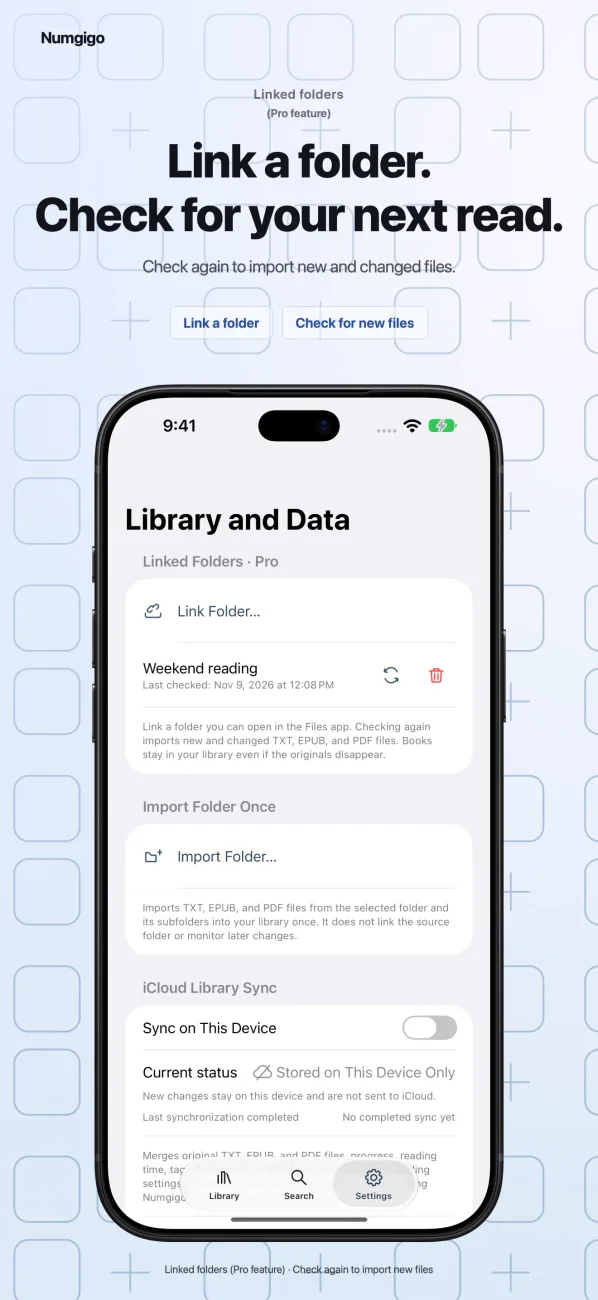
Linked folders (Pro feature) add new or changed TXT, EPUB and PDF files from a Files app folder each time you check it. App Lock and Hidden Books (Pro features) keep your library private; opening hidden books requires device authentication.
Supported files
Numgigo reads files you import yourself: TXT, DRM-free text-focused EPUB and PDF.
DRM-protected and fixed-layout EPUBs are not supported. Some EPUBs that change letter shapes with their own font limit text search, copying, listening, PDF export and Advanced EPUB Tools. PDFs keep their original pages; TXT and EPUB font and background settings do not apply to them. Chin and Head Page Turning requires a supported camera and camera access.
What's included in Numgigo Pro
Buy once, with no subscription, and keep these Pro features:
• No iPhone and iPad bookshelf banner ads
• Google Drive, Dropbox and OneDrive sync
• Linked folders
• Chin and Head Page Turning
• Turn Pages with a Remote
• Automatic page turning and vertical auto-scroll
• Import Custom Fonts
• Advanced TXT Tools and series management
• Advanced EPUB Tools
• Reduce consecutive blank lines
• Advanced listening
• App Lock and Hidden Books
See the Pro price on the in-app purchase screen.
What’s new
Version 1.2 · Nov 21, 2026
Numgigo 1.2
• Smoother page turns: a tap where your finger slips slightly, or a short swipe, now turns the page, and brief hesitations while syncing are reduced.
• Remove single blank lines too (Pro): hide every blank line from “Reading Settings”. The original file never changes.
• Side margins can now go down to 0.
• Better cloud sync (Pro): several clouds sync at the same time, and if one fails the others keep going. You can turn off syncing for individual clouds.
• Stability improvements and bug fixes
App privacy
What yeongwuk kim declares on the App Store about how this app handles data.
-
Data linked to you
May be collected and linked to your identity.
- Location
- User content
- Identifiers
- Usage data
- Diagnostics
-
Data not linked to you
May be collected but is not linked to your identity.
- Diagnostics
Privacy practices may vary, for example with the features you use or your age.
Information
- Seller
- yeongwuk kim
- Category
- Books
- Version
- 1.2
- Updated
- Nov 21, 2026
- Released
- Oct 30, 2026
- Size
- 48.5 MB
- Requires
- iOS 17.0 or later
- Age rating
- 4+
- Price
- Free
- In-app purchases
- Yes
- Languages
- English, French, German, Italian, Japanese, Korean, Portuguese, Simplified Chinese, Spanish, Traditional Chinese
- Copyright
- © 2026 WeeKL
You might also like
-
 Mong ReaderCalm, ad-free text book reader
-
 Folio: Ebook ReaderAn EPUB reader for iPhone Duo
-
 BeReader: EPUB & RSSPDF, MOBI, AZW3, TXT & Feeds
-
 Paperlight: Book & PDF ReaderEPUB, DjVu & MOBI — offline
-
 FaviewFast, Plain Text Viewer
-
 Yoly EPUB FB2 PDF DJVU ReaderMOBI, AZW3, DOCX, RTF & TXT
-
 시선Books
-
 CalibReader: EPUB ReaderYour ebooks & calibre library
-
 Calibre ViewMobile Calibre Library
-
 Chants de Victoire en FrançaisBooks