
Obolos: Expense Tracker
Any currency, travel & budget
Designed for iPhone, Mac
Free · In-app purchases
- Age rating4+
- CategoryFinance
- DeveloperEvgenii Grachev
- LanguagesEnglish+ 6 more
- Size34.2 MB
Links to the official App Store page
Download.org hosts no file of Obolos: Expense Tracker. The button opens its official App Store page, published by Evgenii Grachev. Listing last checked on Nov 26, 2026.
Screenshots
About
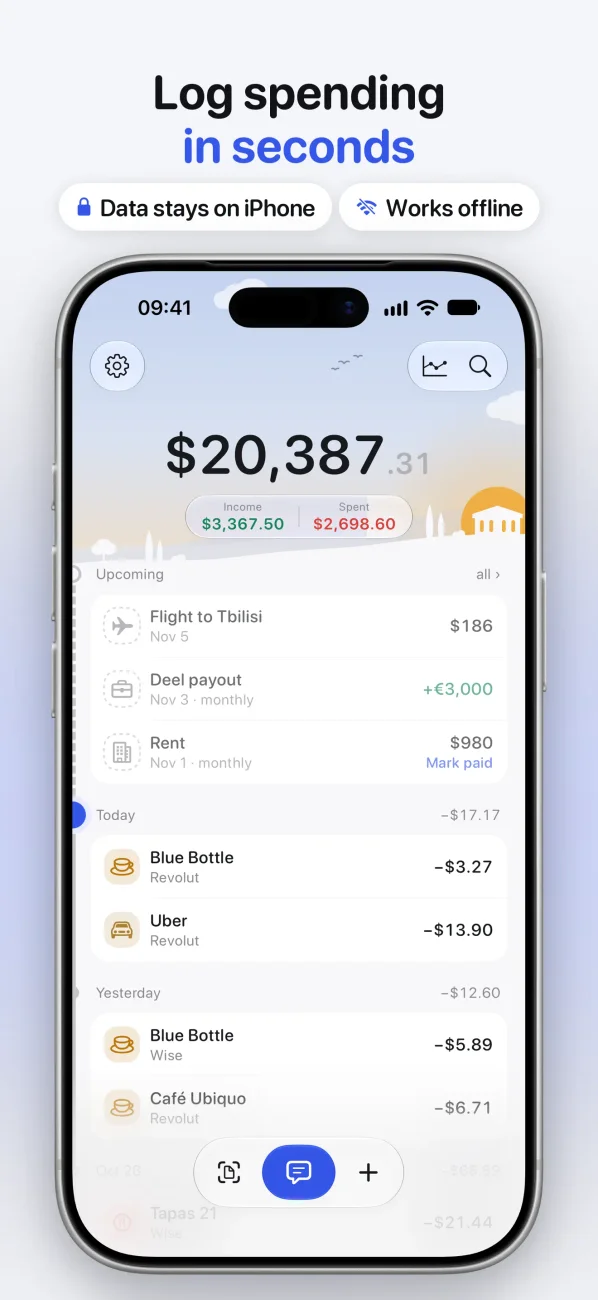
Obolos is an expense tracker that lives on your iPhone. Your records are kept on the phone itself, with a copy in your own iCloud, so the app opens instantly and works offline — on a plane, abroad, anywhere without signal.
LOG SPENDING IN SECONDS
Four ways in, all a tap away:
• Keypad — with a calculator built in, so you can add up a bill as you type.
• Receipt — point the camera and your phone reads the total, on the device. (Premium — every account gets three free scans.)
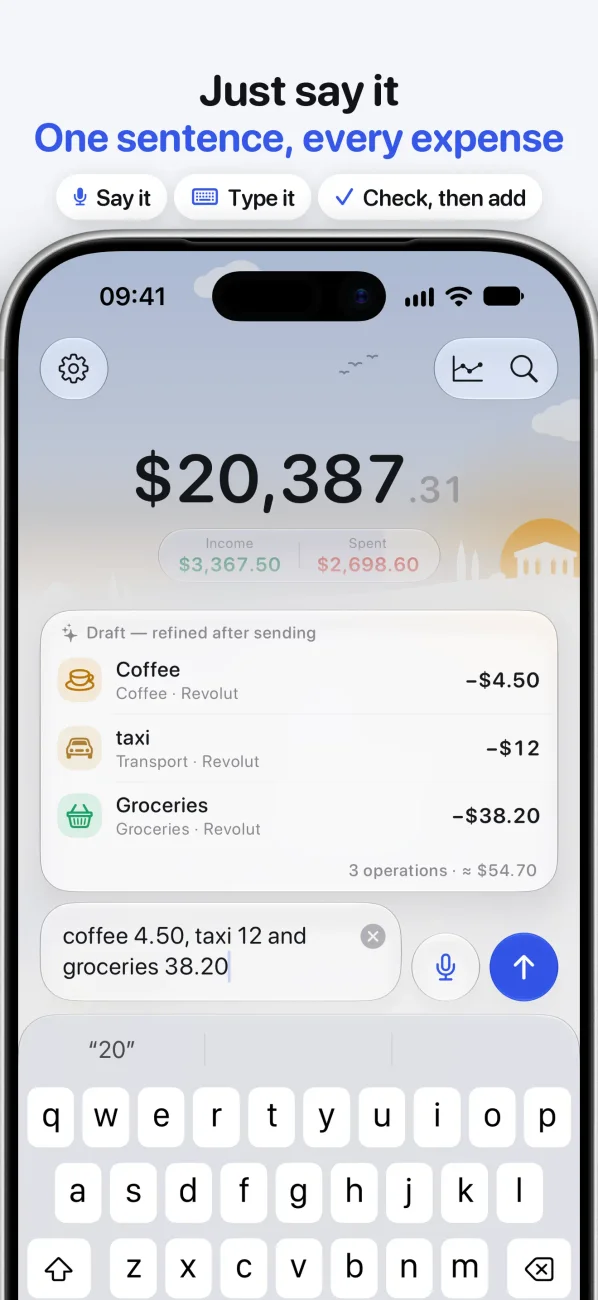
• Text & voice — type or say "coffee 4.50, taxi 12 and groceries 38.20", check the three expenses, add them in one go. (Smart mode, Premium — every account gets five free tries.)
• Apple Pay — a one-time Shortcuts automation logs each card payment as you pay, to the right account, and asks for the category.
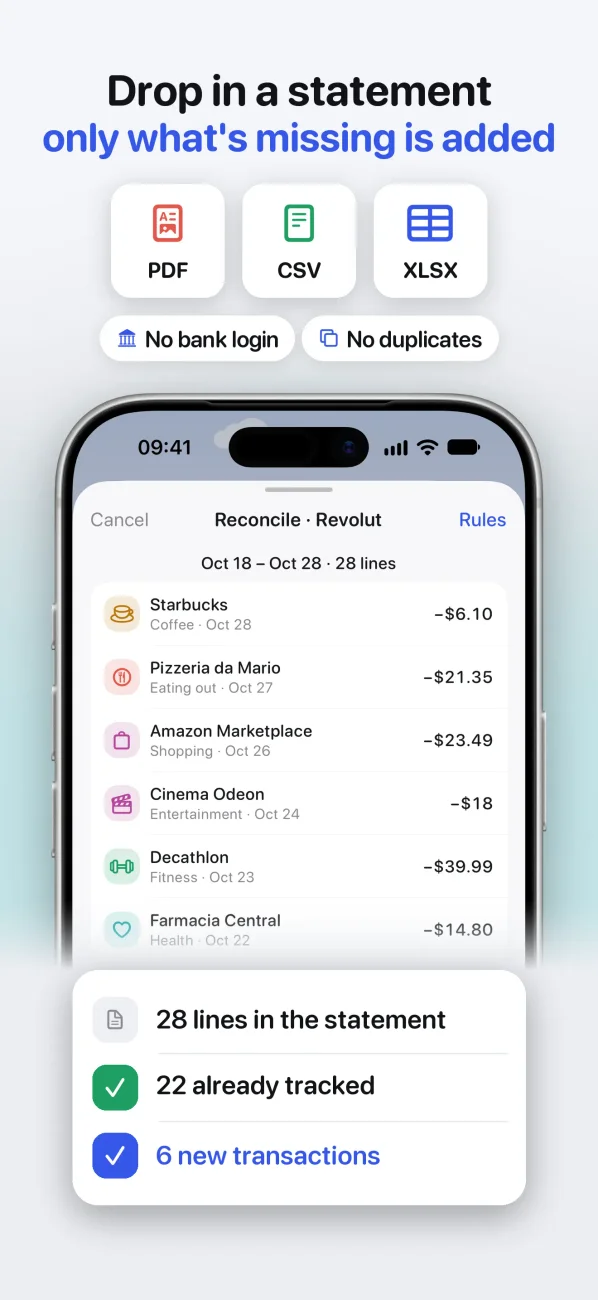
DROP IN A STATEMENT
Upload a bank statement as PDF, CSV or XLSX. Obolos compares it with what you have already logged and adds only what is missing — no duplicates and no bank login. (Premium — your first statement is free.)
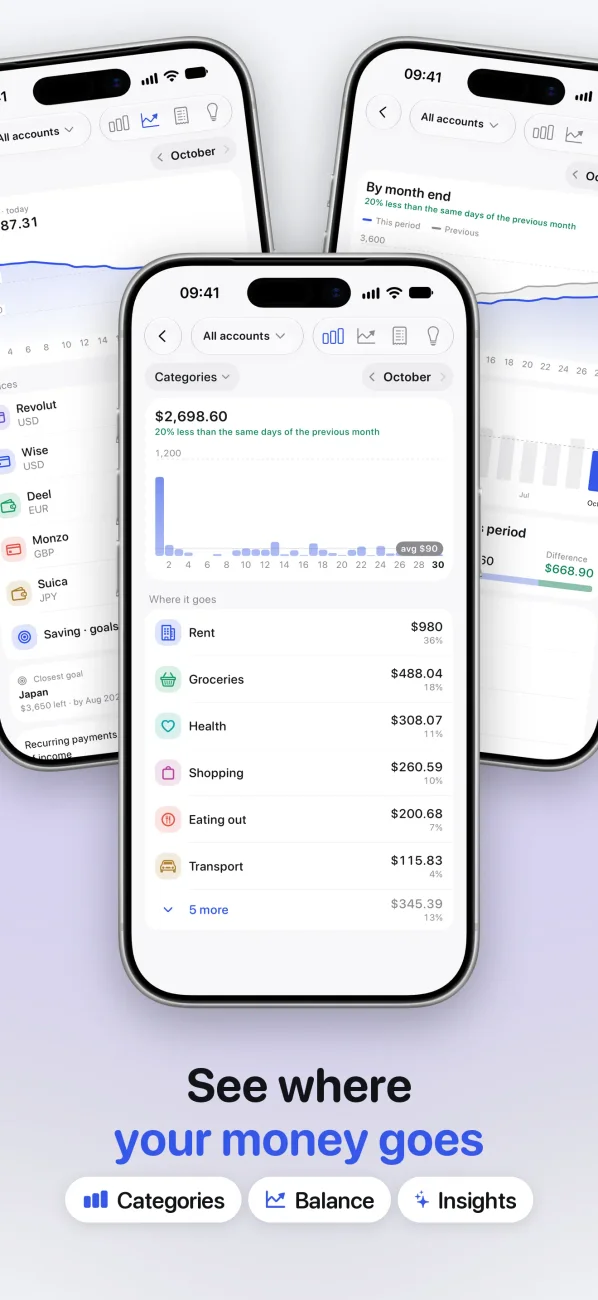
SEE WHERE YOUR MONEY GOES
Spending by category and by day, your balance over time with upcoming payments ahead, and Insights that tell you whether this month is a normal one. Week and month views for this month and last are free; the year view, older months, forecasts and Insights are Premium.
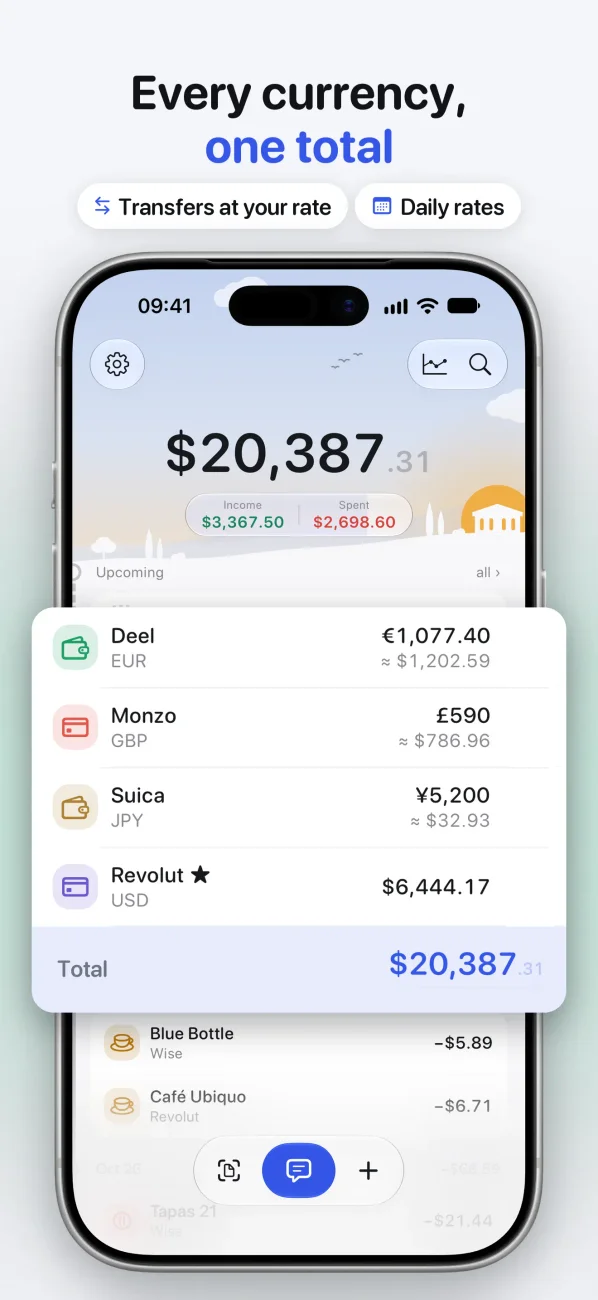
EVERY CURRENCY, ONE TOTAL
Accounts in any of 159 currencies, each kept in its own. Totals convert to your main currency at daily rates, and a transfer between currencies is one operation at the rate you actually got.
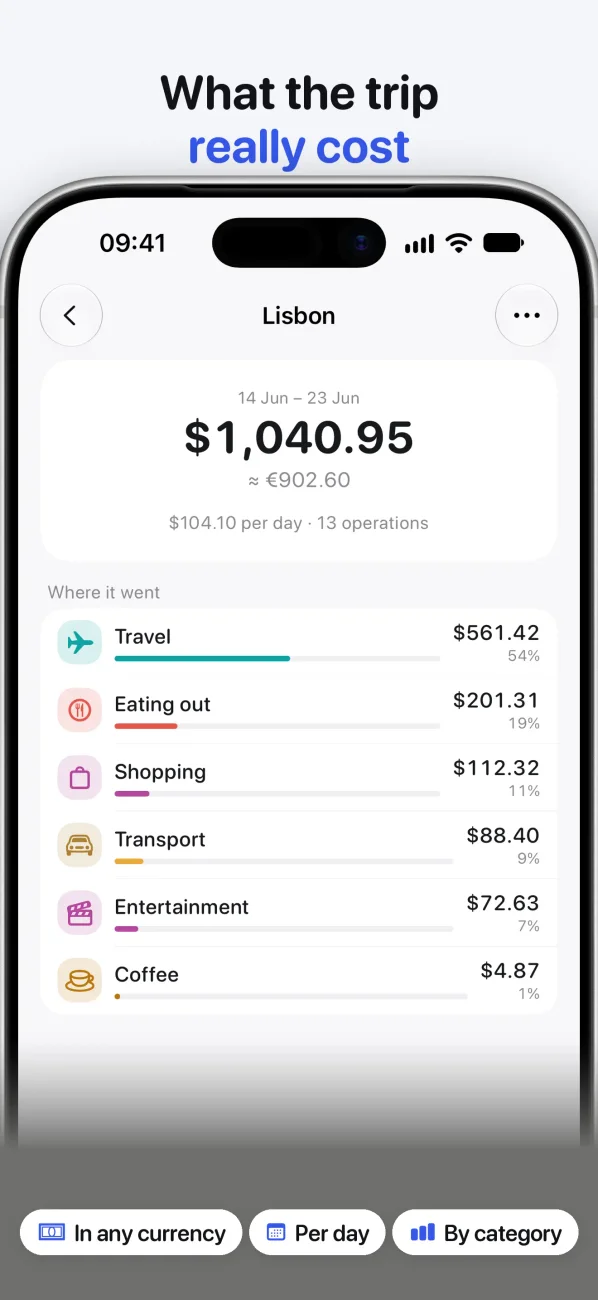
WHAT THE TRIP REALLY COST
Set the dates and the spending inside them joins the trip: the total in the local currency and in yours, per day and by category.
AND THE REST
• Planned payments — rent, subscriptions, salary — with reminders that come from the phone itself, even offline.
• Savings goals — each goal is a real account you transfer money into.
• Balance adjustment — enter what the account really holds and Obolos records the difference.
• Monthly category budgets with alerts (Premium).
• CSV and JSON export (Premium).
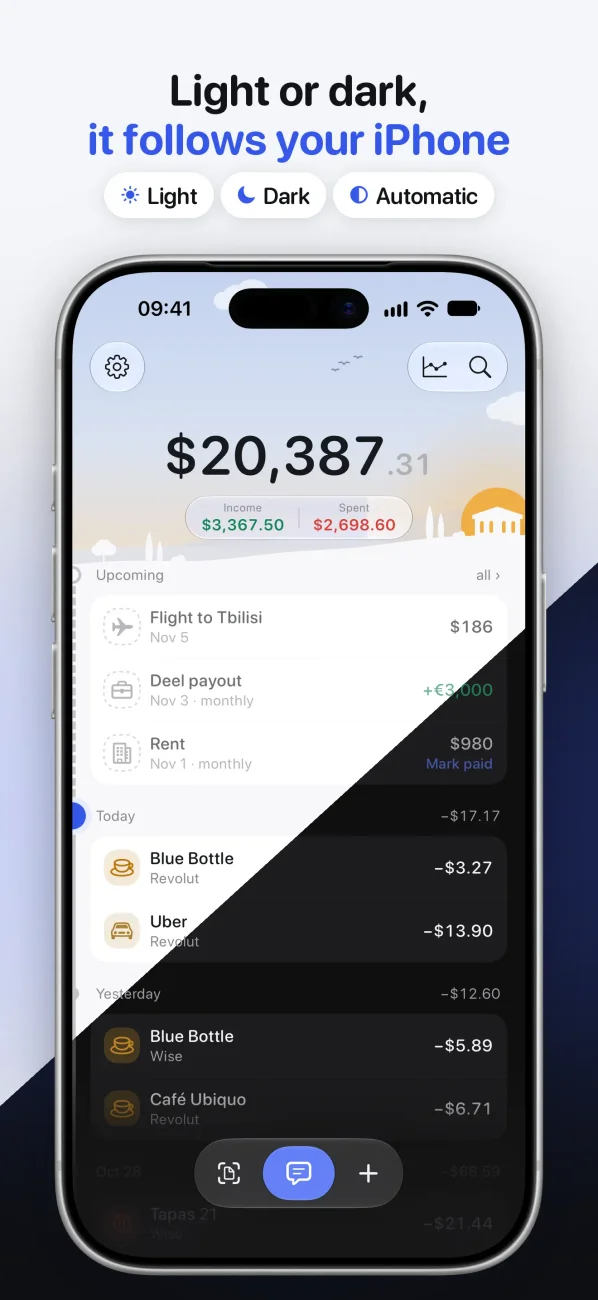
• Home-screen widgets, App Lock with Face ID, and light or dark mode that follows your iPhone.
FREE
Unlimited accounts, operations, transfers, goals and trips. Keypad with calculator, three receipt scans to try, and Apple Pay logging. Planned payments and reminders. Statistics for this month and last. No ads.
PREMIUM
Unlimited receipt scanning. Smart mode: a sentence, typed or spoken, becomes several expenses, and receipts your phone can't read are read for you. Bank statement matching. Category budgets. Insights, the year view, forecasts and your full history. Export. Monthly or yearly subscription, with a free trial for new subscribers.
YOUR DATA
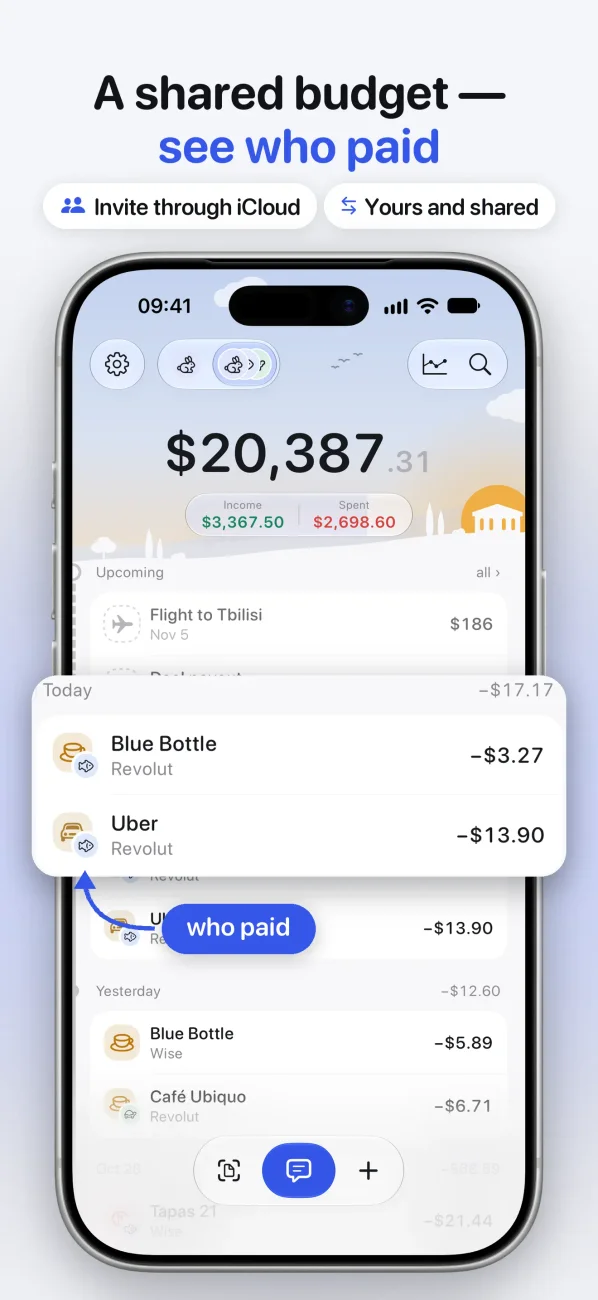
Your ledger lives on your iPhone and in your own iCloud. Obolos never connects to your bank and never asks for bank credentials. Sign in with Apple. When you use Smart mode or statement matching, the text, photo or file you send is read once by our server and an AI provider and is not used for anything else. No ads, no data sales.
Terms of Use (EULA): https://www.apple.com/legal/internet-services/itunes/dev/stdeula/
Privacy Policy: https://evless.github.io/obolos/privacy
What’s new
Version 3.4.5 · Nov 25, 2026
• Subcategories when Obolos asks for a category. When Obolos asks for a purchase’s category — from a notification or after an Apple Pay payment — you first see only the main categories. Pick one that has subcategories and a second list opens: the category itself and its subcategories.
• A spending currency for each account. Your card is in rubles but you pay in lari? Choose Spending currency in the account's settings, and a new expense from that account opens in lari right away — no more switching the currency every time. The same goes for expenses you say or type in the input line without a currency.
• Items from text and voice. Say or type “at Spar: cola 300, chips 450” and you get one expense with items, just like from a receipt. Separate purchases (“coffee 500, taxi 1200”) are still recorded as separate expenses.
• Category from the note. When you add an expense by hand, note suggestions now come from expenses in every category, not just the selected one. Tap a suggestion and Obolos sets the category that note belongs to.
• Recurring payments no longer drift: a payment on the 31st lands on the last day of a short month and goes back to the 31st the month after. And today's payment no longer drops out of What's ahead.
• One purchase, one expense. When both Apple Pay and your bank's notification report the same purchase, Obolos records it once.
App privacy
What Evgenii Grachev declares on the App Store about how this app handles data.
-
Data linked to you
May be collected and linked to your identity.
- Purchases
- Financial info
- Contact info
- User content
- Identifiers
- Diagnostics
-
Data not linked to you
May be collected but is not linked to your identity.
- Usage data
Privacy practices may vary, for example with the features you use or your age.
Information
- Seller
- Evgenii Grachev
- Category
- Finance
- Version
- 3.4.5
- Updated
- Nov 25, 2026
- Released
- Jul 17, 2026
- Size
- 34.2 MB
- Requires
- iOS 17.0 or later
- Age rating
- 4+
- Price
- Free
- In-app purchases
- Yes
- Languages
- English, French, German, Italian, Portuguese, Russian, Spanish
- Copyright
- © 2026 Evgenii Grachev
You might also like
-
 Trackle: Budget & ExpensesSubscriptions & Statistics
-
 Goose: Manual Expense TrackerIncome & Budget Spend Forecast
-
 Lode: AI Expense TrackerBudget, Bills & Receipts
-
 Worthful: Budget & ExpenseExpense, Bill & Card Tracker
-
 Control: Budget TrackerExpense & Money Manager
-
 Expensa: Expense TrackerBudget Planner & Money Manager
-
 Fineyo: Expense TrackerBudget Planner & Spending
-
 Qalta AI: Expense TrackerBudget Planner, Voice & Scan
-
 Budget Tracker - BrimSpending, Bills & Savings
-
 Budjetly: Budget PlannerSpending Tracker Bills Manager