
- Age rating4+
- CategoryProductivity
- DeveloperOFFLIGHT Inc.
- LanguagesEnglish
- Size94.1 MB
Links to the official App Store page
Download.org hosts no file of OFFLIGHT. The button opens its official App Store page, published by OFFLIGHT Inc. Listing last checked on Nov 13, 2026.
Screenshots
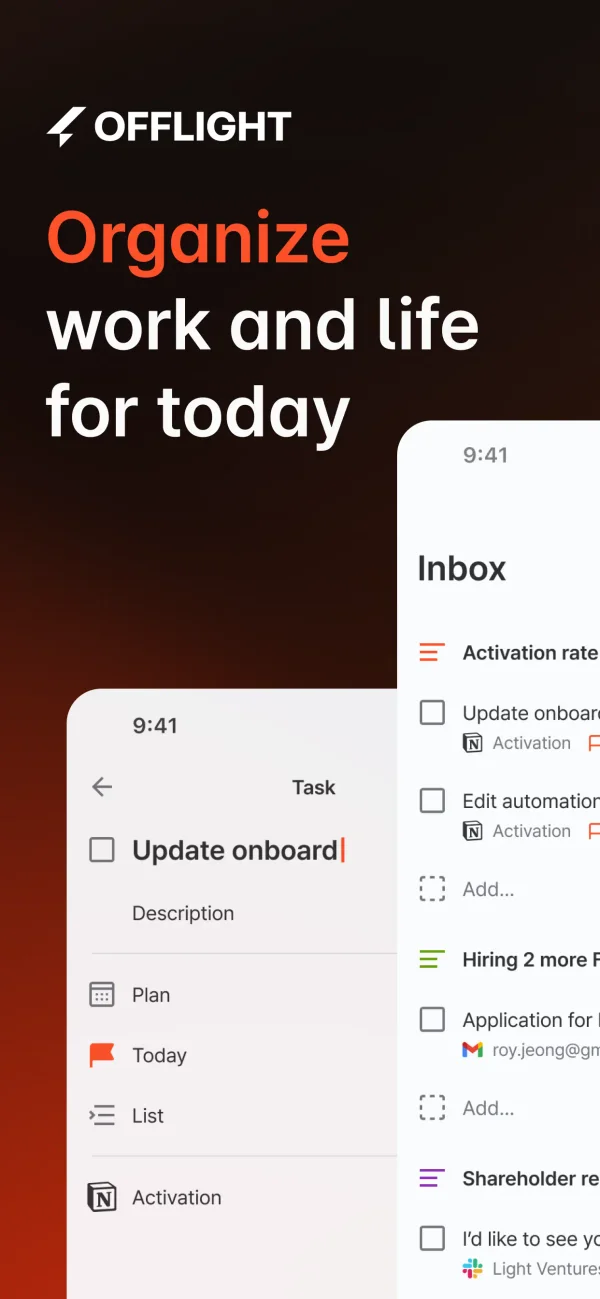
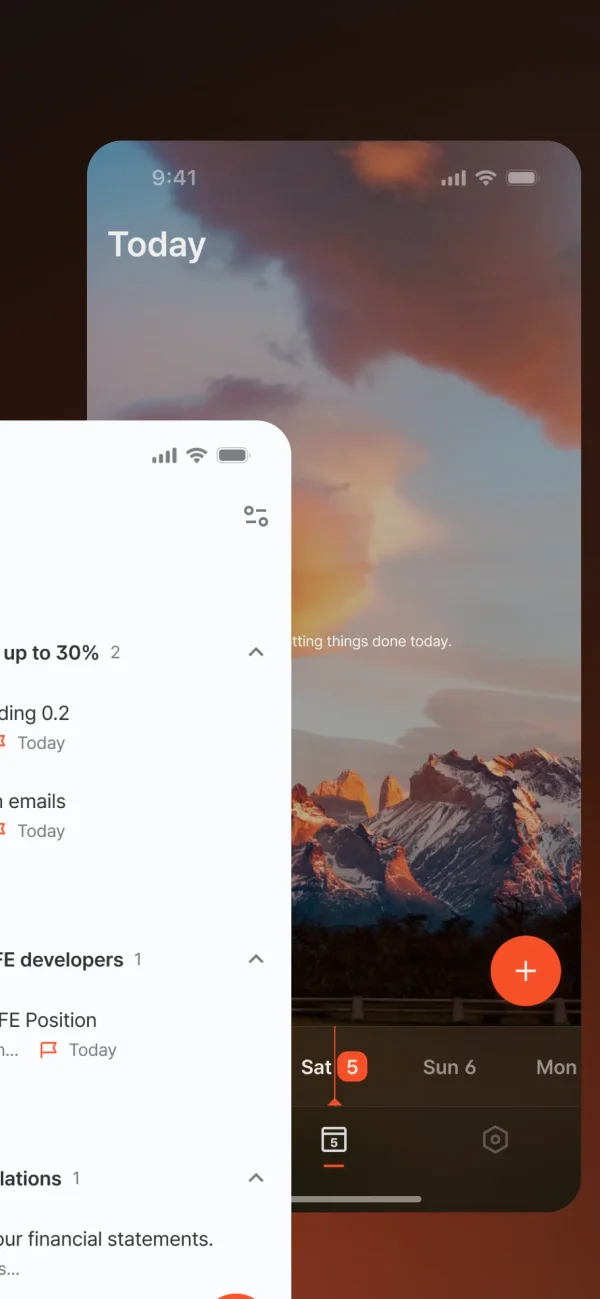
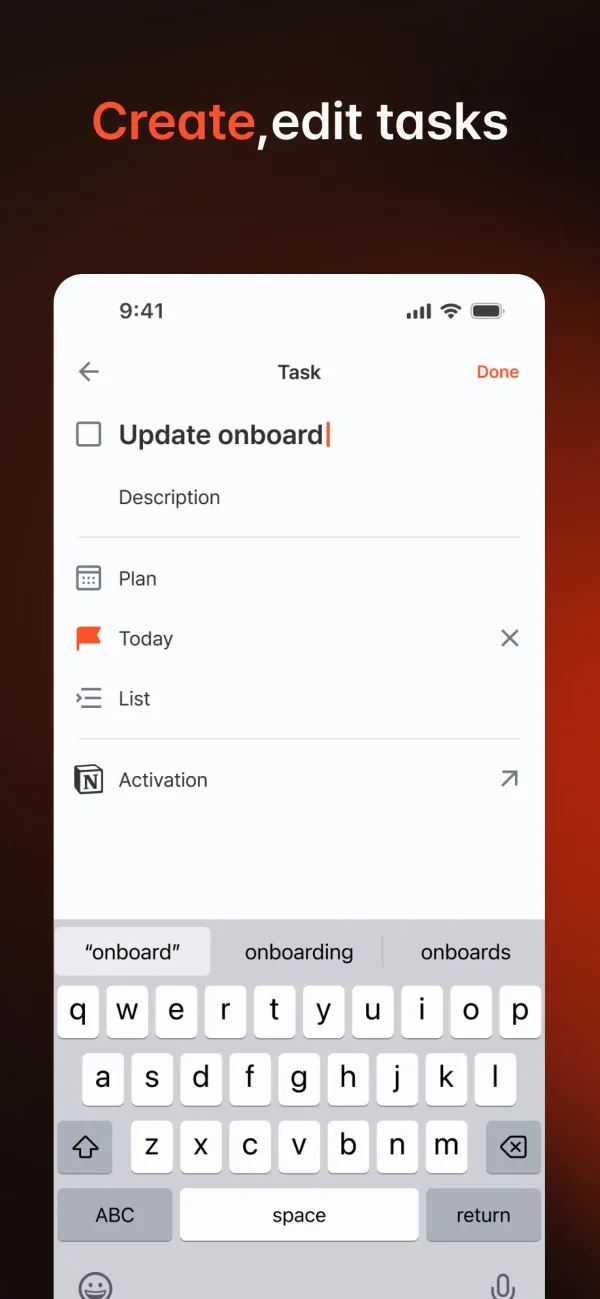


About
Discover the all-in-one daily planner OFFLIGHT now available on mobile, along with the Windows and Mac desktop apps and web app. Currently, the mobile version offers only some of the features available on the PC version.
Features Available in the Mobile Version
1. Create Tasks
Easily and quickly create tasks using the task creation button located at the bottom right of any page.
2. Plan Tasks
Swipe right on a task to plan it. Swiping all the way to the right allows you to schedule it for today from your inbox, and you can easily postpone it to tomorrow from your today's task list.
3. Complete Tasks
Tap the completion button on the left side of a task to mark it as complete. Once all tasks are completed, you will be rewarded with a beautiful wallpaper to enjoy.
4. Delete Tasks
Swipe left on a task to quickly delete it.
Features Available on PC but Not Yet on Mobile
1. You can view lists created on PC in the mobile version, but you cannot create new lists. Please create lists in the PC version.
2. If you have integrated Slack, Gmail, Notion, Linear, or Todoist on the PC, you can view the integrated tasks in the mobile version, but you cannot add new integrations.
3. And the calendar and time tracking feature that can be used in PC version are not available in mobile version yet.
What’s new
Version 0.3.3 · May 7, 2025
Hi, this is the OFFLIGHT Team.
- We've made performance improvements to speed up certain parts of the app that may have felt slow.
- This update ensures a smoother and faster experience throughout your workflow.
- You can now type any duration you want instead of picking from fixed presets. Plan with more flexibility.
- Timeframe colors now align perfectly with your calendar colors, making your schedule easier to read.
Update now and feel the difference!
App privacy
What OFFLIGHT Inc. declares on the App Store about how this app handles data.
-
Data not collected
The developer does not collect any data from this app.
Privacy practices may vary, for example with the features you use or your age.
Information
- Seller
- OFFLIGHT Inc.
- Category
- Productivity
- Version
- 0.3.3
- Updated
- May 7, 2025
- Released
- Jul 28, 2024
- Size
- 94.1 MB
- Requires
- iOS 14.0 or later
- Age rating
- 4+
- Price
- Free
- Languages
- English
- Copyright
- © OFFLIGHT Inc.
You might also like
-
 Task Kitchen: Timebox & To-DoTimeboxing, Todo & day planner
-
 Organizly: Task & NotesPlan projects, capture notes
-
 SlashpageProductivity
-
 Clepside - Planner & RoutinesPlan. Focus. Beat ADHD.
-
 Sonto - Goal & Life PlannerWeekly Planner & Goal Tracker
-
 Sisyphus TasksAll in one Calendar
-
 Defer: Capture TasksAdd a todo, process it later
-
 Rytmo: Habit TrackerYour Habit Companion
-
 Memotron - Your memory atlasPersonal knowledge management
-
 Godspeed – To Do ListBuilt for speed