
oIDFA - Simple IDFA Copier
Check & Copy IDFA with One Tap
Designed for iPhone, iPad, iPod touch
- Age rating4+
- CategoryDeveloper Tools
- DeveloperShion Washida
- LanguagesJapanese+ 2 more
- Size22.5 MB
Links to the official App Store page
Download.org hosts no file of oIDFA - Simple IDFA Copier. The button opens its official App Store page, published by Shion Washida. Listing last checked on Nov 12, 2026.
Screenshots
About
oIDFA — Simple IDFA Viewer & Copier
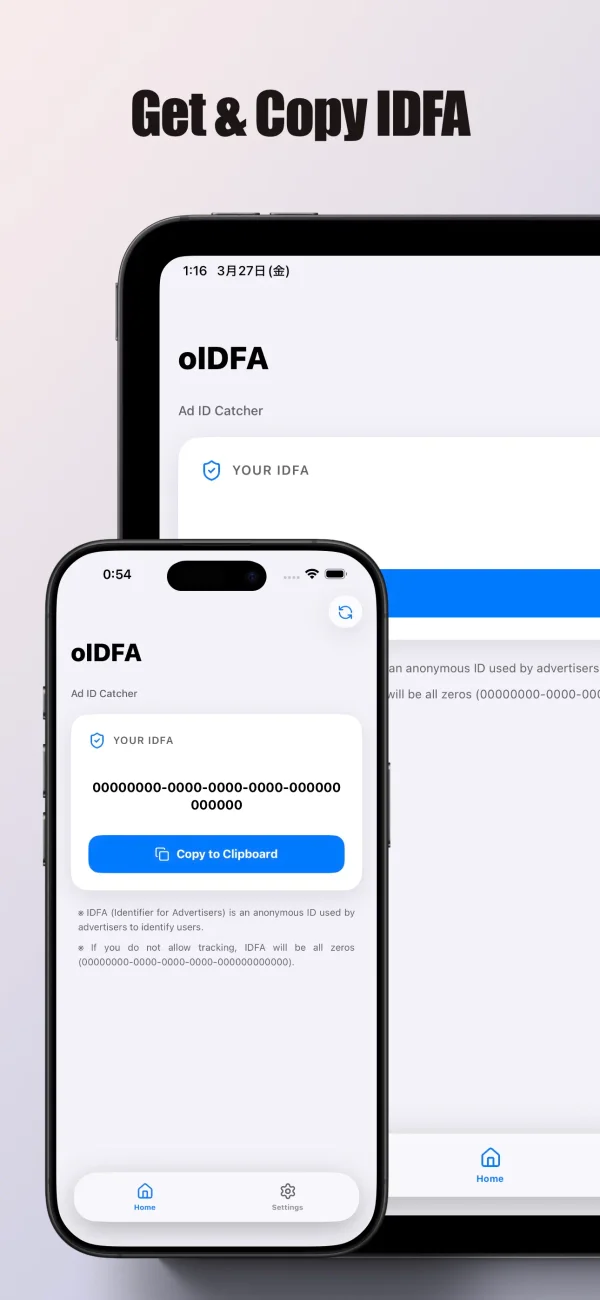
oIDFA is a minimalist utility designed for developers and marketers to effortlessly check and copy their device’s Identifier for Advertisers (IDFA).
[Key Features]
Instant IDFA Display: Automatically fetch and display your current IDFA the moment you open the app.
One-Tap Copy: Copy the displayed IDFA to your clipboard with a single button press.
Tracking Status Verification: Easily check if App Tracking is permitted on your device. (Note: IDFA will appear as all zeros if tracking is restricted.)
[Ideal For]
App Developers & Marketers: Streamline your workflow during development and testing.
Ad Tech Testing: Perfect for verifying mobile ad delivery and SDK implementations.
Quick Identification: For anyone who needs to know their device’s IDFA fast and smart.
Designed with an ultra-minimalist UI to eliminate friction and boost your productivity.
What’s new
Version 1.1.0 · Mar 27, 2026
What’s New in oIDFA v1.1.0
Thank you for using oIDFA! This v1.1.0 update brings a revolutionary UI overhaul and full global support.
[ Major Updates ]
iOS 26 Style: Next-Gen Design
Floating Glassmorphism Tab Bar: Powered by expo-blur, the new translucent floating design provides a modern, spacious feel while improving navigation.
Native Dynamic Header: Full support for iOS largeTitle. The title smoothly scales as you scroll, delivering a premium tactile experience identical to Apple's native apps.
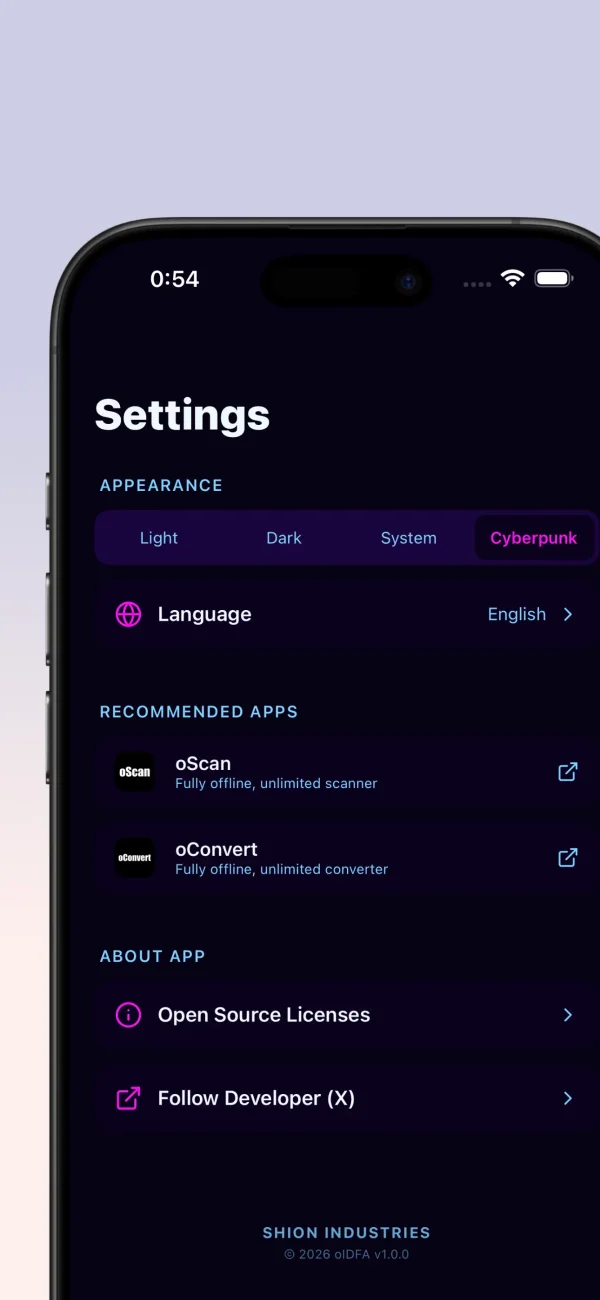
New "Cyberpunk" Theme
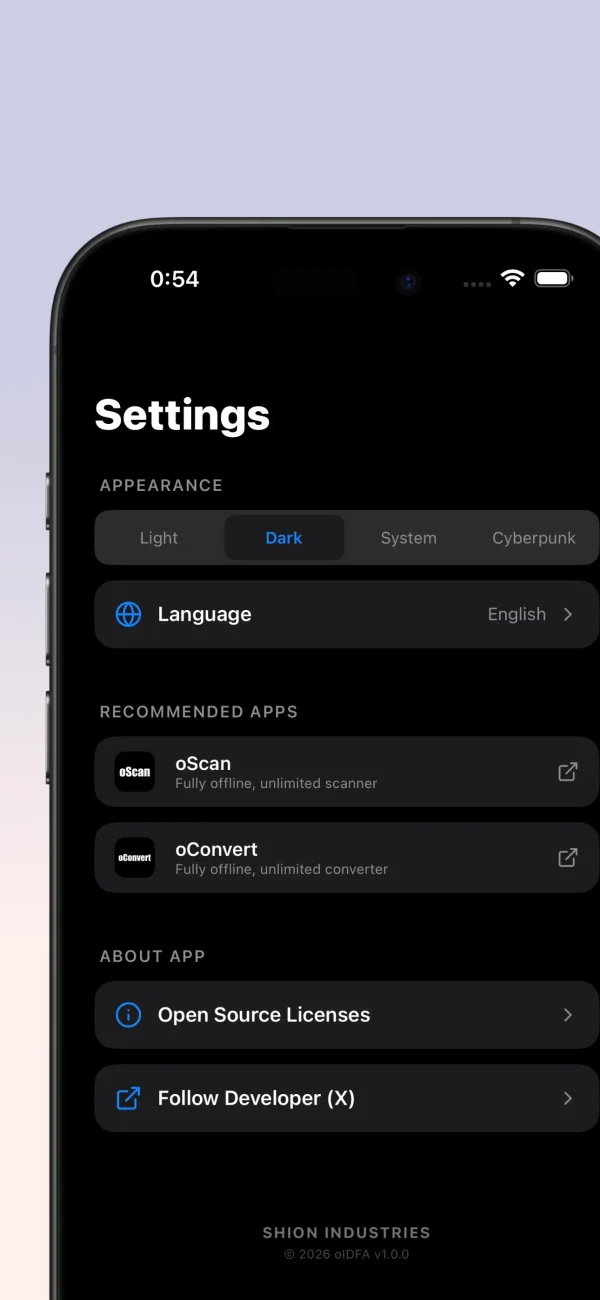
Theme Engine Overhaul: In addition to Light, Dark, and System modes, we’ve added the long-awaited "Cyberpunk" mode. Transform your device with vivid neon colors and a futuristic aesthetic.
Full Multi-language Support (i18n)
3 Languages Supported: Now features native support for English, Japanese, and Simplified Chinese.
Intelligent Language Settings: Automatically switches based on your device settings, or you can manually select your preferred language in-app.
oSeries Ecosystem Integration
Seamless Access: A new "Recommended Apps" section in Settings provides quick shortcuts to oScan and oConvert with icons and detailed descriptions.
[ Other Improvements & Fixes ]
Dynamic Versioning: Syncs with app.json to always display the latest build version.
Enhanced Navigation: Redesigned stack structure ensures the tab bar remains fixed during screen transitions.
Refined UI: Improved button placement for refreshing and fine-tuned interaction across all screens.
oIDFA continues to evolve as the simplest, most beautiful, and most functional tool for your workflow. Stay tuned for the next update!
App privacy
What Shion Washida declares on the App Store about how this app handles data.
-
Data used to track you
May be used to track you across apps and websites owned by other companies.
- Identifiers
-
Data not linked to you
May be collected but is not linked to your identity.
- Identifiers
- Usage data
Privacy practices may vary, for example with the features you use or your age.
Information
- Seller
- Shion Washida
- Category
- Developer Tools
- Version
- 1.1.0
- Updated
- Mar 27, 2026
- Released
- Feb 25, 2026
- Size
- 22.5 MB
- Requires
- iOS 15.1 or later
- Age rating
- 4+
- Languages
- Japanese, Simplified Chinese, English
- Copyright
- Copyright ©︎ 2026 SHION INDUSTRIES All Rights Reserved
You might also like
-
 IDFA確認Developer Tools
-
 HAP StudioHaptics for Everyone
-
 IDFA Checker byNSDevEasy IDFA verification!
-
 SF Catalog: SF SymbolsBrowse, Animate, Generate Code
-
 Get IDFADeveloper Tools
-
 SwiftMate: Swift Code EditorCompiler, IDE & Playground
-
 Strata - Icon GeneratorDeveloper Tools
-
 NSLookup Z-Fast DNS Query ToolSecure DNS Lookup,Record Check
-
 brrr • send push notificationsSend pushes via webhooks
-
 Get My IDFAShow IDFA, copy to clipboard