OktoSpace
Trading: Education & Tools
Designed for iPhone, iPad
Free · In-app purchases
- Age rating17+
- CategoryEducation
- DeveloperOktoSpace SIA
- LanguagesEnglish+ 1 more
- Size20.9 MB
Links to the official App Store page
Download.org hosts no file of OktoSpace. The button opens its official App Store page, published by OktoSpace SIA. Listing last checked on Nov 20, 2026.
Screenshots


About
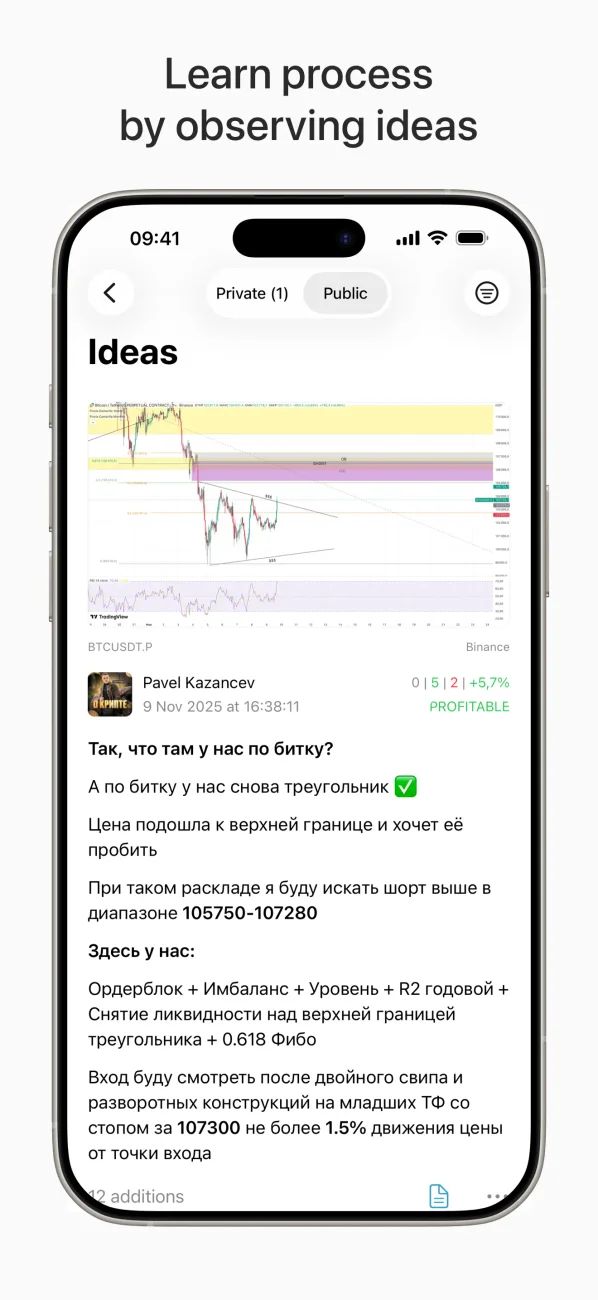
1. Learn trading by observing how established traders trade.
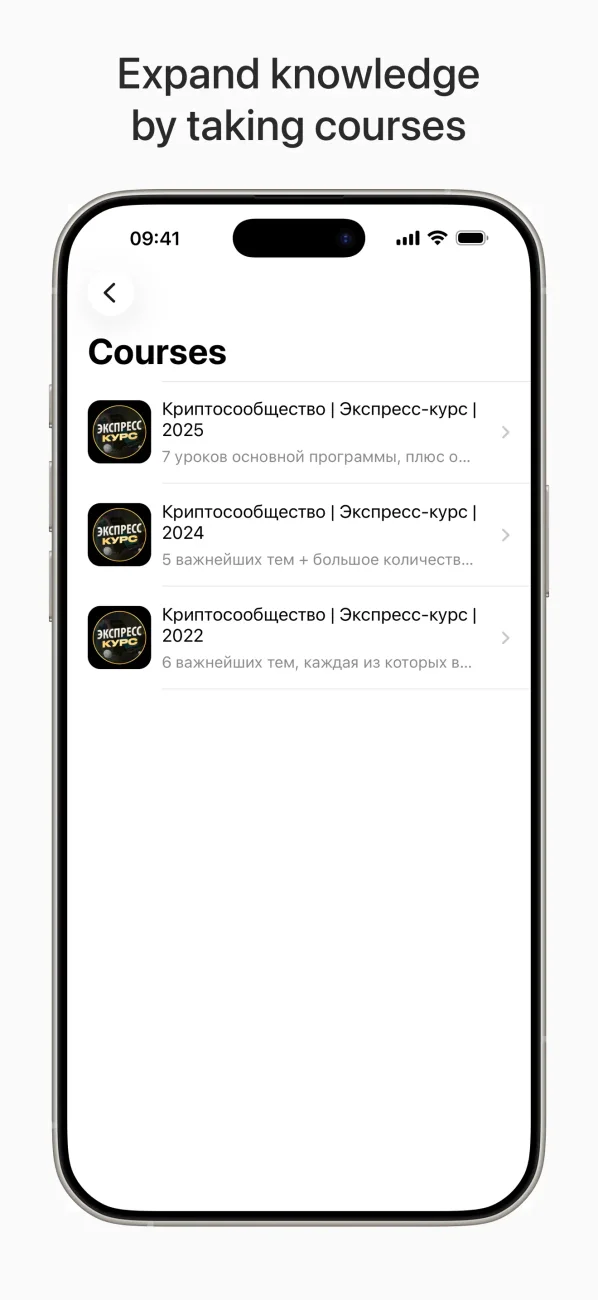
2. Expand your knowledge base by taking the courses they publish.
3. Improve your understanding of the material by making personal notes.
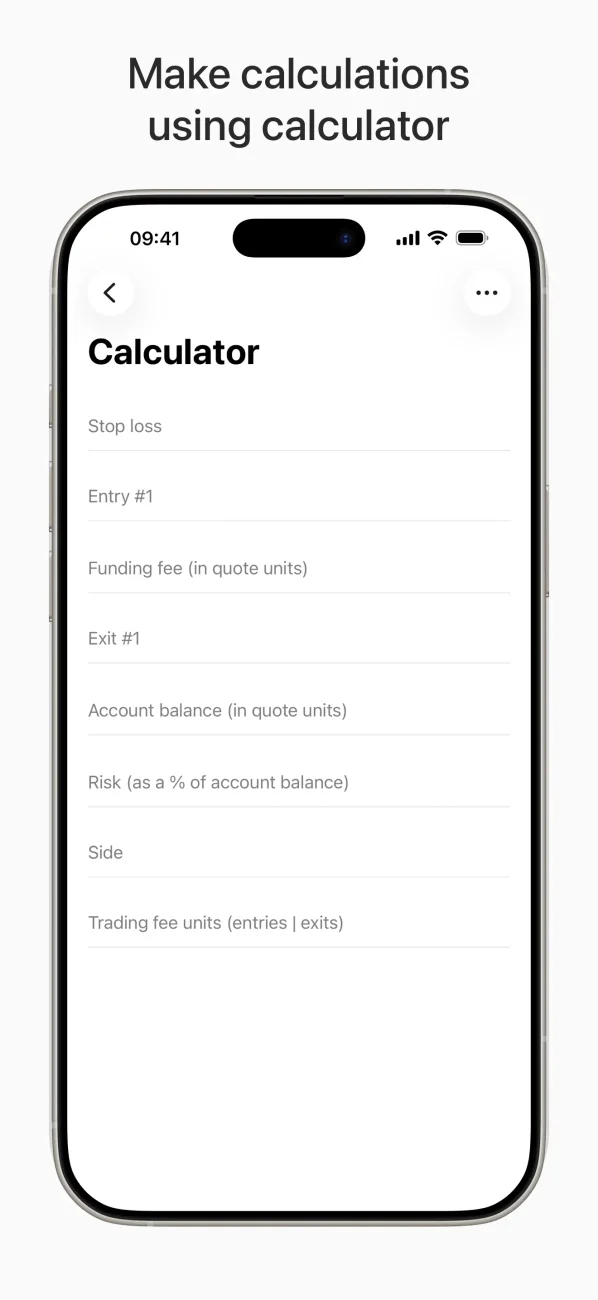
4. Calculate the parameters of trading positions using the position calculator.
The Speakers screen displays all traders participating in the OktoSpace Speaker Program. Speakers with the most successful trading results are ranked at the top of the list.
On the Speaker screen, you can view more information about the Speaker, including:
- the number of pending, profitable, and losing ideas of the Speaker;
- the profit generated from all ideas of the Speaker, expressed as a percentage of their account balance;
- the number of courses published by the Speaker;
- links to the Speaker's channels on third-party platforms.
By tapping the number of ideas, you can view the ideas published by the Speaker. Similarly, tapping the number of courses, you can see the courses they published.
If you are an experienced trader seeking to share your expertise, you can submit a request to join the OktoSpace Speaker Program using the form available on the Contacts screen. Upon approval or if additional information is required, you will receive an email from the OktoSpace development team.
The Ideas screen is divided into two sections - Private and Public.
The Private section displays ideas that you have personally created. All of these ideas are stored locally and synchronized between your other devices that are signed in to your Apple Account and have iCloud Drive enabled for the OktoSpace application. You can filter private ideas by status, ticker symbol, and creation date using the Filters menu accessible by tapping the More button on the navigation bar. Additionally, you can view a report on your private ideas by tapping the More button on the navigation bar and selecting View Ideas Report.
The Public section displays all free trading ideas published on OktoSpace. You can filter public ideas based on their status and ticker symbol using the menu accessible via the Filters button on the navigation bar.
On the Speaker Ideas screen, you can subscribe to notifications when this Speaker publishes new ideas. A report on the Speaker's ideas is accessible by tapping the More button on the navigation bar and selecting View Ideas Report.
The Courses screen displays all courses published on OktoSpace. Some courses are free, some can be purchased for a one-time payment, and some are exclusively available to members of Trader Programs.
The Notes screen displays notes that you have personally created. All of these notes are stored locally and synchronized between your other devices that are signed in to your Apple Account and have iCloud Drive enabled for the OktoSpace application.
On the Position Calculator screen, you can calculate the estimated quantity for the position entry by specifying the account balance and risk, the stop loss price on the Stop Loss screen, and the entry price on the Entry #1 screen. After entering the position entry data, you can also view the break-even price on the Exit #1 screen.
If you are a member of the Trader Program, which provides access to all values calculated by the Position Calculator, or if you have purchased access to these values by making a one-time payment, you can calculate estimated quantities and break-even prices for positions with multiple entries and exits.
Terms of Use: https://www.oktospace.com/terms-of-use/
What’s new
Version 1.6.0 · Oct 21, 2026
- The app is optimized for iPhone Duo.
- The app now requires iOS 17 or later.
App privacy
What OktoSpace SIA declares on the App Store about how this app handles data.
-
Data linked to you
May be collected and linked to your identity.
- Contact info
-
Data not linked to you
May be collected but is not linked to your identity.
- Purchases
- Identifiers
- Diagnostics
Privacy practices may vary, for example with the features you use or your age.
Information
- Seller
- OktoSpace SIA
- Category
- Education
- Version
- 1.6.0
- Updated
- Oct 21, 2026
- Released
- Jan 26, 2026
- Size
- 20.9 MB
- Requires
- iOS 17.0 or later
- Age rating
- 17+
- Price
- Free
- In-app purchases
- Yes
- Languages
- English, Russian
- Copyright
- © 2026 OktoSpace SIA
You might also like
-
 Stock Learn Easy: InvestingLearn investing from scratch
-
 AcademyAfinEducation
-
 Langsy: AI language teacherSpeak a language, every day
-
 SceneCoachAITrain Anytime, Anywhere
-
 Teach & PlanOrganize Teaching Effortlessly
-
 CryptoSens: Financial LiteracyLearn to Invest & Simulator
-
 Pocket PEPE Prep for Teachers
-
 Learn English with AirisАнглийский для релокантов
-
 Wordful JapaneseLearn Vocabulary & Phrases
-
 ChartSense: AI Chart ScannerStock, Crypto & Forex Trading