OktoSpace
Trading: Education & Tools
Được thiết kế cho iPhone, iPad
Miễn phí · Mua hàng trong ứng dụng
- Độ tuổi17+
- Danh mụcGiáo Dục
- Nhà phát triểnOktoSpace SIA
- Ngôn ngữTiếng Anh+ 1 ngôn ngữ khác
- Kích thước20,9 MB
Liên kết đến trang App Store chính thức
Download.org không lưu trữ tệp nào của OktoSpace. Nút này mở trang ứng dụng trên App Store, nơi OktoSpace SIA phát hành ứng dụng. Trang được kiểm tra lần cuối: 20/11/2026.
Ảnh chụp màn hình


Giới thiệu
Nhà phát triển chưa cung cấp nội dung này bằng ngôn ngữ của bạn.
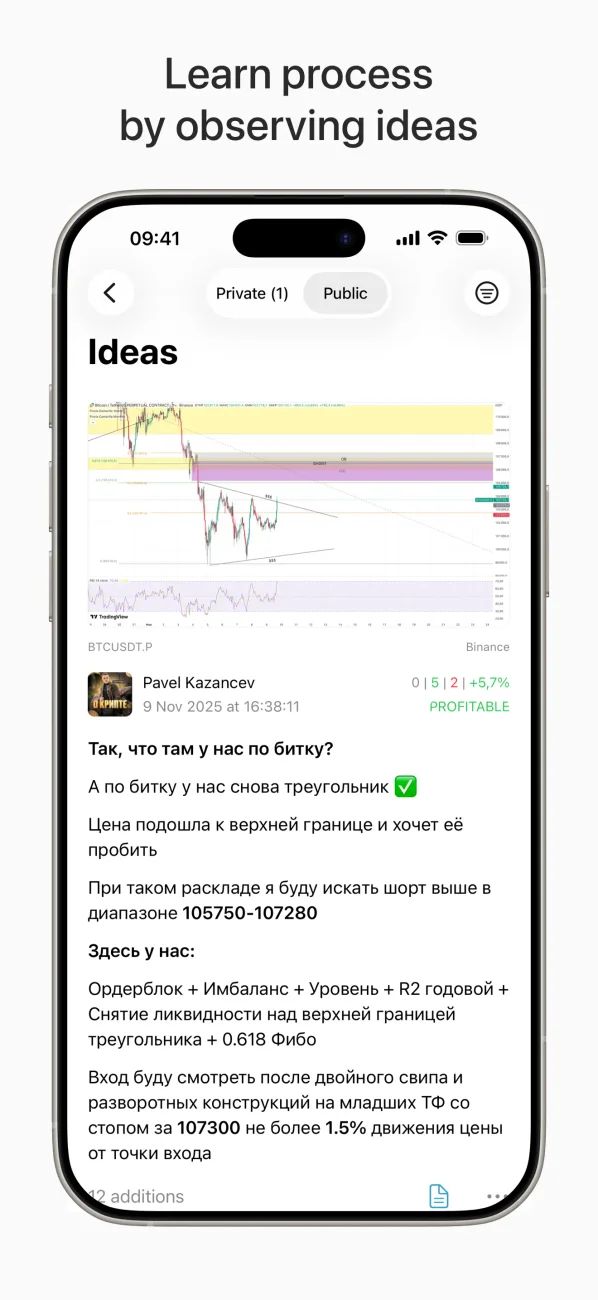
1. Learn trading by observing how established traders trade.
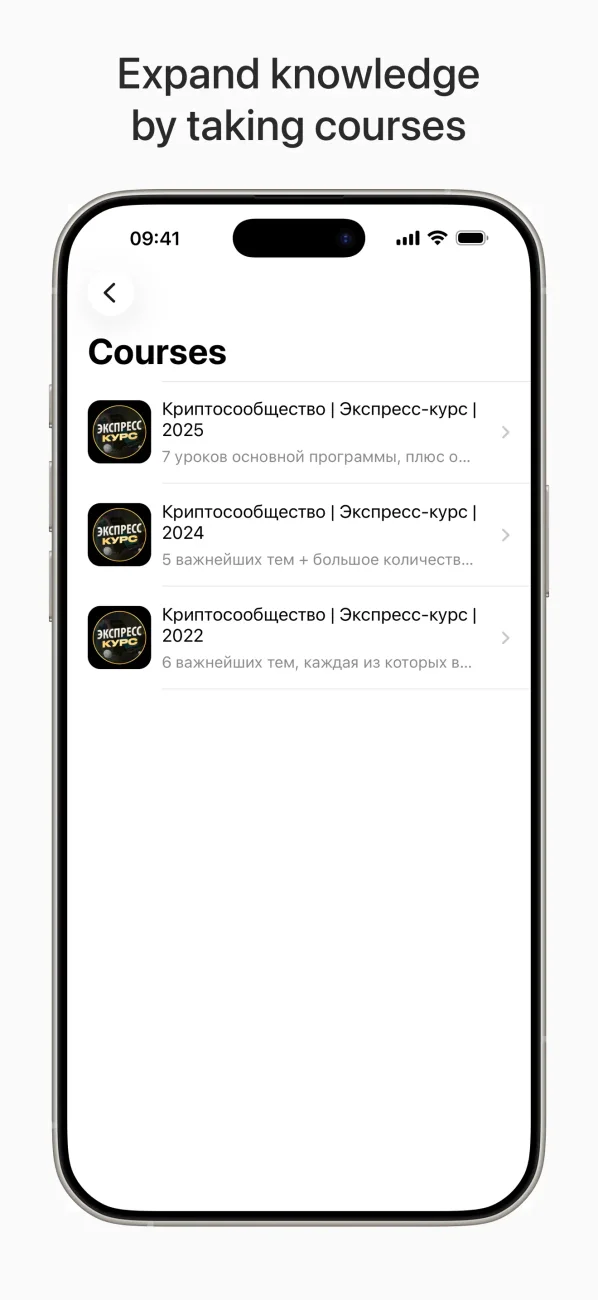
2. Expand your knowledge base by taking the courses they publish.
3. Improve your understanding of the material by making personal notes.
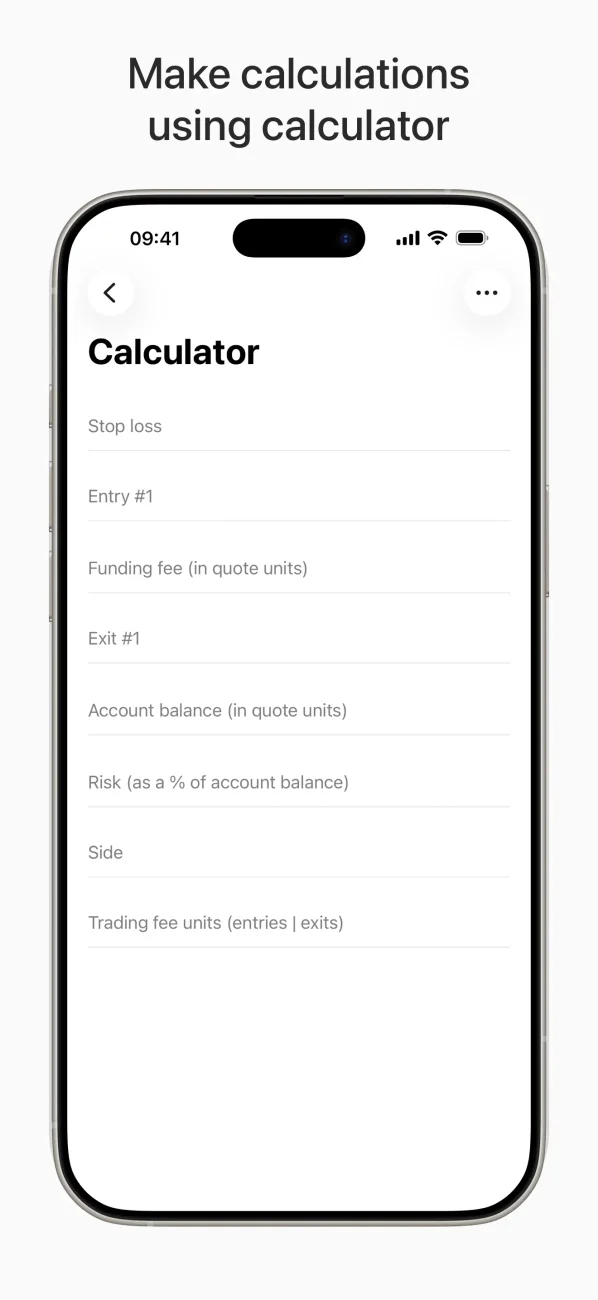
4. Calculate the parameters of trading positions using the position calculator.
The Speakers screen displays all traders participating in the OktoSpace Speaker Program. Speakers with the most successful trading results are ranked at the top of the list.
On the Speaker screen, you can view more information about the Speaker, including:
- the number of pending, profitable, and losing ideas of the Speaker;
- the profit generated from all ideas of the Speaker, expressed as a percentage of their account balance;
- the number of courses published by the Speaker;
- links to the Speaker's channels on third-party platforms.
By tapping the number of ideas, you can view the ideas published by the Speaker. Similarly, tapping the number of courses, you can see the courses they published.
If you are an experienced trader seeking to share your expertise, you can submit a request to join the OktoSpace Speaker Program using the form available on the Contacts screen. Upon approval or if additional information is required, you will receive an email from the OktoSpace development team.
The Ideas screen is divided into two sections - Private and Public.
The Private section displays ideas that you have personally created. All of these ideas are stored locally and synchronized between your other devices that are signed in to your Apple Account and have iCloud Drive enabled for the OktoSpace application. You can filter private ideas by status, ticker symbol, and creation date using the Filters menu accessible by tapping the More button on the navigation bar. Additionally, you can view a report on your private ideas by tapping the More button on the navigation bar and selecting View Ideas Report.
The Public section displays all free trading ideas published on OktoSpace. You can filter public ideas based on their status and ticker symbol using the menu accessible via the Filters button on the navigation bar.
On the Speaker Ideas screen, you can subscribe to notifications when this Speaker publishes new ideas. A report on the Speaker's ideas is accessible by tapping the More button on the navigation bar and selecting View Ideas Report.
The Courses screen displays all courses published on OktoSpace. Some courses are free, some can be purchased for a one-time payment, and some are exclusively available to members of Trader Programs.
The Notes screen displays notes that you have personally created. All of these notes are stored locally and synchronized between your other devices that are signed in to your Apple Account and have iCloud Drive enabled for the OktoSpace application.
On the Position Calculator screen, you can calculate the estimated quantity for the position entry by specifying the account balance and risk, the stop loss price on the Stop Loss screen, and the entry price on the Entry #1 screen. After entering the position entry data, you can also view the break-even price on the Exit #1 screen.
If you are a member of the Trader Program, which provides access to all values calculated by the Position Calculator, or if you have purchased access to these values by making a one-time payment, you can calculate estimated quantities and break-even prices for positions with multiple entries and exits.
Terms of Use: https://www.oktospace.com/terms-of-use/
Có gì mới
Phiên bản 1.6.0 · 21/10/2026
- The app is optimized for iPhone Duo.
- The app now requires iOS 17 or later.
Quyền riêng tư của ứng dụng
Những gì OktoSpace SIA khai báo trên App Store về cách ứng dụng này xử lý dữ liệu.
-
Dữ liệu liên kết với bạn
Có thể được thu thập và liên kết với danh tính của bạn.
- Thông tin liên hệ
-
Dữ liệu không liên kết với bạn
Có thể được thu thập nhưng không liên kết với danh tính của bạn.
- Mục mua
- Mã định danh
- Chẩn đoán
Phương thức đảm bảo quyền riêng tư có thể khác nhau, chẳng hạn như tuỳ theo các tính năng bạn sử dụng hoặc độ tuổi của bạn.
Thông tin
- Người bán
- OktoSpace SIA
- Danh mục
- Giáo Dục
- Phiên bản
- 1.6.0
- Cập nhật
- 21/10/2026
- Phát hành
- 26/01/2026
- Kích thước
- 20,9 MB
- Yêu cầu
- iOS 17.0 trở lên
- Độ tuổi
- 17+
- Giá
- Miễn phí
- Mua hàng trong ứng dụng
- Có
- Ngôn ngữ
- Tiếng Anh, Tiếng Nga
- Bản quyền
- © 2026 OktoSpace SIA
Có thể bạn cũng thích
-
 Stock Learn Easy: InvestingGiáo Dục
-
 AcademyAfinGiáo Dục
-
 Langsy: AI language teacherGiáo Dục
-
 SceneCoachAIGiáo Dục
-
 Teach & PlanGiáo Dục
-
 CryptoSens: Financial LiteracyGiáo Dục
-
 Pocket PEGiáo Dục
-
 Learn English with AirisGiáo Dục
-
 Wordful Tiếng NhậtHọc từ vựng và mẫu câu
-
 ChartSense: Phân Tích Kỹ ThuậtAI đọc nến: chứng khoán, coin