OmniPDF: Batch PDF Tools
Compress, redact & watermark
Designed for iPhone, iPad
Free · In-app purchases
- Age rating4+
- CategoryUtilities
- Developerzhentao zhang
- LanguagesEnglish+ 38 more
- Size17.2 MB
Links to the official App Store page
Download.org hosts no file of OmniPDF: Batch PDF Tools. The button opens its official App Store page, published by zhentao zhang. Listing last checked on Nov 17, 2026.
Screenshots
About
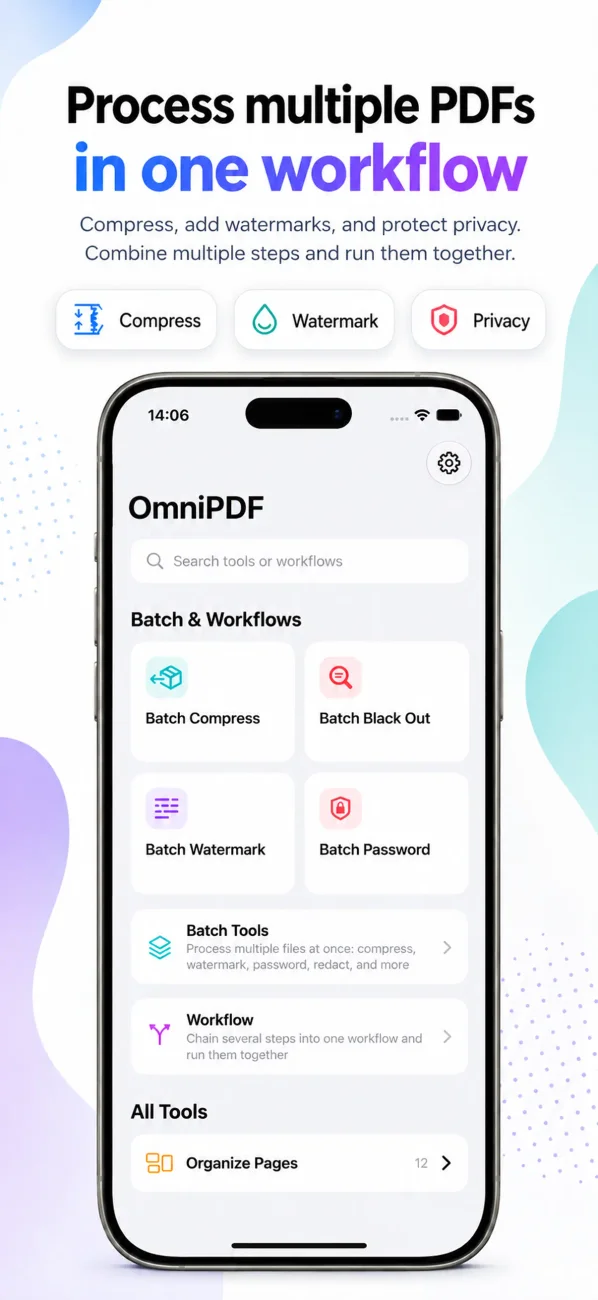
OmniPDF is a batch PDF processing tool. Select multiple files and use shared settings for compression, watermarks, passwords, or page organization. You can also combine several operations into a workflow to reduce repetitive processing and setup.
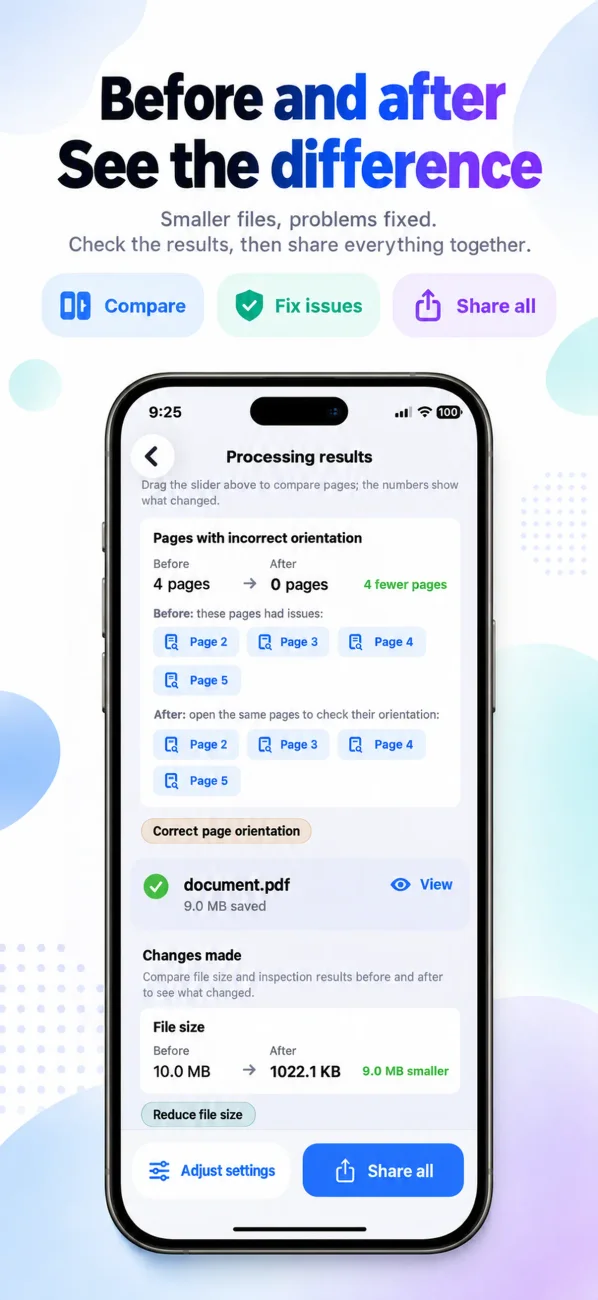
Organize contracts, application documents, reports, and scanned files. Preview the results in the app and review changes before exporting or sharing.
【Batch Processing】
• Compress multiple PDFs with a target file size.
• Find and permanently remove searchable sensitive text across multiple PDFs.
• Add the same watermark or page numbering to multiple PDFs.
• Set, change, or remove passwords required to open multiple files.
• Check page orientation, remove blank pages, trim page margins, or adjust paper size.
• Remove file metadata and annotations, or make editable content a fixed part of the page.
【Combine Multiple Steps】
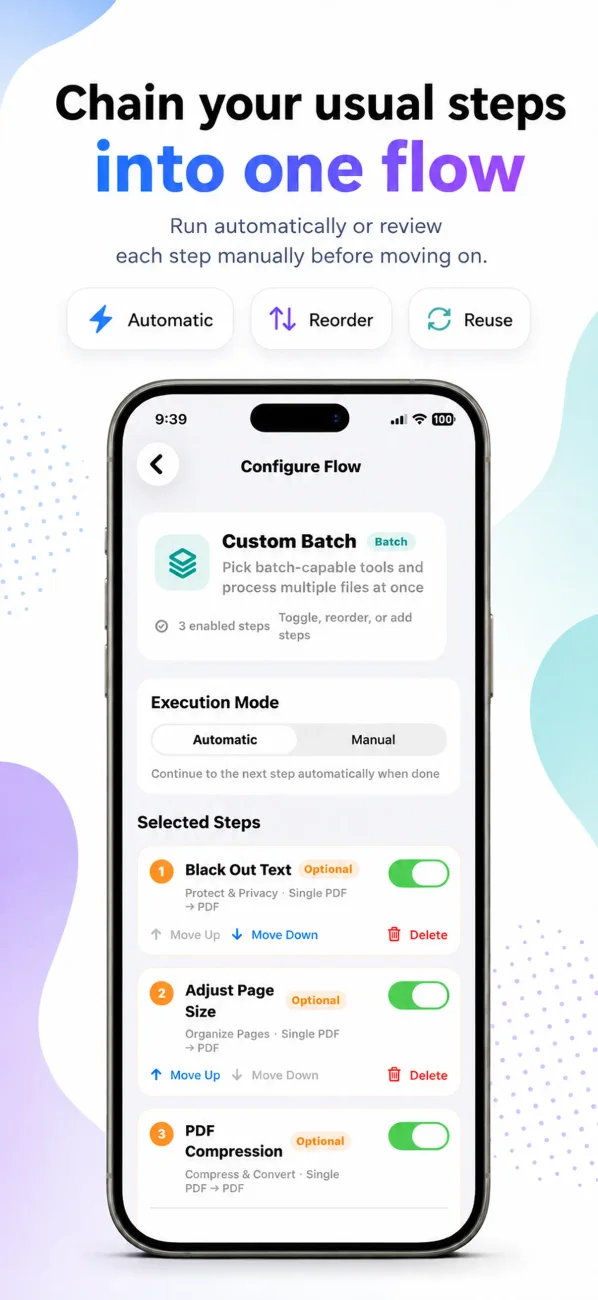
• Choose several tools and set their execution order.
• Combine compression, sensitive text removal, and watermarks in one workflow.
• Save workflows you use frequently and reuse them later.
• Review the results, then continue with other operations or export.
【A Complete PDF Toolkit】
• Merge, split, delete, extract, duplicate, and reorder pages.
• Rotate and trim pages, insert pages, and replace pages.
• Scan documents, turn images into PDF files, and export PDF pages as images.
• Add text, annotations, signatures, date stamps, and stamps. Fill existing form fields.
• Draw rectangles over areas to permanently remove sensitive content.
【Optional PDF Inspection】
• Check file size, page orientation, blank pages, password protection, annotations, form fields, and metadata.
• Choose which items to process based on the inspection results.
• Inspect first if needed, or choose a tool and start processing directly.
Processing and result previews are available in the app. Exporting or sharing processed files requires an in-app purchase.
OmniPDF — one batch of files, multiple steps, one workflow.
Privacy Policy:
https://zzthhj.github.io/OmniPDF/
Terms of Use (EULA):
https://www.apple.com/legal/internet-services/itunes/dev/stdeula/
What’s new
Version 1.07 · Oct 12, 2026
• Reorganized the home screen to highlight batch processing and multi-step workflows.
• Grouped the full tool collection into categories for easier discovery and access.
• Fixed the merge workflow and some action labels on result screens.
• Improved purchase explanations and corrected some localized text.
App privacy
What zhentao zhang declares on the App Store about how this app handles data.
-
Data not linked to you
May be collected but is not linked to your identity.
- Usage data
Privacy practices may vary, for example with the features you use or your age.
Information
- Seller
- zhentao zhang
- Category
- Utilities
- Version
- 1.07
- Updated
- Oct 12, 2026
- Released
- Jul 20, 2026
- Size
- 17.2 MB
- Requires
- iOS 18.6 or later
- Age rating
- 4+
- Price
- Free
- In-app purchases
- Yes
- Languages
- English, Arabic, Bengali, Catalan, Croatian, Czech, Danish, Dutch, Finnish, French, German, Greek + 27 more
- Copyright
- © 2026 SmallToolWorks
You might also like
-
 EXIF Studio LITEGérez et protégez vos données
-
 CleanPIIRedact Sensitive Data Offline
-
 PrivacyMaskOn-device info redaction
-
 XiaoJia Redaction AssistantSmart File Redaction Tool
-
 NOMO AIAI Privacy Assistant
-
 DocuSnap - Escanea documentosUtilities
-
 Blurio: Photo Blur & MosaicOffline Face & Text Redaction
-
 Redactly - Screenshot BlurHide Text & Redact Screenshots
-
 PDF Password: Unlock & LockProtect, save & share files
-
 Repair PDF fastFix your PDF easily