PDF Password: Unlock & Lock
Protect, save & share files
Designed for iPhone, iPad, iPod touch
- Age rating4+
- CategoryUtilities
- DeveloperBokeria Inc.
- LanguagesJapanese+ 14 more
- Size14.4 MB
Links to the official App Store page
Download.org hosts no file of PDF Password: Unlock & Lock. The button opens its official App Store page, published by Bokeria Inc. Listing last checked on Nov 23, 2026.
Screenshots

About
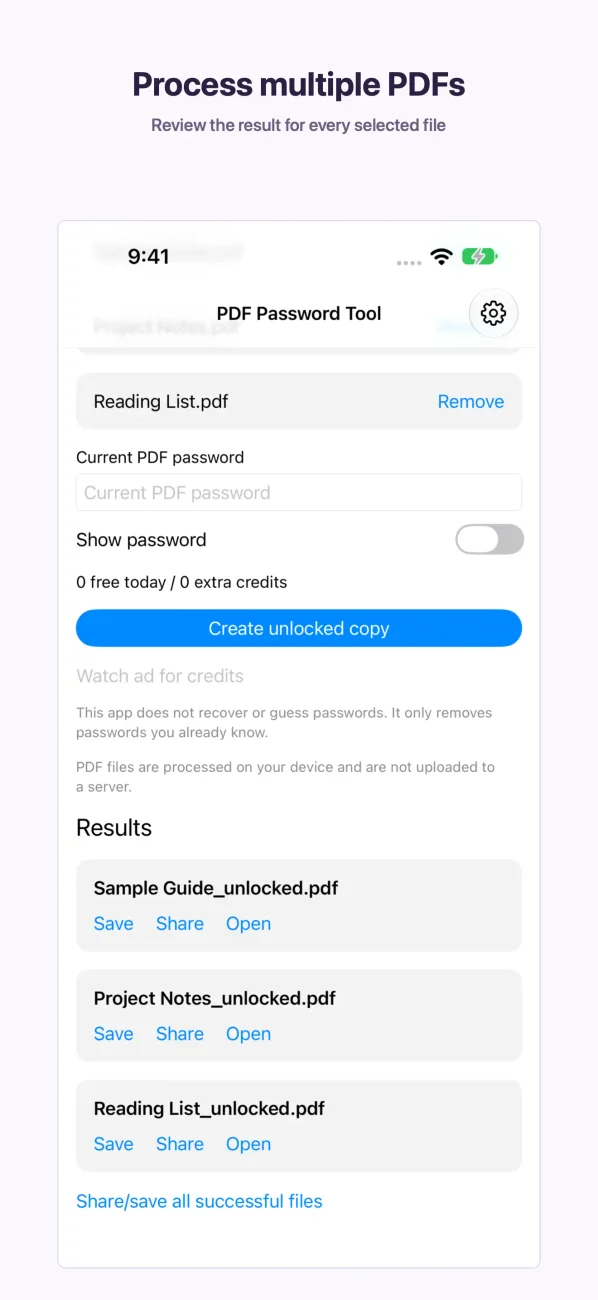
Manage PDF passwords directly on your device. Remove an open password when you know the current password, or add AES-256 password protection to a PDF that is not protected yet.
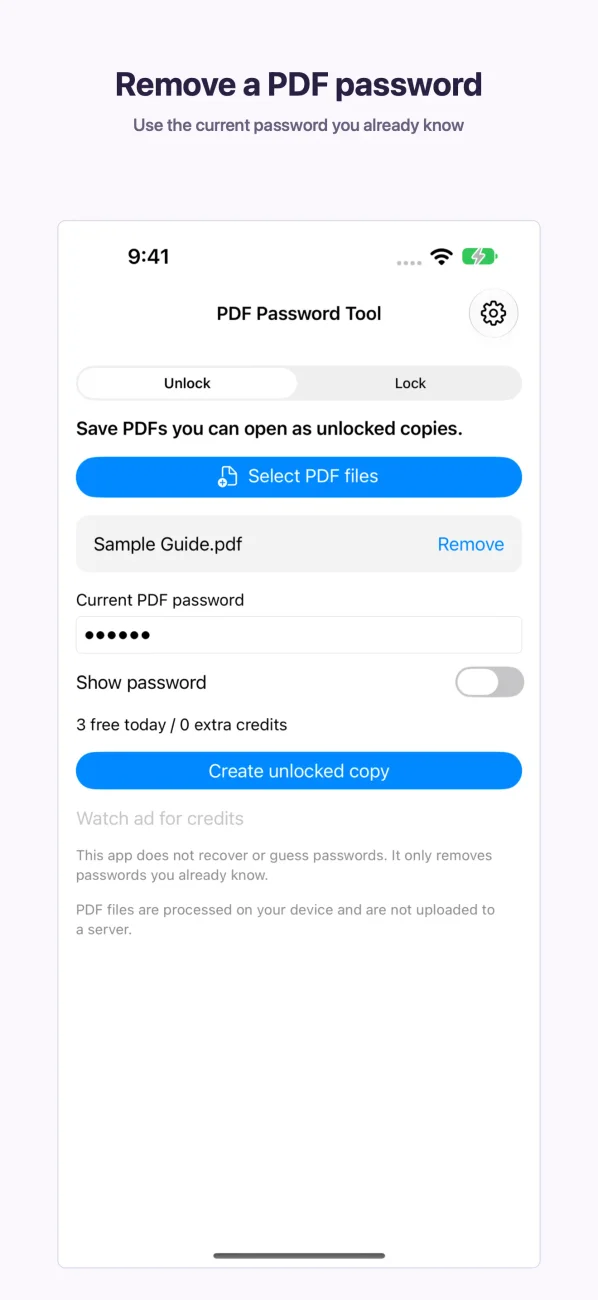
REMOVE A KNOWN PDF PASSWORD
Select a protected PDF, enter its current password and create an unlocked copy. Keep a convenient copy of documents you are authorized to use. This app does not guess, crack or recover forgotten passwords.
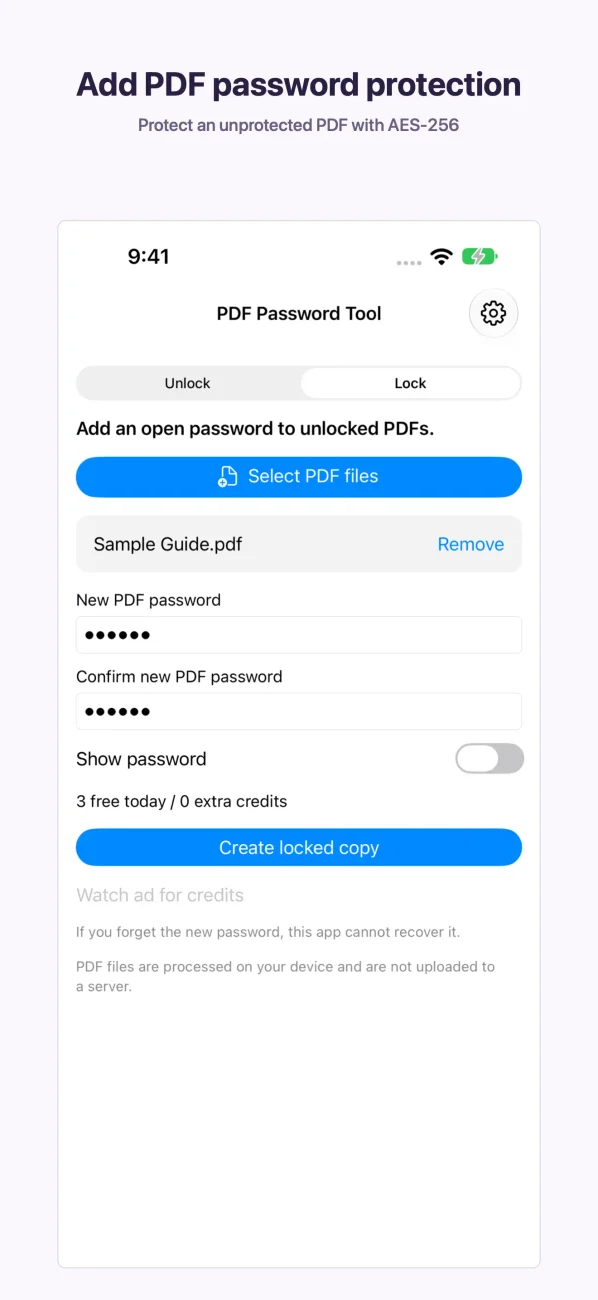
PROTECT A PDF WITH A PASSWORD
Set a new open password and confirm it before processing. The app creates a separate encrypted PDF copy; your original file is not overwritten.
MULTIPLE FILES, CLEAR RESULTS
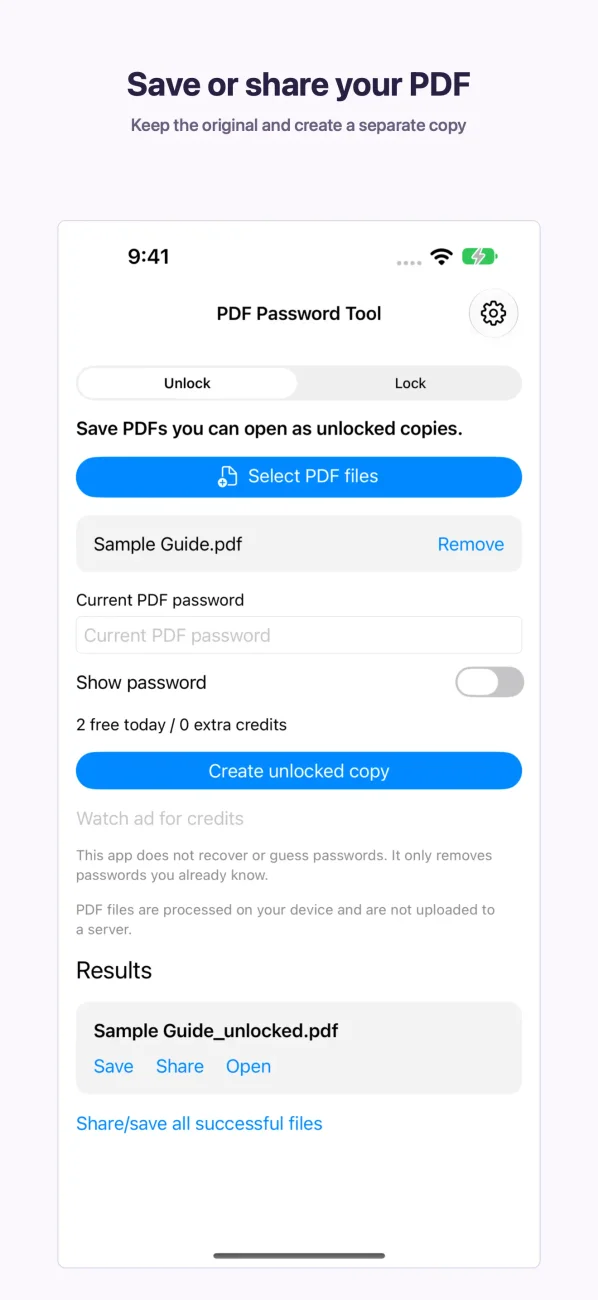
Choose one or several PDFs, process them in order and review the result for each file. Save successful copies, share them with another app or open a preview. You can cancel processing.
ON-DEVICE PDF PROCESSING
PDF contents and passwords are processed locally, without uploading your documents to a server. Useful for contracts, certificates and everyday work documents.
PLEASE NOTE
• The current password is required to unlock a protected PDF.
• Keep new passwords safe; forgotten passwords cannot be recovered.
• Digitally signed documents are not converted, to help preserve their signatures.
• Processing is subject to the displayed daily allowance and rewarded credits. Rewarded ads may provide additional credits.
• Advertising and optional usage statistics or diagnostics may use a network connection. Manage collection choices in Settings.
Support: appsupport@bokeriastudio.com
What’s new
Version 2.0.0 · Nov 10, 2026
Native PDF unlock and password protection screens. Improved file processing, cancellation, and save/share workflows while preserving existing settings and processing credits.
App privacy
What Bokeria Inc. declares on the App Store about how this app handles data.
-
Data used to track you
May be used to track you across apps and websites owned by other companies.
- Identifiers
-
Data linked to you
May be collected and linked to your identity.
- Location
- Identifiers
- Usage data
-
Data not linked to you
May be collected but is not linked to your identity.
- Diagnostics
Privacy practices may vary, for example with the features you use or your age.
Information
- Seller
- Bokeria Inc.
- Category
- Utilities
- Version
- 2.0.0
- Updated
- Nov 10, 2026
- Released
- Jun 4, 2026
- Size
- 14.4 MB
- Requires
- iOS 15.0 or later
- Age rating
- 4+
- Languages
- Japanese, Arabic, Italian, Indonesian, Spanish, Thai, German, Hindi, French, Vietnamese, Portuguese, Simplified Chinese + 3 more
- Copyright
- © 2026 Bokeria Studio
You might also like
-
 Unlock my PDF: PDF PasswordPassword Remover & Protector
-
 Protect PDF: Password LockLock, Unlock & Change PDFs
-
 Unlock PDF – Password RemoverRemove PDF passwords offline
-
 PDF Unlocker ProPDF Unlocker and Locker Tool
-
 PDF Merger & Splitter: CombinePhotos to PDF, Extract Pages
-
 OmniPDF: Batch PDF ToolsCompress, redact & watermark
-
 Lock Pdf & Unlock PDF OfflineAdd & Remove Password From PDF
-
 SafeDoc: PDF Scanner & VaultOrganize, scan and secure
-
 Omni PDF Unlocker - PasswordRemove PDF password easily
-
 ZapPDF: Merge, Split & Edit100% Offline Document Utility