
한줄달력: One-line Calendar
Type one line, get it planned
Designed for iPhone, iPad
Free
- Age rating4+
- CategoryProductivity
- DeveloperJinmo Ku
- LanguagesEnglish+ 4 more
- Size6.3 MB
Links to the official App Store page
Download.org hosts no file of 한줄달력: One-line Calendar. The button opens its official App Store page, published by Jinmo Ku. Listing last checked on Nov 14, 2026.
Screenshots



About
I couldn’t find a calendar app I liked, so I built the one I wanted to use.
■ Just type — it files itself
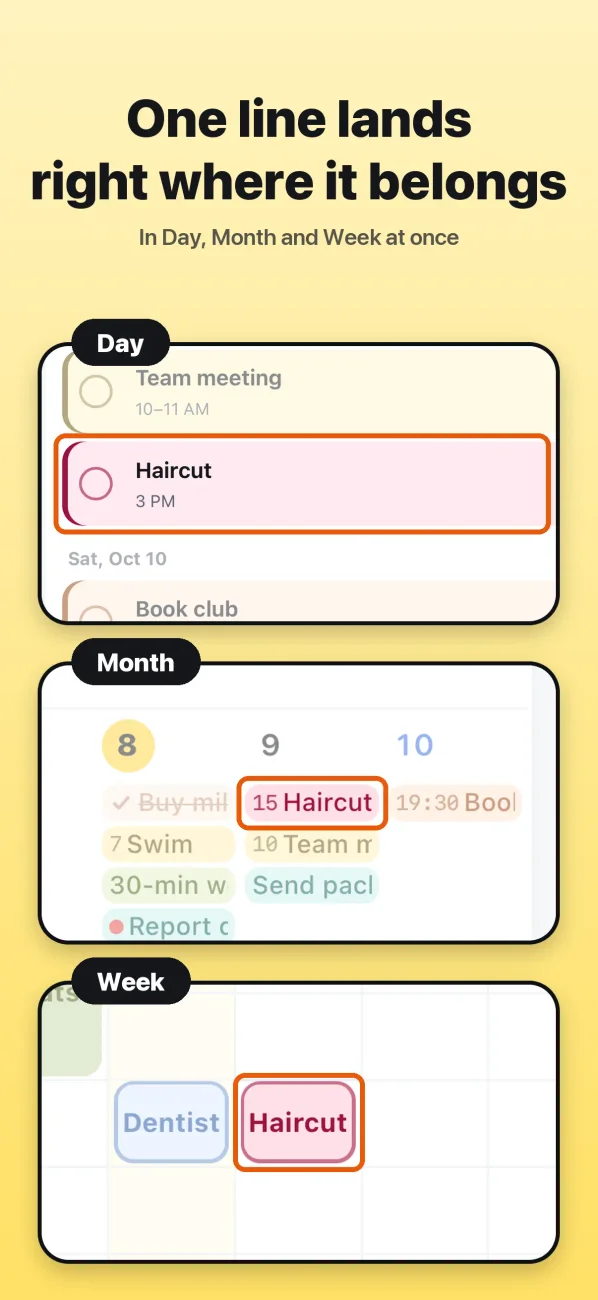
Write “dentist tomorrow 3pm”, “report due Friday” or “swim Mon Wed Fri 7am” like a chat message.
It understands the date and time and puts it in the right place: calendar, to-do list or timetable. No forms to fill in.
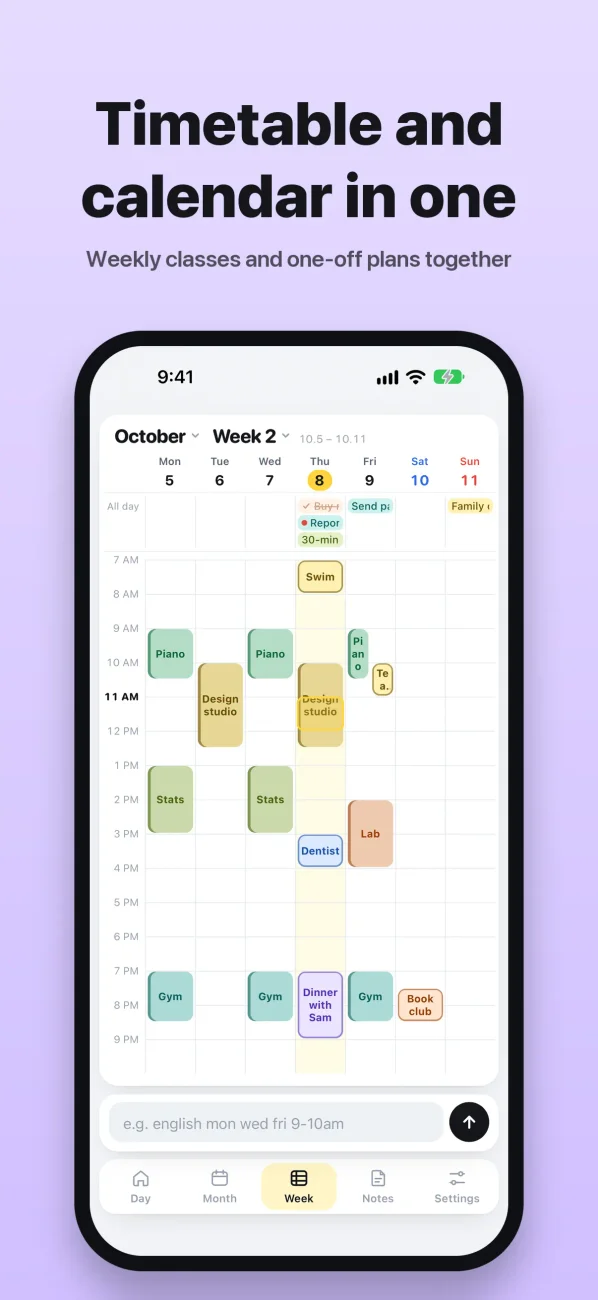
■ Timetable and calendar as one
Weekly classes and workouts live in the timetable, this week’s plans in the calendar — and you see them together.
Anything you add to the calendar also shows up in that week’s timetable and in today’s to-dos.
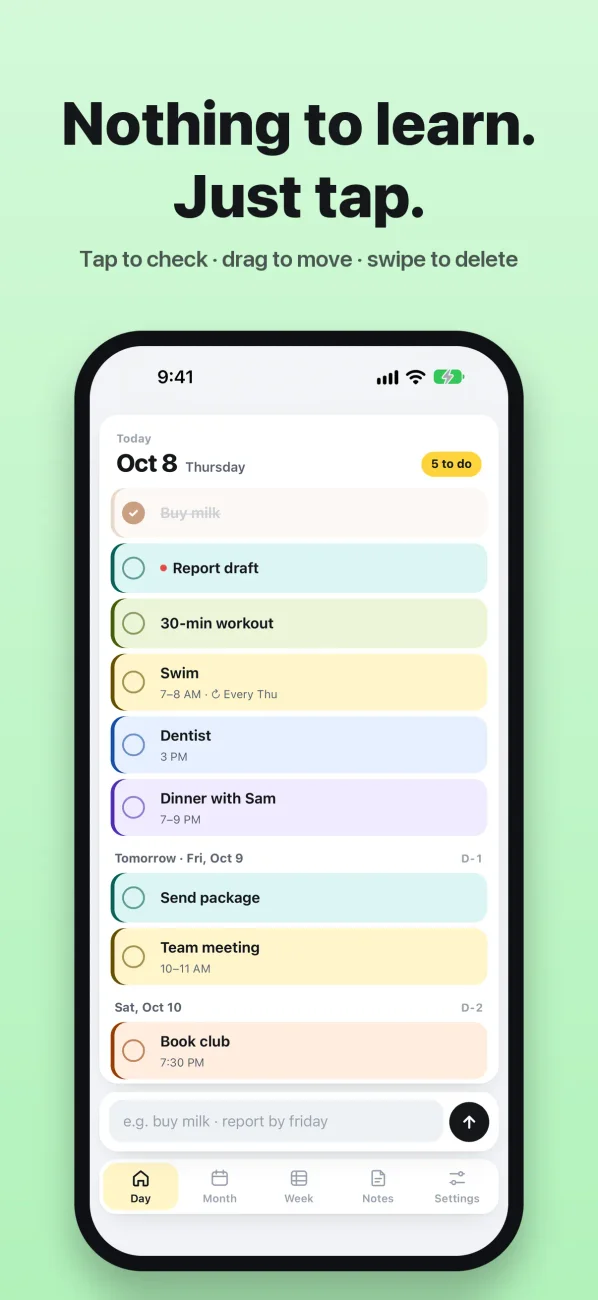
■ Nothing to learn
Tap to check off, long-press and drag to move, swipe to delete. No menus to dig through.
■ Day
Today’s to-dos and what’s coming next at a glance. Tap the circle to complete,
long-press and drag to reorder or move to another day.
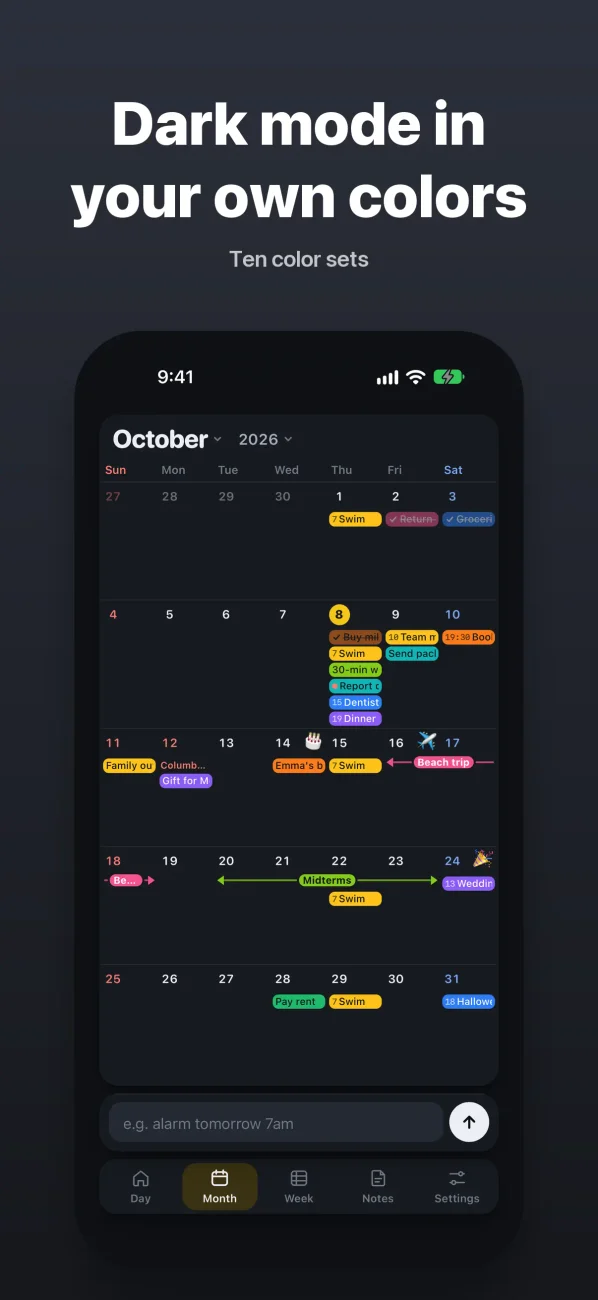
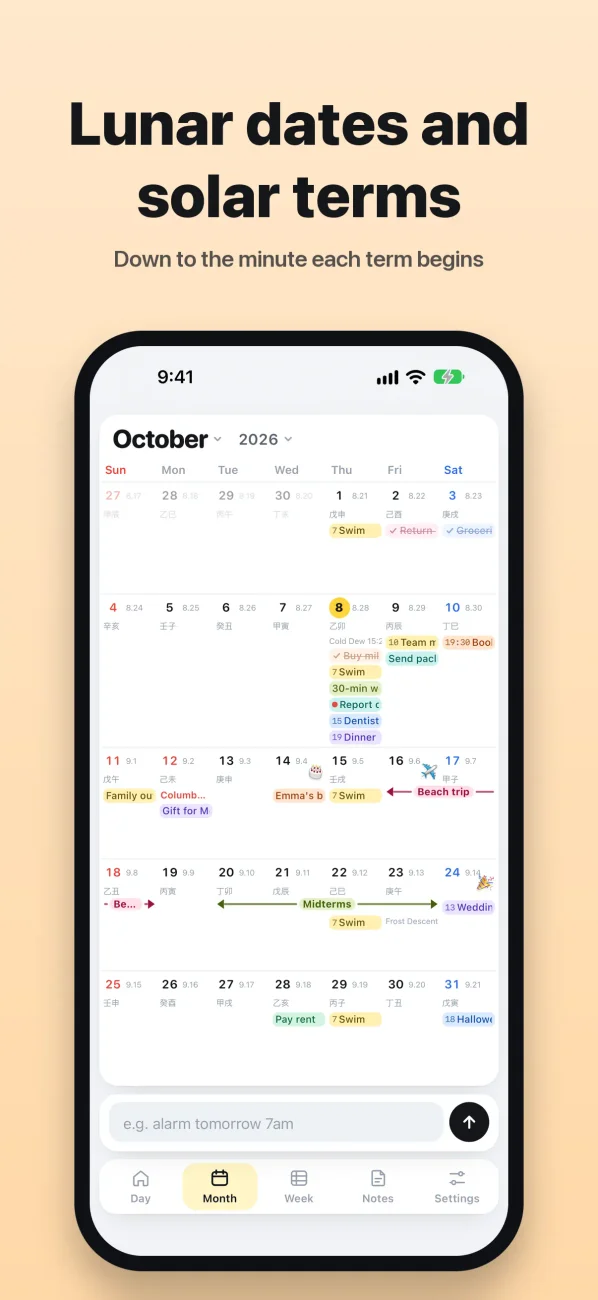
■ Month
Public holidays included. Trips and exams that span several days are drawn as one arrow,
and busy months scroll. Tap a date to see its plans, double-tap to add a cute sticker,
long-press a date to write straight onto it. Lunar dates and solar terms are optional.
■ Week
Weekly classes and workouts as blocks. Long-press and drag to add one,
drag to move or resize.
Pick a screenshot of your timetable and its classes are added in one go. The photo is read on your device.
■ Widgets
Put the calendar, your to-do list or the weekly timetable on the Home Screen
and check things off right from the widget.
■ Alarms · Morning briefing
Type “alarm tomorrow 7am” and it rings as an iPhone notification.
Turn on the morning briefing to get each of the day’s plans as its own notification every morning.
■ Color sets · Notes
Ten color sets, from macaron pastels to bold jelly colors. Quick notes live in their own tab.
■ iPhone, iPad and Mac together
Devices on the same Apple Account stay in sync through iCloud. Nothing to sign up for.
■ Works with Apple Calendar
Turn it on in Settings to see your Calendar events here, and to find what you write here in Calendar too.
Edits and deletions carry over both ways.
■ On-device AI
On iPhones with Apple Intelligence, requests the built-in rules can’t parse are answered
by the on-device model. Nothing leaves your device.
■ 5 languages · 5 countries
한국어 · English · 日本語 · 中文 · Bahasa Indonesia, and the chat understands the language you choose.
Language and country are chosen separately, so you can use English with Korean holidays.
■ Private by design
No account, no ads, no tracking. Your plans live on your devices and in your own iCloud, and it works offline.
What’s new
Version 1.4.2 · Nov 8, 2026
• Fixed Month and Week showing last month’s or last week’s days when first opened
• The “Up next” Lock Screen widget now includes your timetable classes, in time order
• The Dynamic Island “Now” item has been removed. Add the “Up next” Lock Screen widget instead
App privacy
What Jinmo Ku declares on the App Store about how this app handles data.
-
Data not collected
The developer does not collect any data from this app.
Privacy practices may vary, for example with the features you use or your age.
Information
- Seller
- Jinmo Ku
- Category
- Productivity
- Version
- 1.4.2
- Updated
- Nov 8, 2026
- Released
- Oct 10, 2026
- Size
- 6.3 MB
- Requires
- iOS 17.0 or later
- Age rating
- 4+
- Price
- Free
- Languages
- English, Indonesian, Japanese, Korean, Simplified Chinese
- Copyright
- © 2026 구진모
You might also like
-
 AIMA MailAll your email in one inbox
-
 Plani Log - Diary & CalendarDecorate your plans with cats
-
 Peekmo - Lock Screen NotesProductivity
-
 MakernoteProductivity
-
 쓰던달력Productivity
-
 던던-투두/습관/일기를 한번에Productivity
-
 달빛 캘린더 - 위젯 달력Productivity
-
 Spacebar CounterCounter Clicker
-
 출근 공유 캘린더 - 팀 근무표·교대근무 스케줄 달력Productivity
-
 TimeBlock - Planner for ADHDVisual Planner for ADHD