- Age rating4+
- CategoryProductivity
- DeveloperJEONG HYEON CHOI
- LanguagesJapanese+ 2 more
- Size52.2 MB
Links to the official App Store page
Download.org hosts no file of Peekmo - Lock Screen Notes. The button opens its official App Store page, published by JEONG HYEON CHOI. Listing last checked on Nov 23, 2026.
Screenshots


About
You forget things you wrote down because you never open the note again.
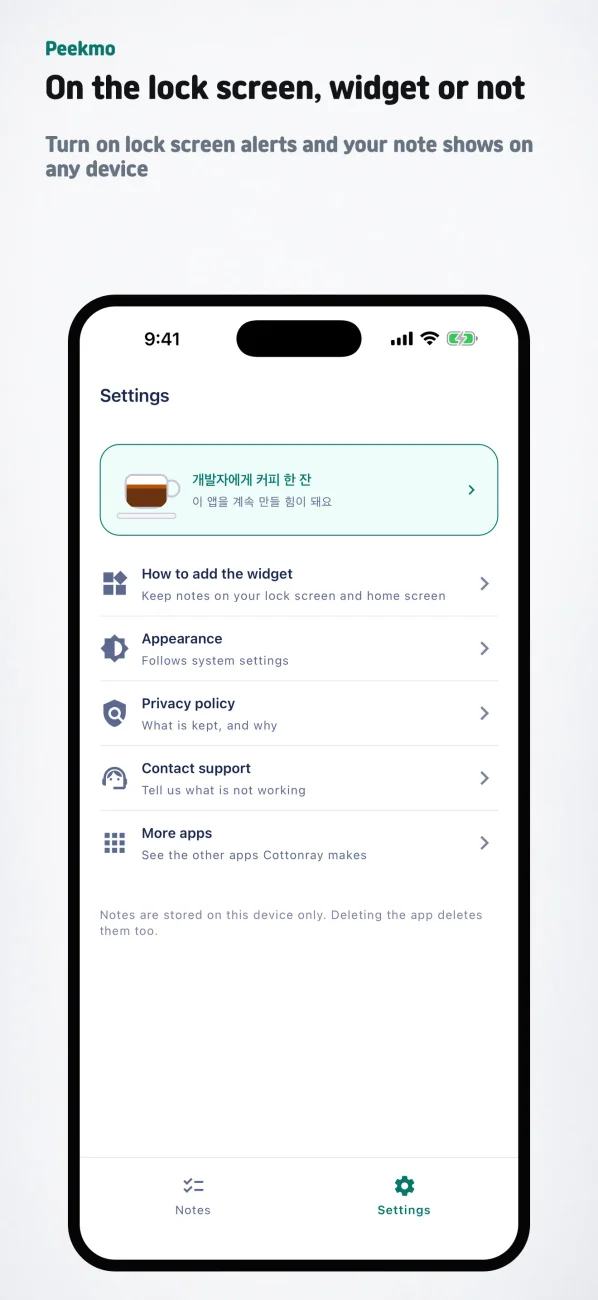
Peekmo keeps short notes on your Lock Screen and in a Home Screen widget. Recycling day, a family birthday, taking your medication — the things you know but keep missing, back in front of you every time you pick up your phone.
Write it, and it is on the widget
One input field sits above the list. New notes are pinned by default, and only pinned notes reach the widget. No folders, no tags, no formatting — this app is the few lines you must not forget.
Seeing notes on the Lock Screen
· Lock Screen widget — press and hold the Lock Screen, tap "Customize" and then "Lock Screen", and add the Peekmo widget under the clock
· Home Screen widget — press and hold an empty spot on the Home Screen and add it there
· Pinned notes also stay visible in StandBy and on always-on displays
Optional cross-device sync
Use Peekmo without signing in to keep notes on your device. Sign in with Google or Apple to back up existing notes and sync with your other devices using the same account. Notes remain separated when you sign out or switch accounts, and conflicting edits are preserved as copies. Delete your account and server notes from My Account. Crash diagnostics and non-personalized banner advertising also collect necessary information.
Free, with a banner ad
Every feature is free. One banner ad sits at the bottom of the home screen.
Privacy policy: https://cottonray.com/privacy/peekmo
Contact: help@cottonray.com
What’s new
Version 0.1.15 · Nov 18, 2026
Added Google and Apple sign-in and account-scoped memo sync. Existing notes are preserved, with copies for conflicting edits.
App privacy
What JEONG HYEON CHOI declares on the App Store about how this app handles data.
-
Data linked to you
May be collected and linked to your identity.
- Contact info
- User content
- Identifiers
- Diagnostics
-
Data not linked to you
May be collected but is not linked to your identity.
- Location
- Identifiers
Privacy practices may vary, for example with the features you use or your age.
Information
- Seller
- JEONG HYEON CHOI
- Category
- Productivity
- Version
- 0.1.15
- Updated
- Nov 18, 2026
- Released
- Aug 15, 2026
- Size
- 52.2 MB
- Requires
- iOS 16.4 or later
- Age rating
- 4+
- In-app purchases
- Yes
- Languages
- Japanese, English, Korean
- Copyright
- © 2026 Cottonray
You might also like
-
 Vellure - Lock Screen NotesNotes Live on Your Lock Screen
-
 LimitPulse: AI UsageQuota & reset alerts
-
 토글투두Productivity
-
 Oh! RightCapture it before it's gone
-
 めのまえ - ロック画面に今日やることリストProductivity
-
 NoteScreen: Lock Screen NotesSticky Reminders & Widgets
-
 Svrf - AI Content Creator ToolProductivity
-
 Dollop: Lock Screen TasksTasks & reminders with a buddy
-
 Routine FacilitatorTiny routines, powerful change
-
 CronologixProgrammable Workflow Timers